You could win a £250 Amazon gift card! All you need to do is spare us 3 minutes of your time. Click here to find out more!
This guide will cover how to access Risk Assessments from a service users Care Plan within Care Control Cloud.
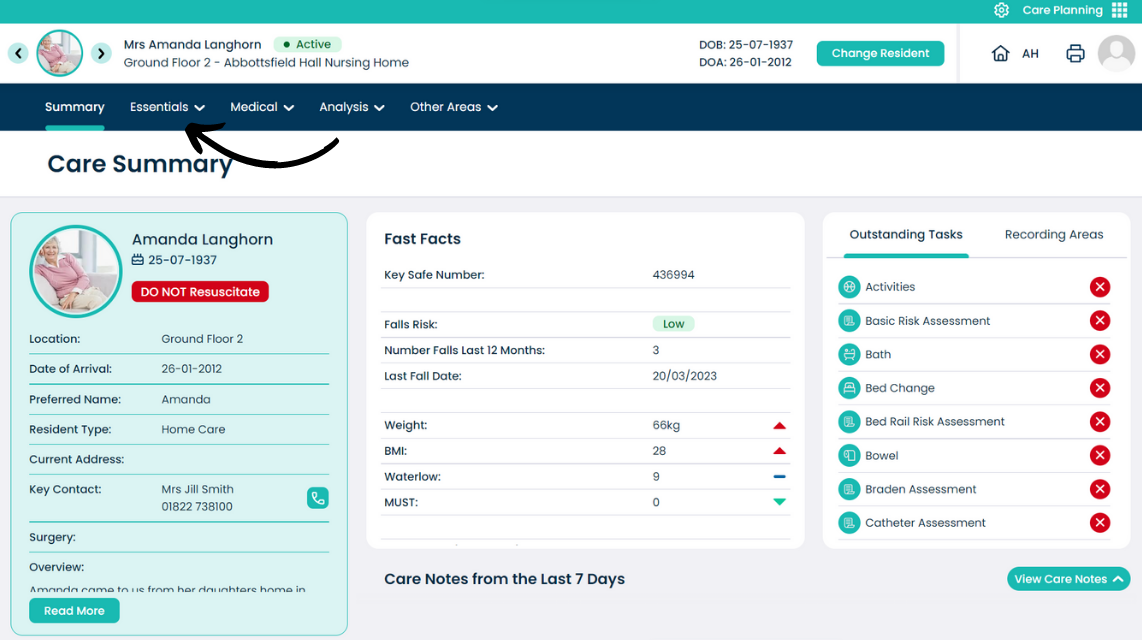
Open the Essentials menu from the clients Care Plan Summary Page.
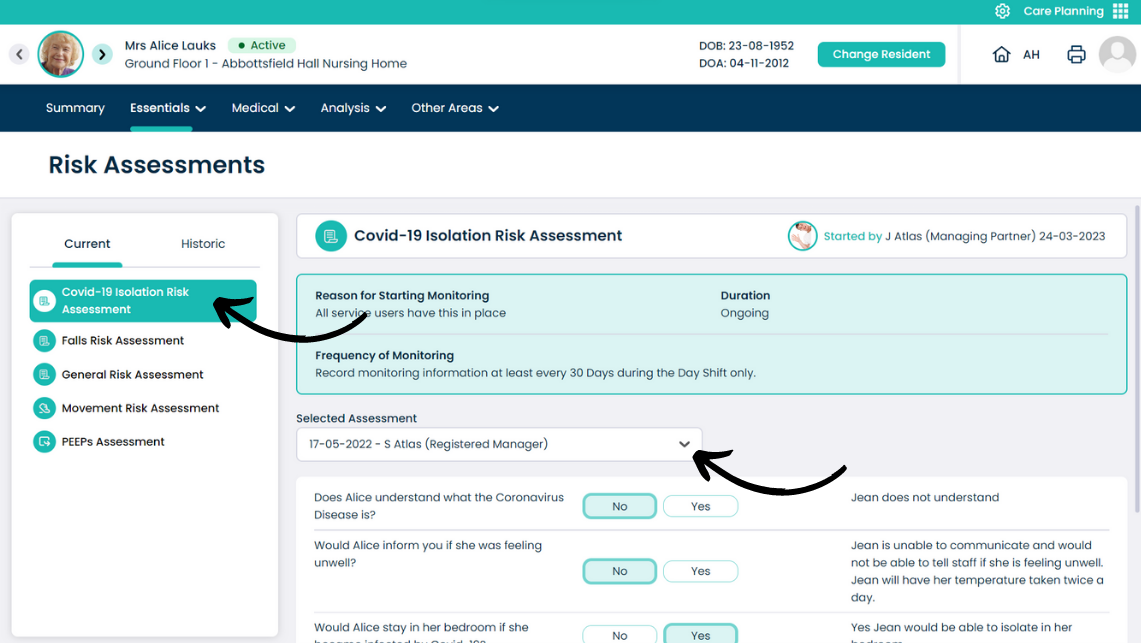
Select Risk Assessments from the drop-down list.
You can choose a Risk Assessment to view from the left hand list. The associated information will be displayed on the right.
You can look at previous versions of the risk assessment by opening the drop-down list labelled ‘Selected Assessment’