This guide will cover how to set up ratio sets for your roster on Care Control Windows. Ratio sets define basic staff numbers for a template and can help build a rota to meet requirements.
1
In the Roster System, select Ratio Sets from the left-hand side.
2
A new window will open, press Add New
3
Enter a name for your new ratio set and press Ok.
4
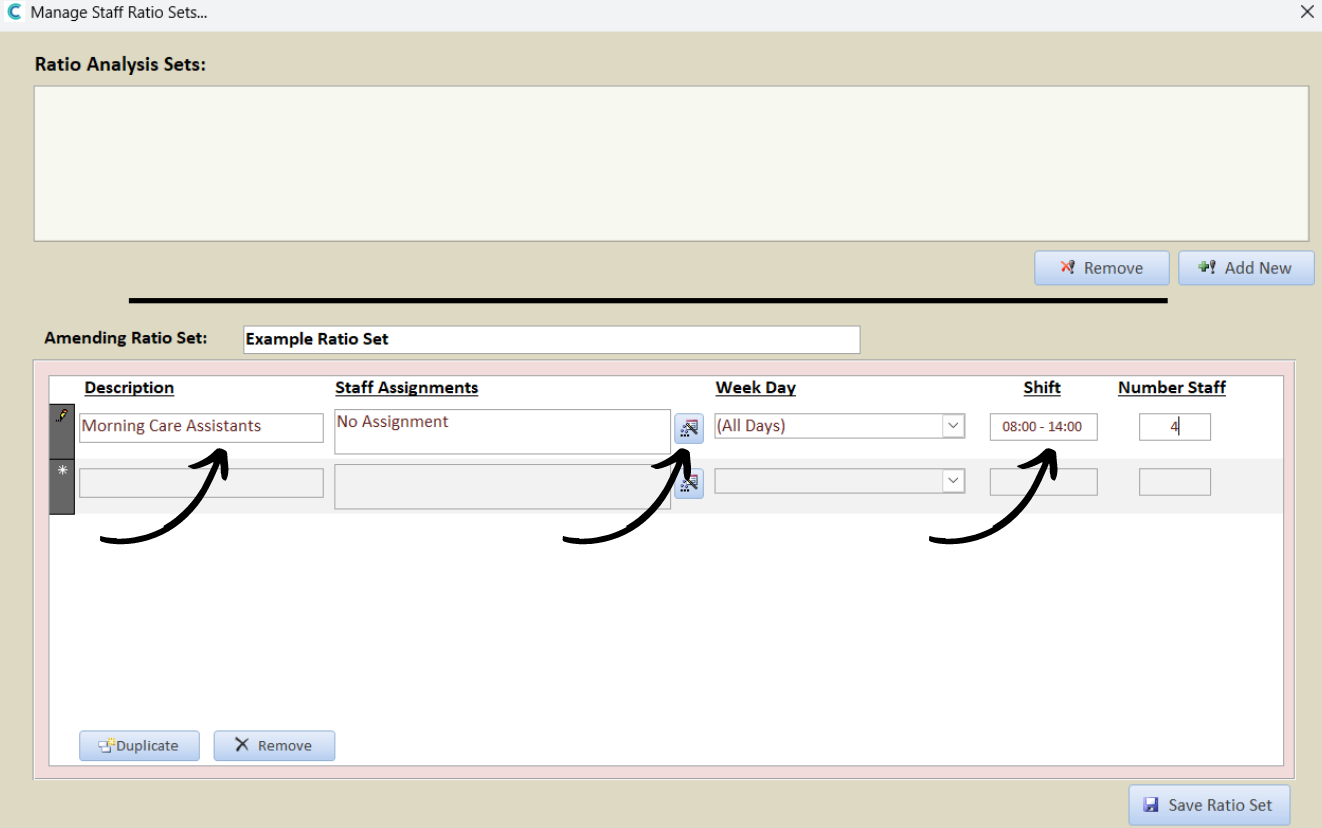
A blank row will appear in the window. First, enter a Description for the shift, then, enter the Week Days this will apply to and the specific shift hours before finally adding the number of staff required.
In this example, we are setting morning care assistant shifts (08:00-14:00) for everyday of the week. We require 4 care assistants in the morning shifts.
Next, press the blue edit button under the Staff Assignment column.
5
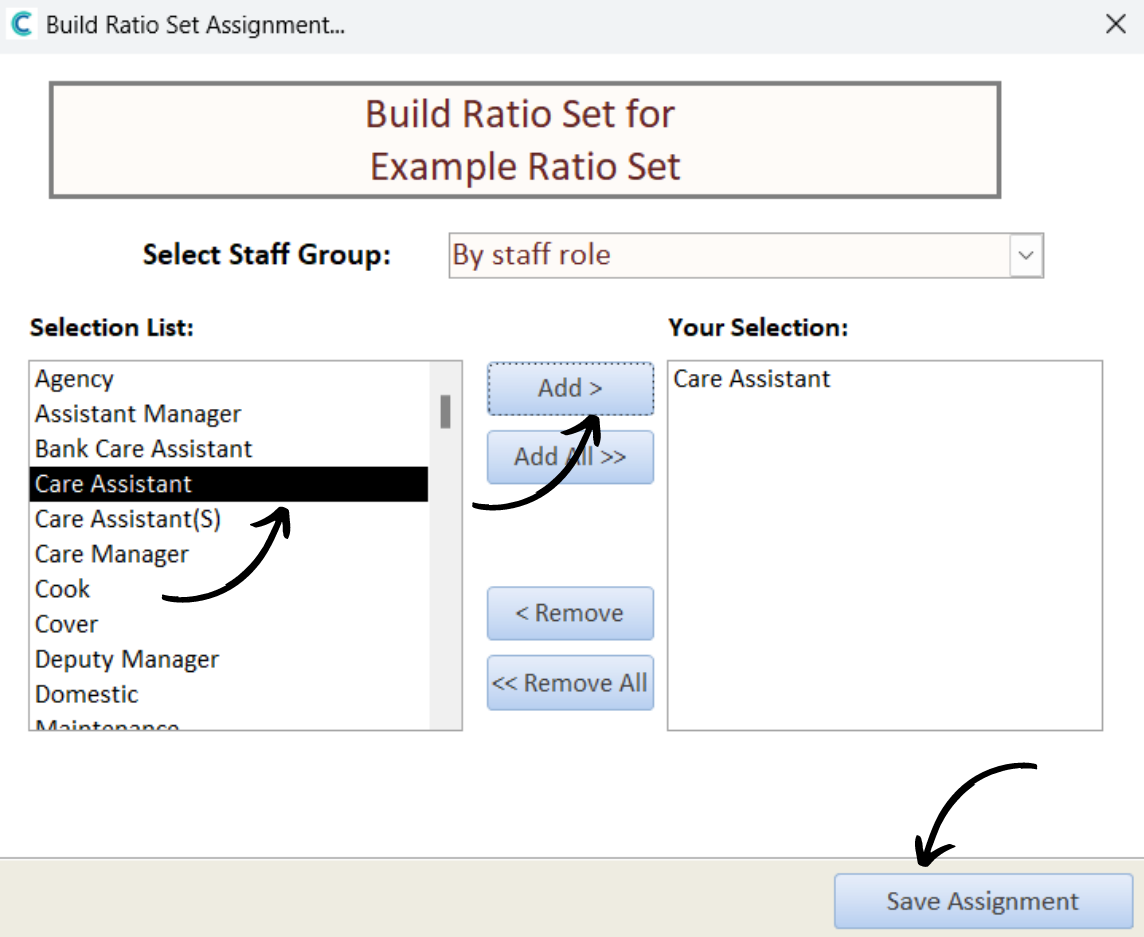
A new window will open. This is where you can select the staff role or category required for the shift. Select the role/category from the left-hand list, then, press Add to move it to the right.
Press Save Assignment.
6
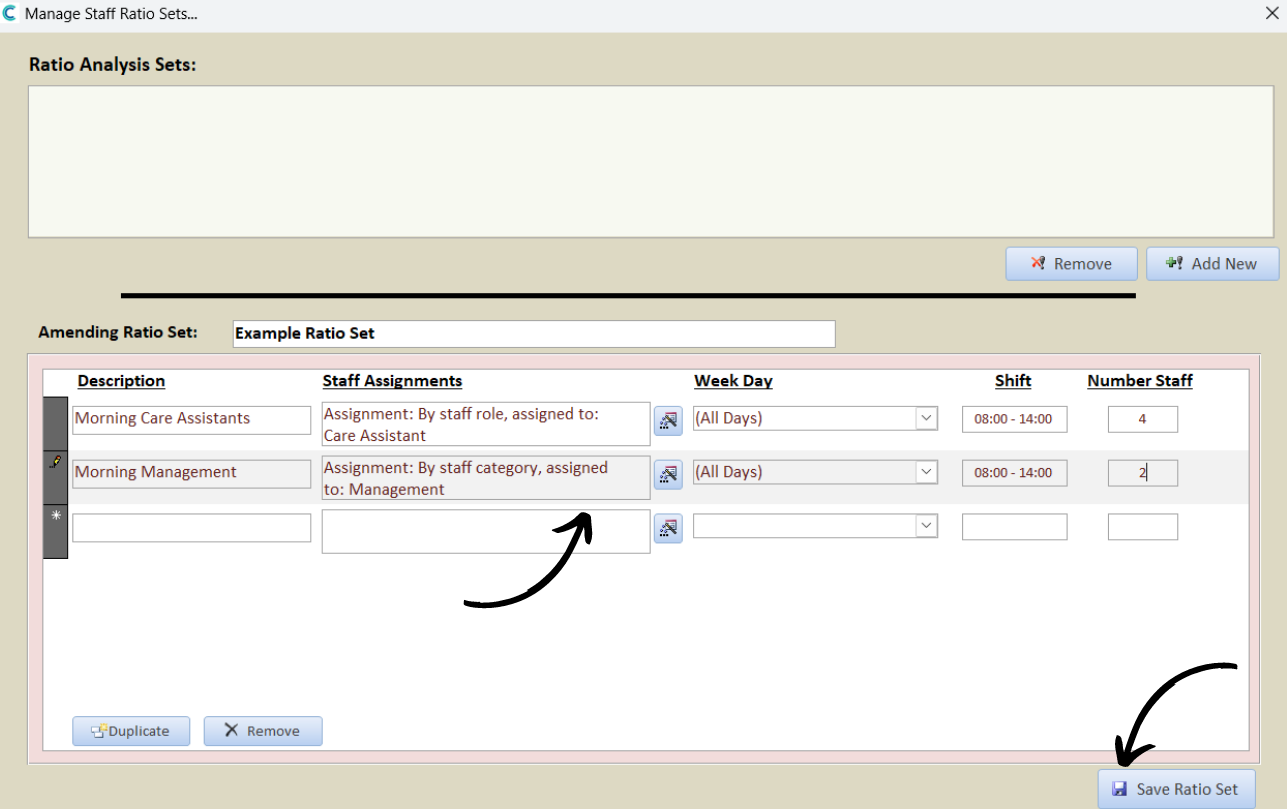
Continue to build the ratio set to suit your needs. In this continued example, we need 2 managers everyday during the morning shifts.
After completing your ratio set, press Save Ratio Set.
7
Now, when creating a new rota template, select the Auto Populate Based on your Rules option.
This will create a template using your ratio set and from there you can assign the shifts to individual staff members.