This guide will cover how to send an email from within Care Control Windows. This tool can be useful when contacting service user key contacts individually or in bulk.
1
In the Administration of Care Control Windows, navigate to the Send Email tool, which can be found under the Communication tab.
2
A new window will open. Here, a blank email form will be displayed.
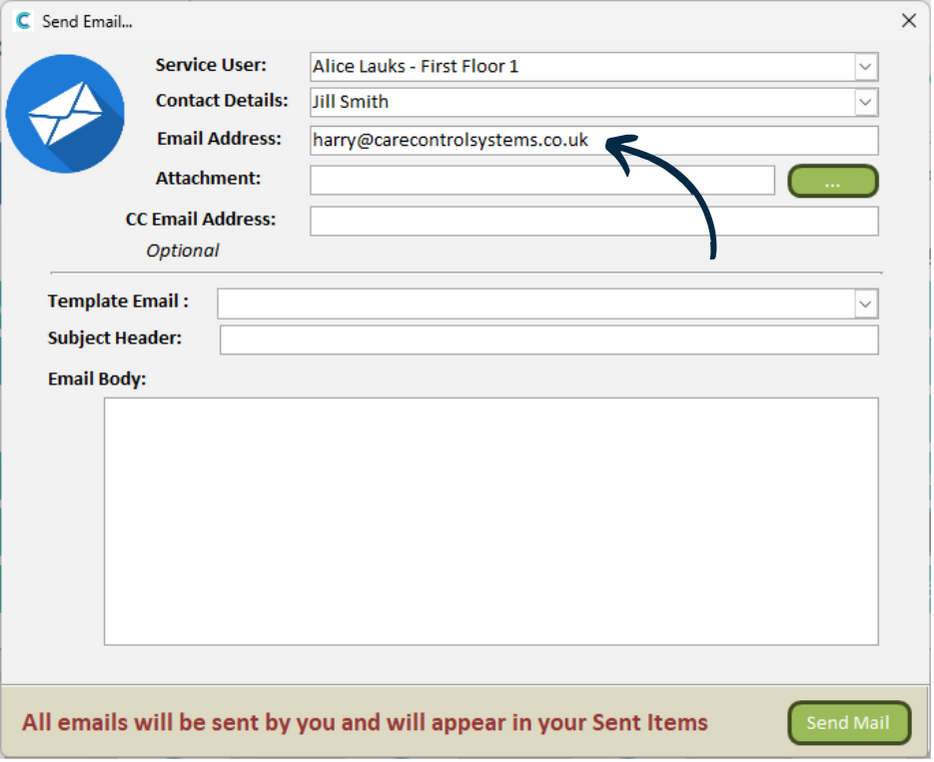
Begin by selecting the service user associated with this email.
3
This will then populate the chosen service users primary contact and their email address from the Care Plan. If the service user has more than one key contact, you can select the desired contact from the drop-down list.
You can add an Attachment to the email via the green button. This will open the file explorer on your computer.
4
Next, we can move onto the content of the email.
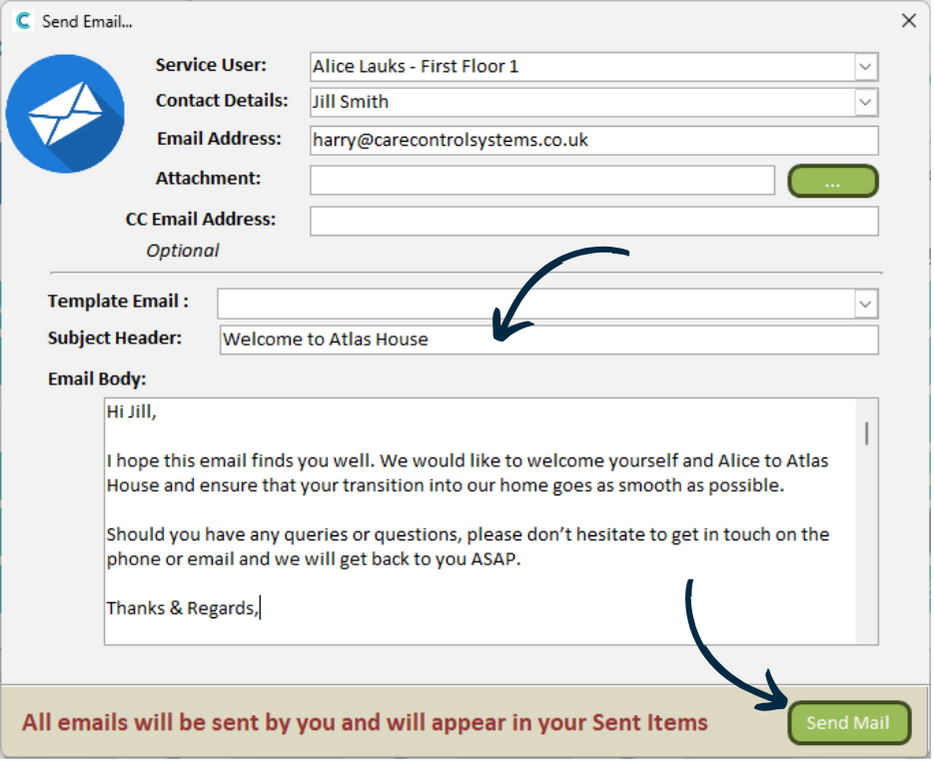
First, add a Subject Header, then, construct the main text of the email content.
When you are happy with the email configuration, press Send Mail.
5
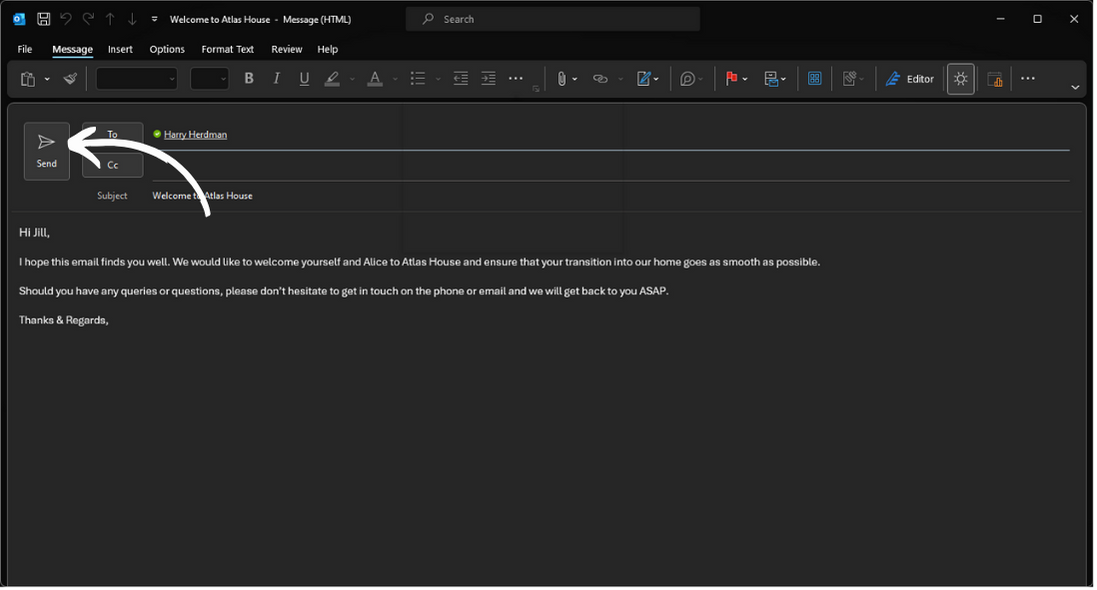
The Outlook application will launch on your computer. The details from Care Control will carry over and all that’s left to do is press Send in Outlook.