Viewing & Sending Messages on Mobile
This guide will cover how to send and view messages to and from other staff members on CC Mobile.
1
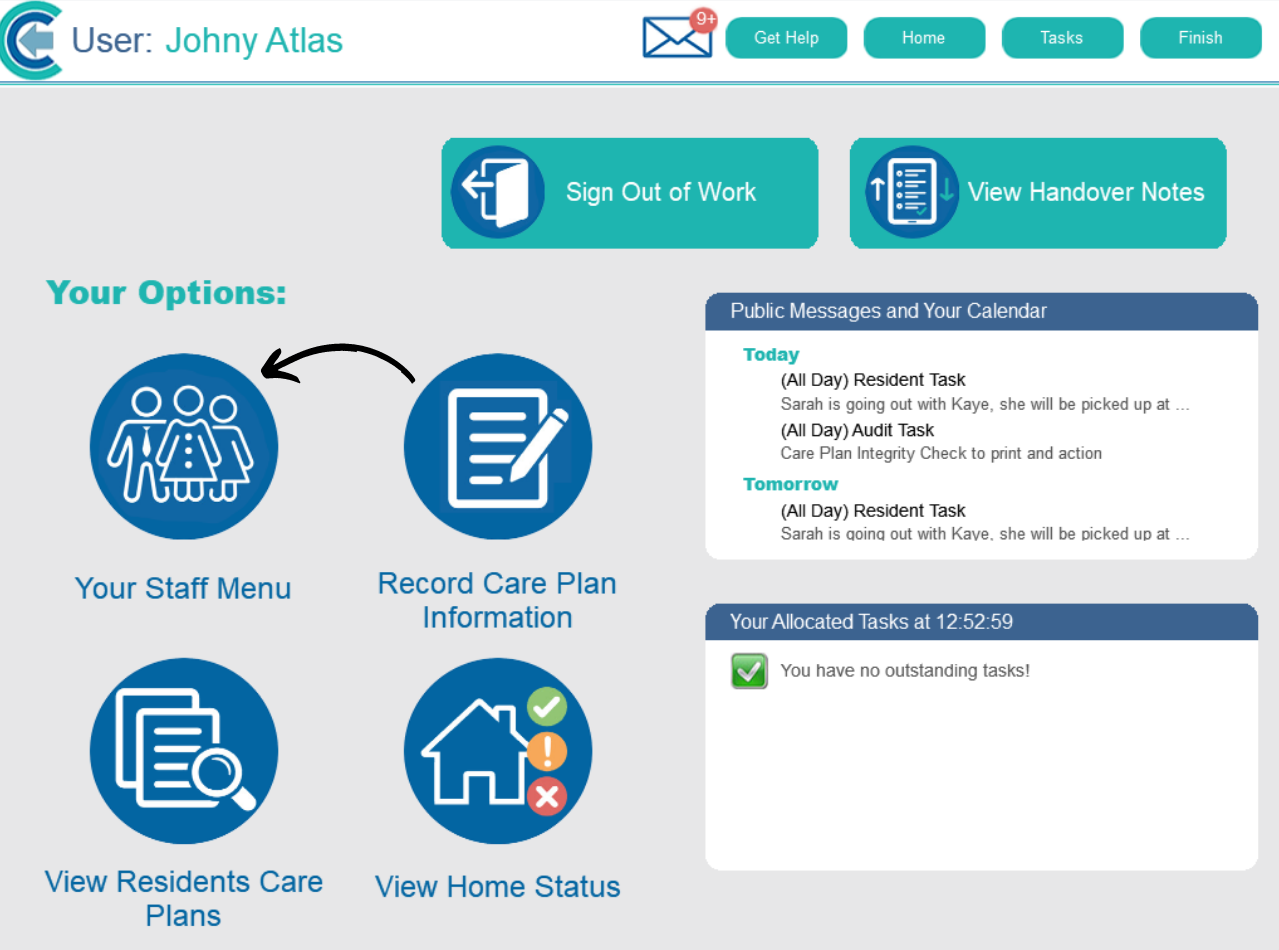
After signing into CC Mobile, open the Staff Menu.
2
Here, select Work with Messages.

3
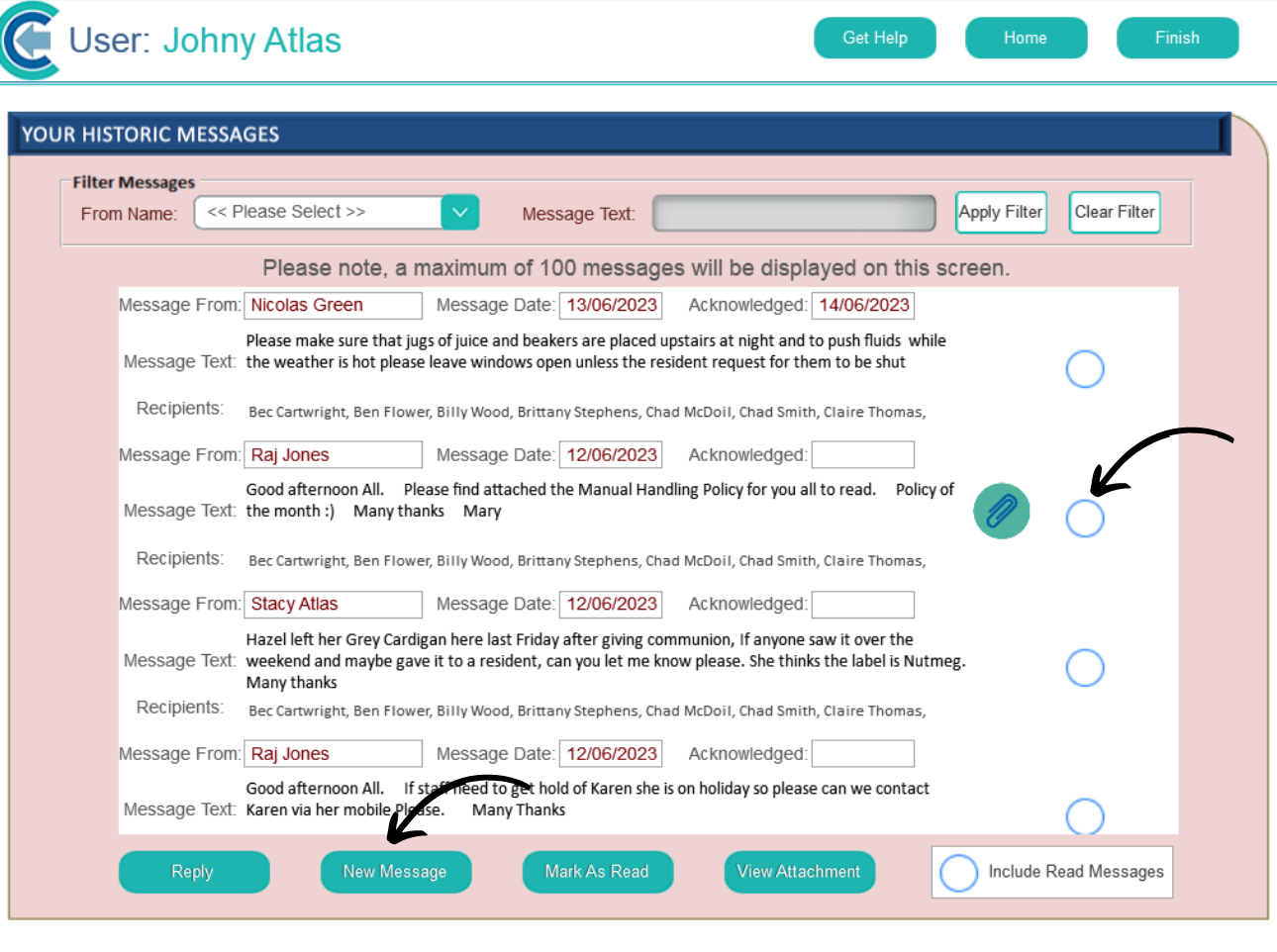
Your inbox will open. Here you can view all your messages, view attachments and reply directly to messages.
You can also send a New Message via the dedicated button.
4
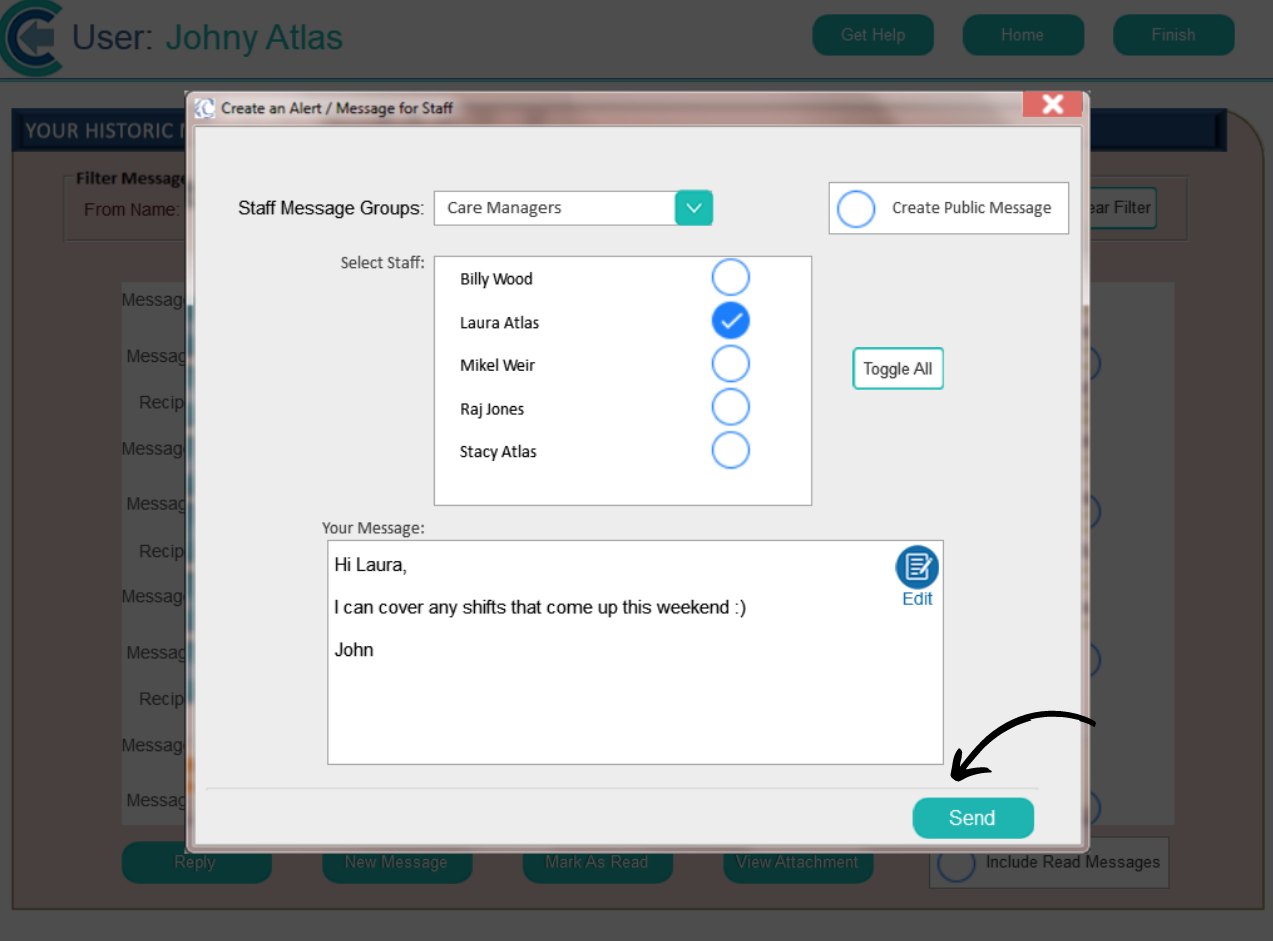
Select the recipient(s) of the message. You can filter this by staff role and category. Then, enter the contents of your message and press Send.