This guide will cover how to set up Facial Recognition as a sign-in method for your staff members. This requires a dedicated tablet device which can be used as a sign in / sign out station for your employees.
1
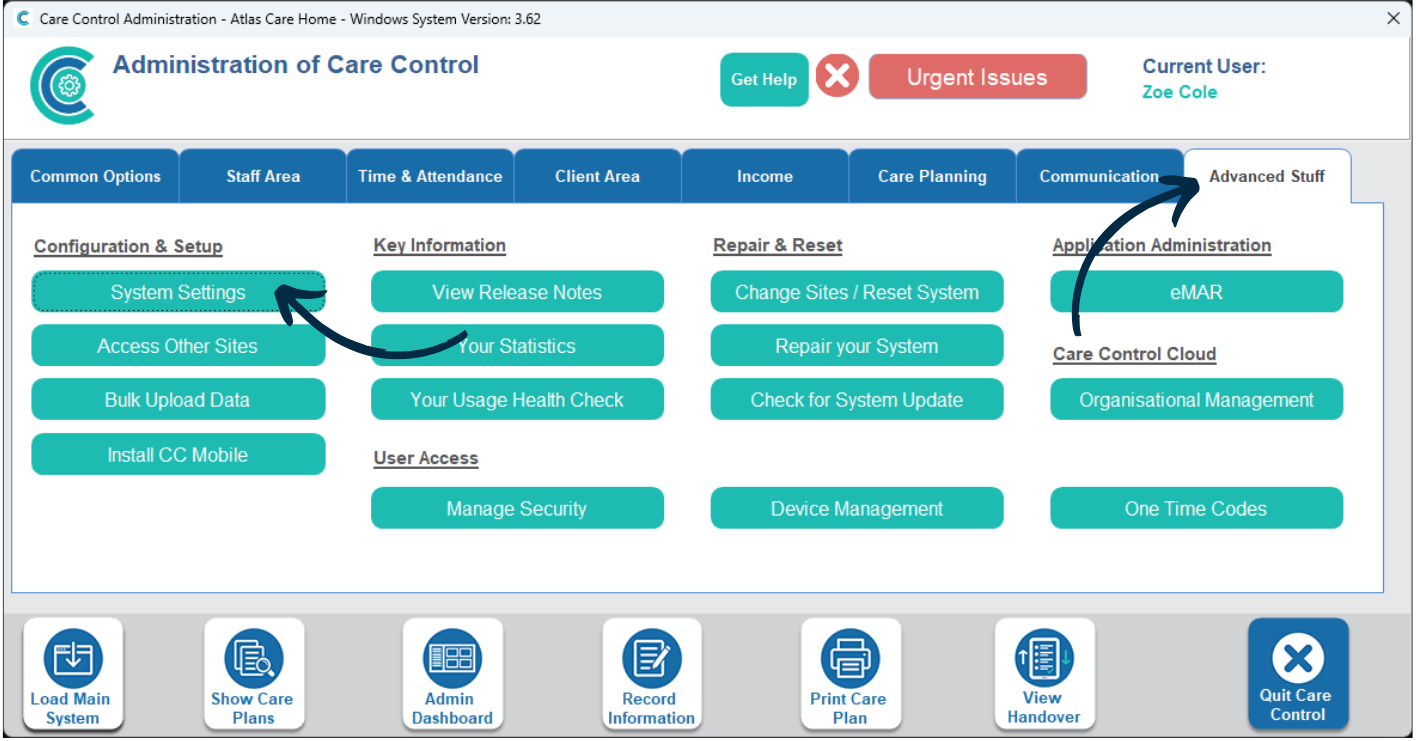
In the Administration of Care Control Windows, navigate to the System Settings, which can be found under the Advanced Stuff tab.
2
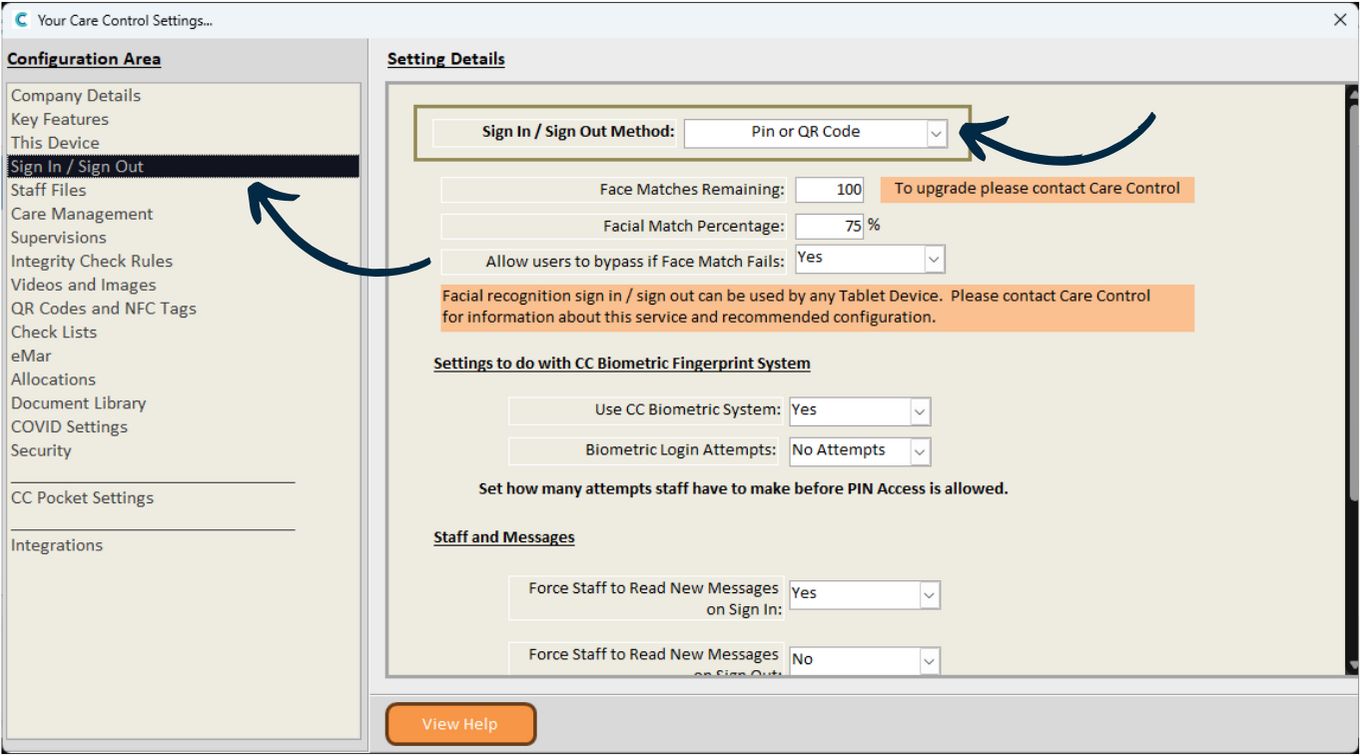
Here, select Sign In / Sign Out from the menu on the left hand side.
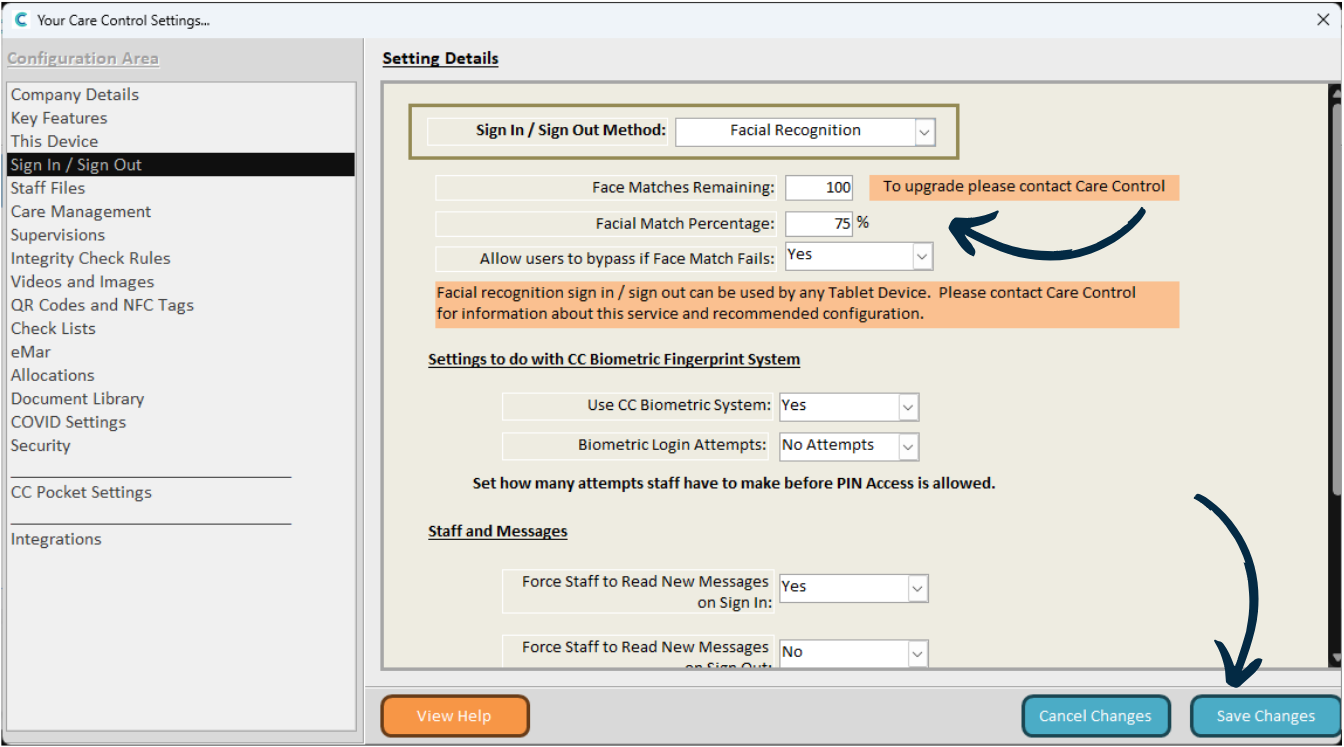
The first option relates to how staff will sign in and out of their shift. Choose Facial Recognition from the drop-down list.
3
There are some other settings related to Facial Recognition below.
You can change the Match Percentage – 100% means the facial scan will need to be exactly the same as the photo assigned to the staff member. Due to variations in lighting, face position and position of hair, we recommend having a 75% facial match percentage.
You can also allow staff to bypass and sign in with their PIN only if the face match fails.
After making any changes, press Save.
4
You will now need to set up a tablet device (Care Control Mobile app) to be a sign in / sign out station for your staff.
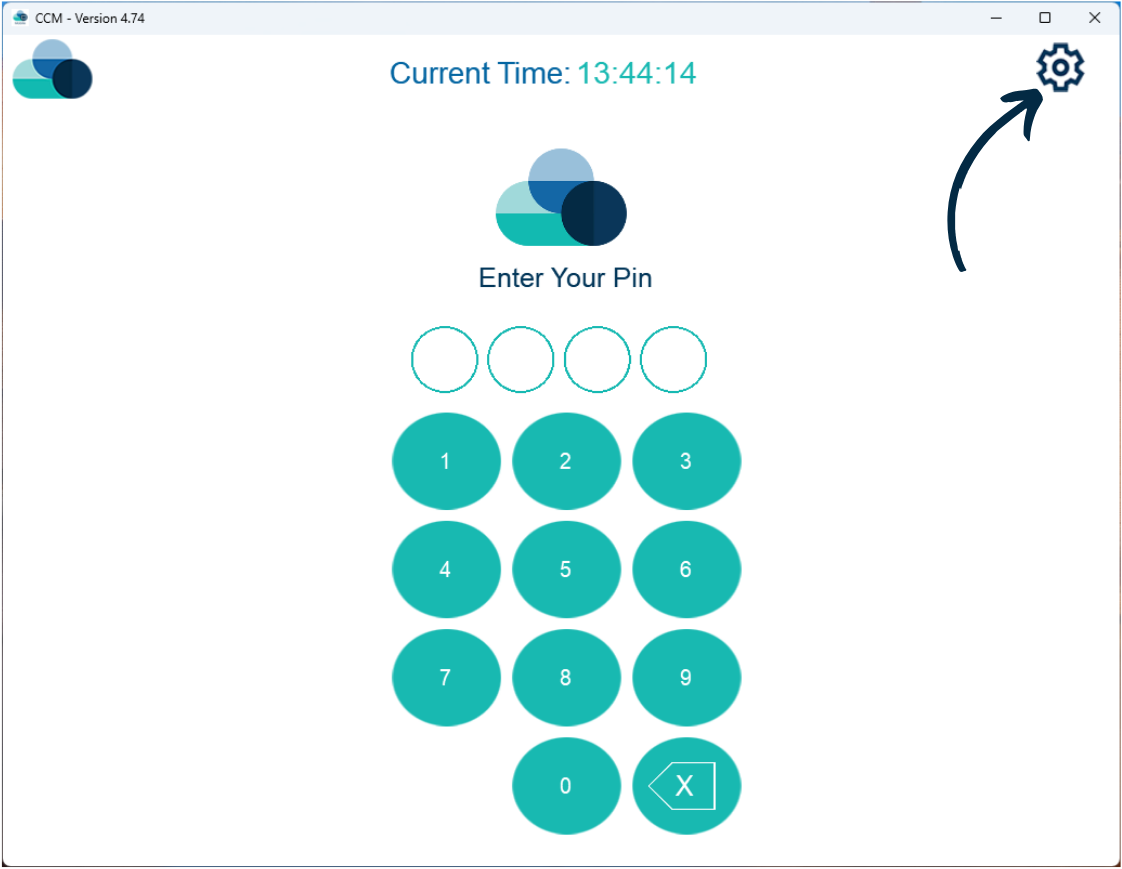
When on the tablet, open Care Control Mobile and select the Cog Wheel on the PIN screen.
5
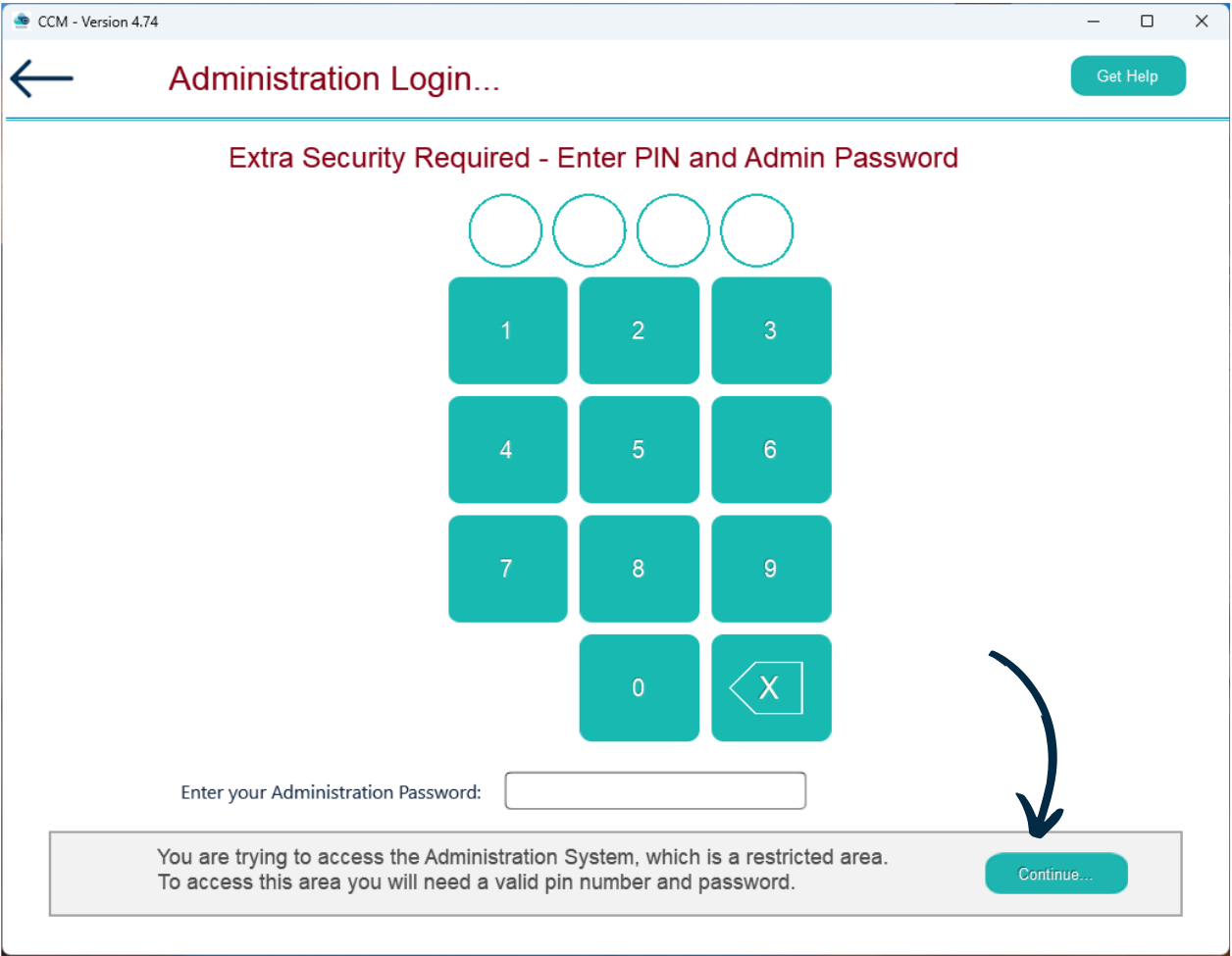
Then, enter your PIN and Administration Password.
Press Continue.
6
The Administration of Care Control Mobile will open.
Here, open the side menu labelled ‘Show Administration Options‘.
7
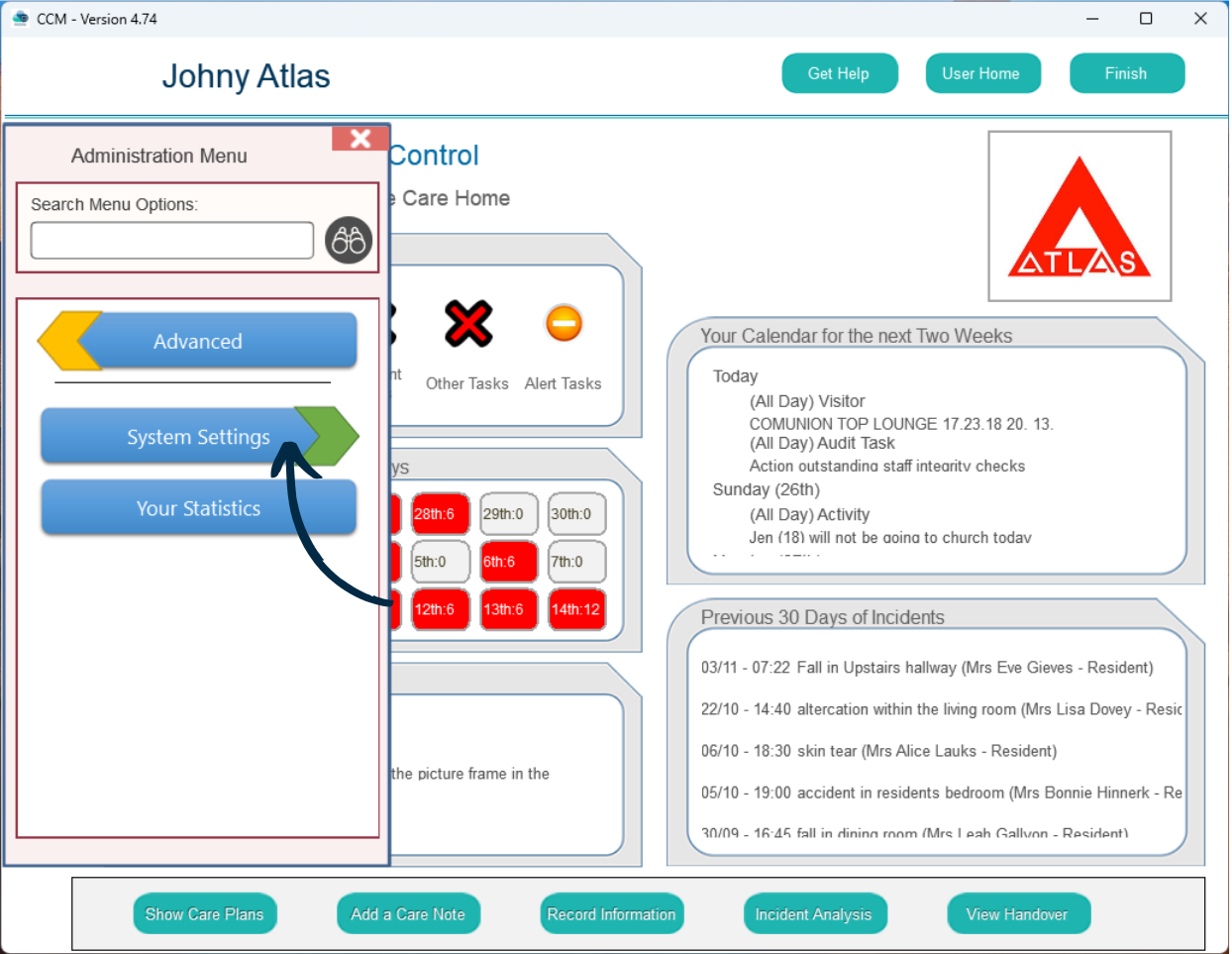
Select Advanced.
8
Select System Settings.
9
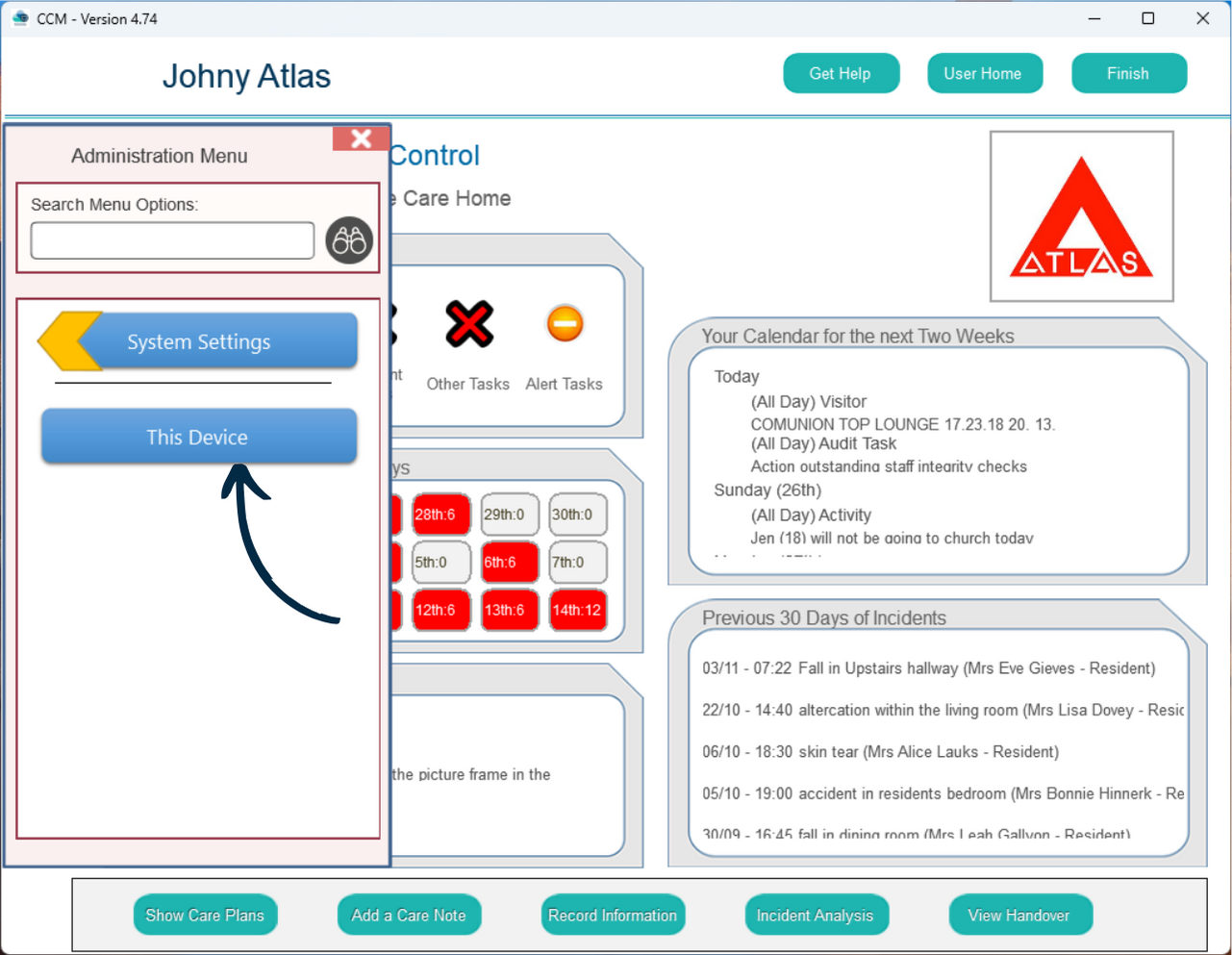
Select This Device.
10
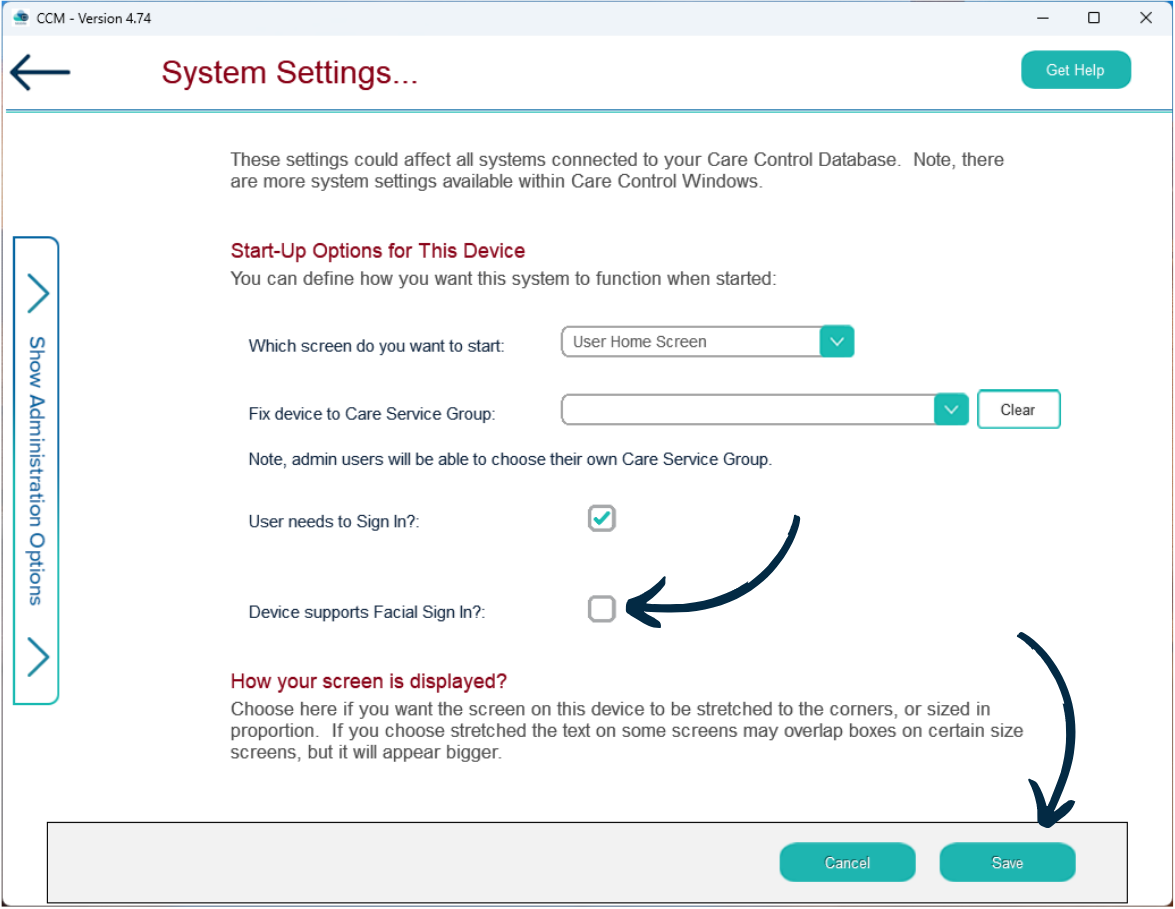
A series of options related to the device will open.
Tick the checkbox labelled ‘Device Supports Facial Sign In?‘.