
Try It In Cloud
This guide will cover how to access Care Control Cloud via the ‘Try It In Cloud’ button in Care Control Windows. You also learn how to configure the access settings for staff using the Cloud.

1
Some areas of Care Control Windows can now be opened in Cloud. One of the areas is service user Care Plans.
2
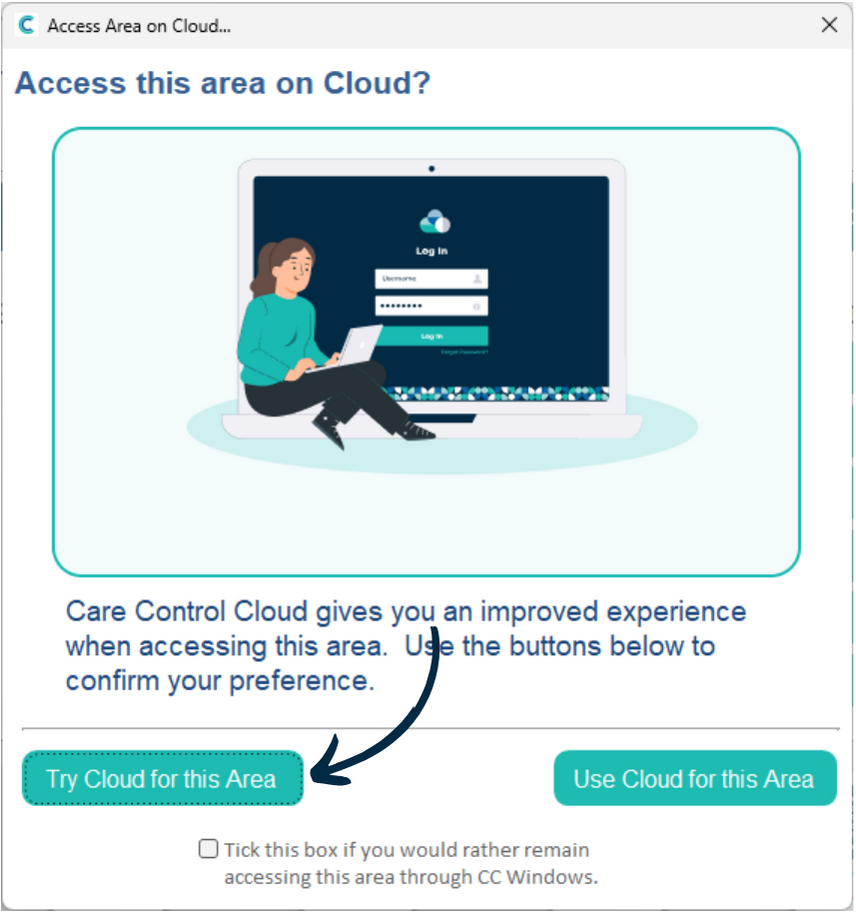
A new window will open when trying to access the care plans. Here, you can choose to Try or Use Cloud for this area. You can also choose to remain using Care Control Windows via the tick box.
Press Try Cloud for this Area.
3
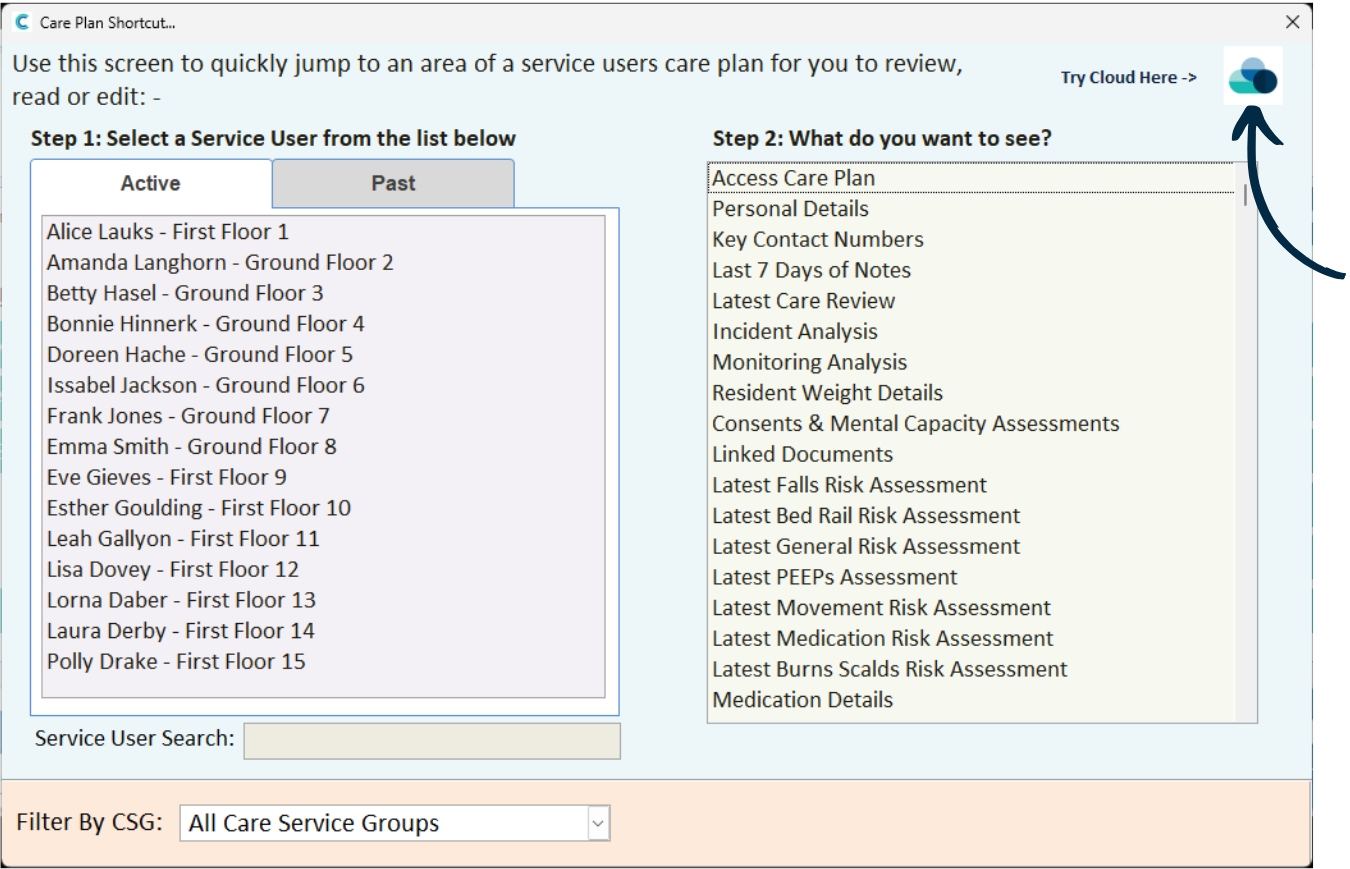
You can also access the above screen by pressing the ‘Try Cloud Here‘ prompt in different areas across Care Control Windows.
4
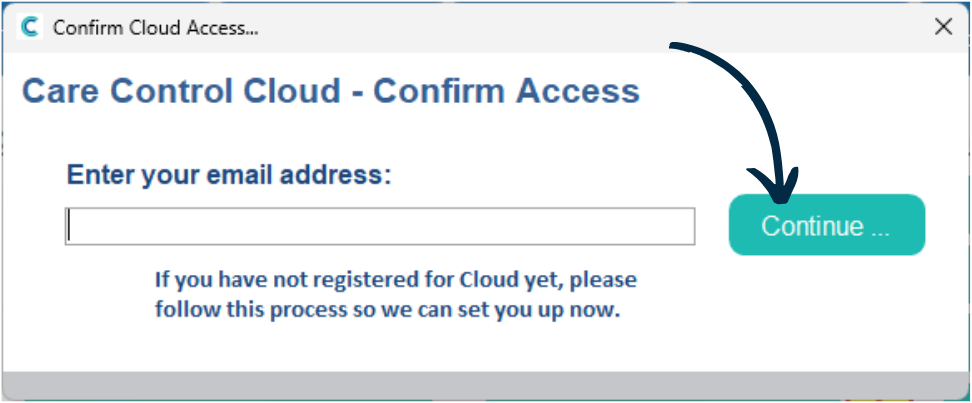
If this is the first time you are accessing Cloud, enter your Email Address and press Continue.
5
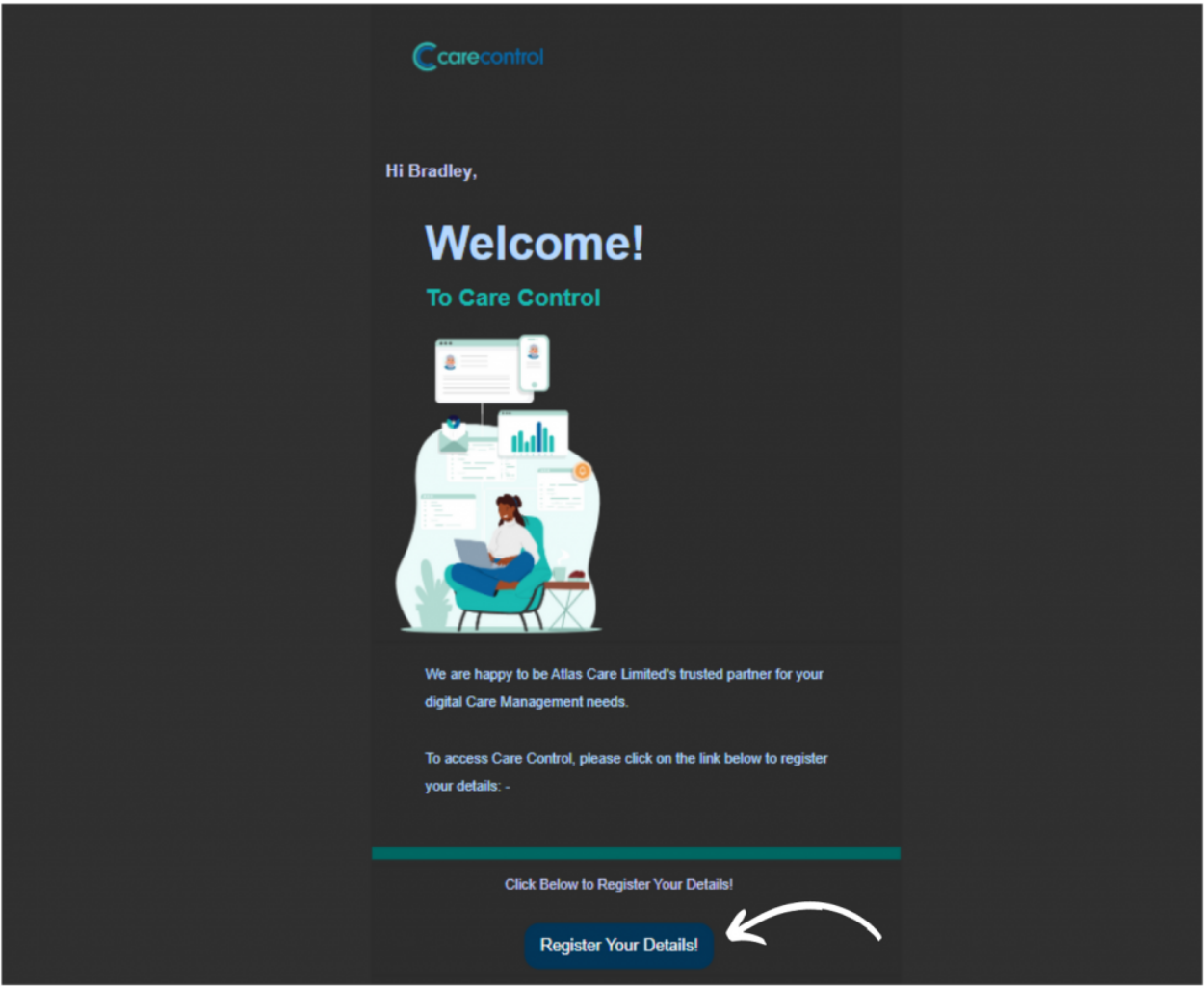
You will receive an email with a registration link.
Press ‘Register Your Details‘.
6
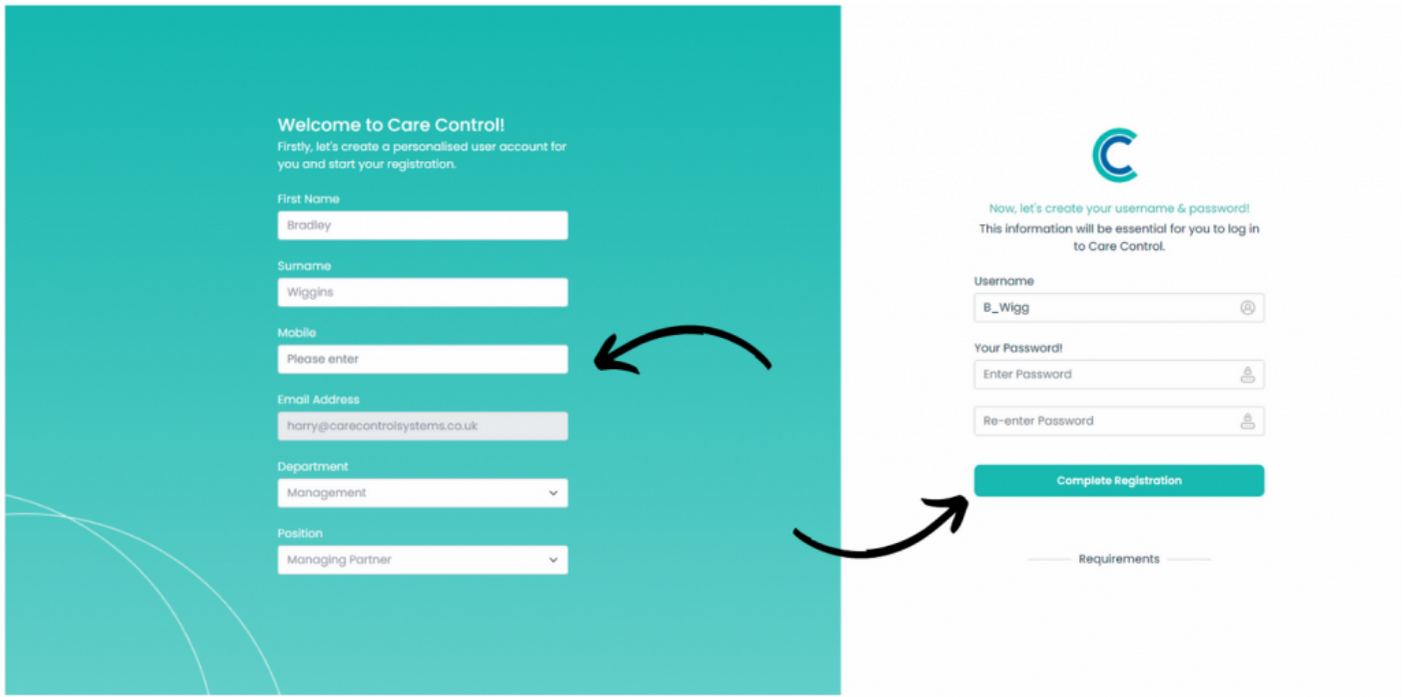
Your browser will open. Here, complete the registration form and press ‘Complete Registration‘.
7
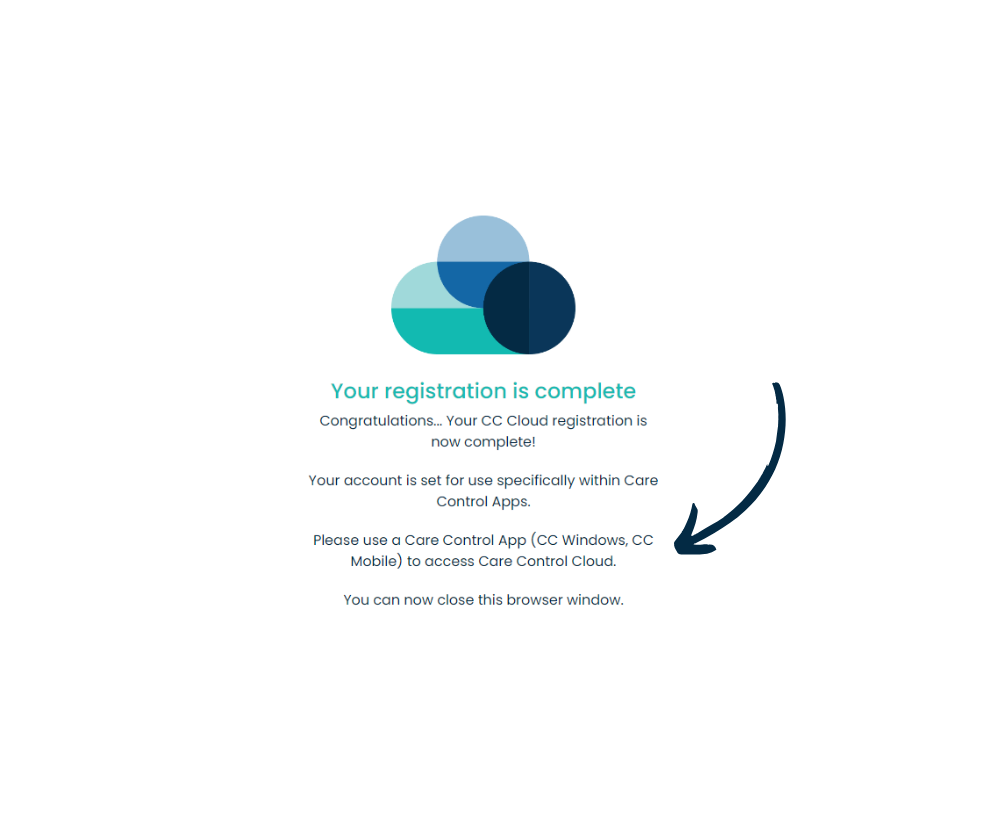
You will receive a confirmation message. Now, return to Care Control Windows and press the ‘Try Cloud‘ buttons again to launch Cloud (Steps 1-3).
8
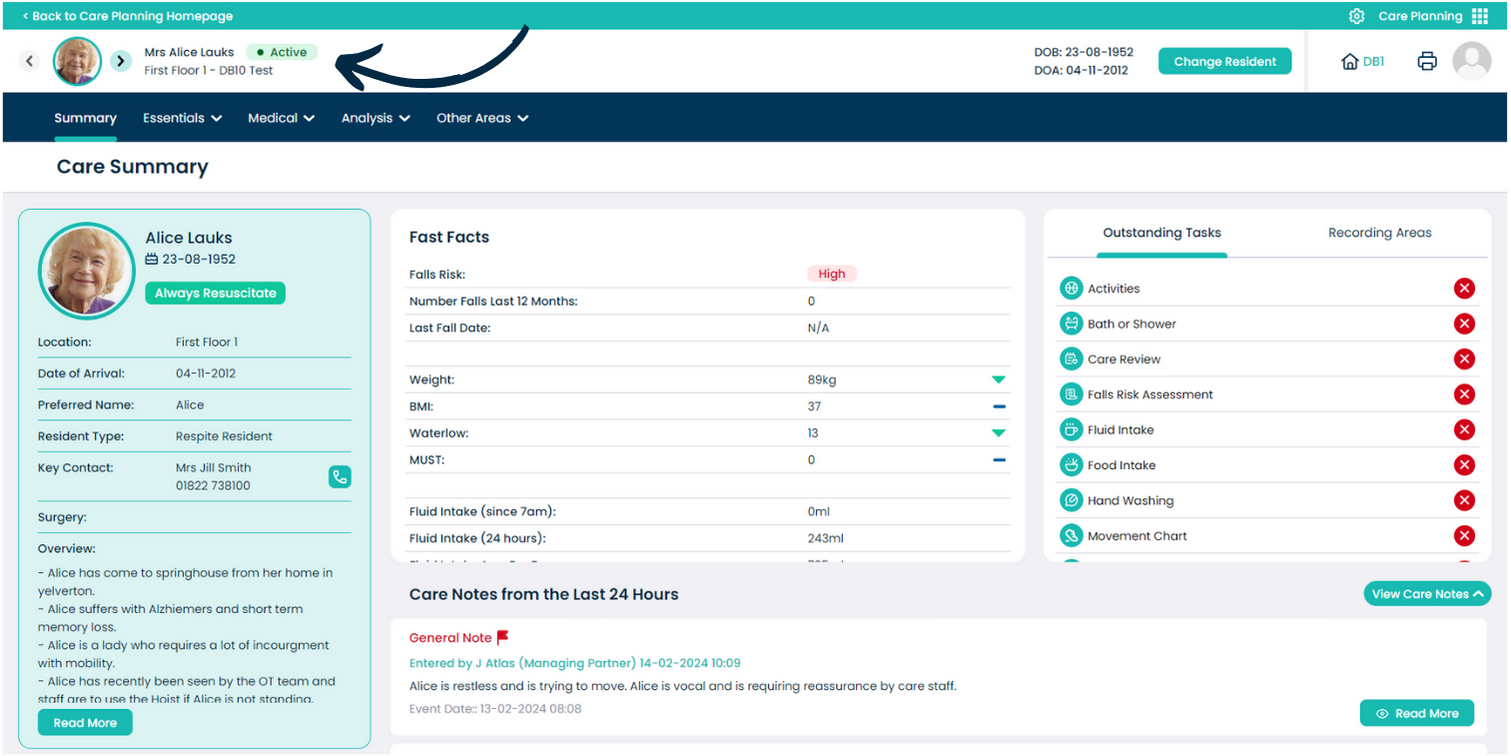
The Care Plans will now open in Cloud, in your browser.

9
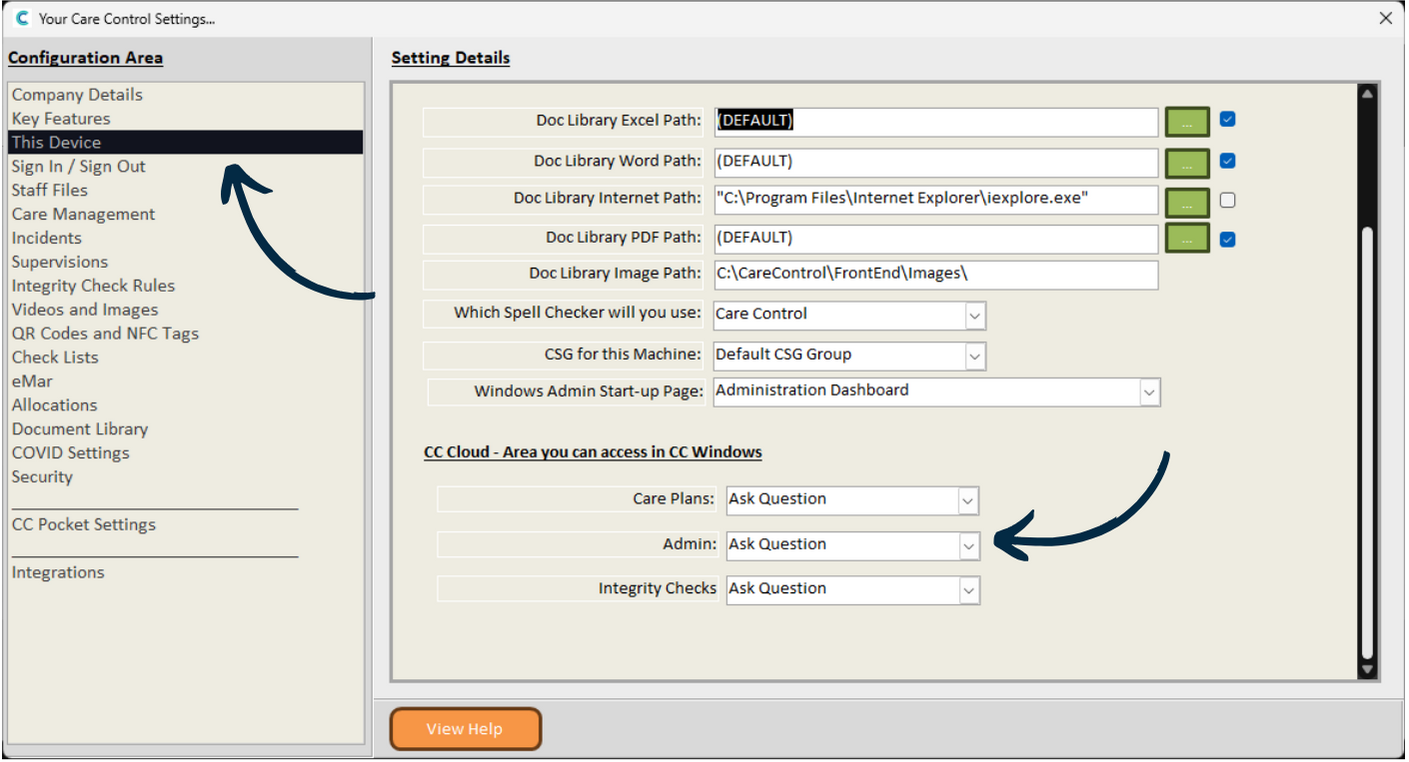
To configure how and when you want to use Cloud from Windows, navigate to your System Settings, which can be found under the Advanced Stuff tab.
10
Here, select ‘This Device‘ from the left hand menu.
Three settings exist here – choose whether the system:
– Ask’s Question – gives option of Cloud or Windows.
– Use Cloud – always open the area in Cloud.
– Use Windows – always open the area in Windows.

11
You can also control how different staff members can access the Cloud.
Head to the Organisational Management tool, which can also be found under the Advanced Stuff tab.
12
Here, select Manage Users.


13
Next, find the user you wish to configure and press the Eye Icon on the right hand side.
14
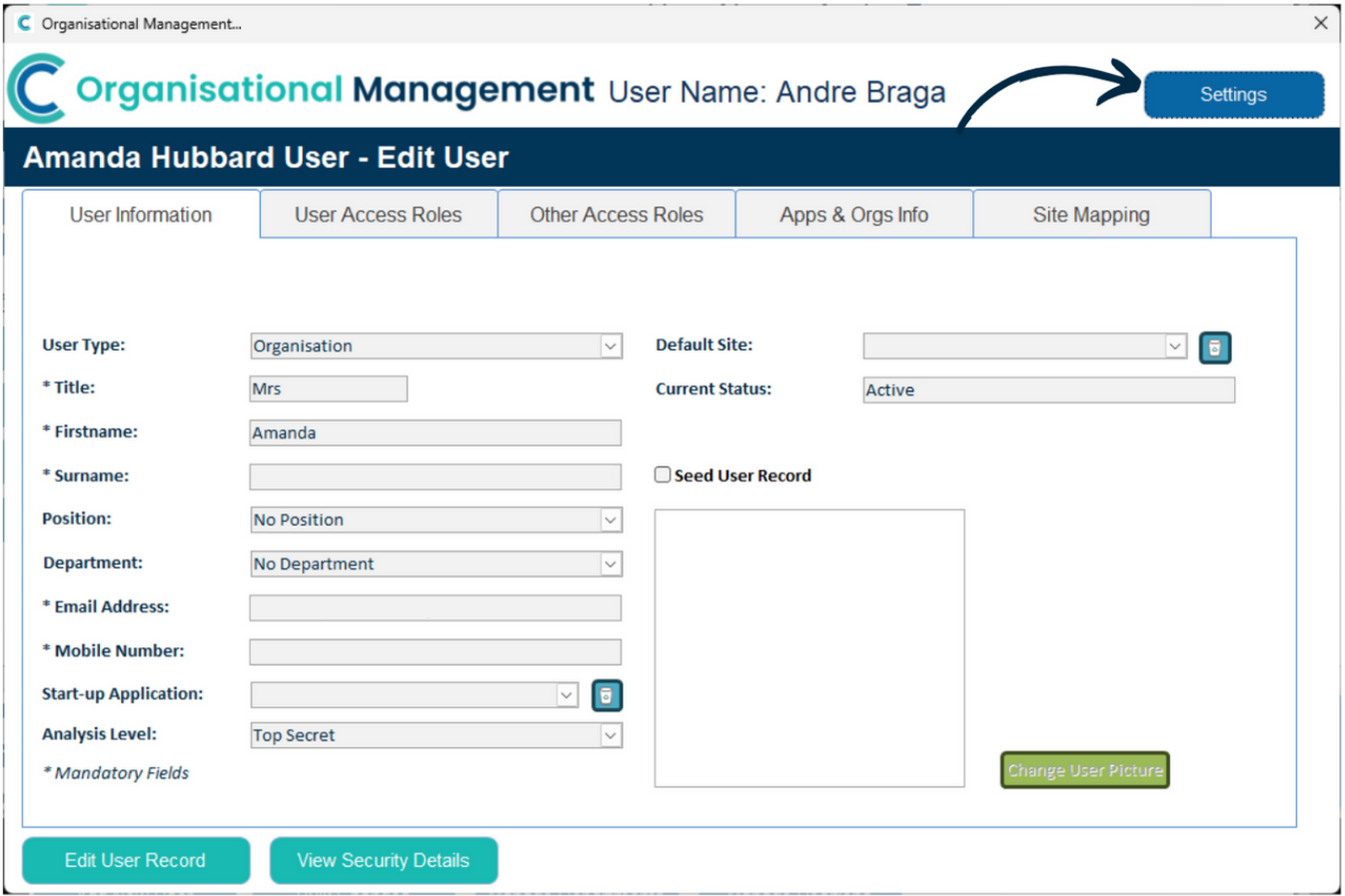
Their Cloud user information will open. Select Settings in the top right corner.

15
Here, find the setting called ‘Access Level for this user’. Here, you can choose whether the staff member can log-in directly to Cloud via the web, or whether they can only access Cloud from within Care Control Apps (Windows, Mobile).
The latter option can be useful if you only want staff to access the Cloud on work computers. Remember to press ‘Save Changes‘ after making any amendments.