This guide will cover how to enable the Care Control eMAR application for your site. This requires administration access to the System Settings of Care Control Windows.
1
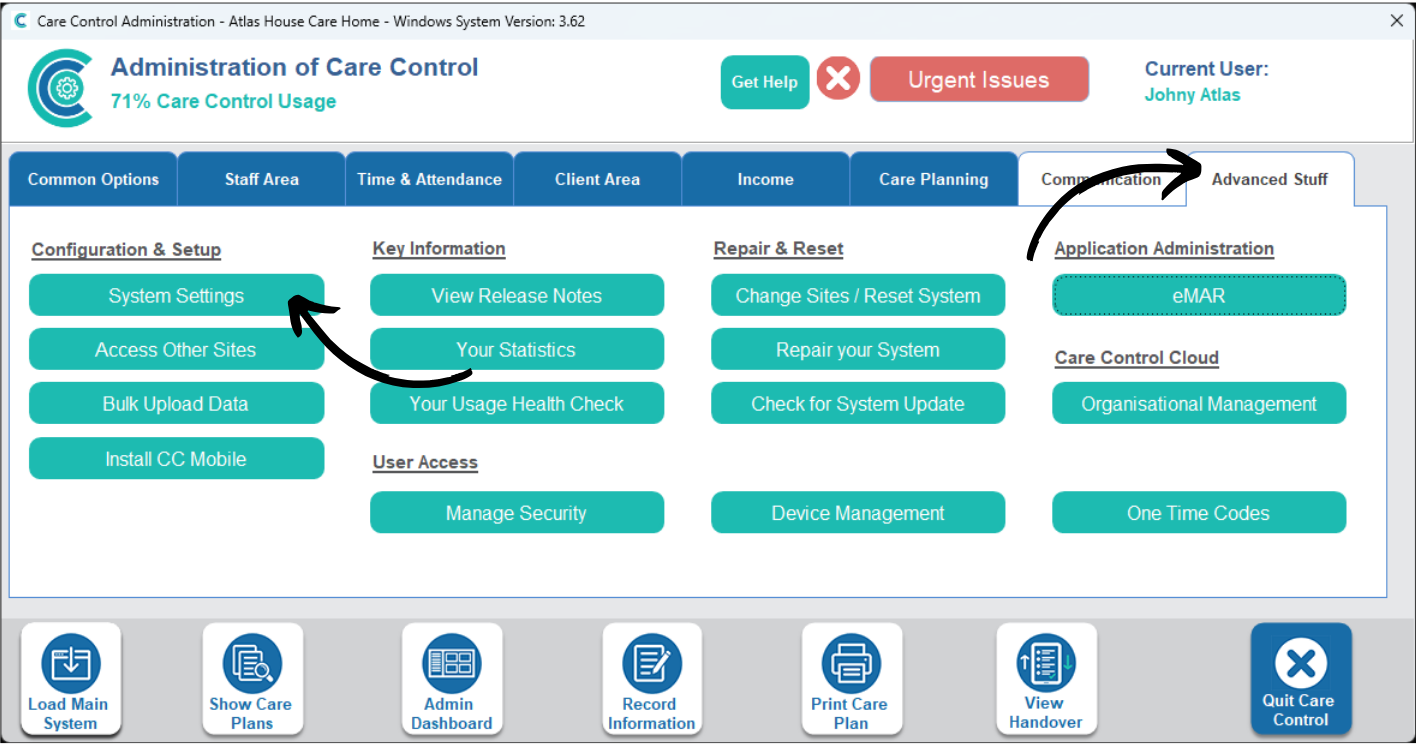
In the Administration of Care Control Windows, navigate to the System Settings, which can be found under the Advanced Stuff tab.
2
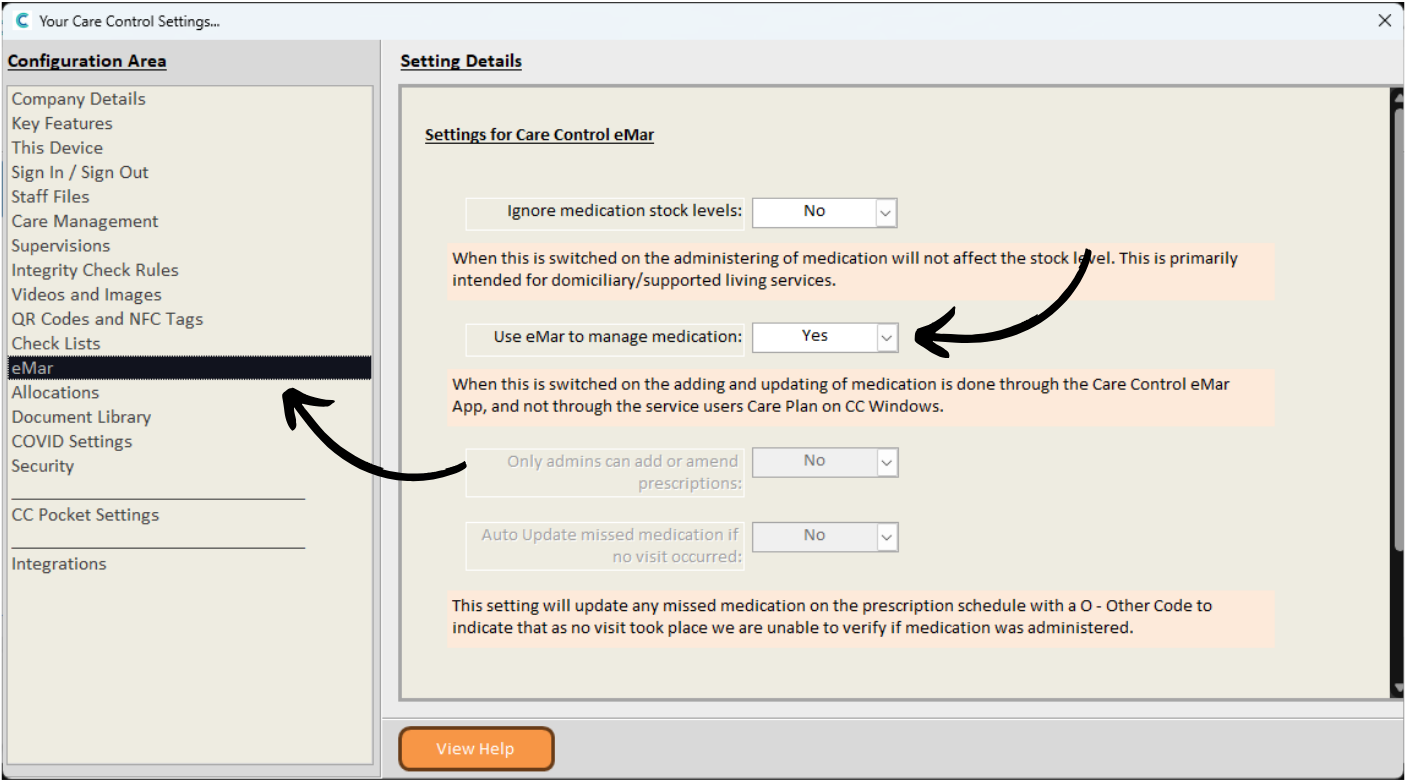
Here, select eMAR from the menu on the left hand side. This will open the relating settings on the right hand side of the window.
To enable eMAR for your site, toggle the ‘Use eMAR to Manage Medication’ option to Yes.
Make sure to Save Changes after making any amendments.