This guide will cover the initial set up of Care Control V-Book. This feature is a visitor book which is part of the Care Control Mobile application. Once configured, it can be used in place of a paper visitor book.
1
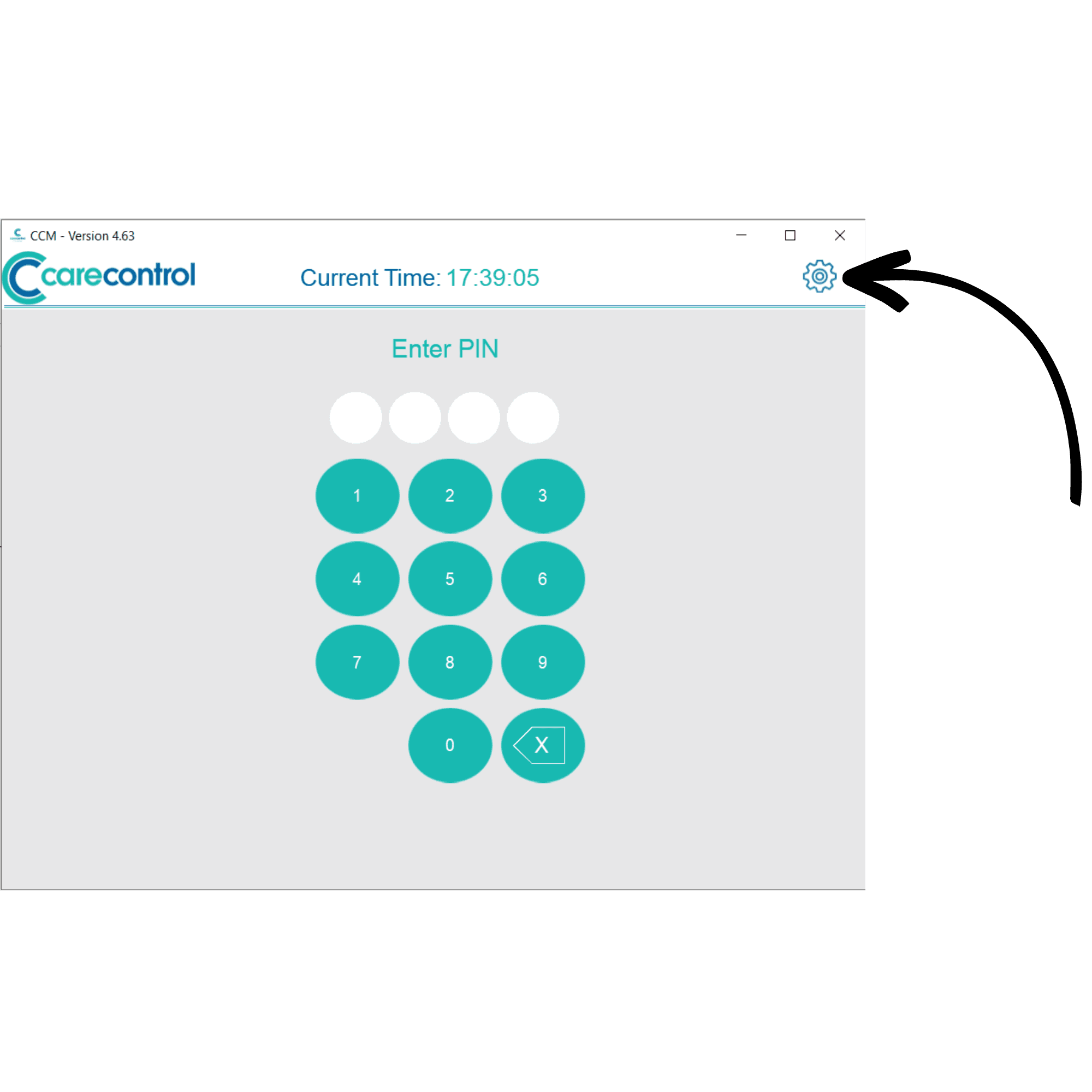
On the PIN screen of Care Control Mobile, press the Settings Cog in the top right corner of the screen.
2
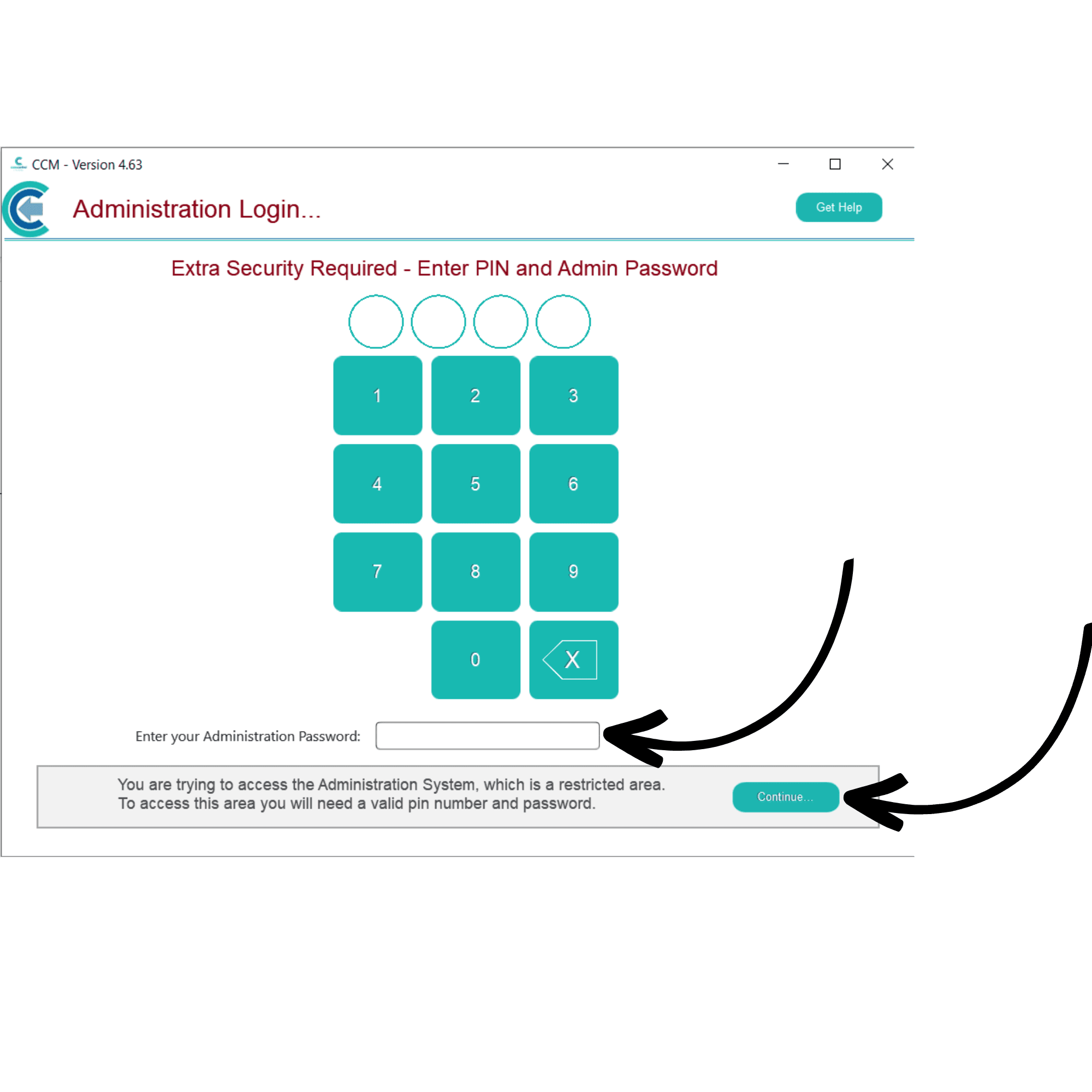
Here, enter your PIN and Administration Password, then, press Continue.
3
Your administration dashboard will be displayed. Open the side menu by pressing Show Administration Options.
4
Here, select Advanced.
5
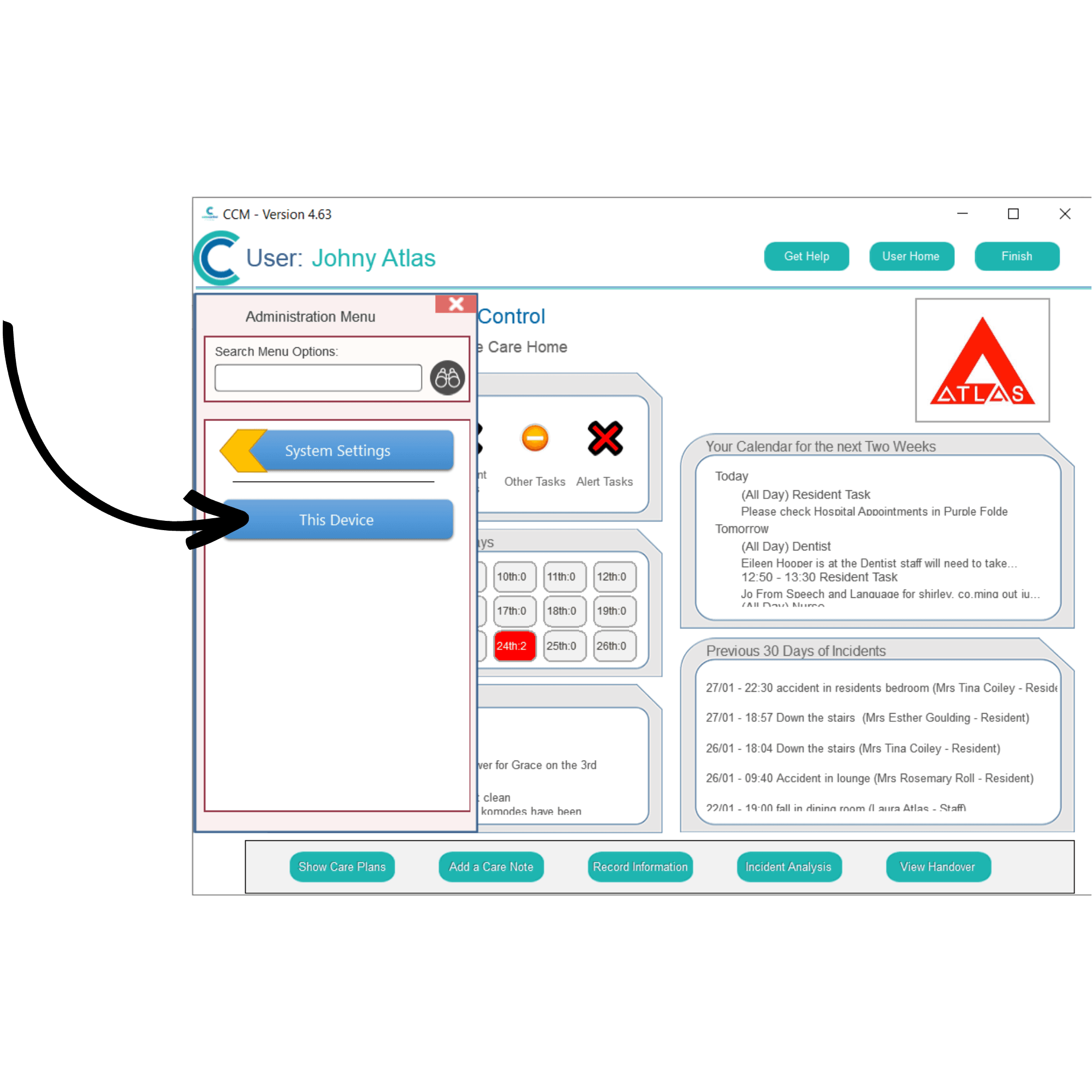
Here, select System Settings.
6
Finally, select This Device.
7
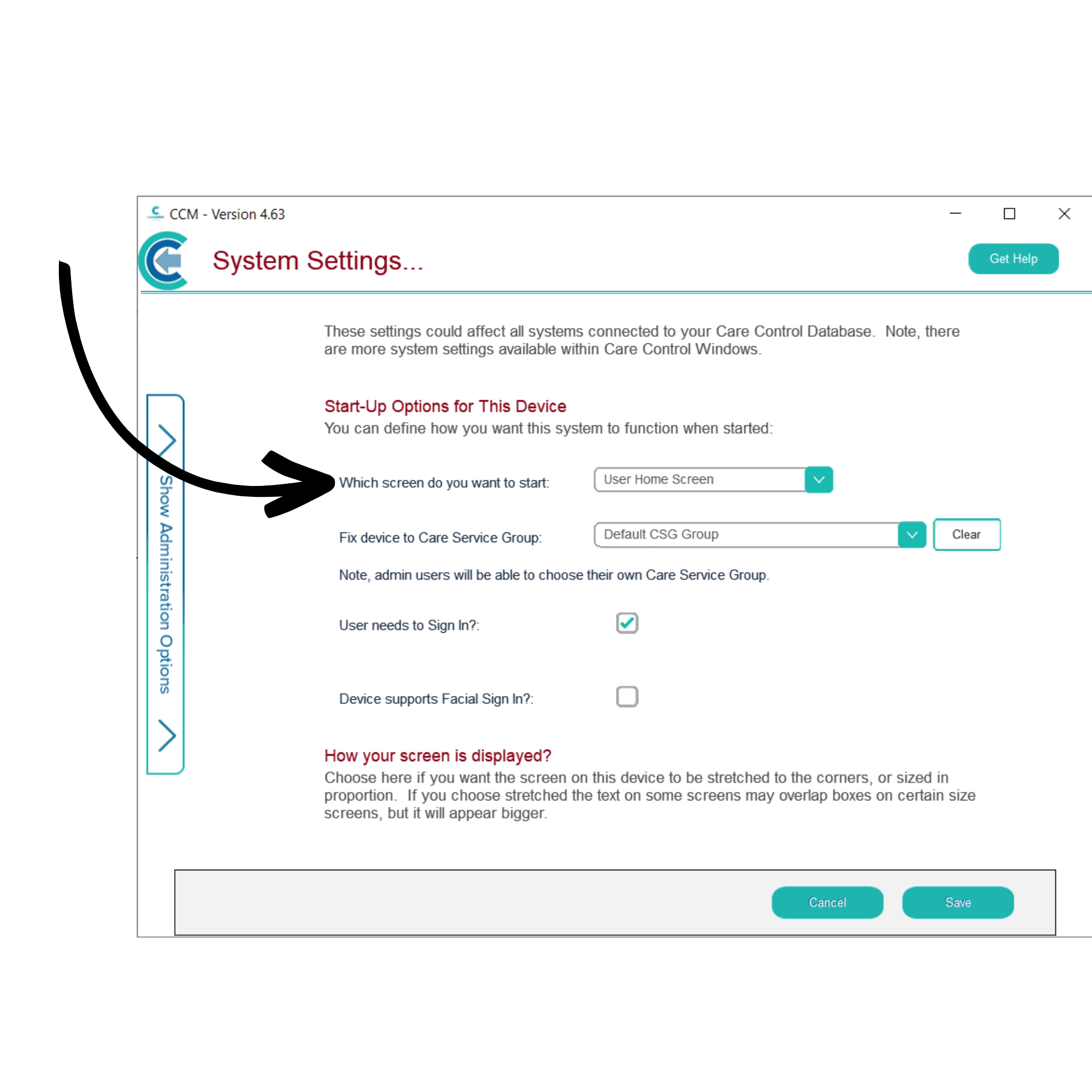
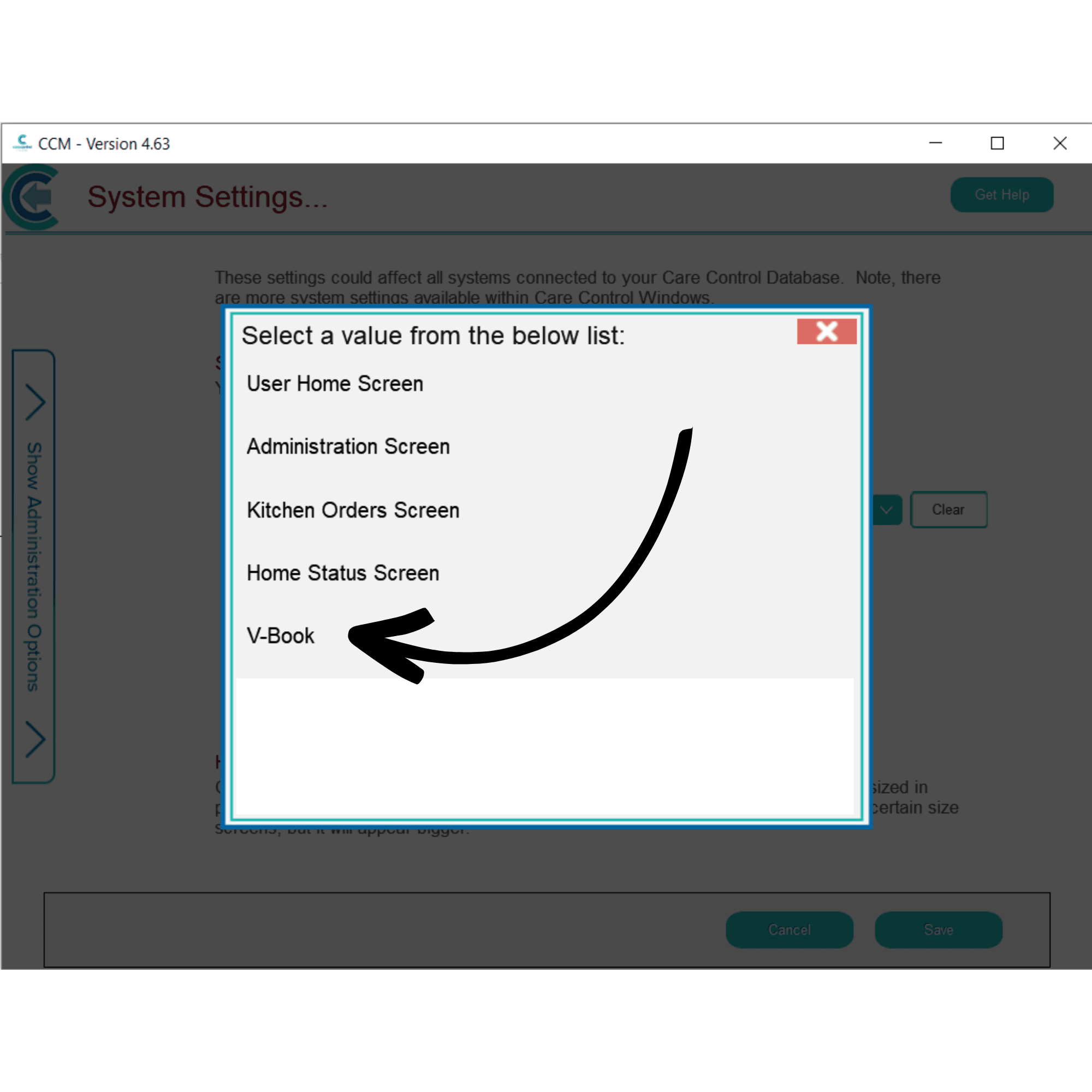
Here, you can set start-up options for this device.Open the drop-down list for the ‘Which screen do you want to start’.
8
From this list, select V-Book. Press Save and Finish to re-launch Care Control in V-Book mode.
9
You have successfully set up V-Book. Please see the corresponding guides to Use V-Book, Set Up Kiosk Mode, Set Up Quality Surveys, and See Signed in Visitors.