You could win a £250 Amazon gift card! All you need to do is spare us 3 minutes of your time. Click here to find out more!
This guide will cover how to access analysis for your checklists on Care Control Windows.
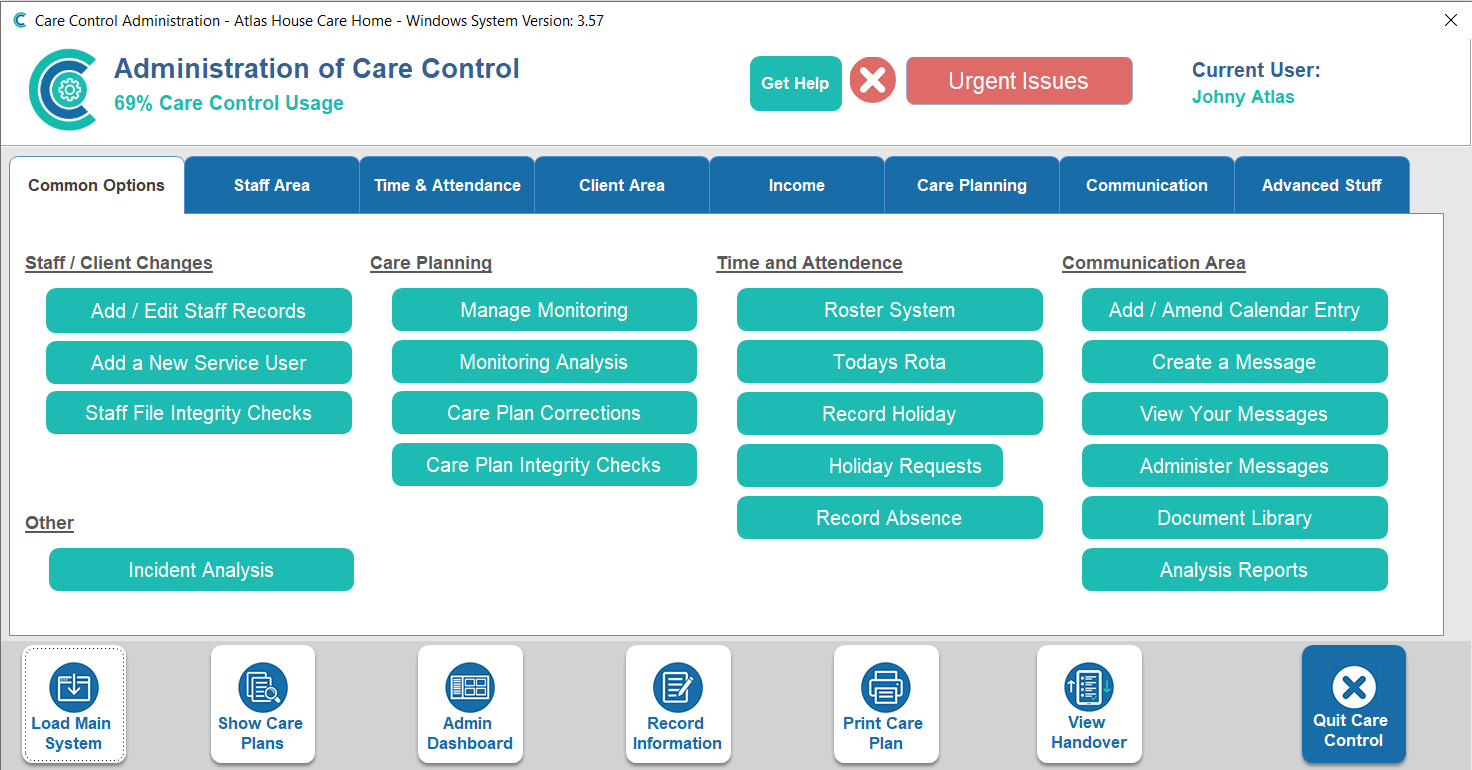
In the Administration of Care Control Windows, navigate to Analysis Reports, which can be found under the Common Options tab.
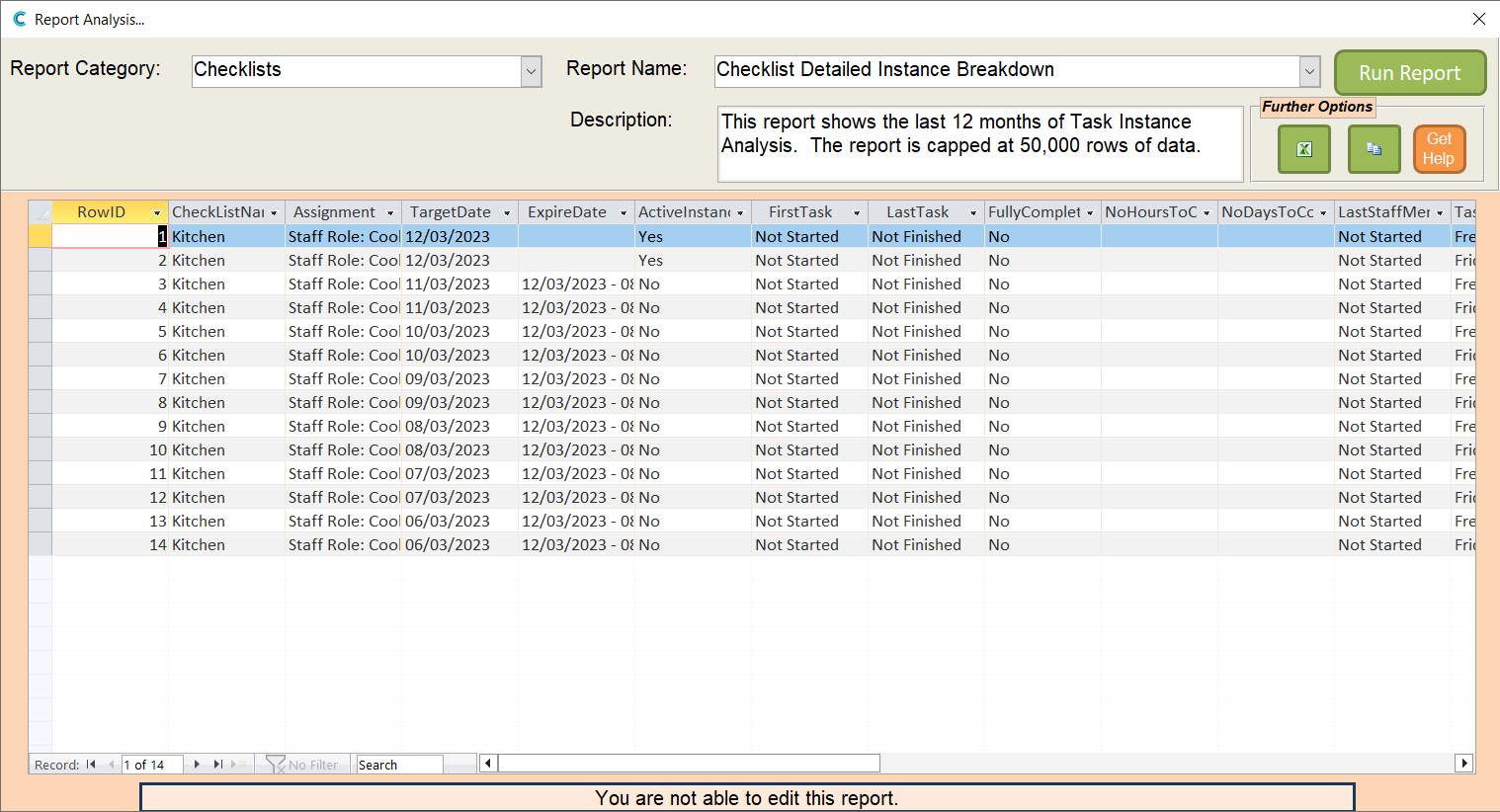
In the Report Category, select Checklists. In the Report Name, select Checklist Detailed Instance Breakdown. Press Run Report.
This report gives an overview of active checklists and their completion status.
You can export this report to Excel for printing via the Excel icon in the Further Options box.
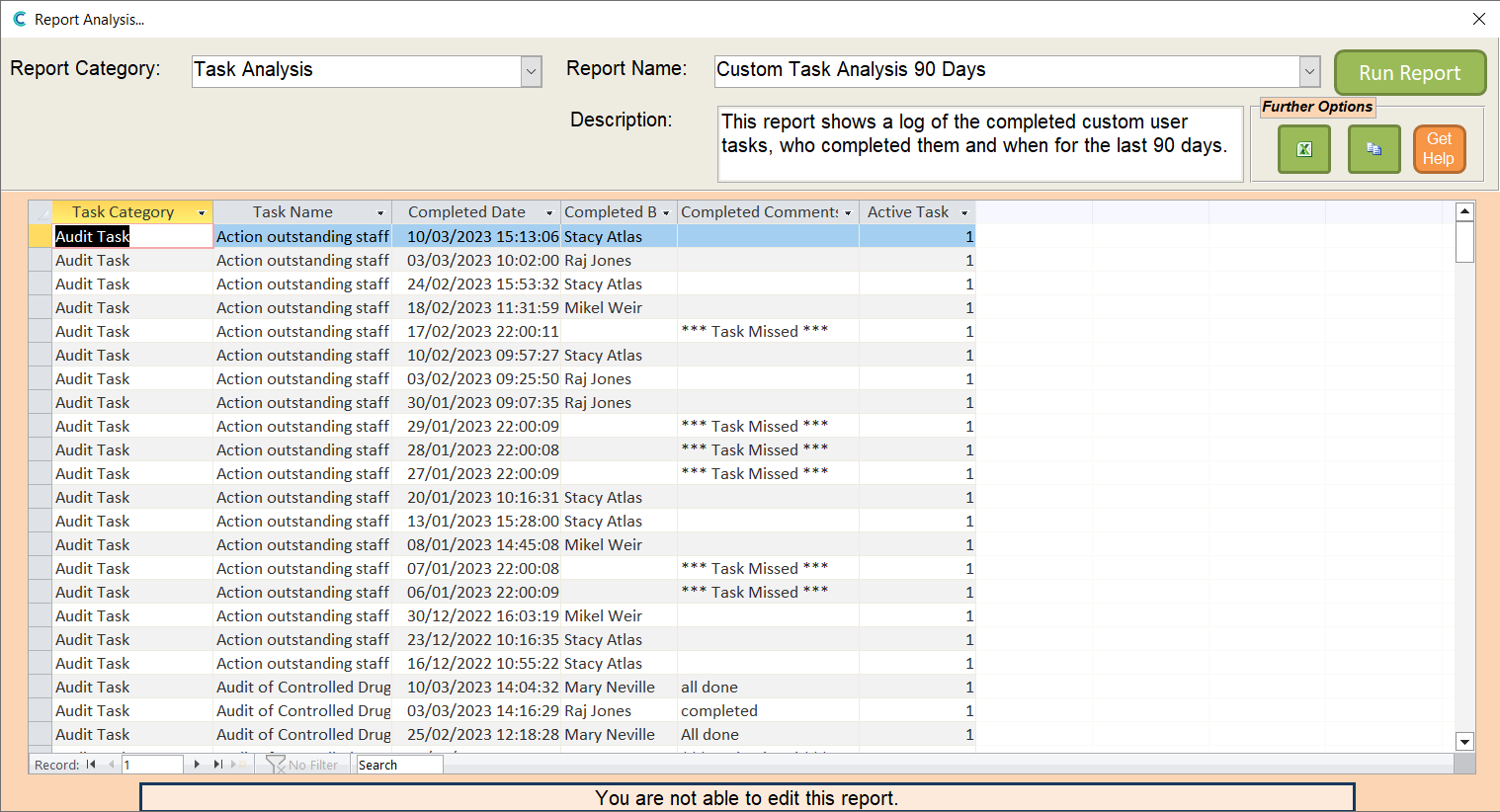
In the Report Category, select Task Analysis. In the Report Name, select Custom Task Analysis 90 Days. Press Run Report.
This report gives an overview of the status of custom tasks on your system.