This guide will cover how to access the audit log of a service users Care Plan. This will show all the changes made by staff members, including, edits, new and deleted records.
1
In the Administration of Care Control Windows, navigate to the Show Care Plans tool, which can be found at the bottom of the page.
2
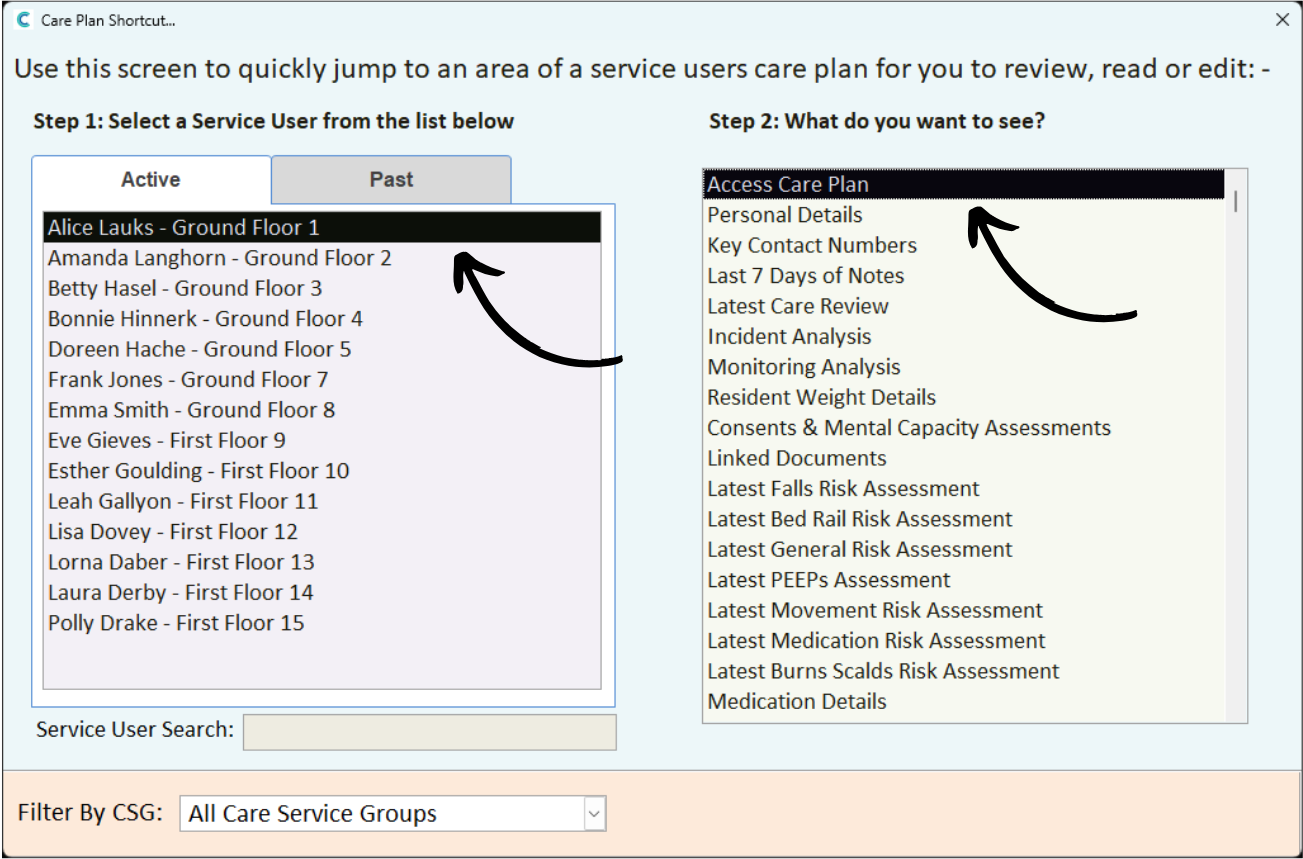
Select a Service User from the list on the left hand side, then, choose Access Care Plan from the options on the right.
3
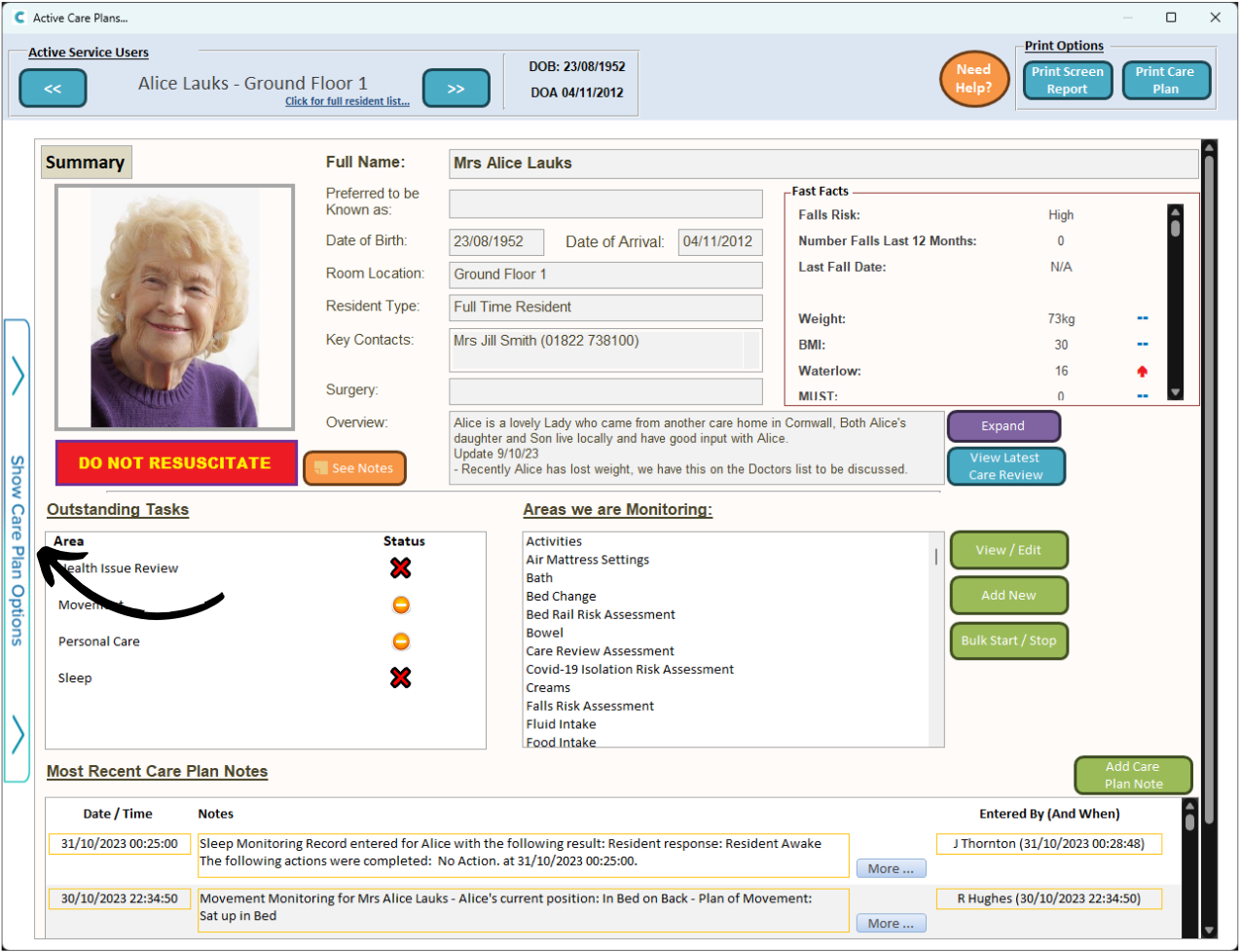
Next, open the Care Plan menu by pressing Show Care Plan Options.
4
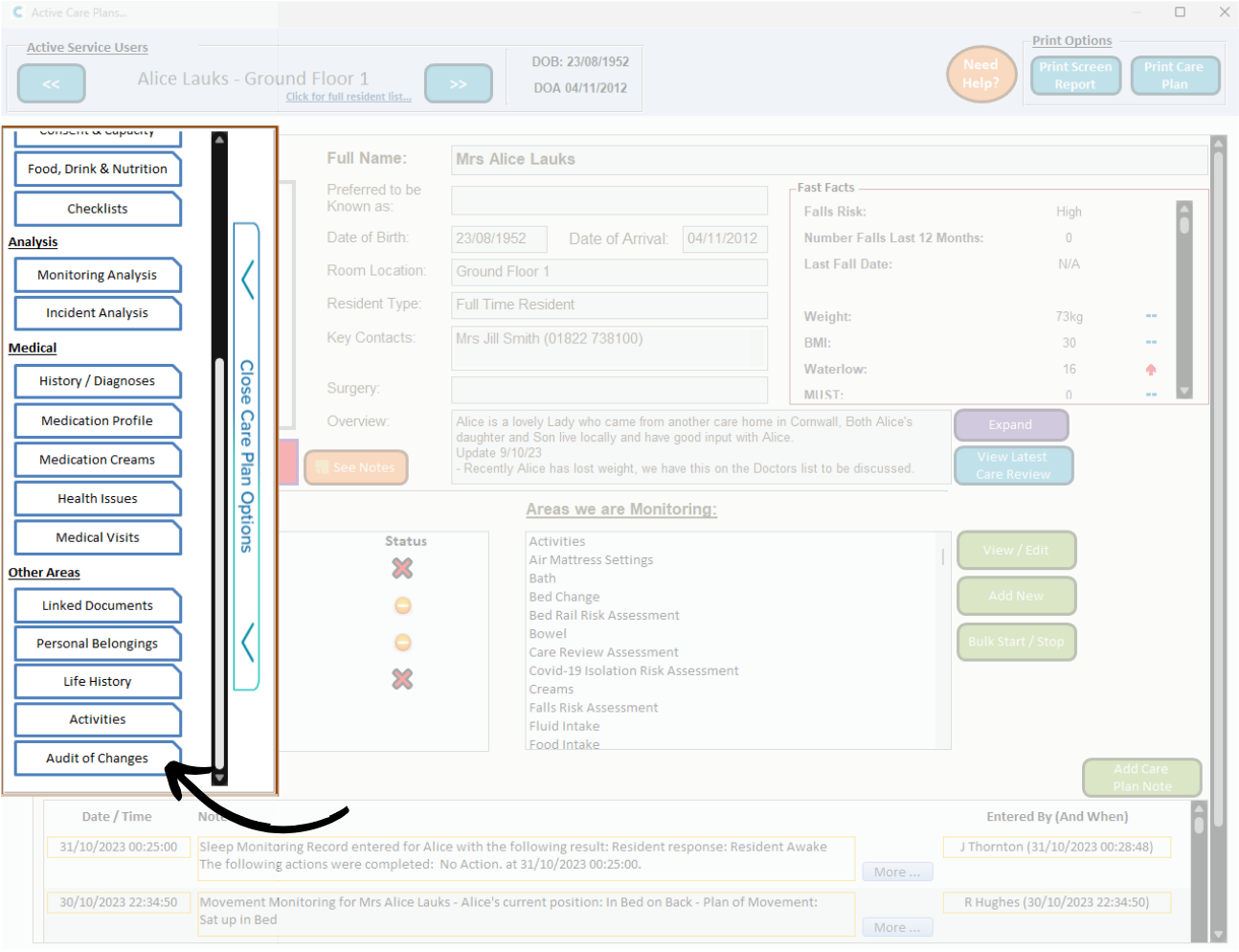
Select Audit of Changes.
5
A table of changes will be displayed. Each column breaks down the change by Date / Time, Care Plan Area & Detail, Before & After as well as the Staff Member who made the edit.