This guide will cover how to access and amend a staff members Work Records for a payroll period. This is part of the advanced payroll system on Care Control Windows and replaces Timesheets.
1
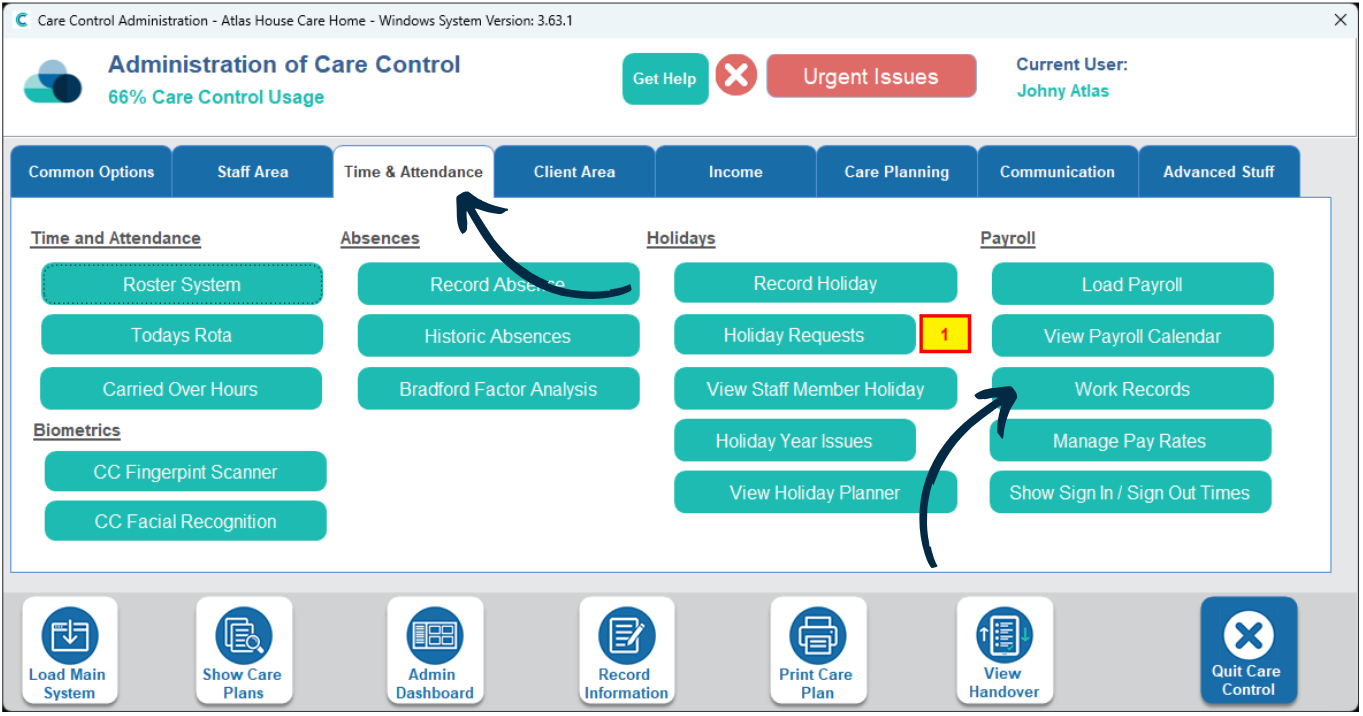
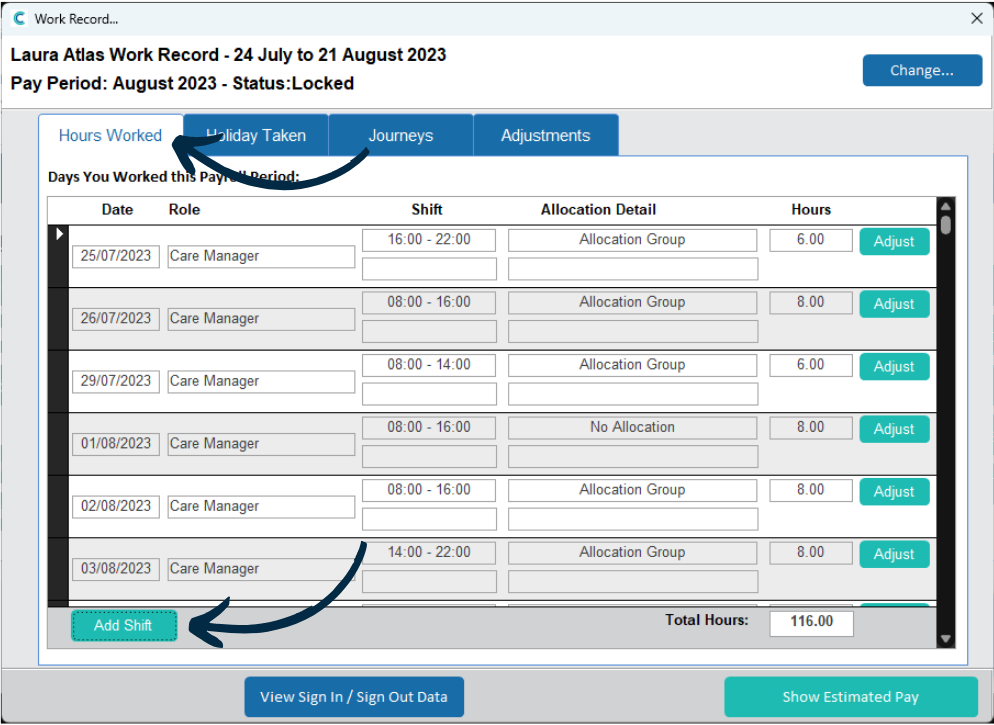
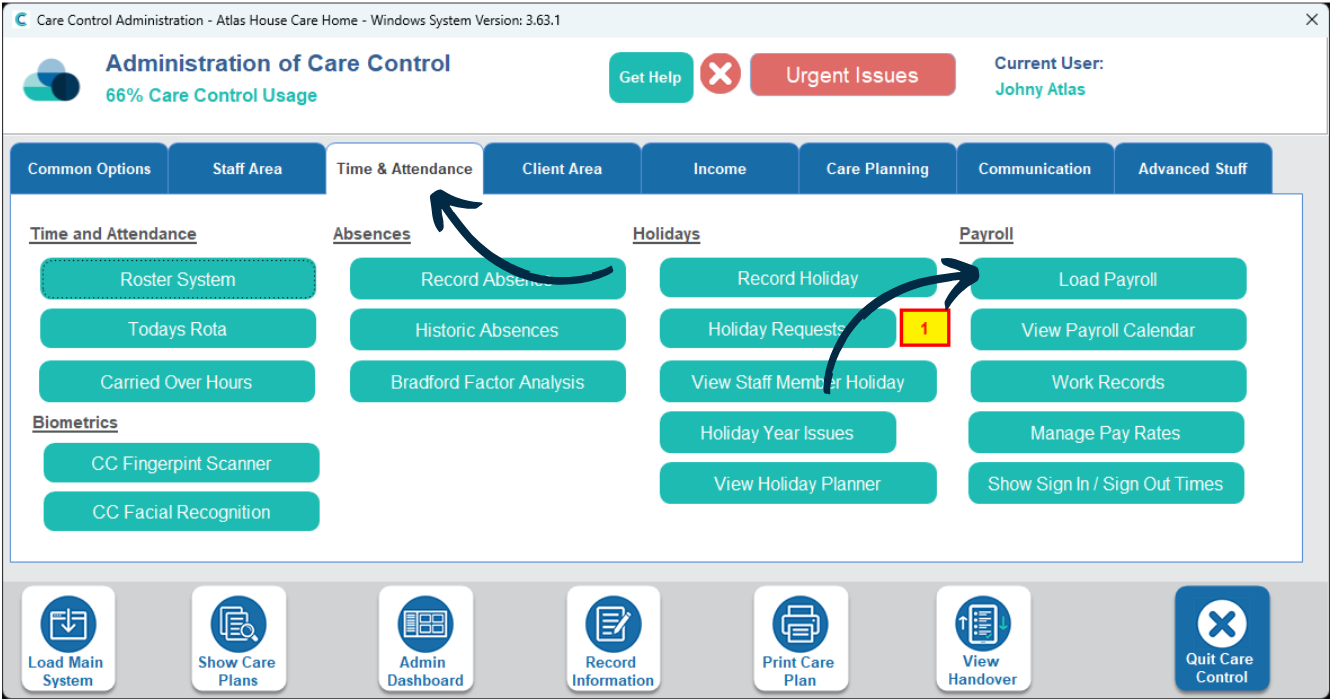
In the Administration of Care Control Windows, navigate to the Work Records tool, which can be found under the Time & Attendance tab.
2
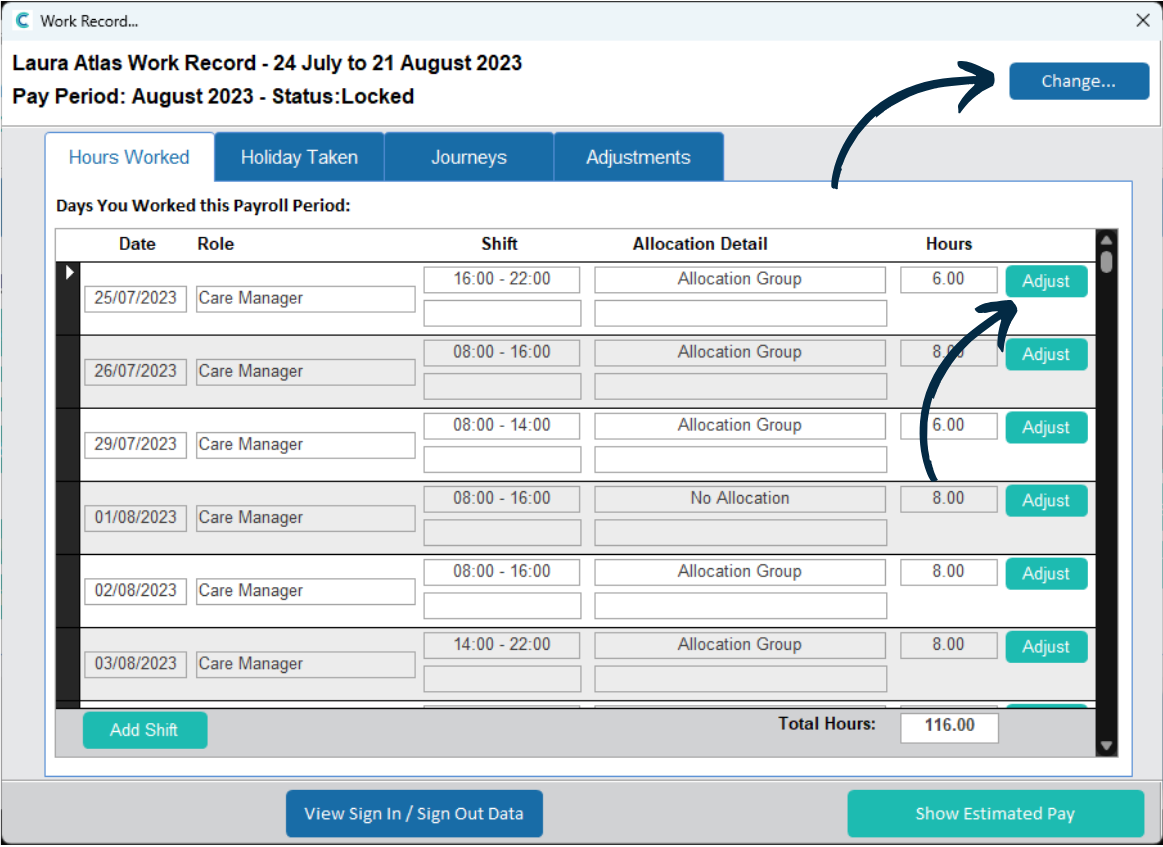
A new window will open. First choose the staff member to view via the Change button in the top right.
A list of shifts worked within the current payroll period will be displayed. If one needs adjusting, for example if the staff member stayed an extra 15 minutes, press Adjust.
3
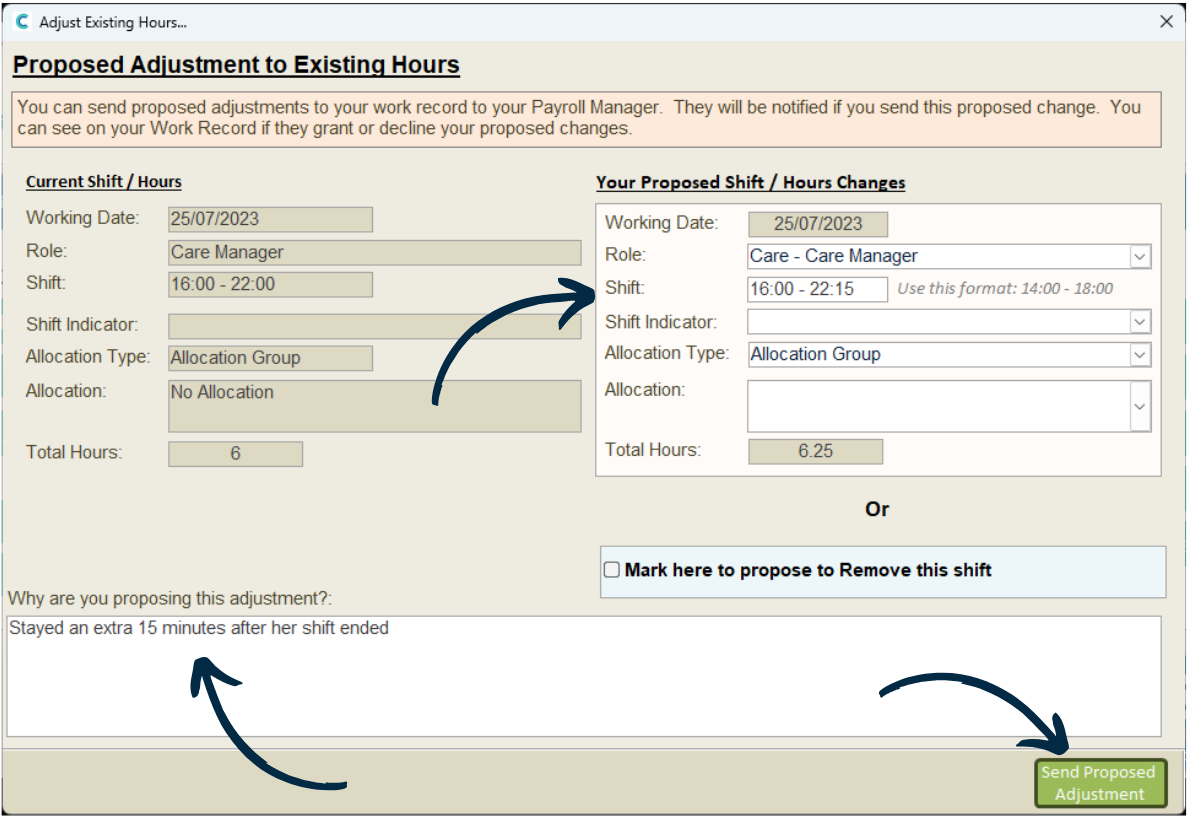
The shift will open in a new window. On the left hand side is the current information for the shift. This can be amended on the right hand side.
You can also remove the shift entirely by ticking the ‘Mark here to propose to remove this shift‘.
Enter a reason for the adjustment, then, press Send Proposed Adjustment.
4
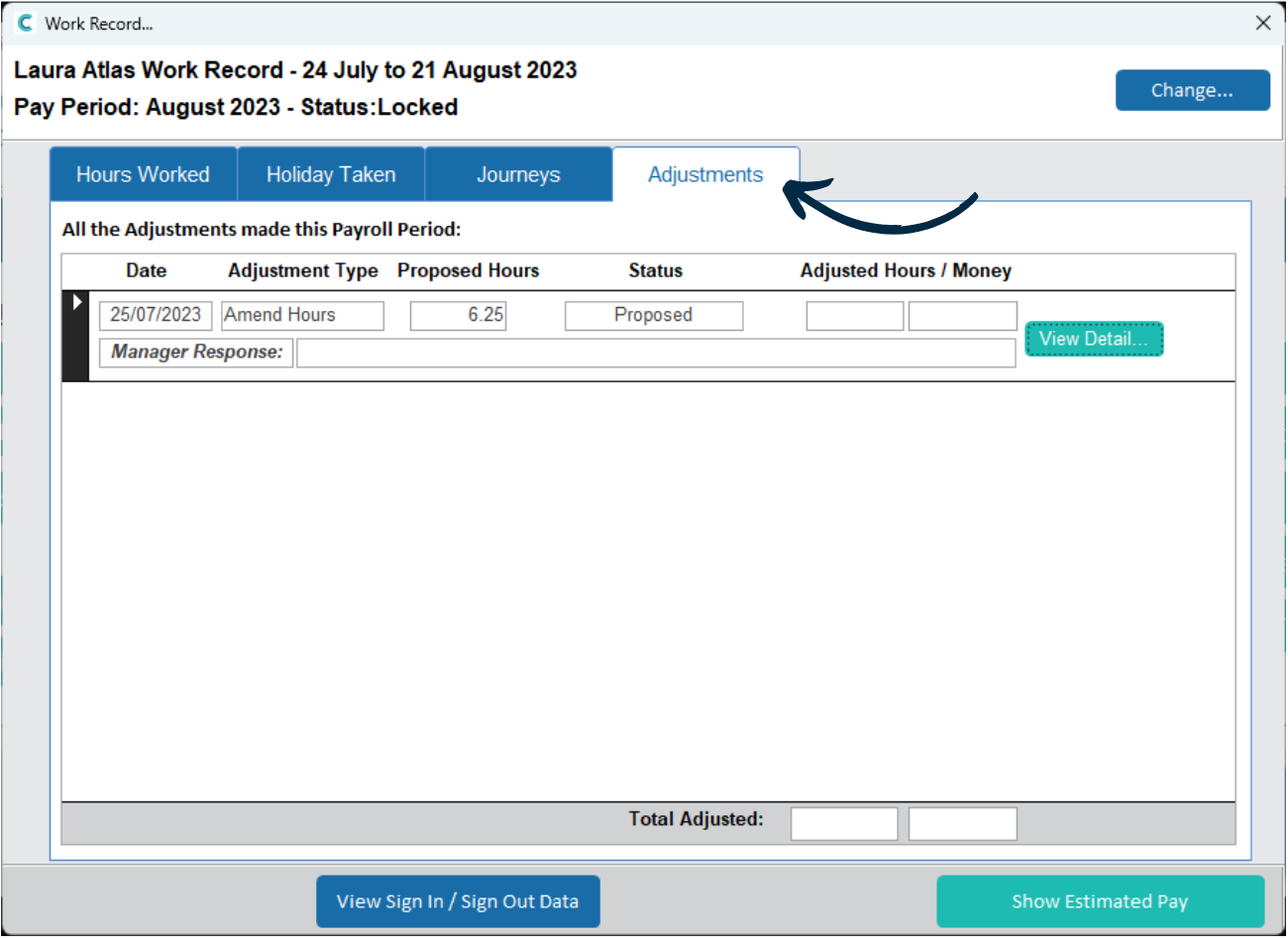
Now, under the Adjustments tab, our recent amended shift will be displayed.
Please note that this is just a proposal and still needs to be accepted by a payroll manager. We will get to this later in this guide.
5
Back in the shift list, we can also add any shifts which are not currently in the work record. Press Add Shift.
6
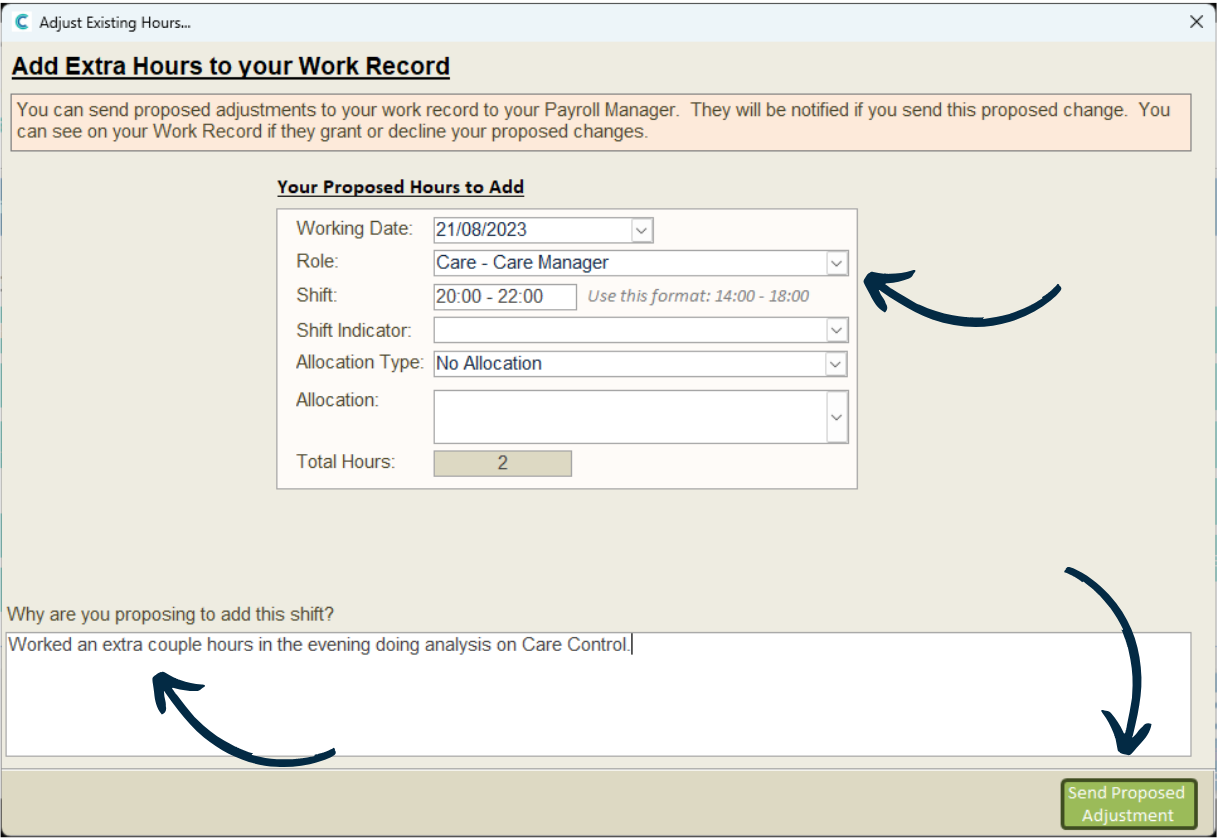
Complete the form regarding the date, role and shift worked. This will give a figure in the Total Hours box.
Next, enter a reason and press Send Proposed Adjustment.
Again, this is just a proposal and will need to be accepted.
7
Shift adjustments and proposals are dealt with in the payroll system. Navigate to the Load Payroll tool, which can be found under the Time & Attendance tab.
8
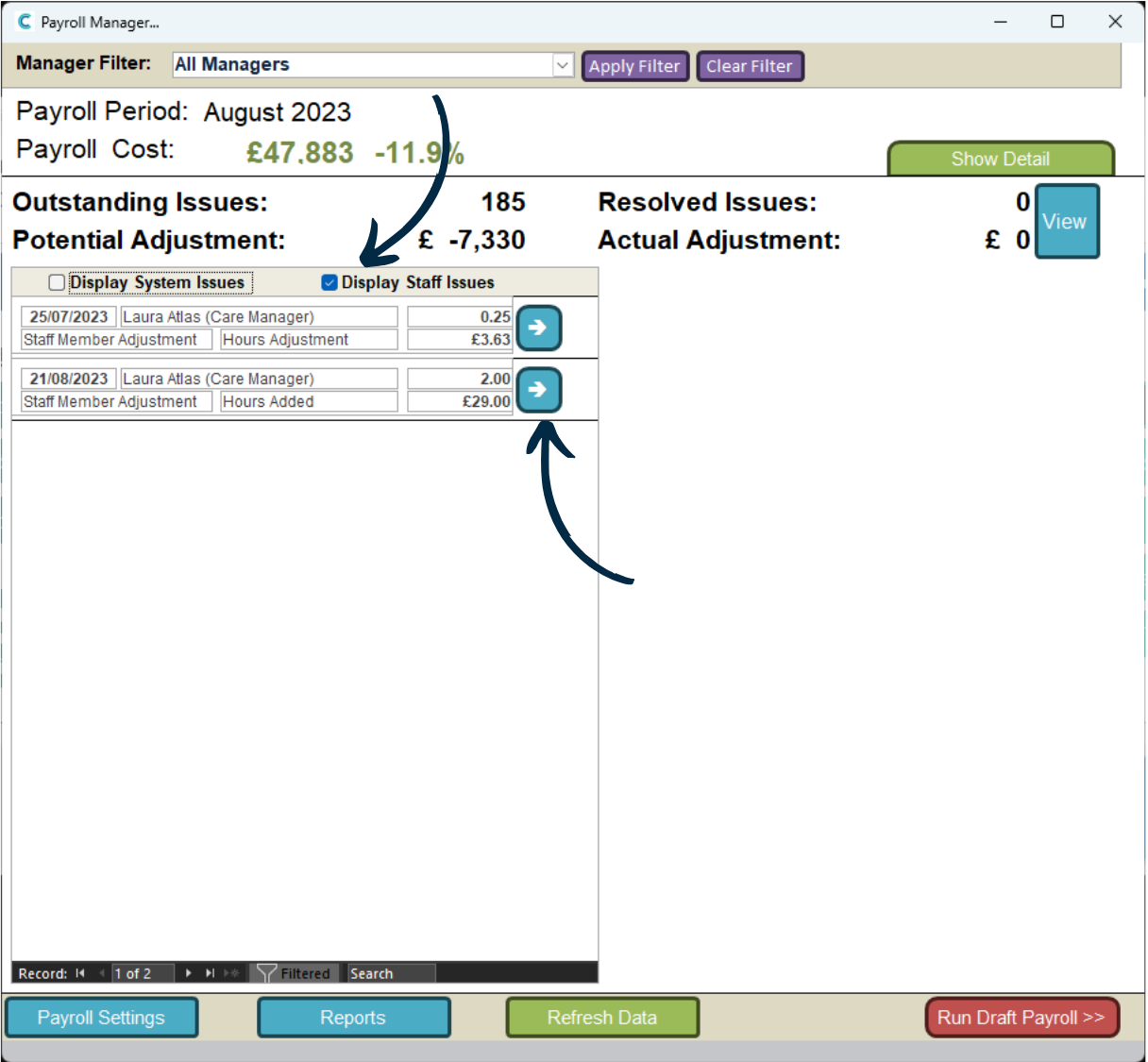
On the left hand side will be a list of system and staff payroll issues.
To view proposals and adjustments, untick ‘Display System Issues‘ and tick ‘Display Staff Issues‘.
You can now see the two adjustments we made earlier in this guide. Simply press the blue arrow to view more information.