Bank Holiday Closure Notice: We will be closed on the 3rd April for the Easter bank holiday, so our customer service team will not be available on this day. If you need to get in touch, you can still use our customer contact form and we will get back to you as soon as possible. Even better, Margo will still be available on our phone lines to help with your queries whenever you need support. We hope you have a lovely Easter weekend 🐣
App Update February 2024
At Care Control Systems, we’re dedicated to continually updating and enhancing our software to better serve your needs. While we have numerous updates to share with you, we’ve highlighted the top features that we believe will provide the most significant benefits for you.
Care ControlWindows
Review the changes to our desktop-based platform
New ‘Try It In Cloud’ Feature
Users can now launch areas of Care Control Cloud from Windows via the ‘Try It In Cloud’ buttons. This feature allows users to access and try our new web-based platform in just a few clicks.
Includes addition of device specific settings into System Settings on Care Control Windows. Here, users can decide whether the available areas open straight into Cloud, Windows or gives the option each time.
Includes addition of Organisational Management user settings to control whether users have web-based access to Cloud or app-based access. This can be used to prevent users accessing Cloud from browsers on their own devices.
See our help guide for a full explanation of these additions and how to use them.
Care ControlCloud
Review the changes to our web-based platform
Cloud – Admin Application
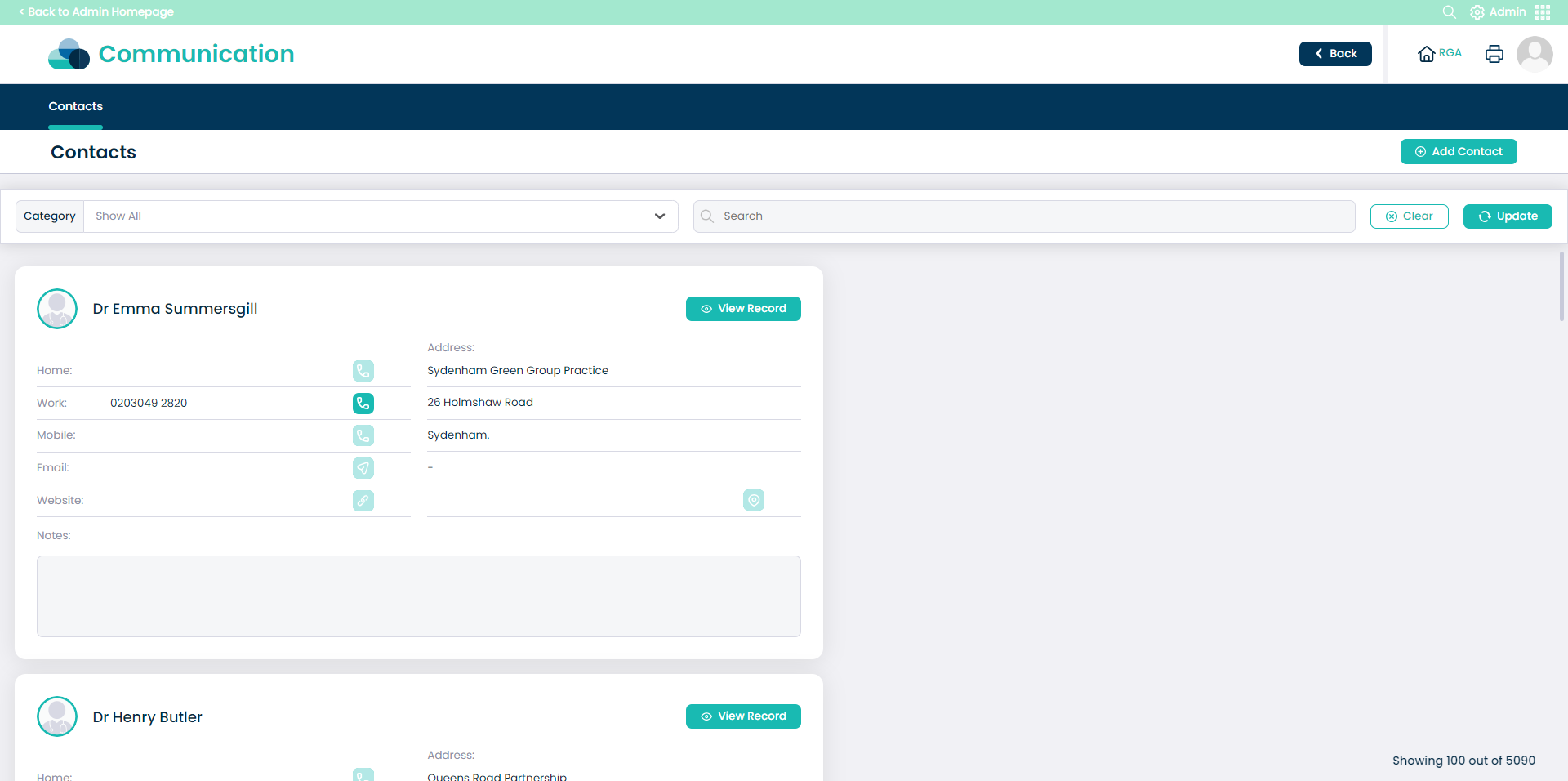
Addition of ‘Admin Contacts’ to our Admin Application on Care Control Cloud. This feature acts as a contact management tool and includes the ability to add, remove and edit contacts on your system.
This feature also includes the ability to search and filter your contacts based upon text and category filters.
See our help guide for a full explanation of these additions and how to use them.
Care ControlMobile
Review the changes to our tablet-based platform
Facial Recognition Changes
Organisations who use Facial Recognition for staff sign-in can now configure settings for staff to view messages after signing into work.
These options can be found within the System Settings on Care Control Windows.
Administrators can now set staff messages to show on both sign in and sign out. These are both set to ‘No’ by default.
Design Improvements
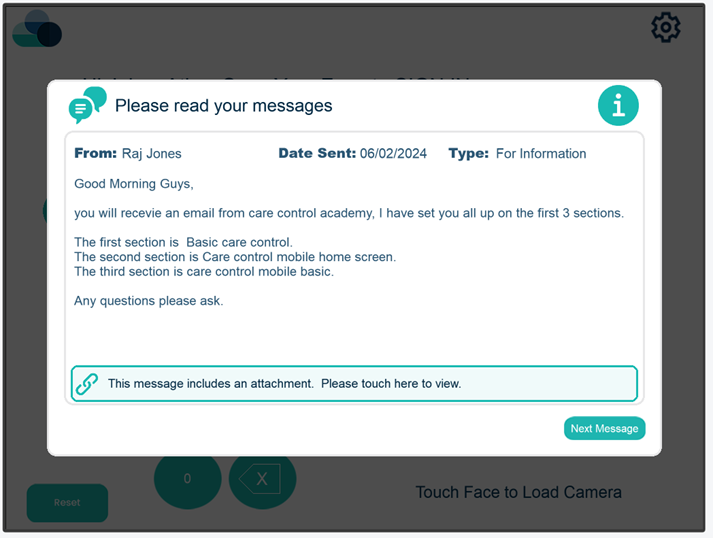
In line with our ongoing brand evolution, we have updated the Staff Message screen on Care Control Mobile. These changes can be seen in the image above.