Bank Holiday Closure Notice: We will be closed on the 3rd April for the Easter bank holiday, so our customer service team will not be available on this day. If you need to get in touch, you can still use our customer contact form and we will get back to you as soon as possible. Even better, Margo will still be available on our phone lines to help with your queries whenever you need support. We hope you have a lovely Easter weekend 🐣
View Categories
Administration Side of Mobile
This guide will cover how to access the Administration side of Care Control Mobile. Note: administrative access must be enabled for the user, and the administrative password is required.
1
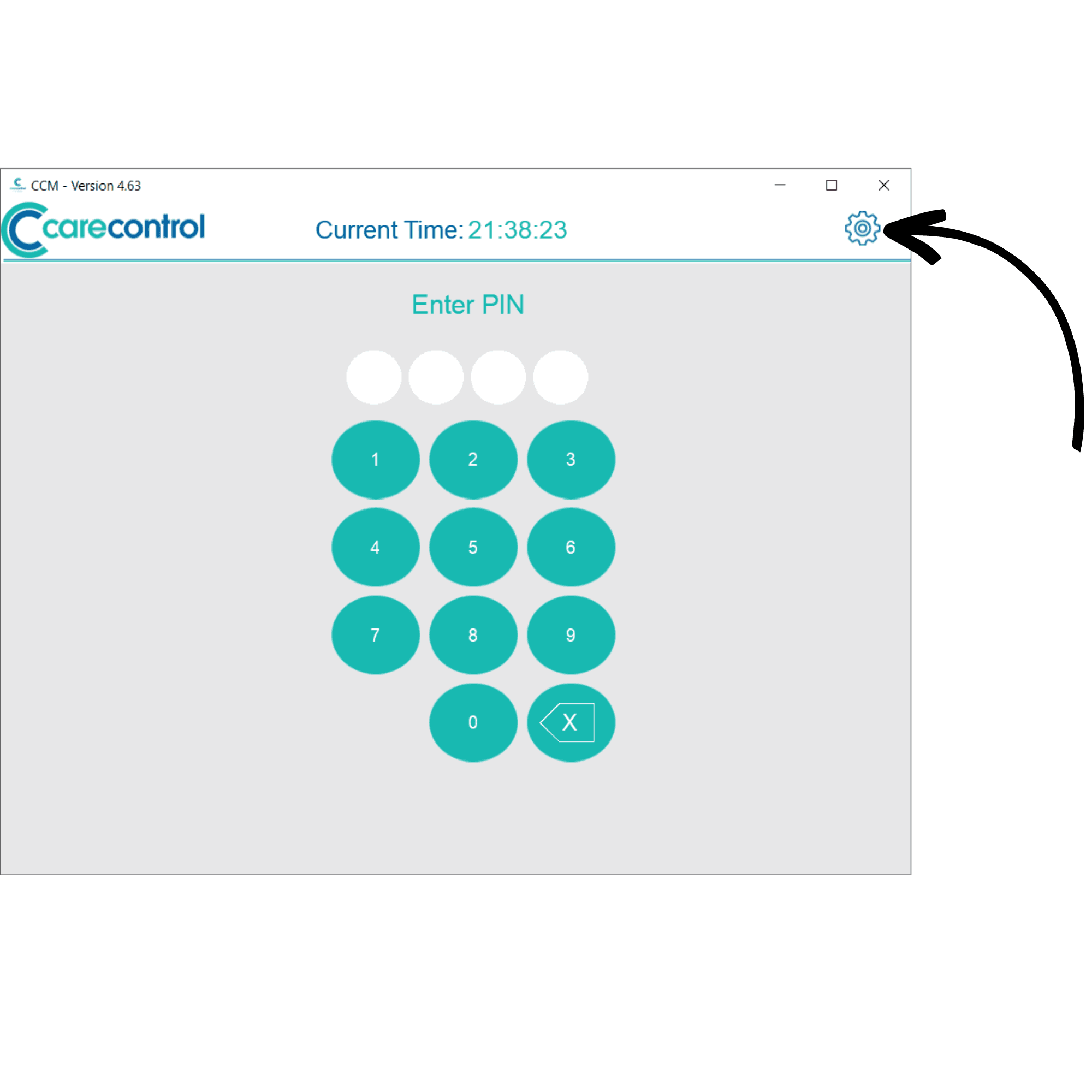
When on the PIN screen on Care Control Mobile, press the settings cog in the top right corner of the screen.
2
Here, enter your PIN along with the Administration Password. Press Continue.
3
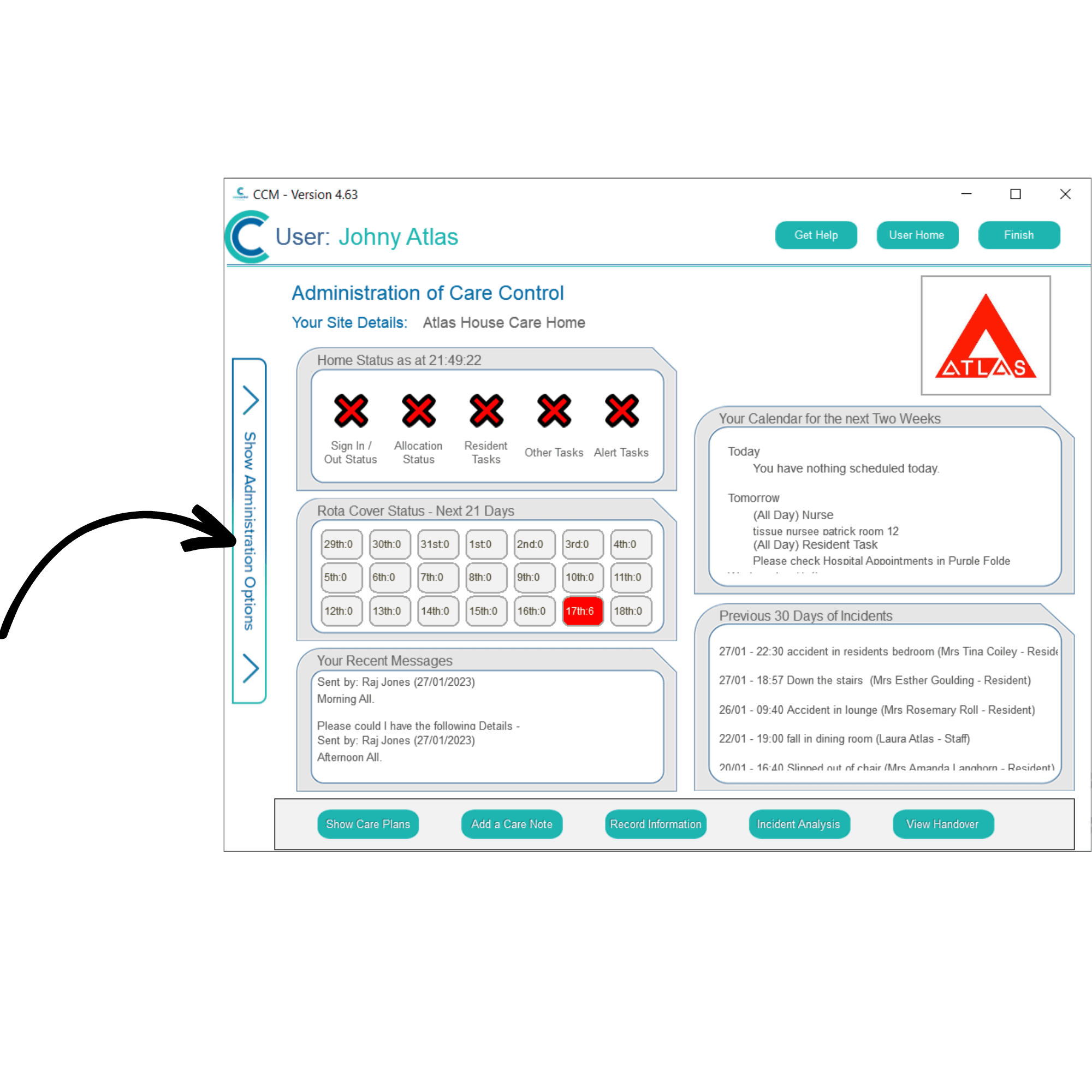
The Administration of Care Control Mobile will be displayed. Here you can view an overview of the status of your organisation, as well as the rota, calendar, messages and incidents.
You also have access to a toolbar at the bottom of the screen where you can view care plans, add notes, record information, view incident analysis and view the handover.
Further tools are available by pressing Show Administration Options on the left-hand side of the screen.
4
An administration menu will open. Here you can navigate through the administration tools available. This includes staff-related functions, viewing rotas, service user-related functions, care planning options, communication, and advanced settings.
To sign out of the administration side of Mobile, press Finish in the top right corner of the screen.