Customer Contact Form: If you need to raise a support ticket for any issue, whether it relates to Cloud, Pocket, mobile, or anything else, please use our Customer Contact Form.Click here to raise a ticket.
View Categories
Setting the Pocket Homepage to Staff Rota
This guide will cover how to set the Pocket homepage to the staff rota.
1
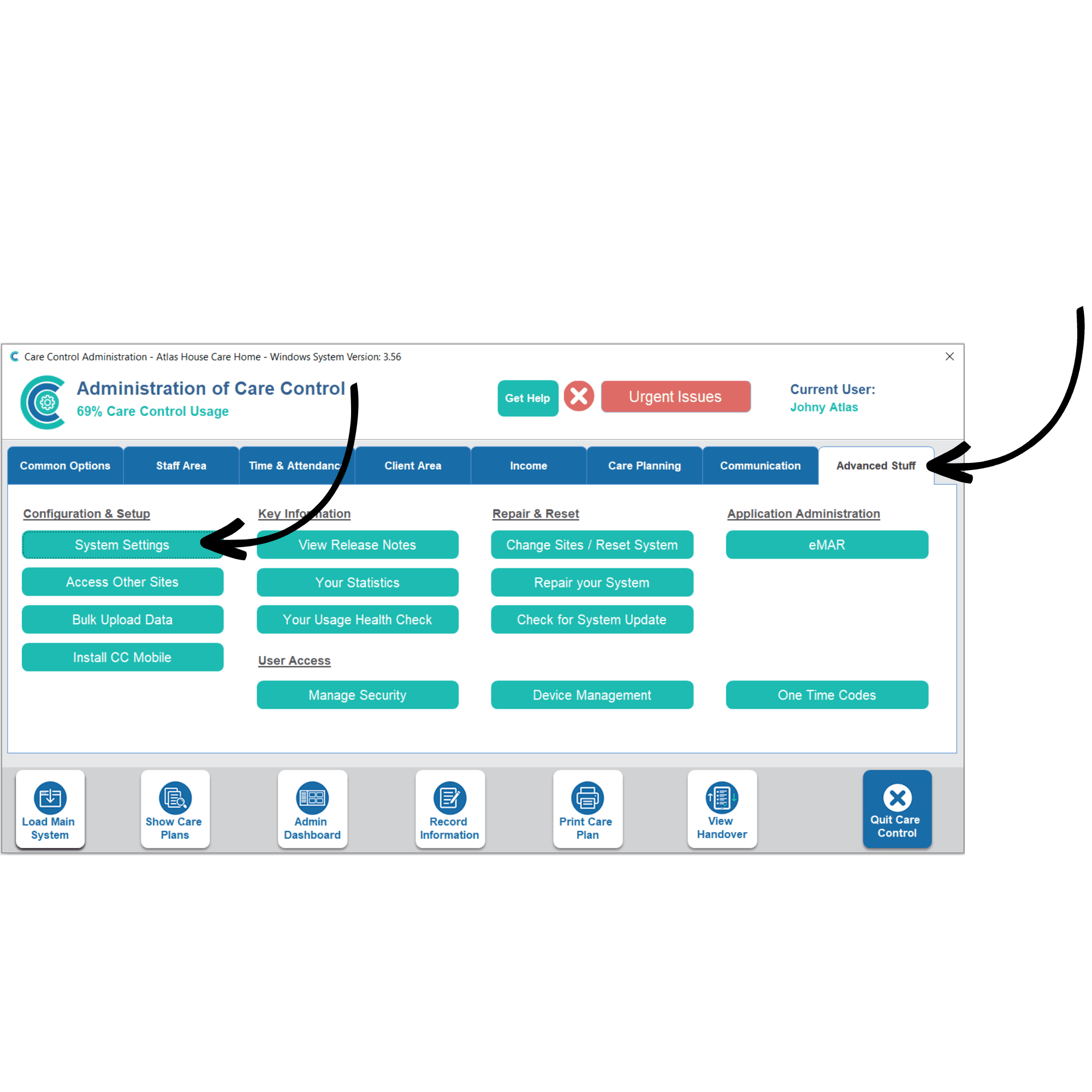
In the Administration of Care Control Windows, navigate to the System Settings which can be found under the Advanced Stuff tab.
2
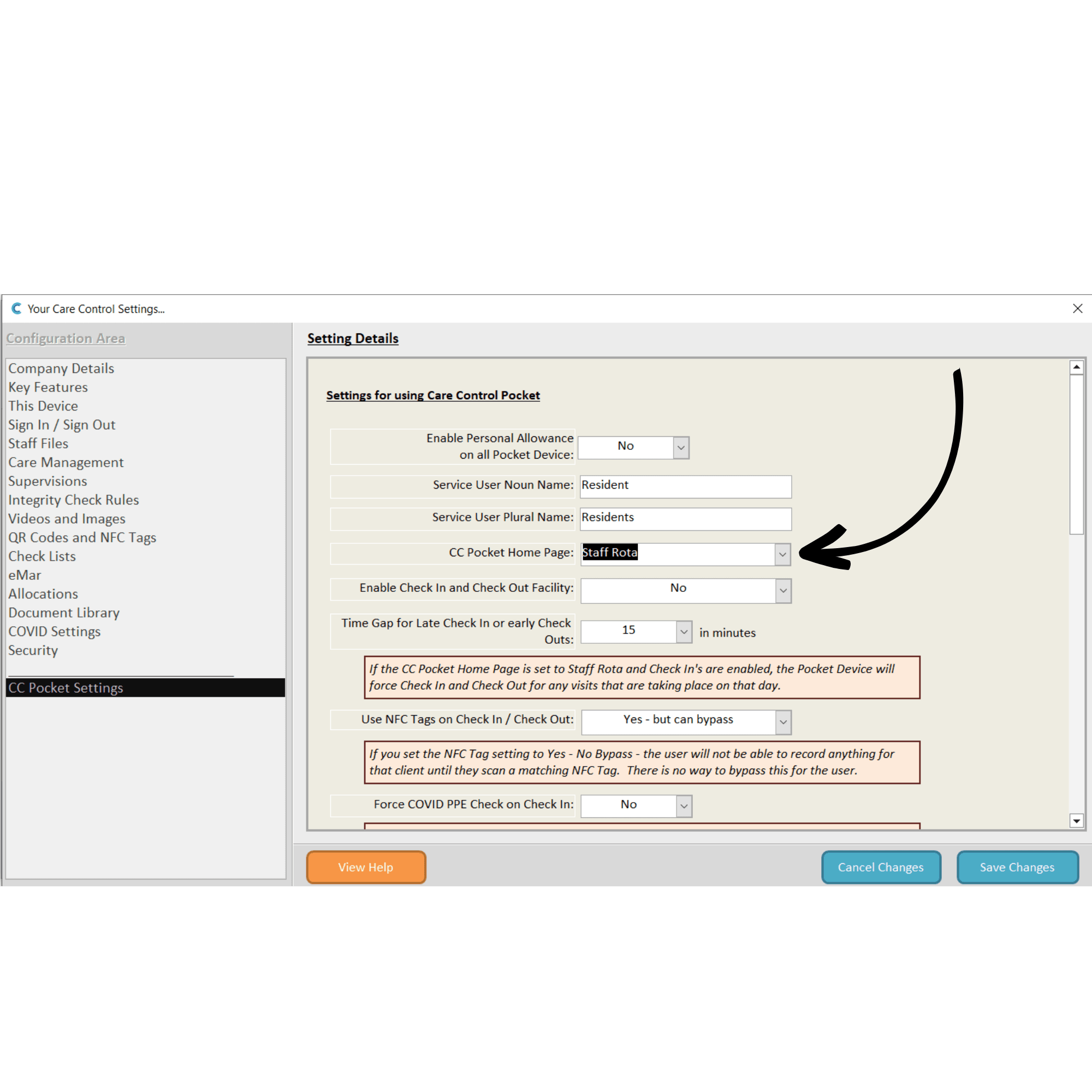
In the system settings, open theCC Pocket Settings from the left-hand options.
Here, change the CC Pocket Home Page setting by choosing an option from the drop-down list, in this case, select Staff Rota.
3
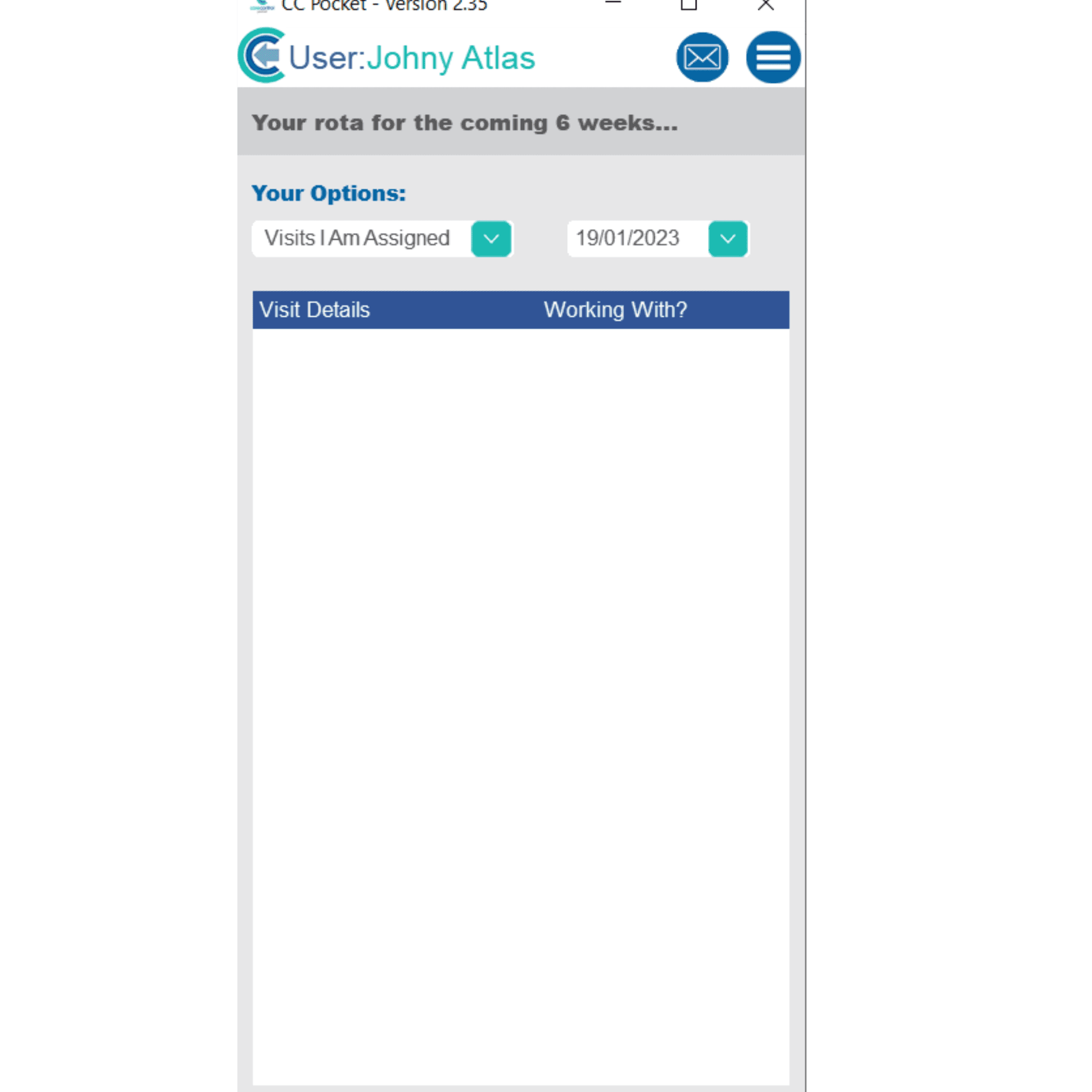
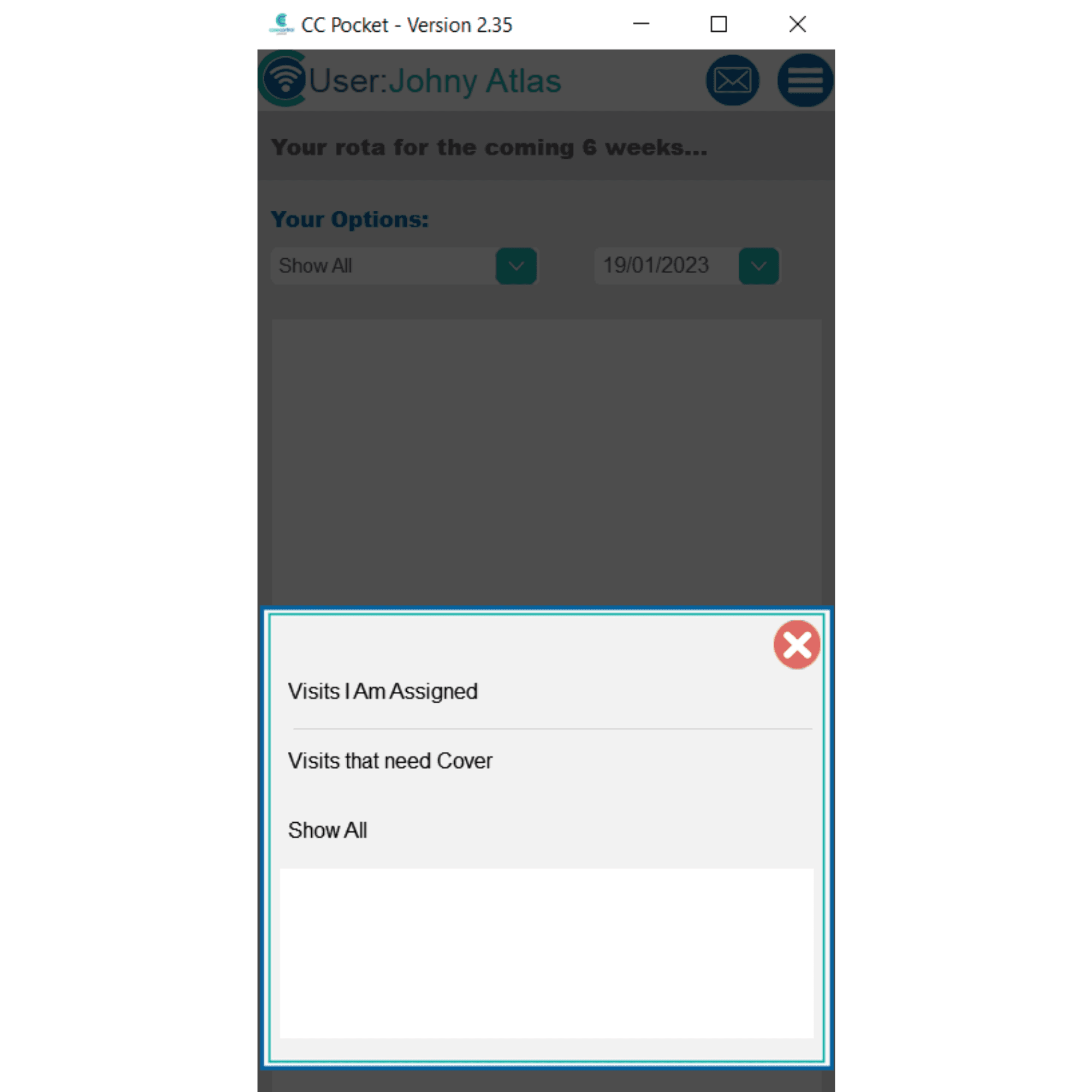
Now, after signing into Pocket, the homepage will open on the rota for the staff member.
4
You can filter the rota view using the drop-down lists at the top (by cover status and dates).