On Sunday 8th February, our GP Connect service will undergo scheduled maintenance. While we cannot confirm the exact time, this work may result in up to 60 minutes of downtime. We apologise for any inconvenience this may cause and thank you for your understanding.

View Categories

Medication Safety Times

Care Control eMAR contains a Medication Safety Time feature which allows times to be set for a minimum medication administration window. For example, some medication cannot be taken less than 4 hours apart, and others might be less or more.

1

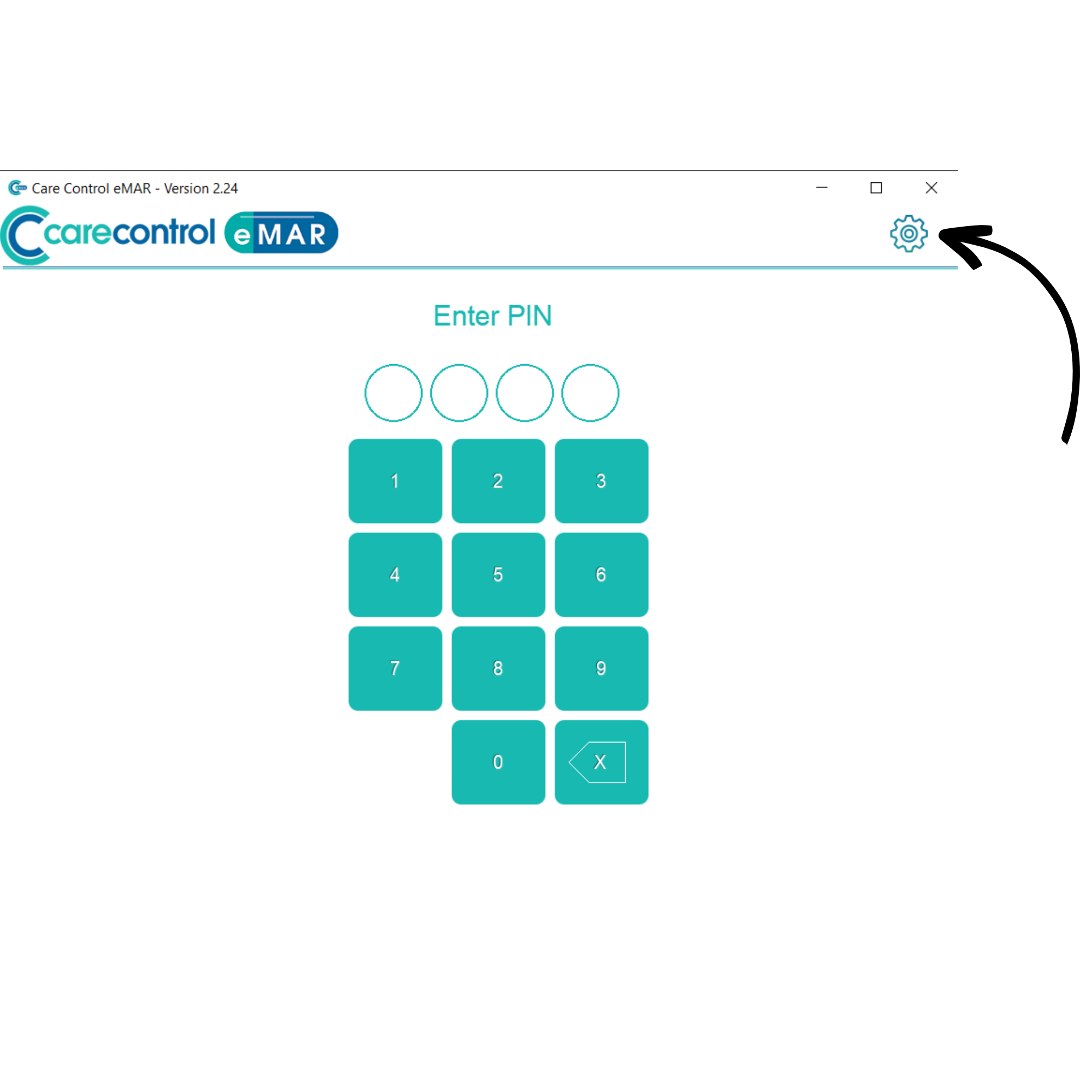
On the Care Control eMAR application, enter the administration area by pressing the cog wheel in the top right of the window.

2

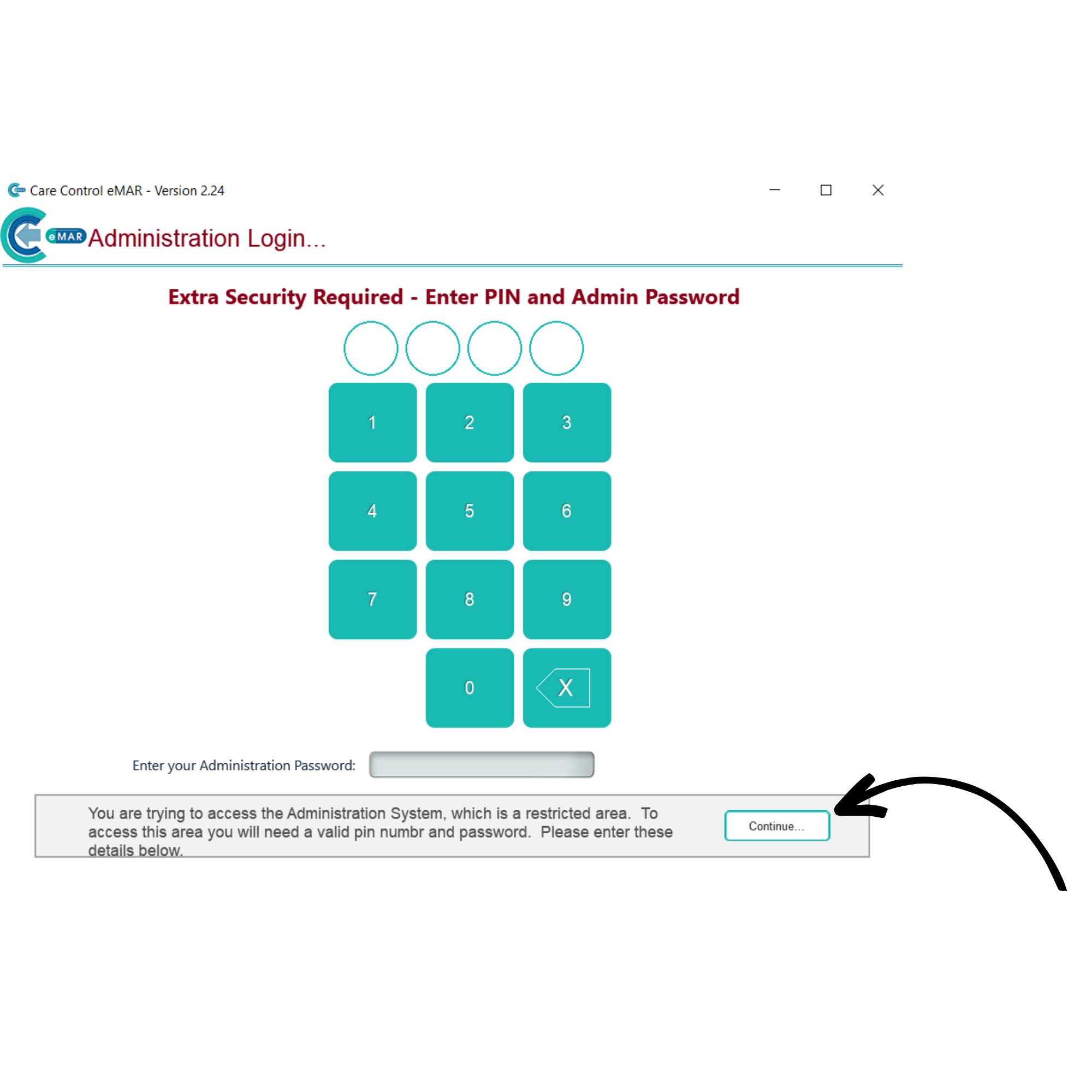
Here, enter your PIN and admin password. Press Continue.

3

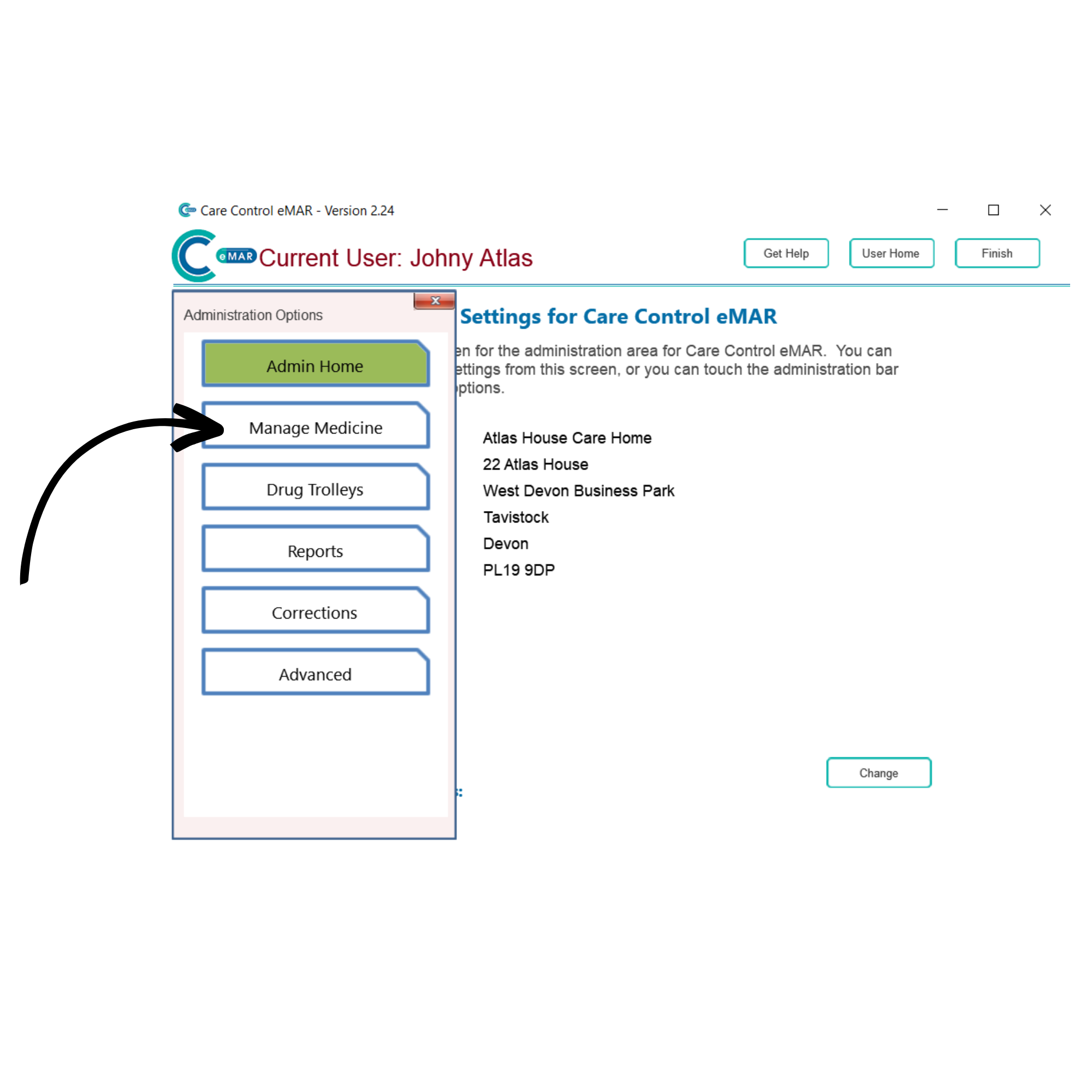
After signing in, open the Administration Options menu from the left-hand side of the screen. Here, select Manage Medication.

4

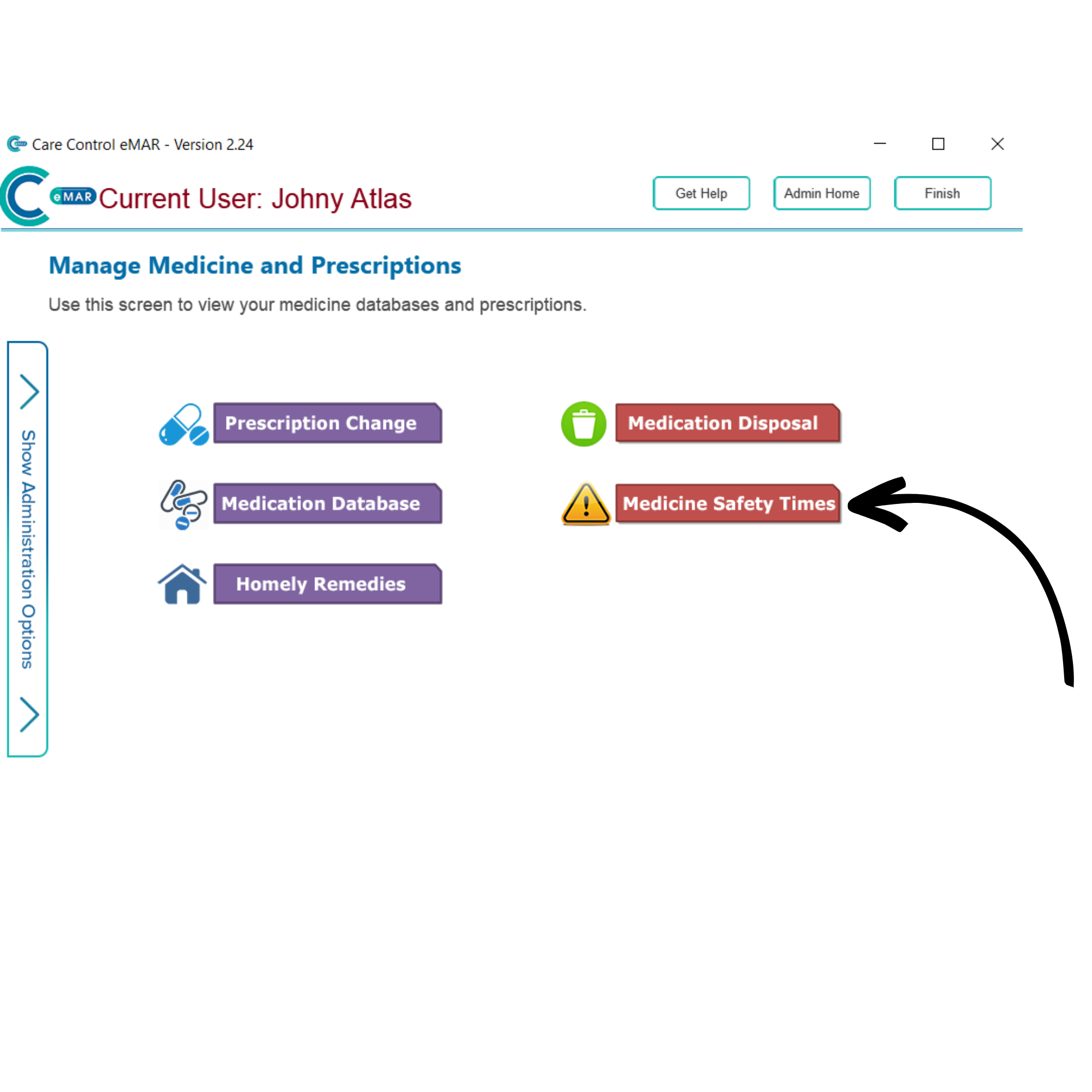
Five medication options will be displayed. Select Medicine Safety Times.

5

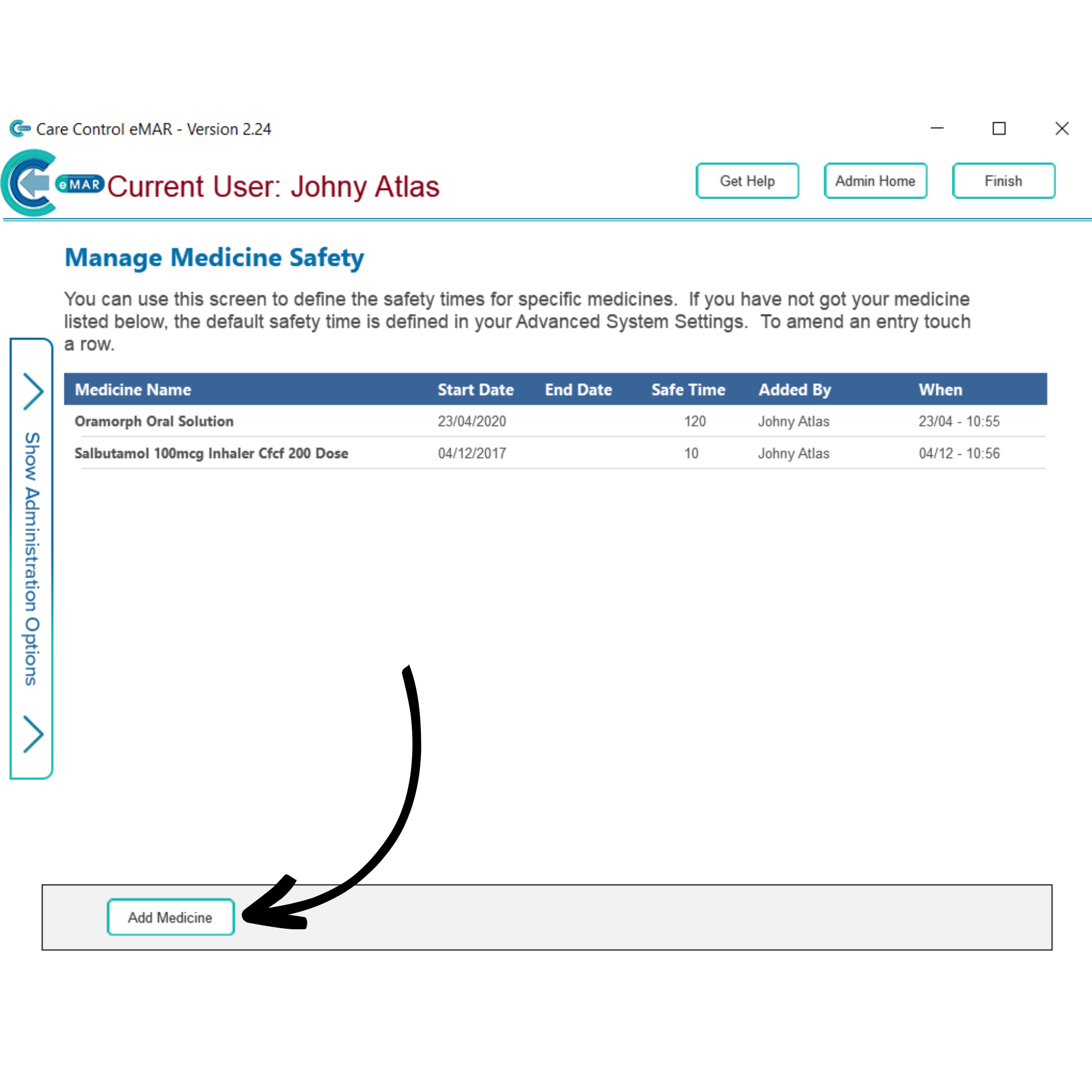
Any medication safety times already set up will be shown here. You can create a new one by pressing Add Medicine.

6

A blank form will open. Begin by choosing the medication you wish to add a safety time for. You can filter the medication by type, or search for it by using the search bar.

After selecting the medication (tick box), enter a safety time in the red highlighted box at the bottom of the form. By default, this is 240 minutes (4 hours).


To save, press Save Entries.