This guide will cover how to change the information recorded for a service users food intake on Care Control Mobile.
1
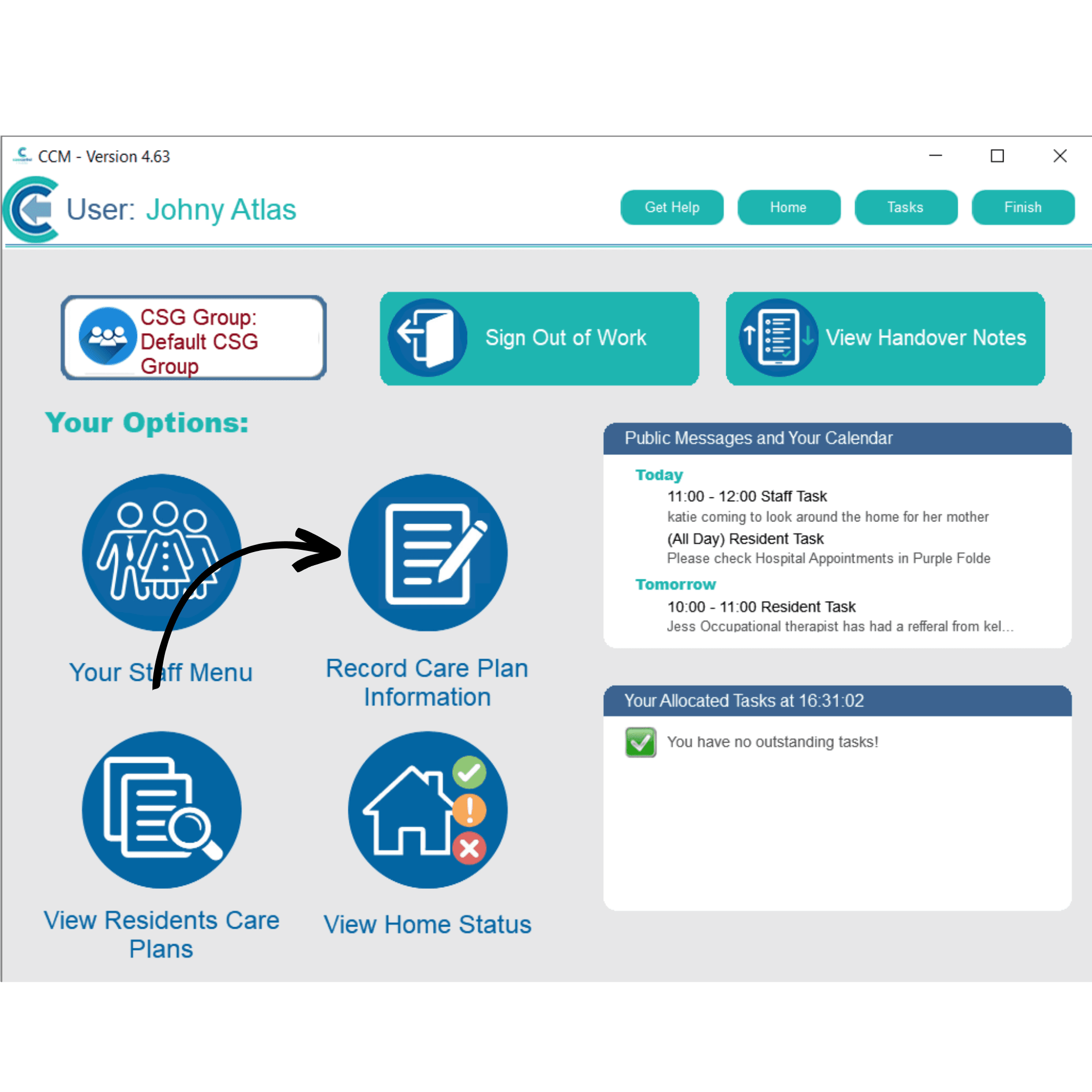
After signing into Care Control Mobile, select Record Care Plan Information.
2
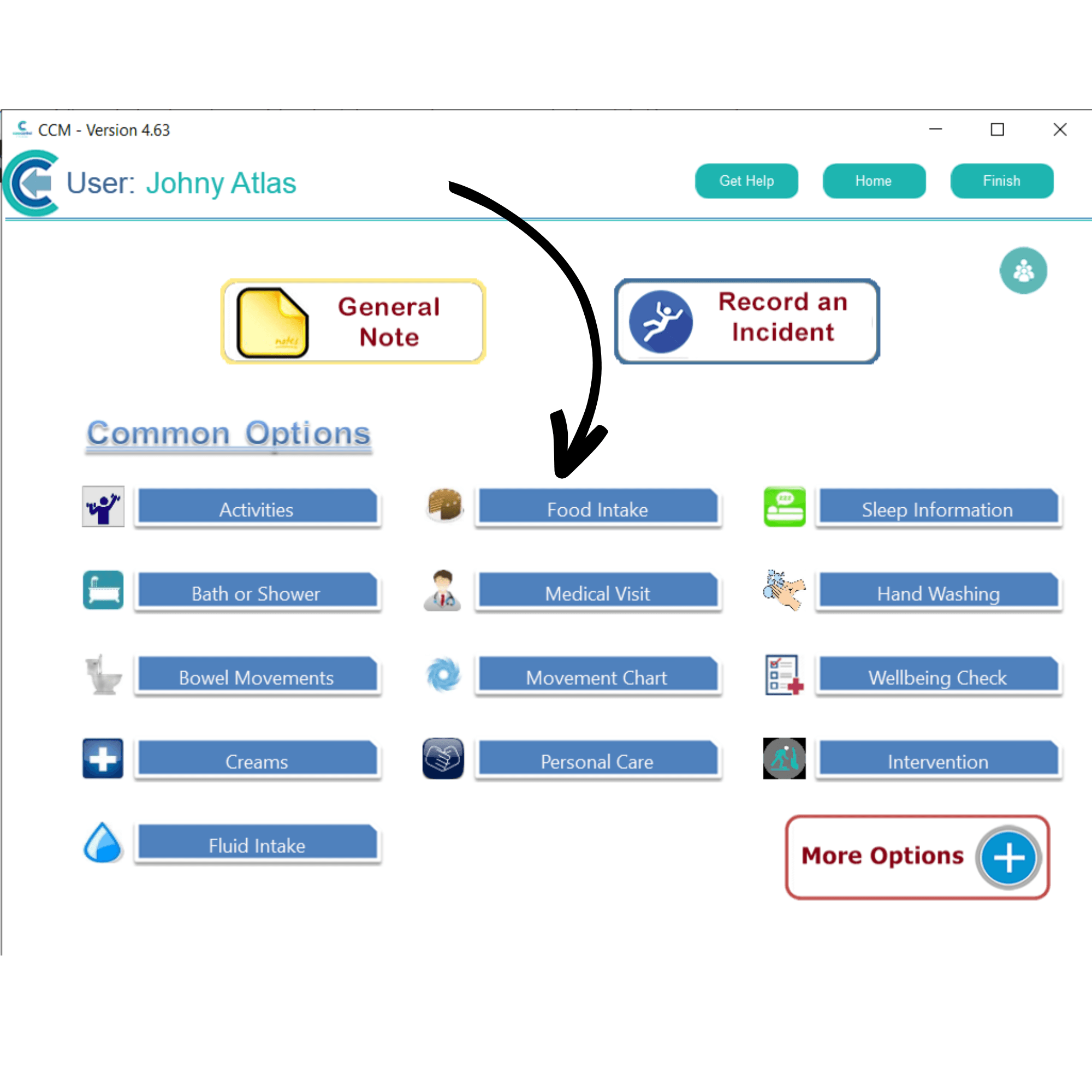
A list of recording options will be displayed. Here, select Food Intake.
3
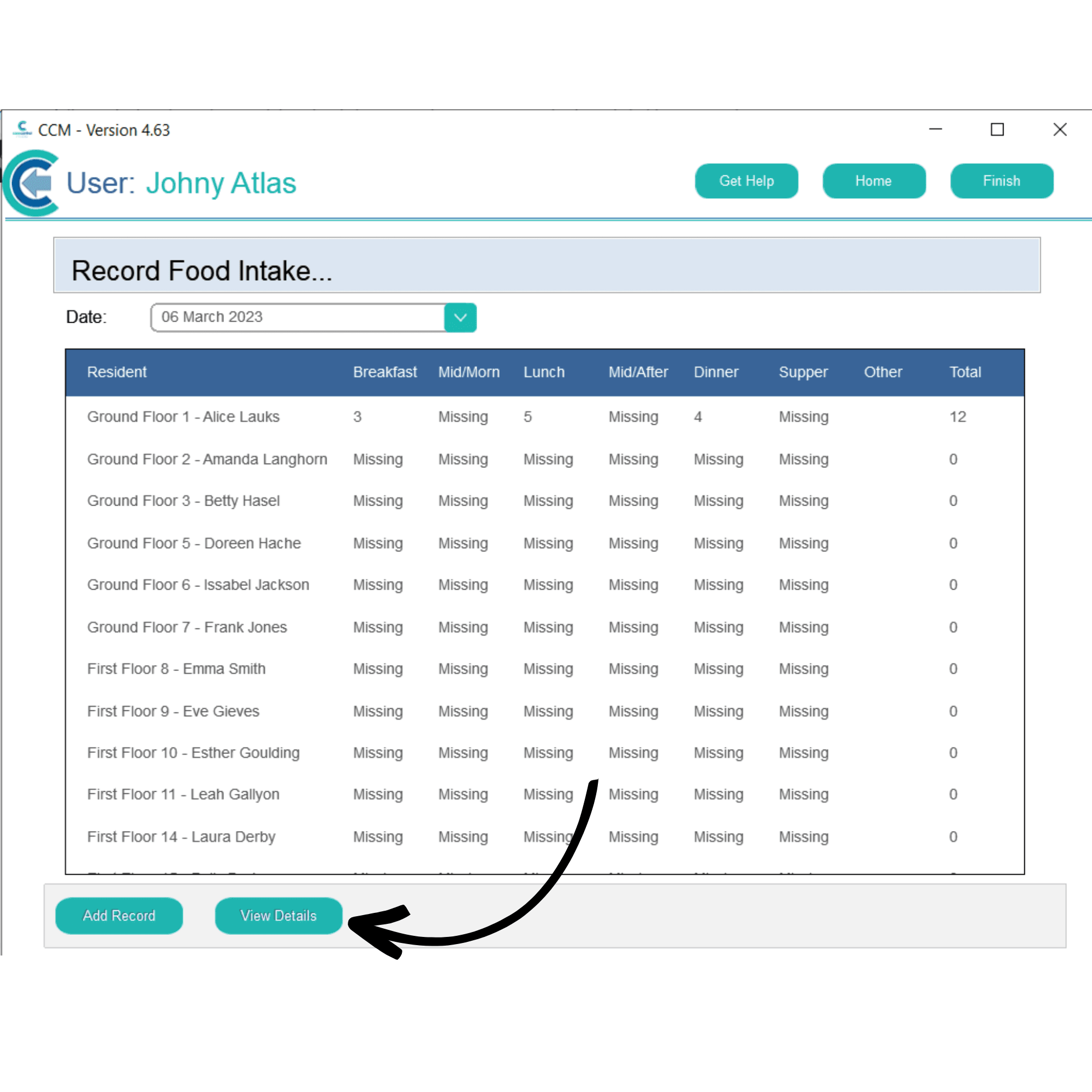
Select the service user whose intake you wish to amend and press View Details.
4
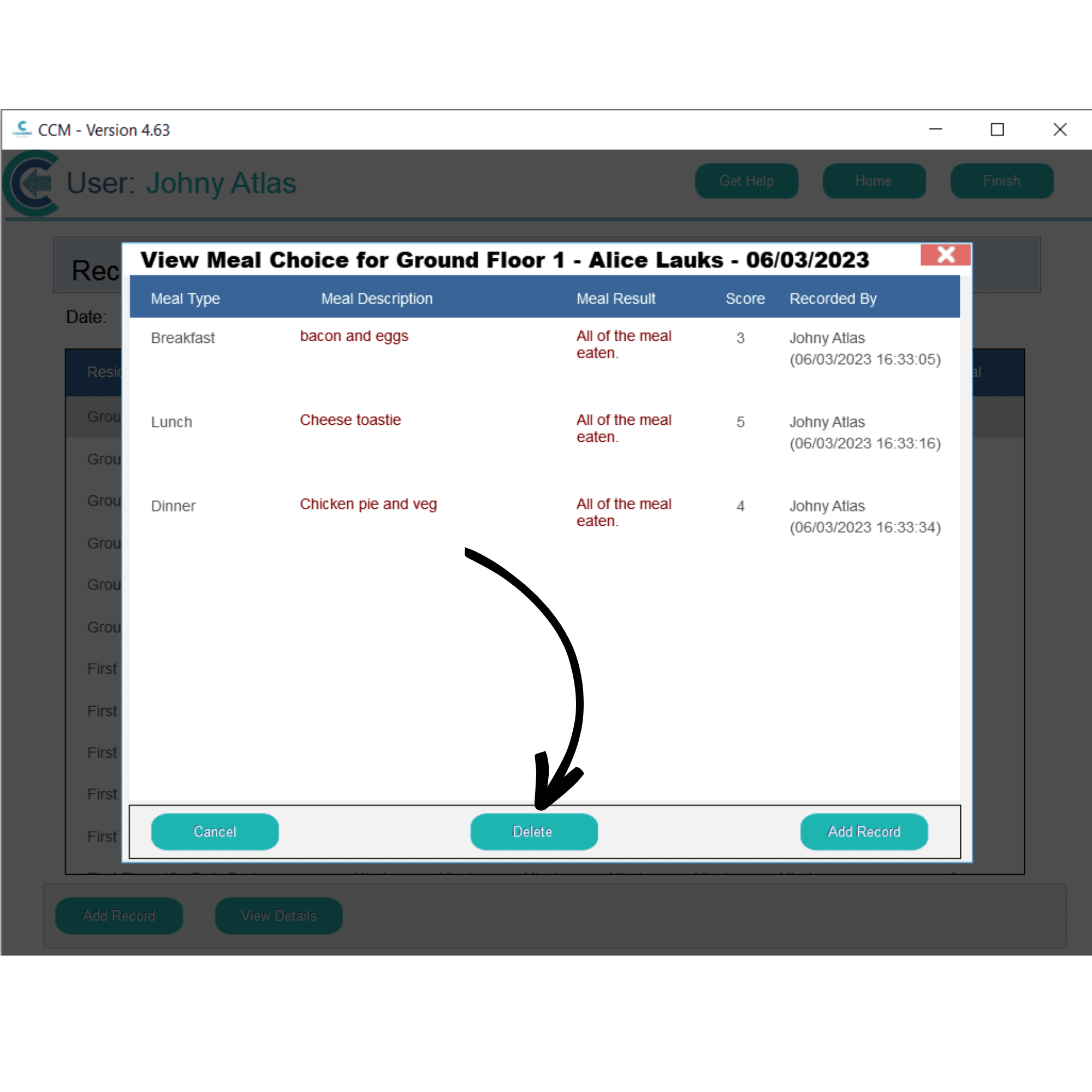
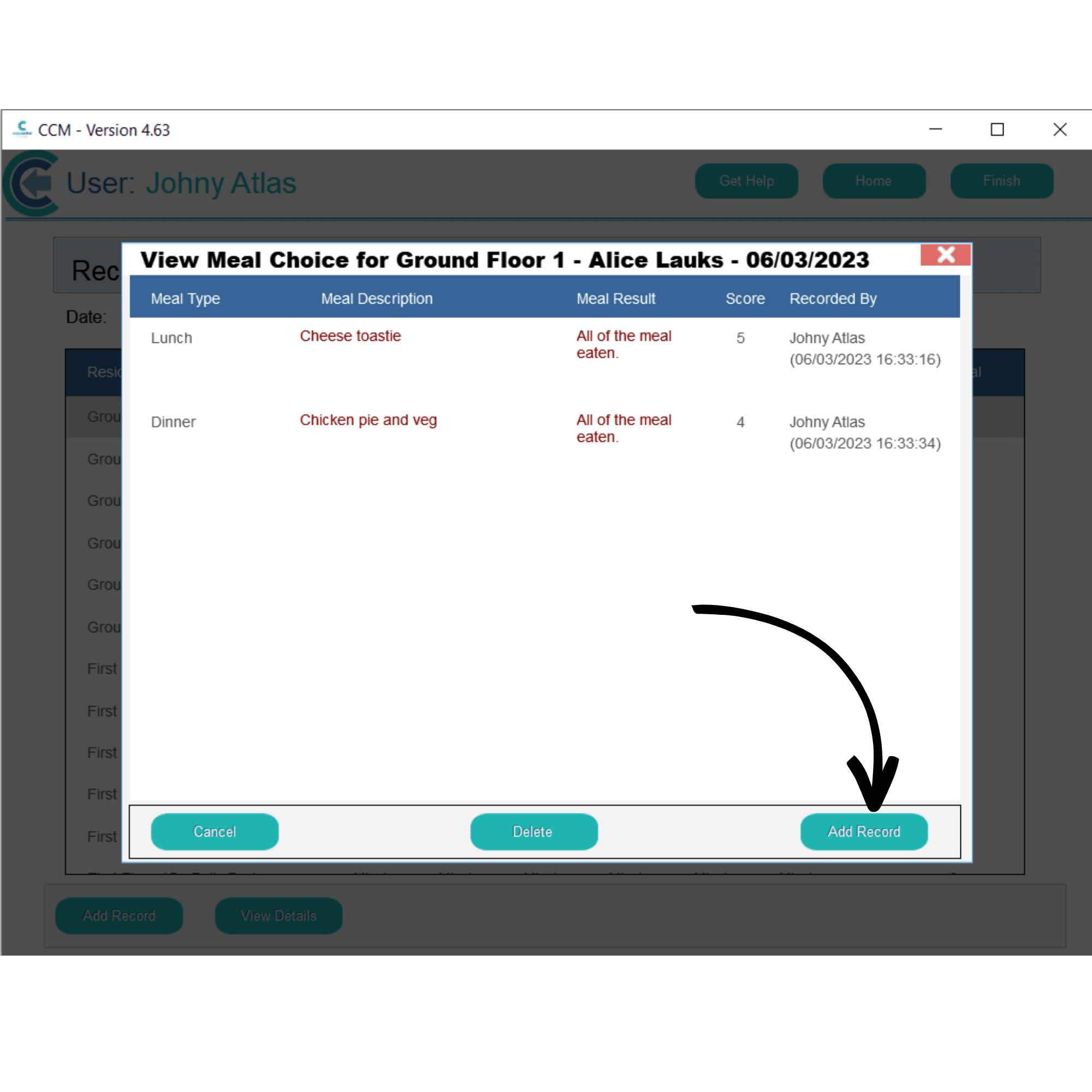
A list of recorded meals will be displayed. Simply select the one you wish to amend, and press Delete.
5
The meal will be removed from the list. You can now re-add the correct information by pressing Add Record.
6
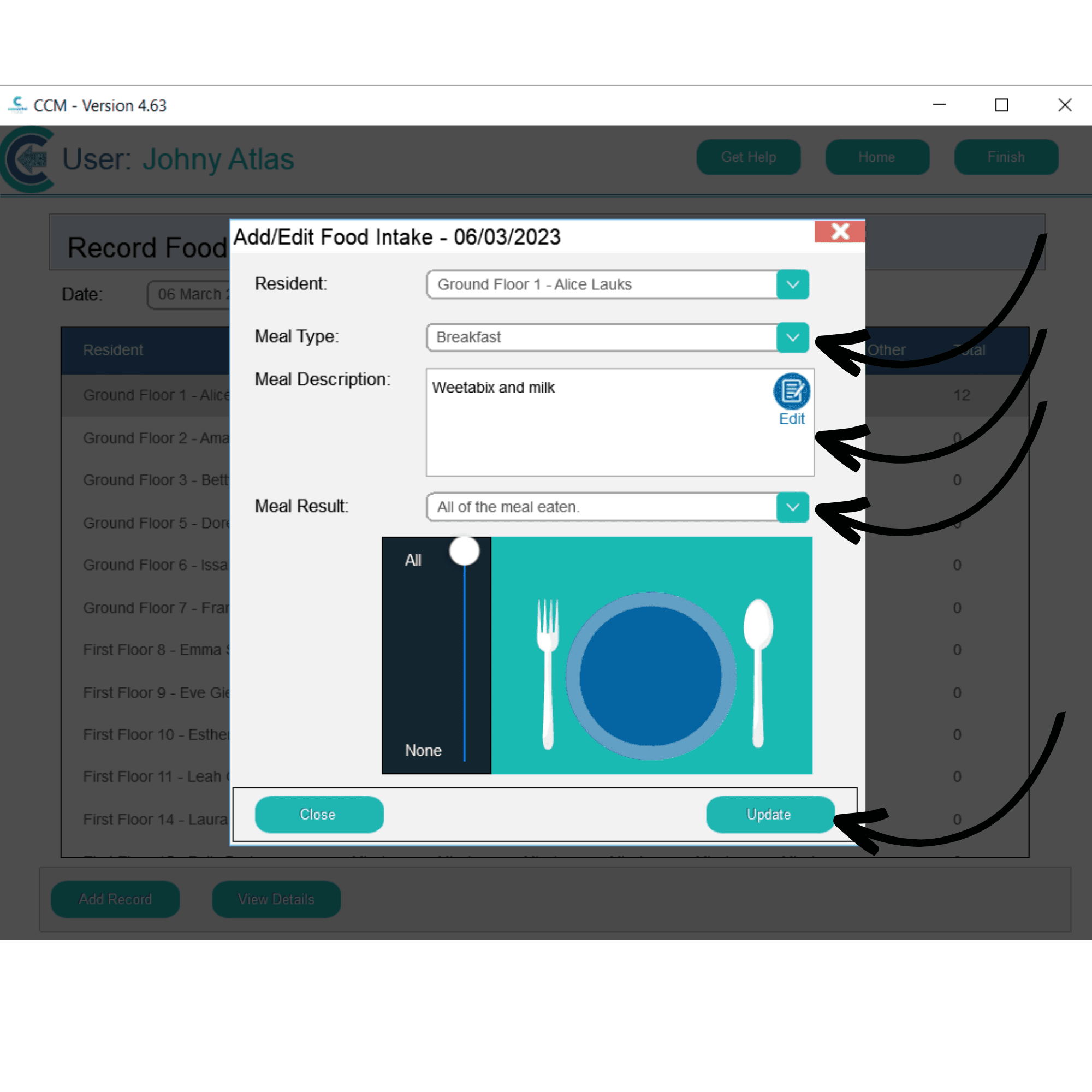
The meal recording window will open. Select the Meal Type from the drop down list, enter a Meal Description as well as a Meal Result. After entering the correct information, press Update.