🚀 UPCOMING WEBINAR: See Payroll in Care Control Cloud in action on Thursday 18th June and discover how to manage payroll more efficiently from one connected system. Click here to find out more!

View Categories

How to Record and Edit Food Intake

This guide will walk you through recording and reviewing resident Food Intake records within Care Control Cloud.

Takes 3 minutes
For: Care Staff
Updated: 26th May 2026

Introduction

Food Intake records help care teams monitor nutrition, identify changes in eating habits, and support residents who may be at risk of weight loss or poor dietary intake. Accurate meal recording provides valuable information for care planning and nutritional monitoring.

In this guide you'll learn how to:

  • Review food intake records
  • Understand intake scores
  • Add new meal entries
  • Record meal consumption
  • Manage existing records

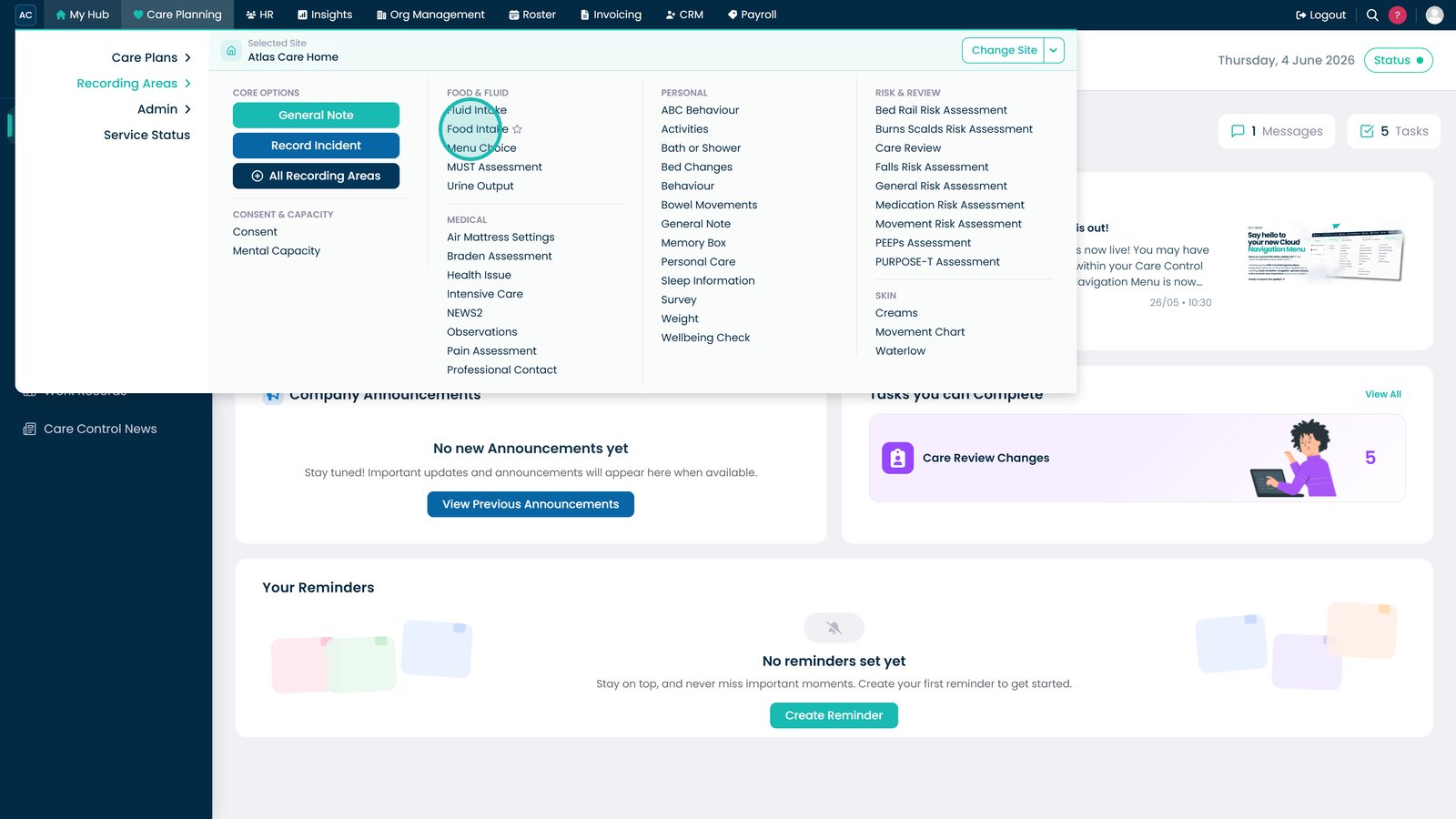
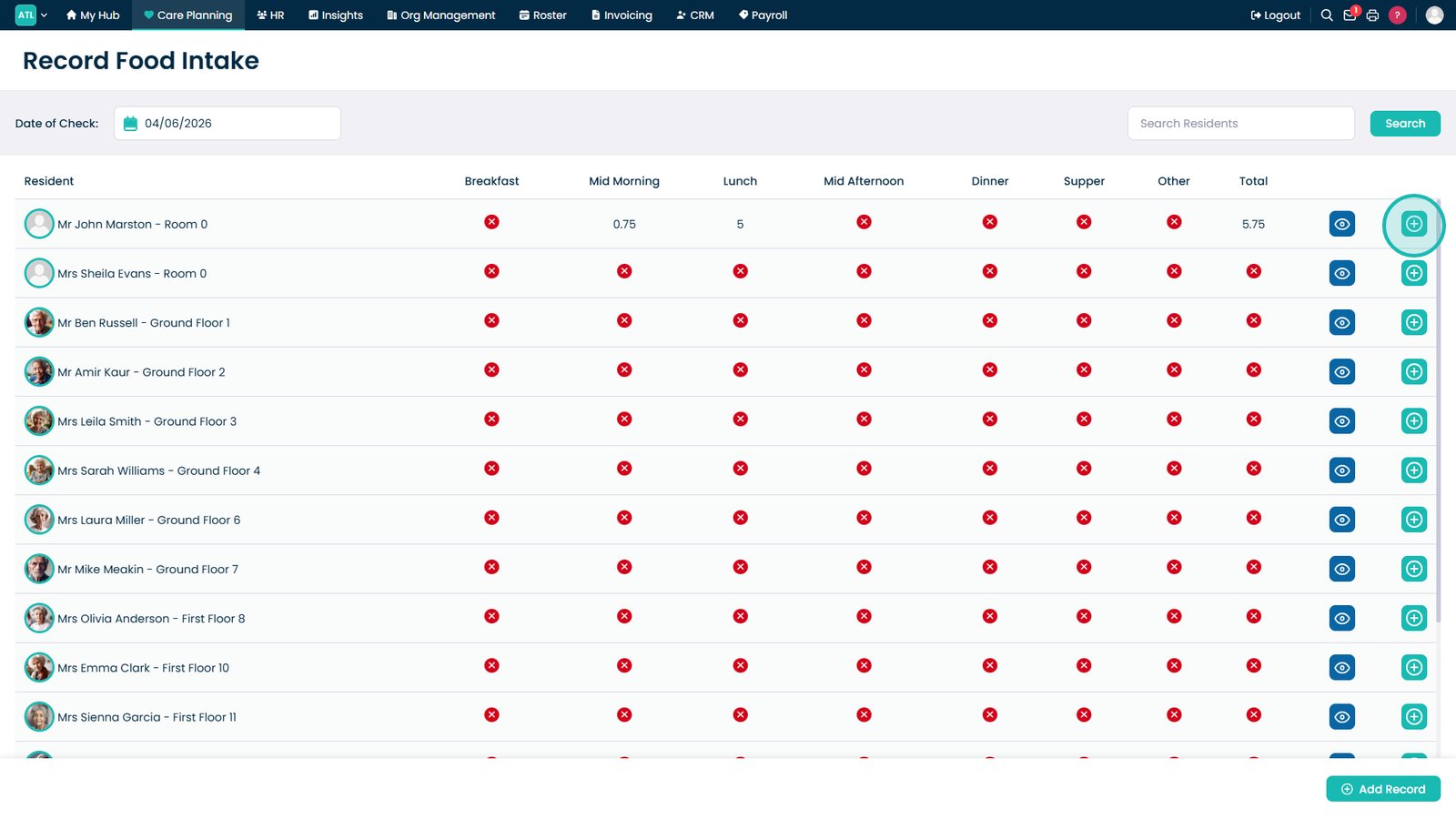
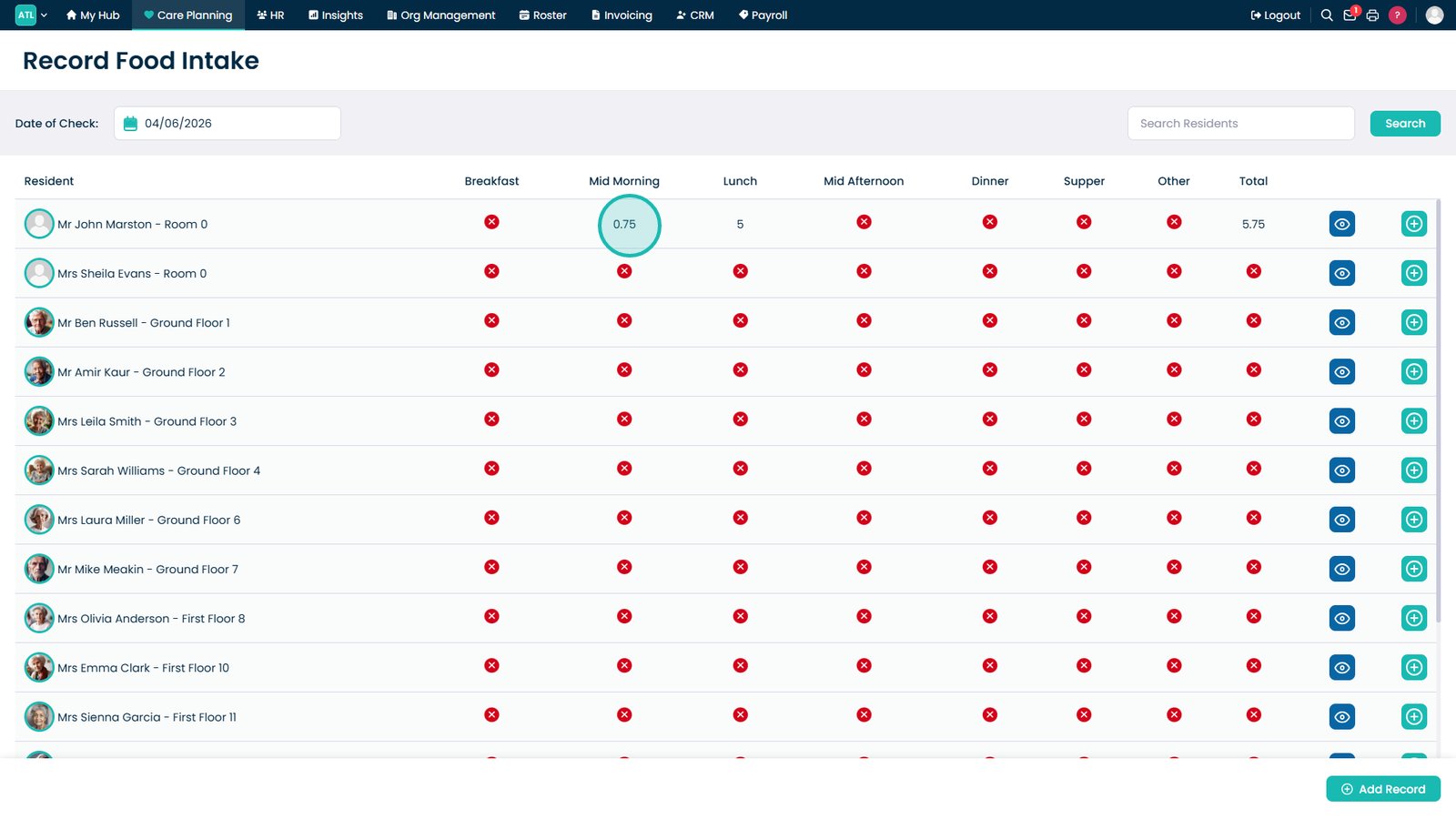
Open Food Intake.

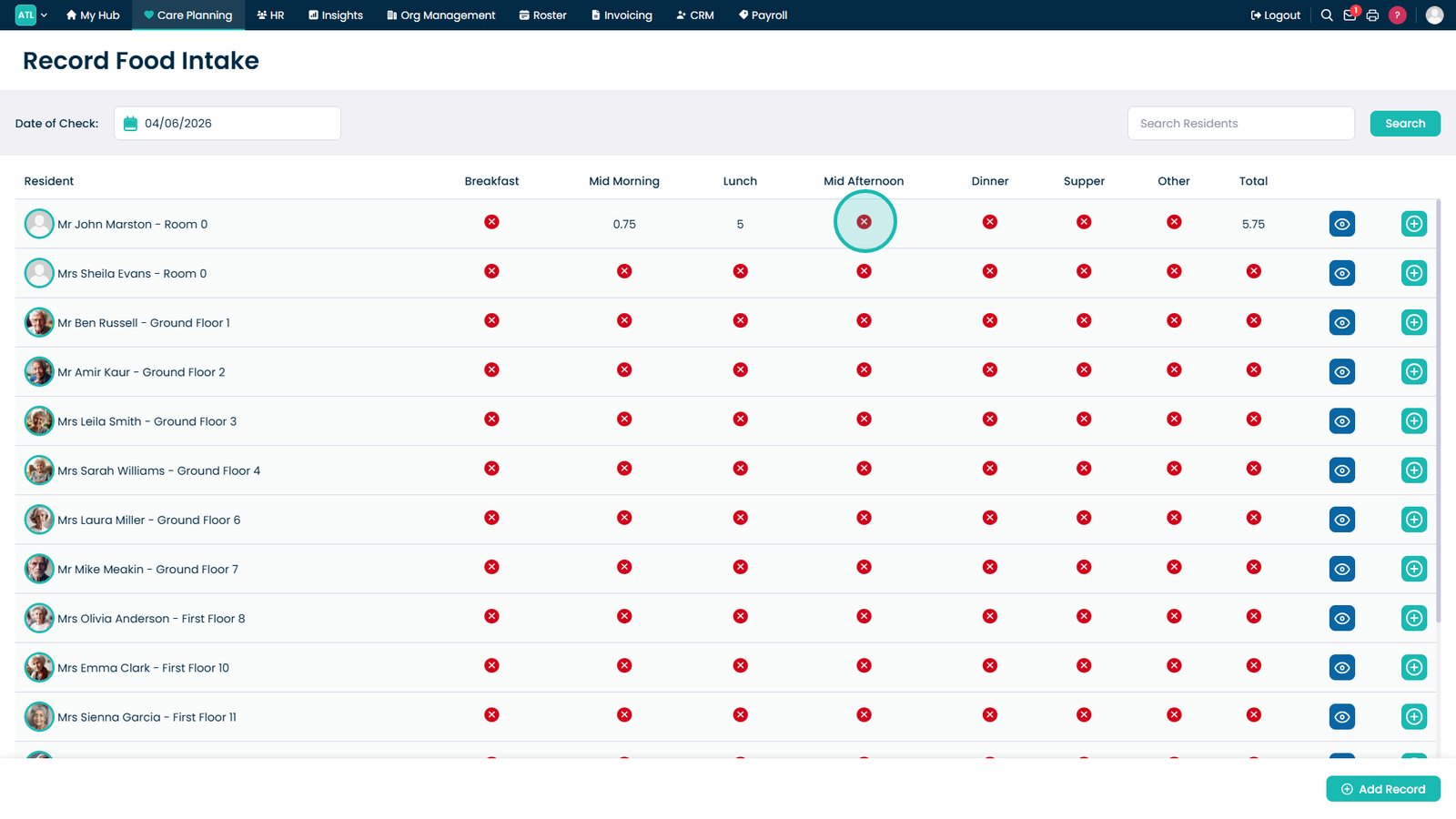
Review meal intake scores.

Identify unrecorded meals.

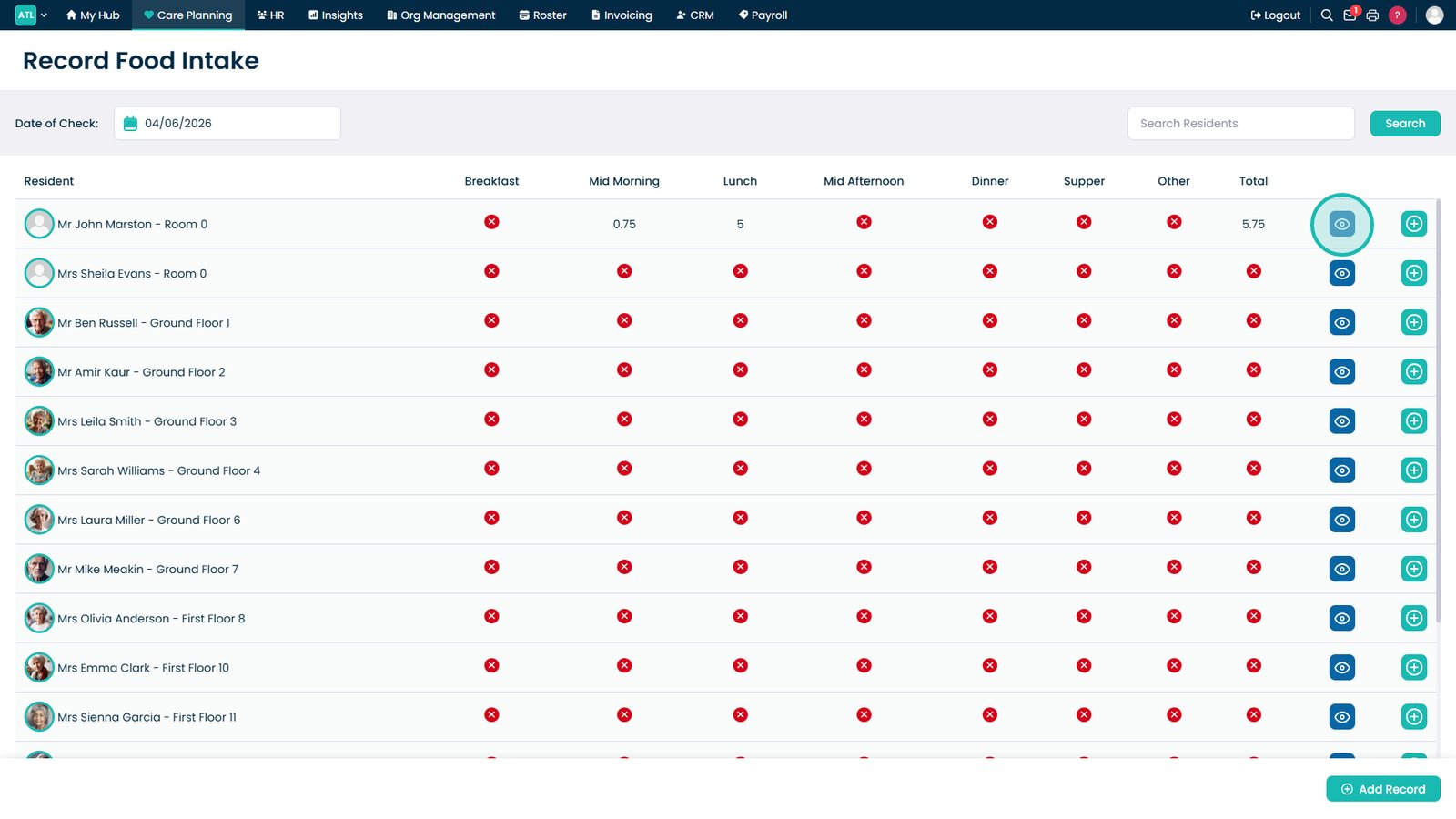
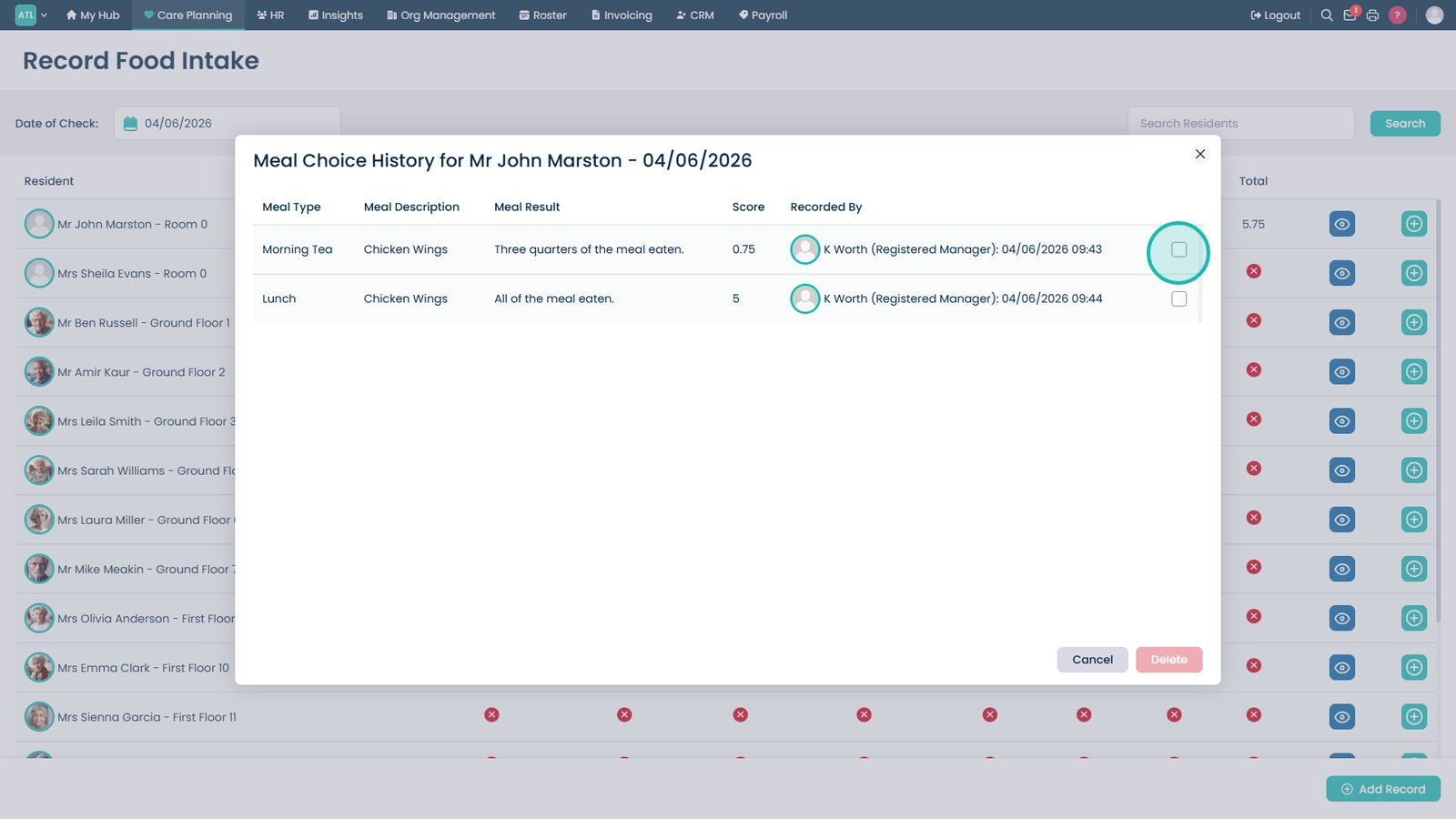
Open a resident's meal history.

Delete an incorrect meal entry if required.

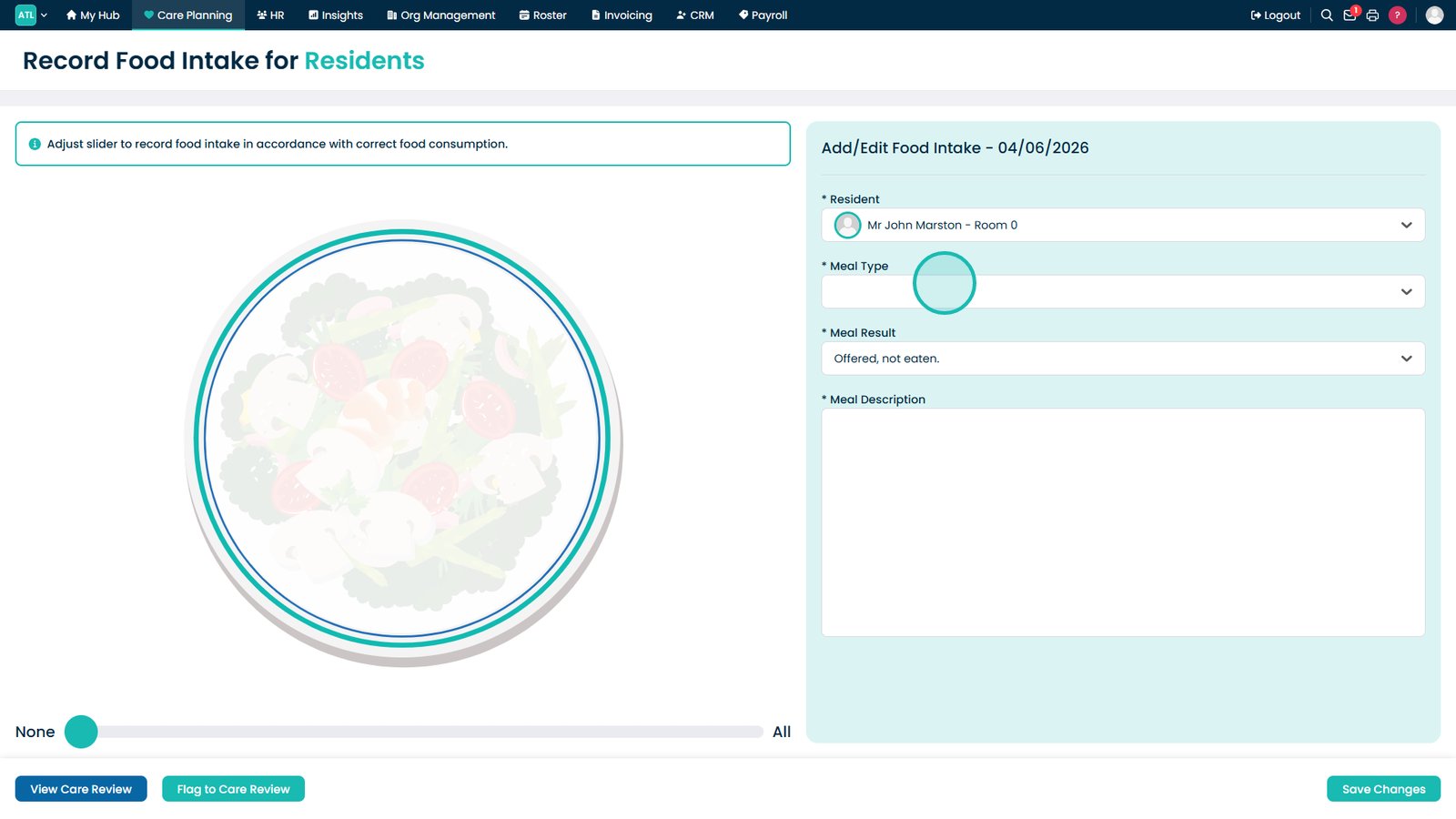
Add a new food intake record.

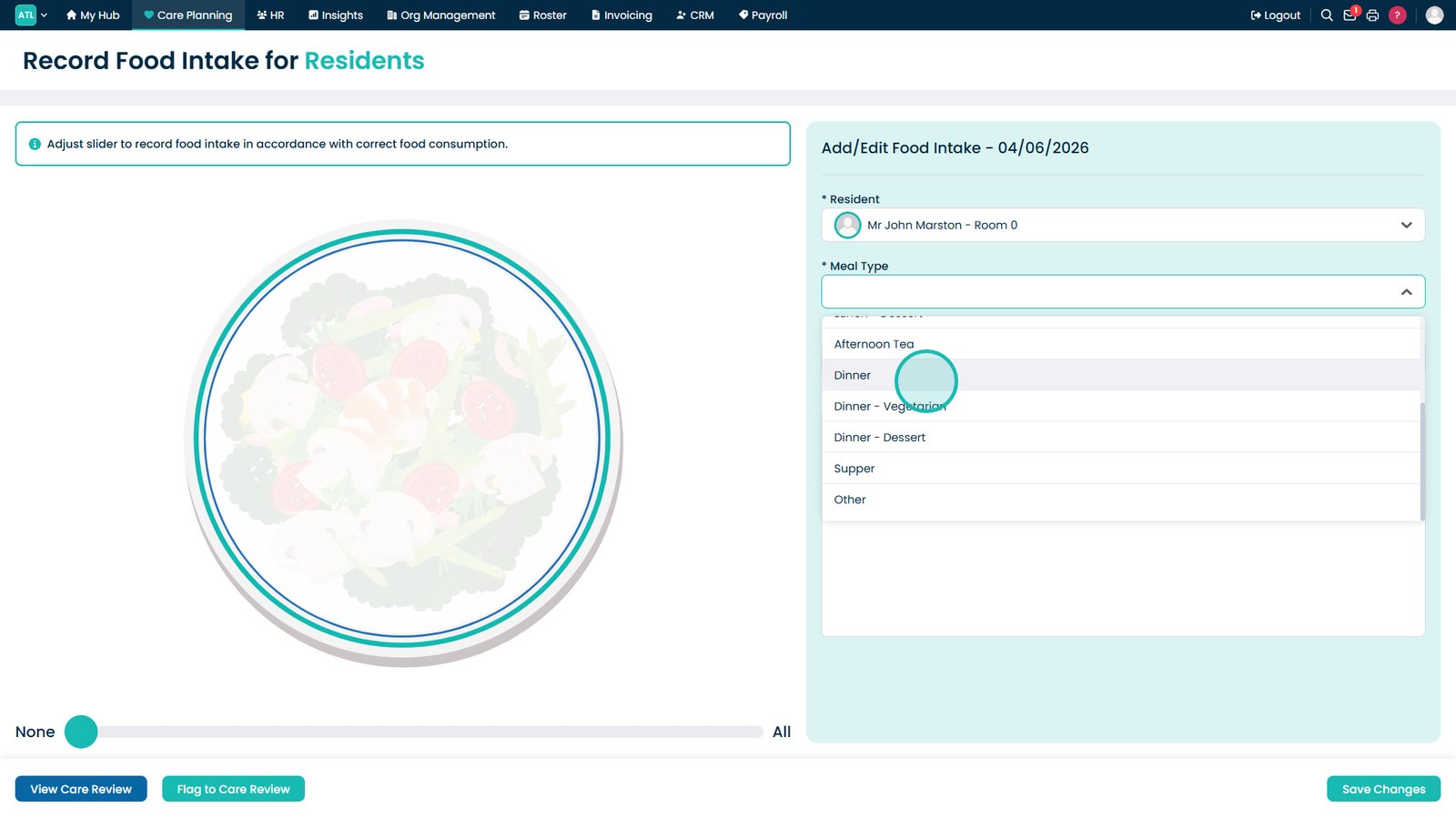
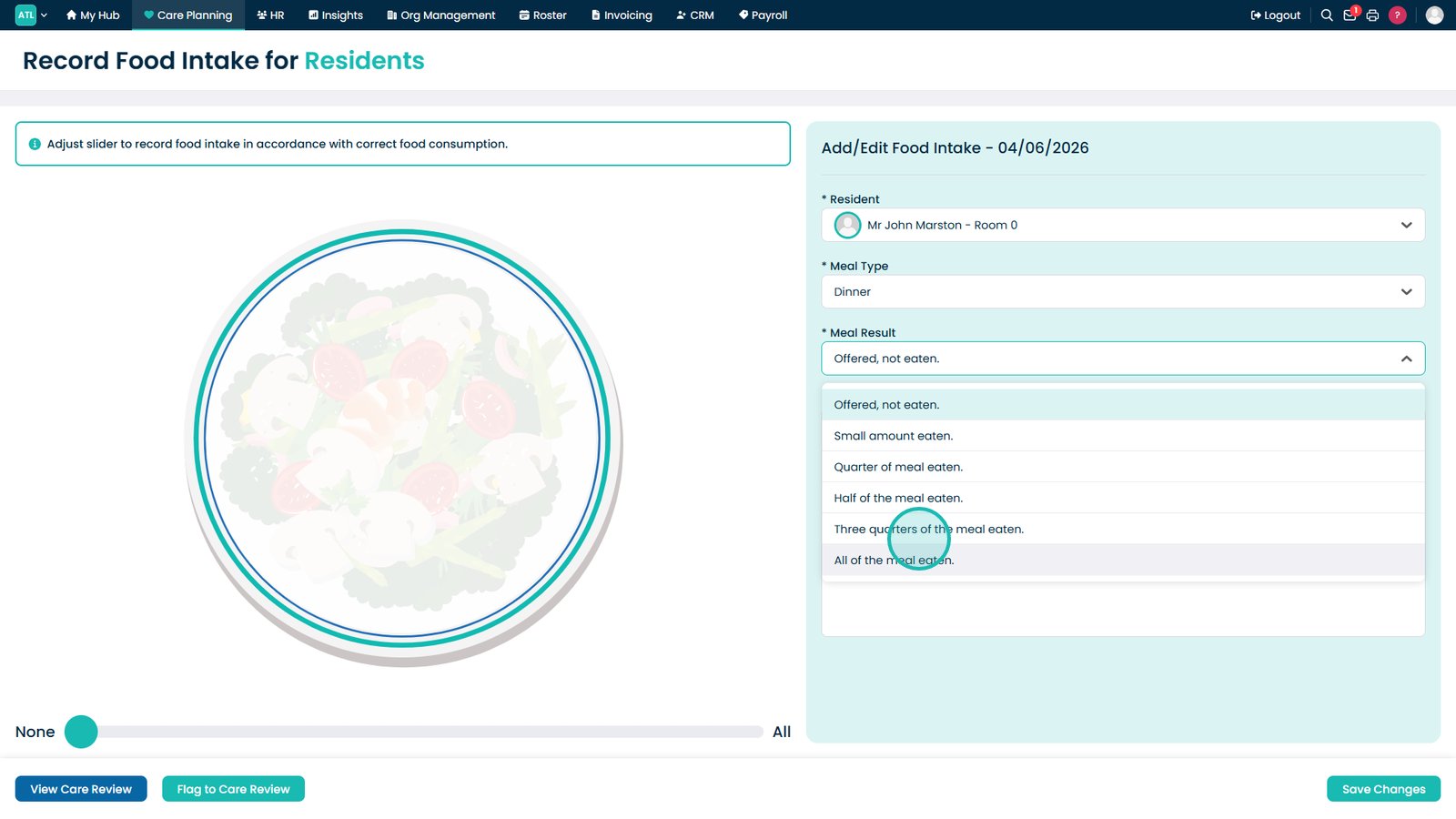
Select the meal type.

Choose the meal being recorded.

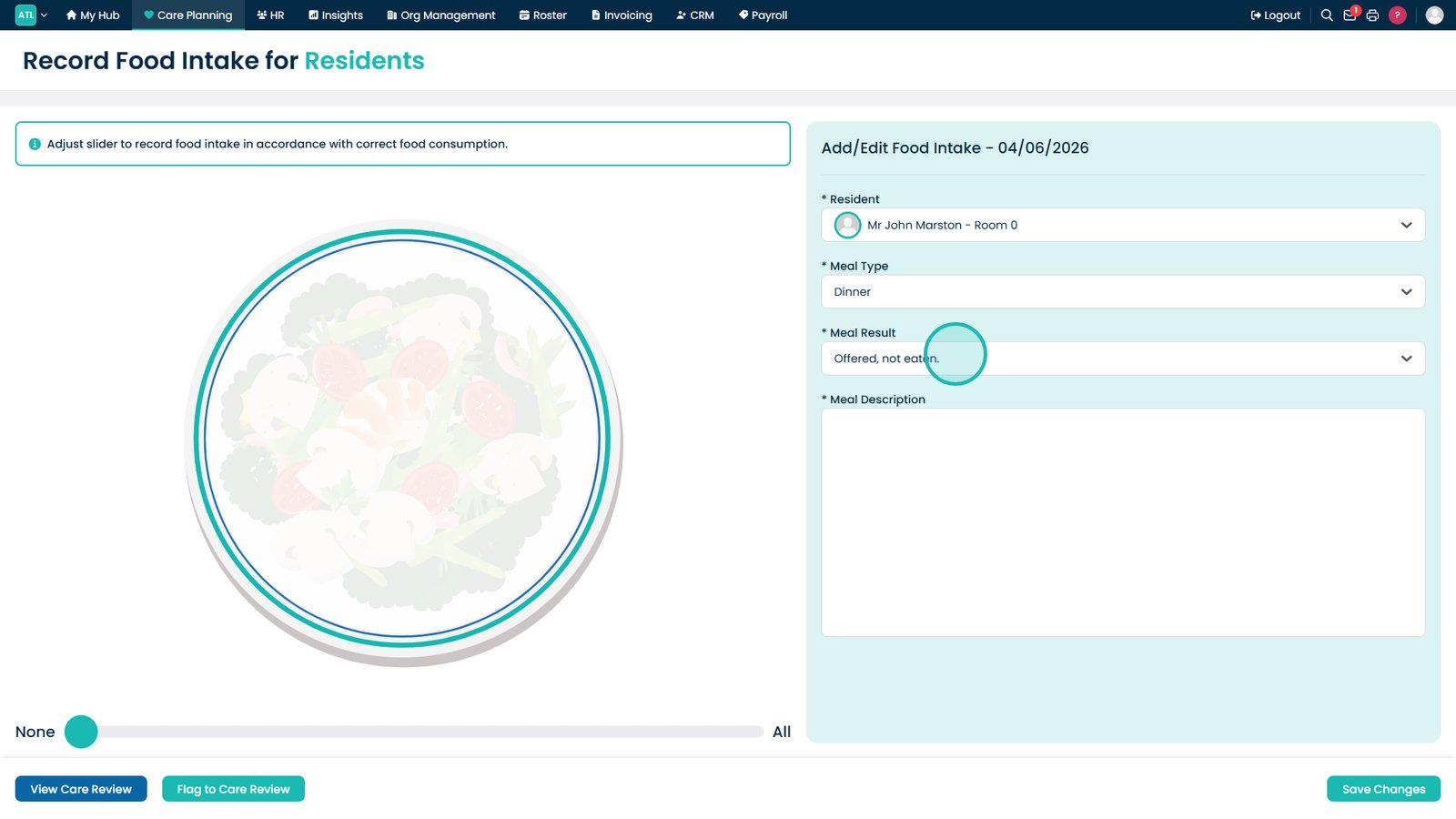
Select the meal result.

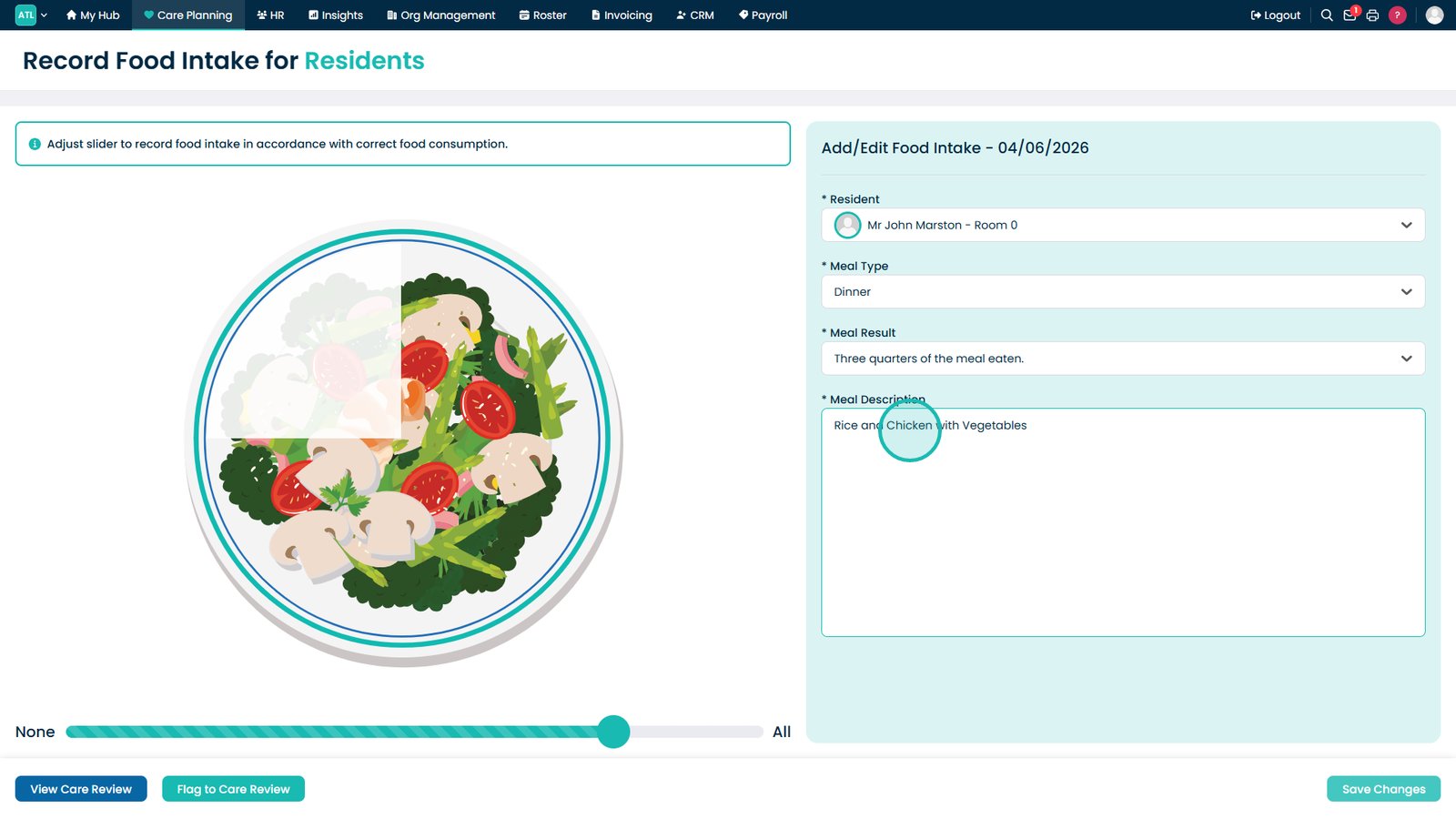
Record the amount consumed.

Add meal details.

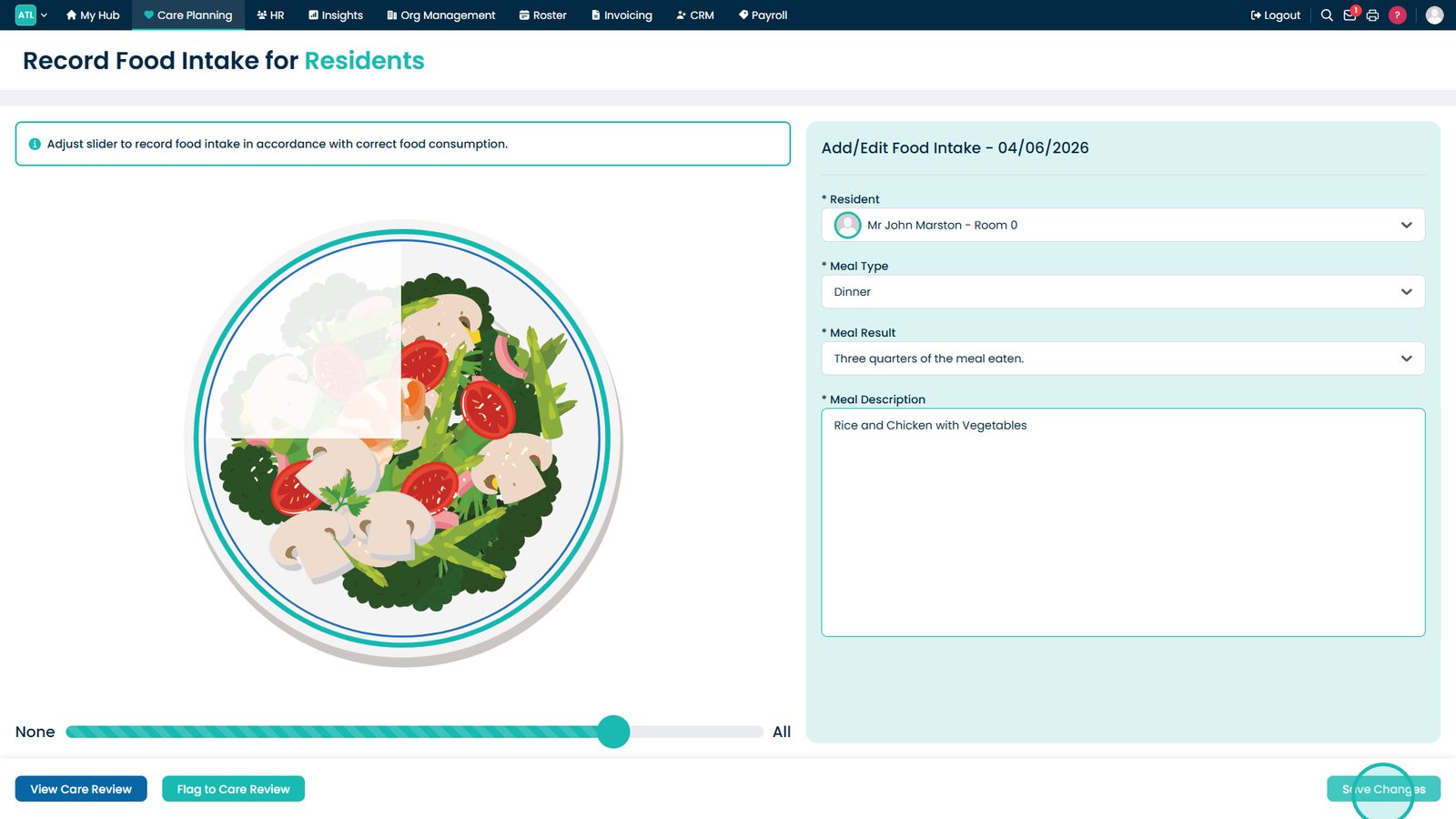
Select Save Changes.

Top tip

Include clear meal descriptions when recording food intake, as this can help identify preferences, monitor dietary changes, and support nutritional reviews.

Was this guide helpful?

Need more help?

Can't find what you're looking for? Our support team is here to help.

Contact Support

Or call us on

On this page