Bank Holiday Closure Notice: We will be closed on the 3rd April for the Easter bank holiday, so our customer service team will not be available on this day. If you need to get in touch, you can still use our customer contact form and we will get back to you as soon as possible. Even better, Margo will still be available on our phone lines to help with your queries whenever you need support. We hope you have a lovely Easter weekend 🐣
View Categories
OM - First Time Set-Up
This guide will cover the first steps in configuring the Organisational Management tool on Care Control Windows.
1
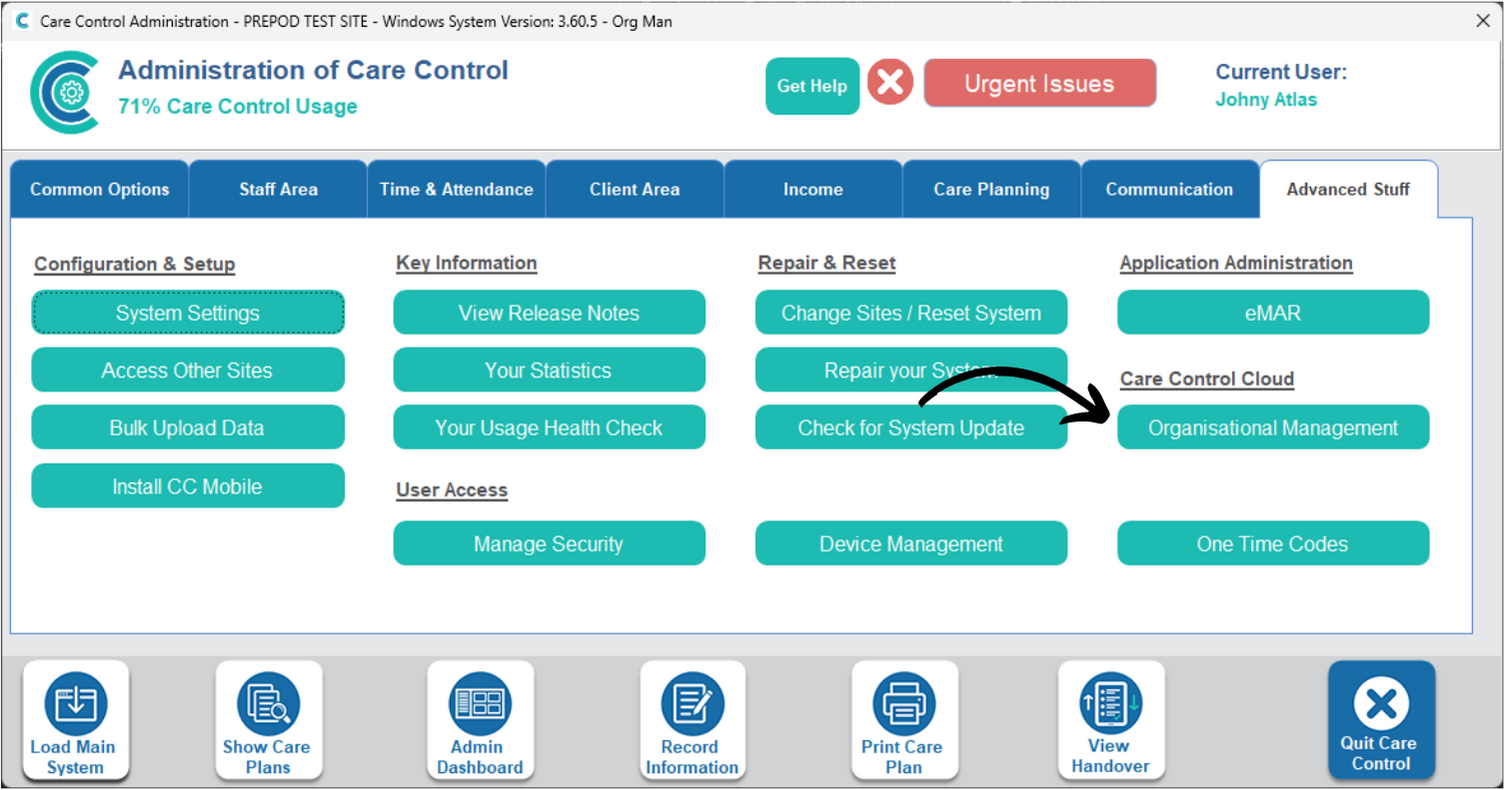
The Organisational Management tool can be found under the Advanced Stuff tab in Care Control Windows.
2
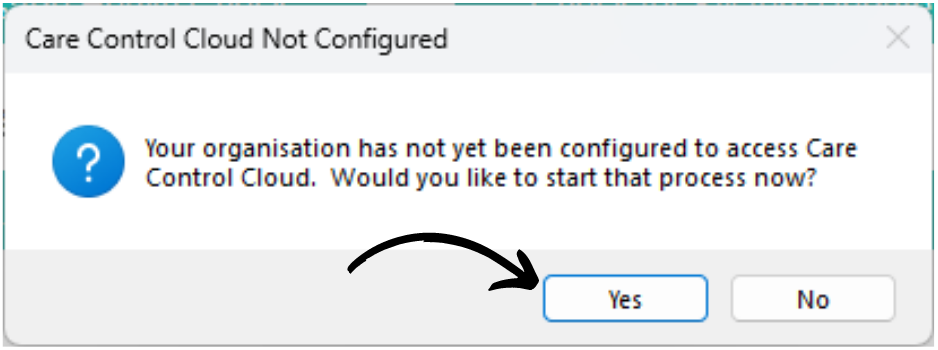
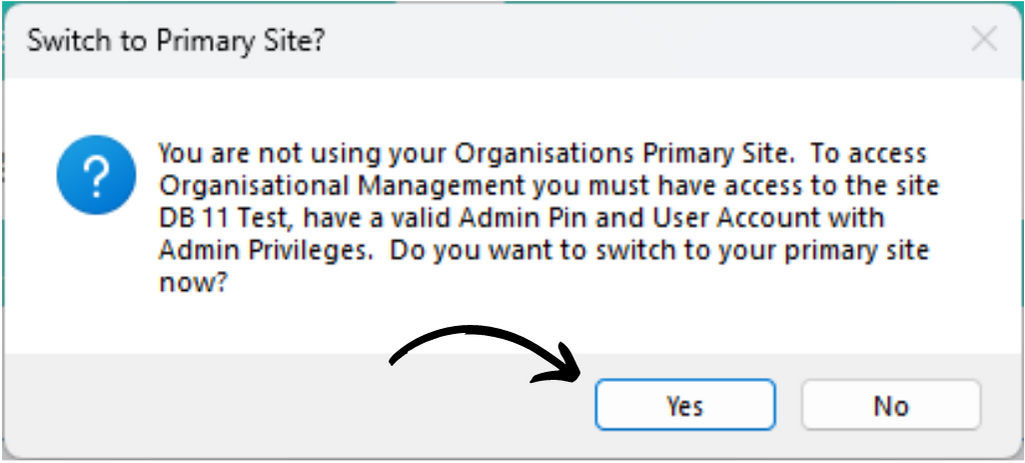
When first opened, you will be presented with one of two messages.
If on the primary site for your organisation, you will be informed that the system is unconfigured and ready to set-up.
3
If you are not on the primary site for your organisation, you will be presented with this message. Press Yes to switch to your primary site.
Note: you must have admin access to the primary site to proceed.
4
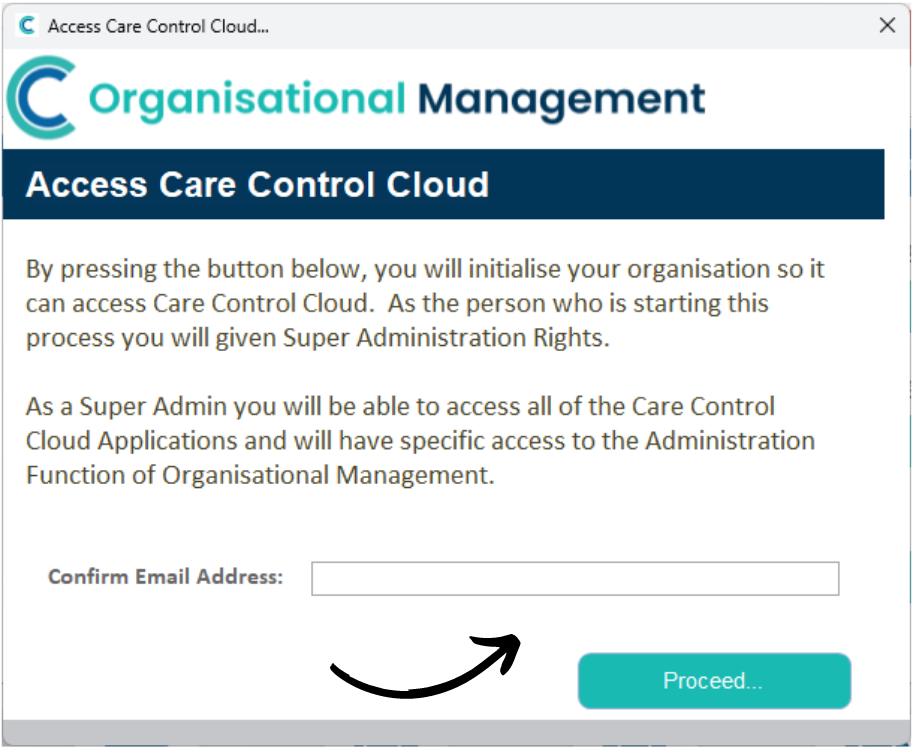
A new window will open. Here, enter your email address and press Proceed.
Note: the staff member configuring this will gain access to the entire organisation on Care Control Cloud (SuperAdmin role). They will also be responsible for setting up the access for all other staff members via Organisational Management.
We therefore recommend the E-Mail address given is not one that multiple staff members have access to.
After pressing Proceed, a CC Cloud registration E-Mail will be sent to the selected address and access to the OM module will be granted.