This guide will cover how to exclude certain notes from the handover. This allows you to customise what you see when viewing the handover and remove anything that you feel is not necessary.
1
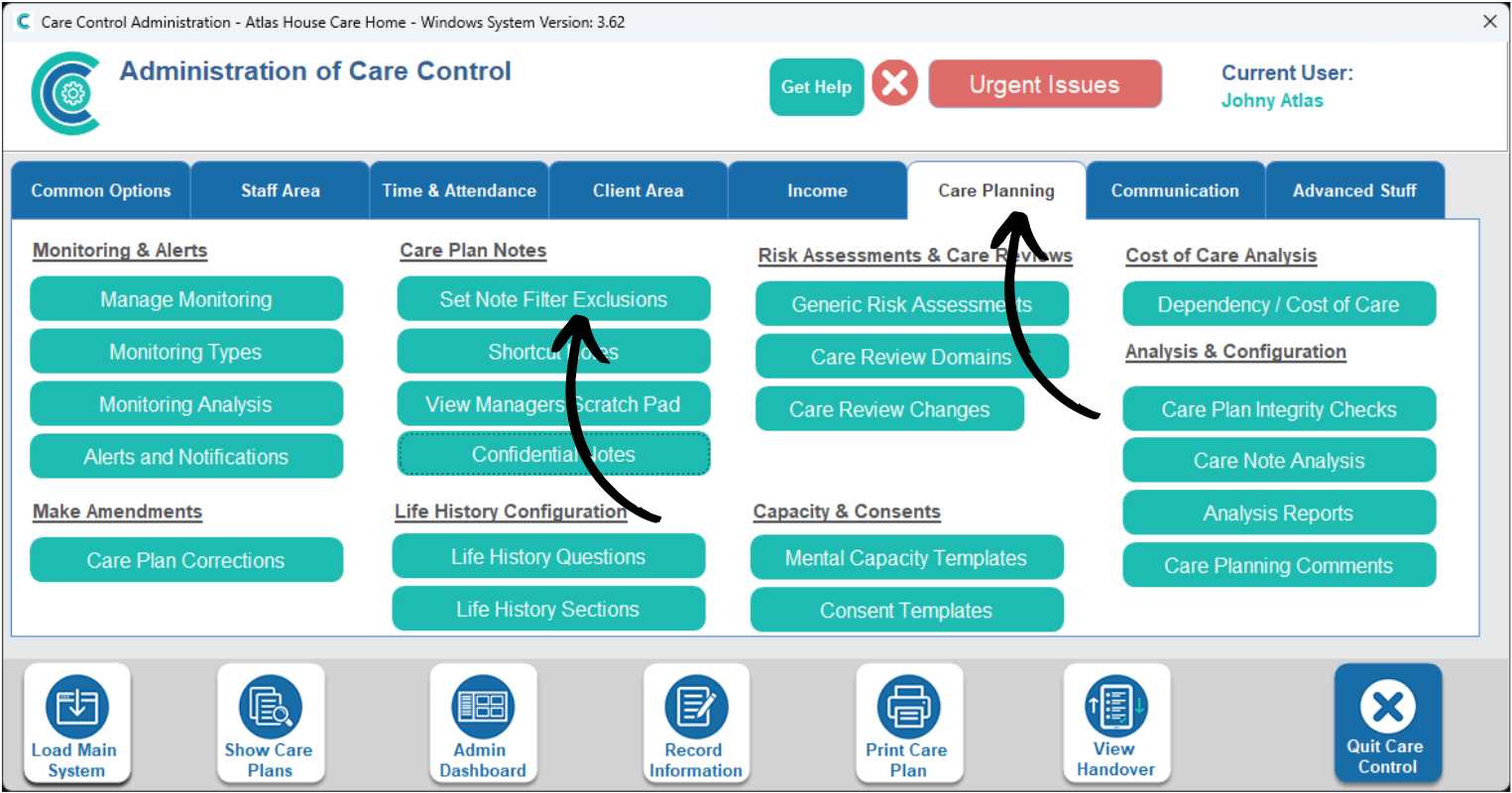
In the Administration of Care Control Windows, navigate to the Set Note Filter Exclusions tool, which can be found under the Care Planning tab.
2
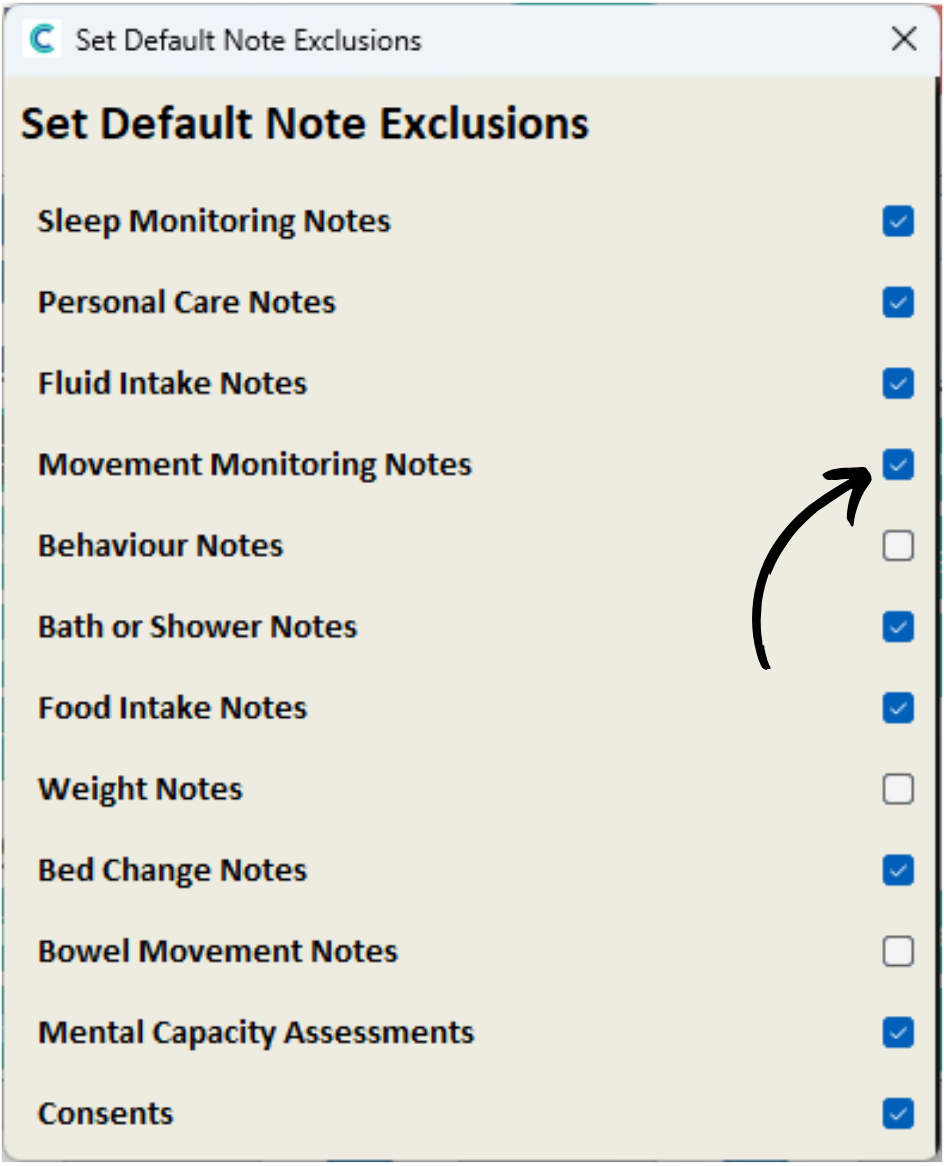
A new window will open.
Here, you can tick areas you wish to remove from the handover.
An example of this is if you wish to remove high volume notes such as Fluid Intake, which may cause more important notes to get lost in the handover.