This guide will cover how to reactivate a service user which has previously been removed from your Care Control system. This is completed via Care Control Windows.
1
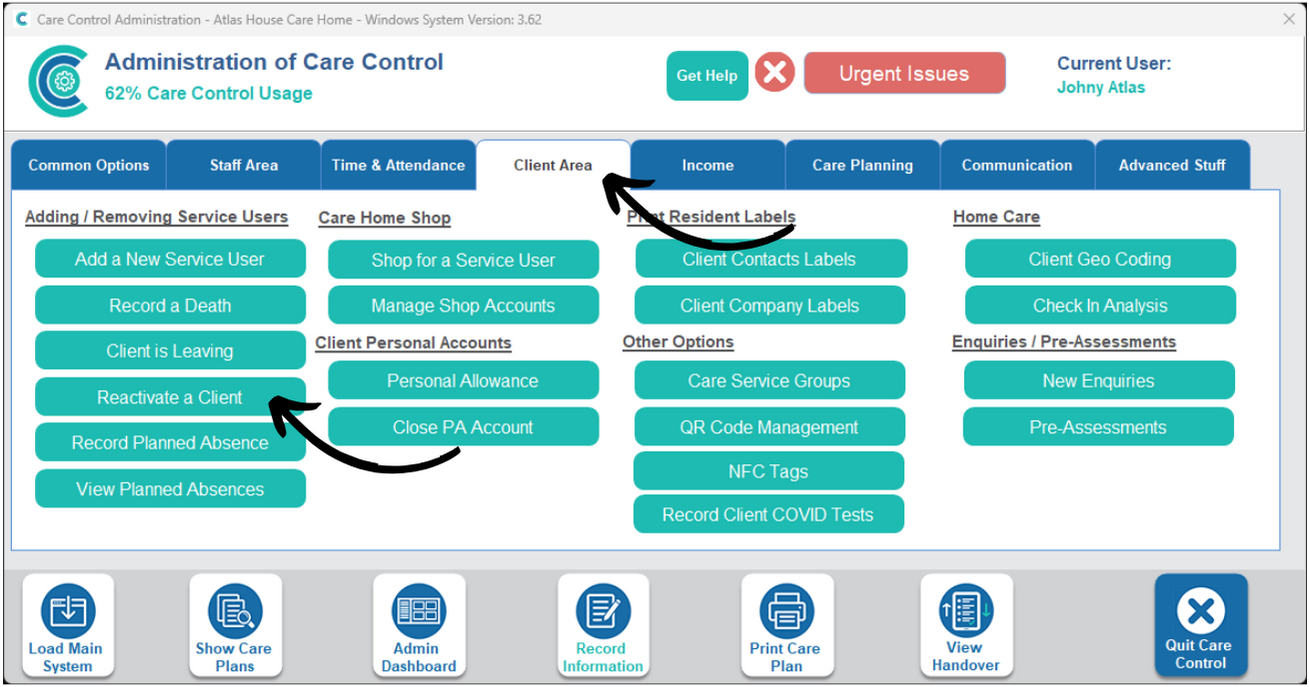
In the Administration of Care Control Windows, navigate to the Reactivate a Client tool, which can be found under the Client Area tab.
2
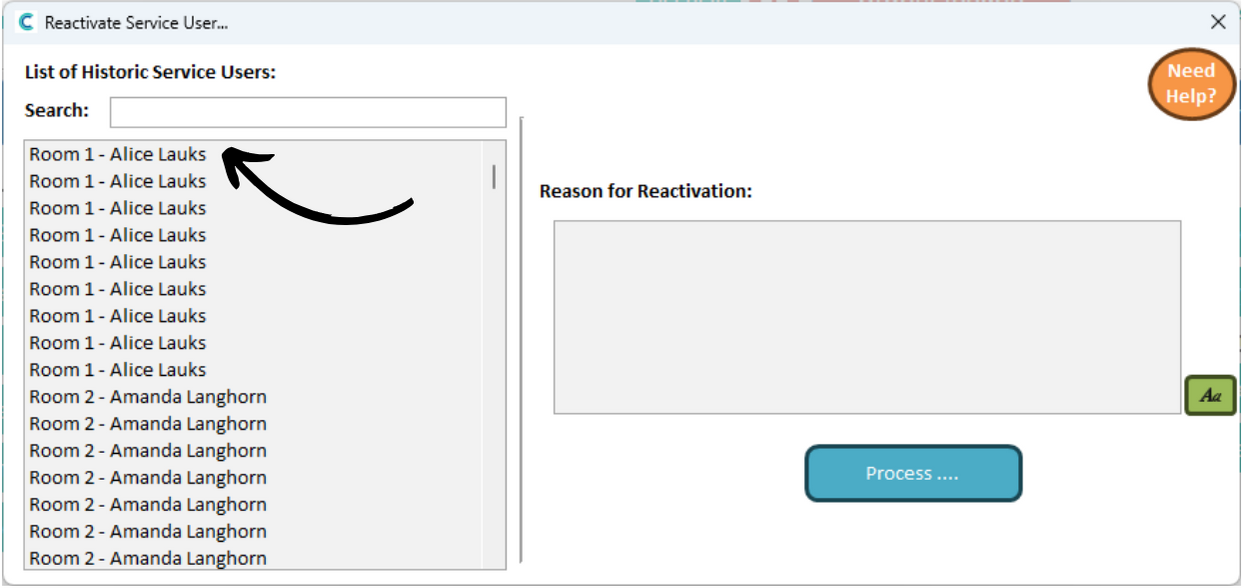
A new window will open. Begin by selecting a service user from the list on the left hand side.
3
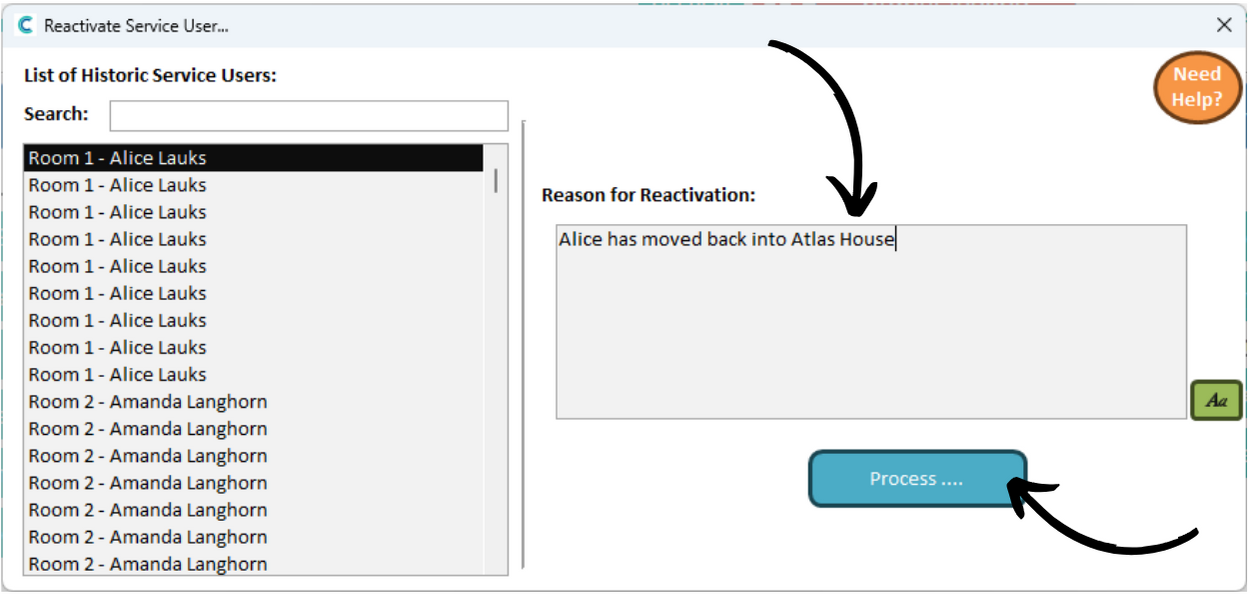
Next, enter a reason for reactivation and press Process.
4
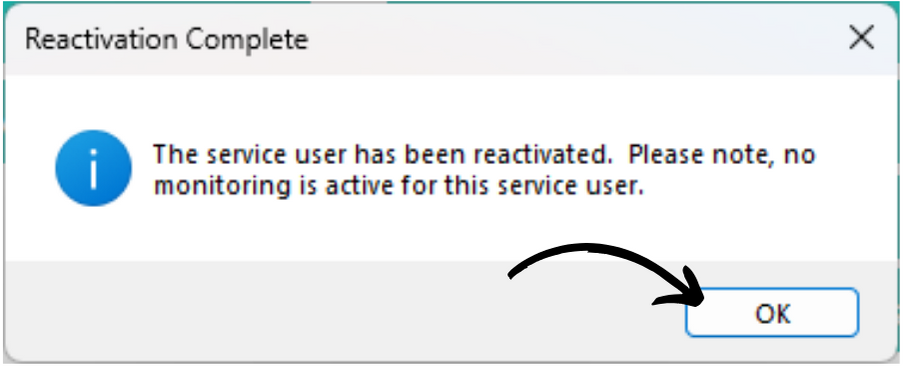
You will receive a confirmation message to inform you that some monitoring areas will have been restarted.