Explore our new Gateway hub with setup guides, FAQs, videos, webinars, and more
This guide will cover how to hide staff information from other staff members via Care Control Windows.
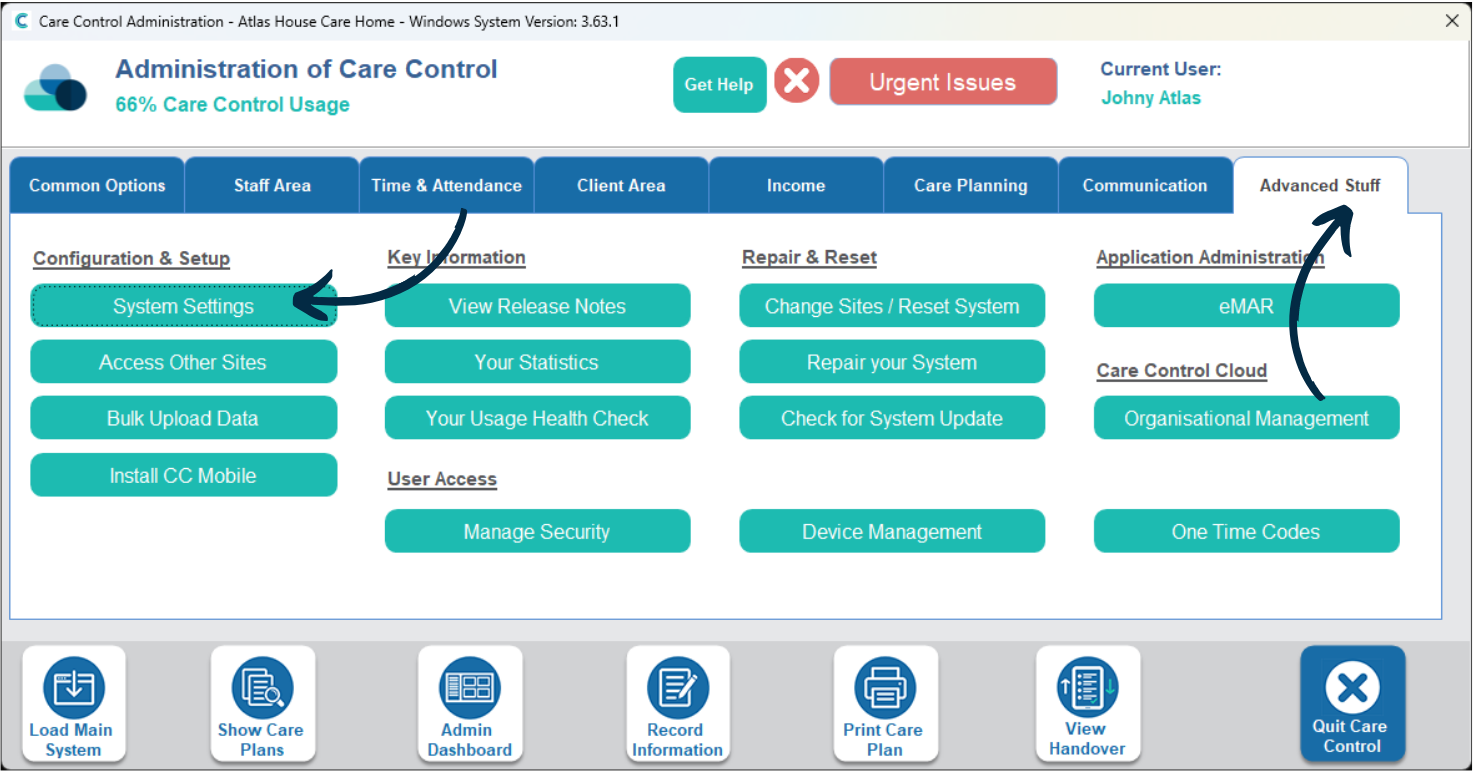
In the Administration of Care Control Windows, navigate to the System Settings, which can be found under the Advanced Stuff tab.
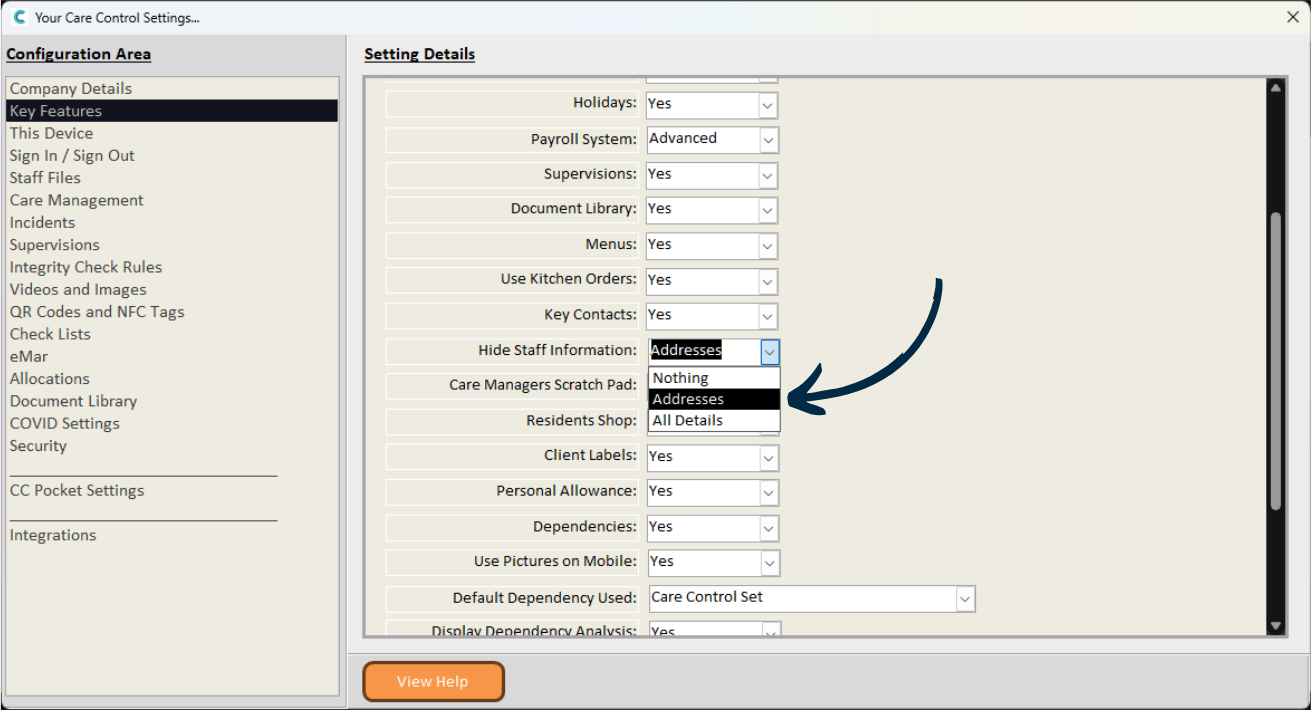
Select Key Features from the menu on the left hand side.
Here, find the setting labelled Hide Staff Information.
There are 3 options to choose from:
– Nothing – no information is hidden.
– Addresses – staff addresses are hidden.
– All Details – all staff information is hidden.
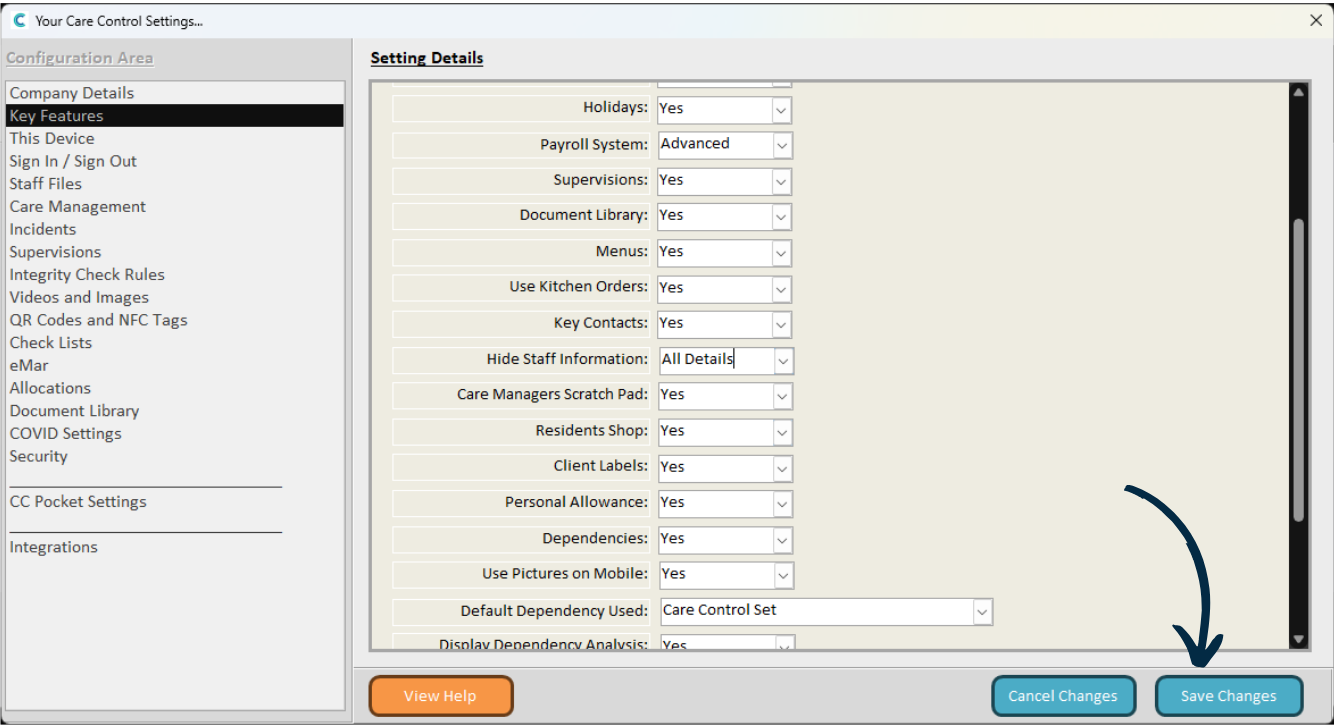
After making any changes, press Save.