Bring your payroll up to date, join our Cloud Payroll webinar
This guide will cover how to record a service user leaving your care, via the Care Control Cloud platform.
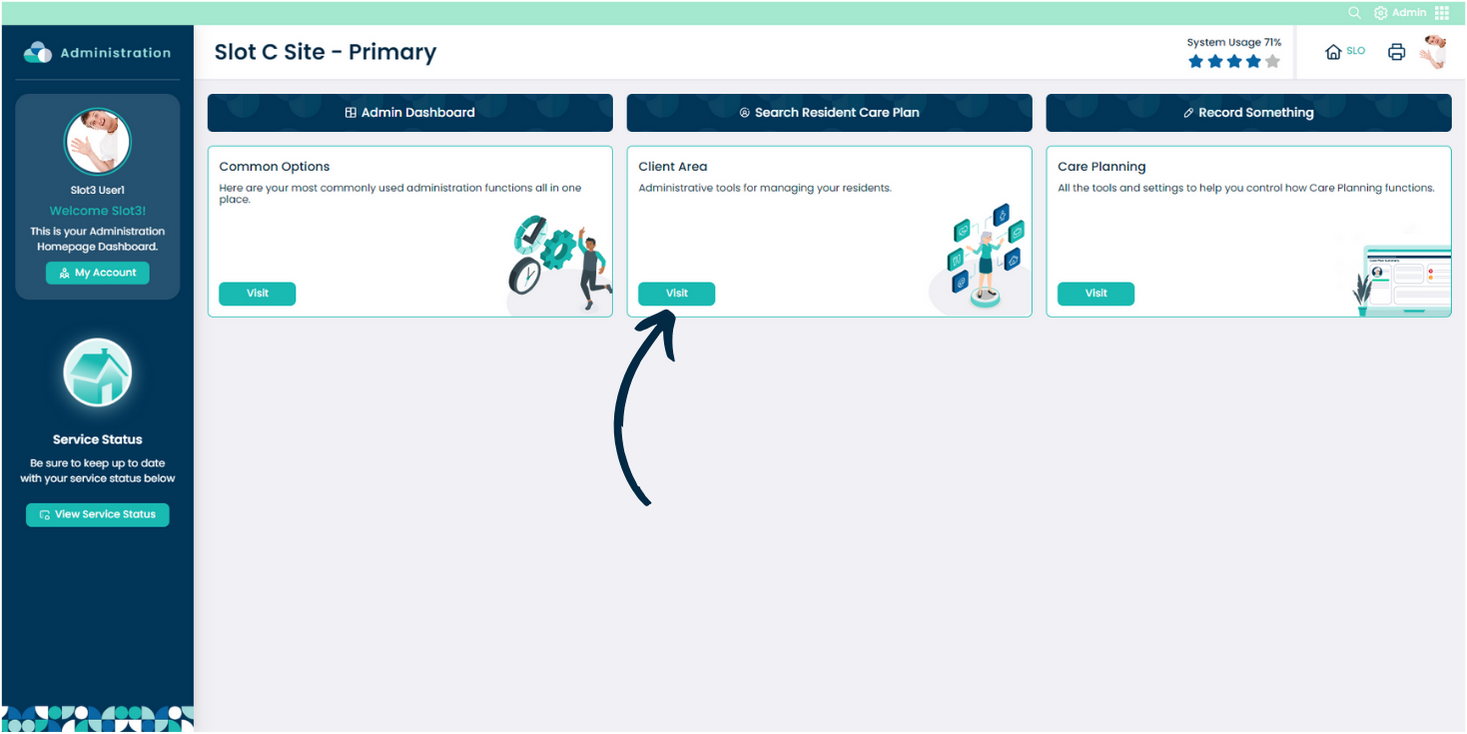
From the Admin app on Care Control Cloud, navigate to the ‘Client Area‘.
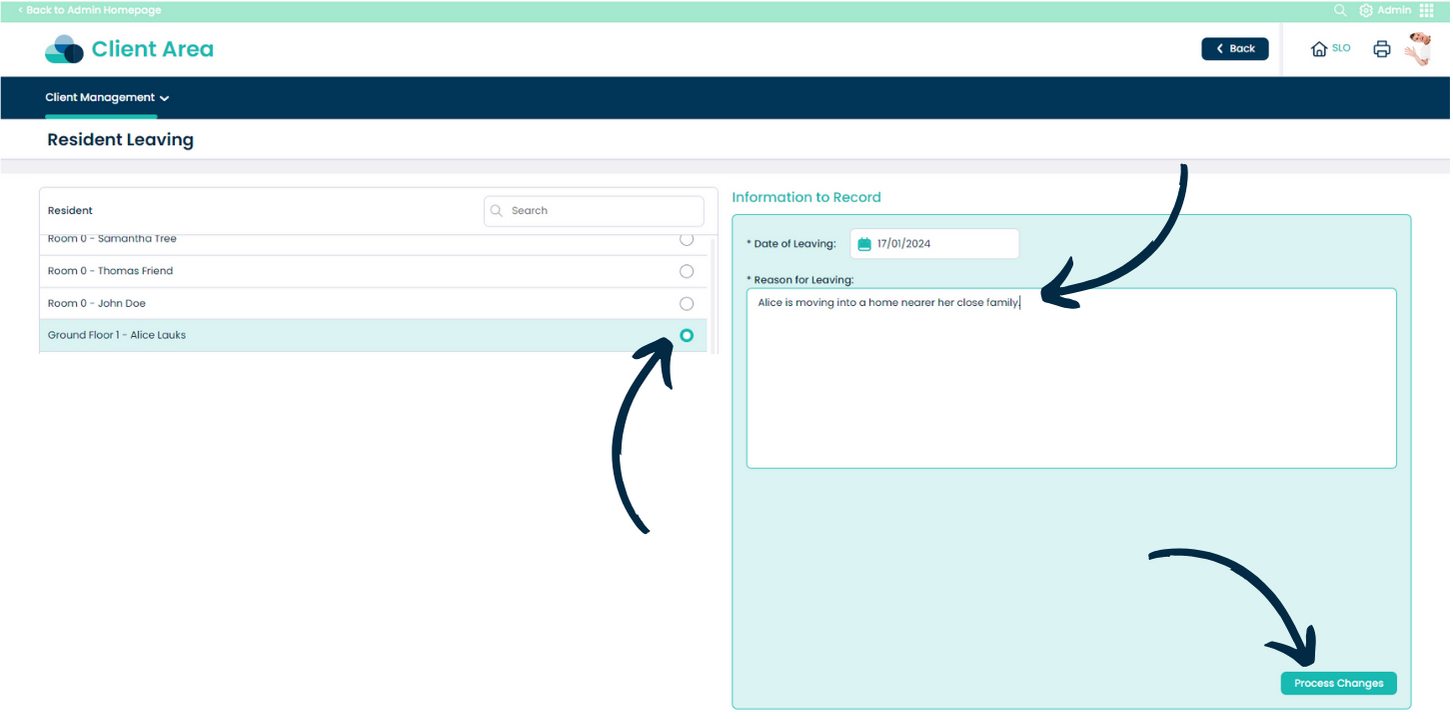
Here, select ‘Record a Leaver‘ from the ‘Client Management‘ drop-down list.
Next, select the service user who is leaving from the list on the left hand side.
Continue to add the ‘Date‘ and a ‘Reason‘ for the service user leaving. Then, press ‘Process Changes‘.