⚠️ System update: We are aware of an issue affecting certain areas and user roles within the system following the new Navigation Menu release. Please note that Super Admin access is working as expected. Our Development Team is actively investigating the issue and working to implement a resolution as quickly as possible. We appreciate your patience and understanding while we work to restore full functionality.
View Categories
Adding a PRN Protocol
This guide will cover how to add a PRN Protocol to a new medication prescription for a service user, via Care Control eMAR.
1
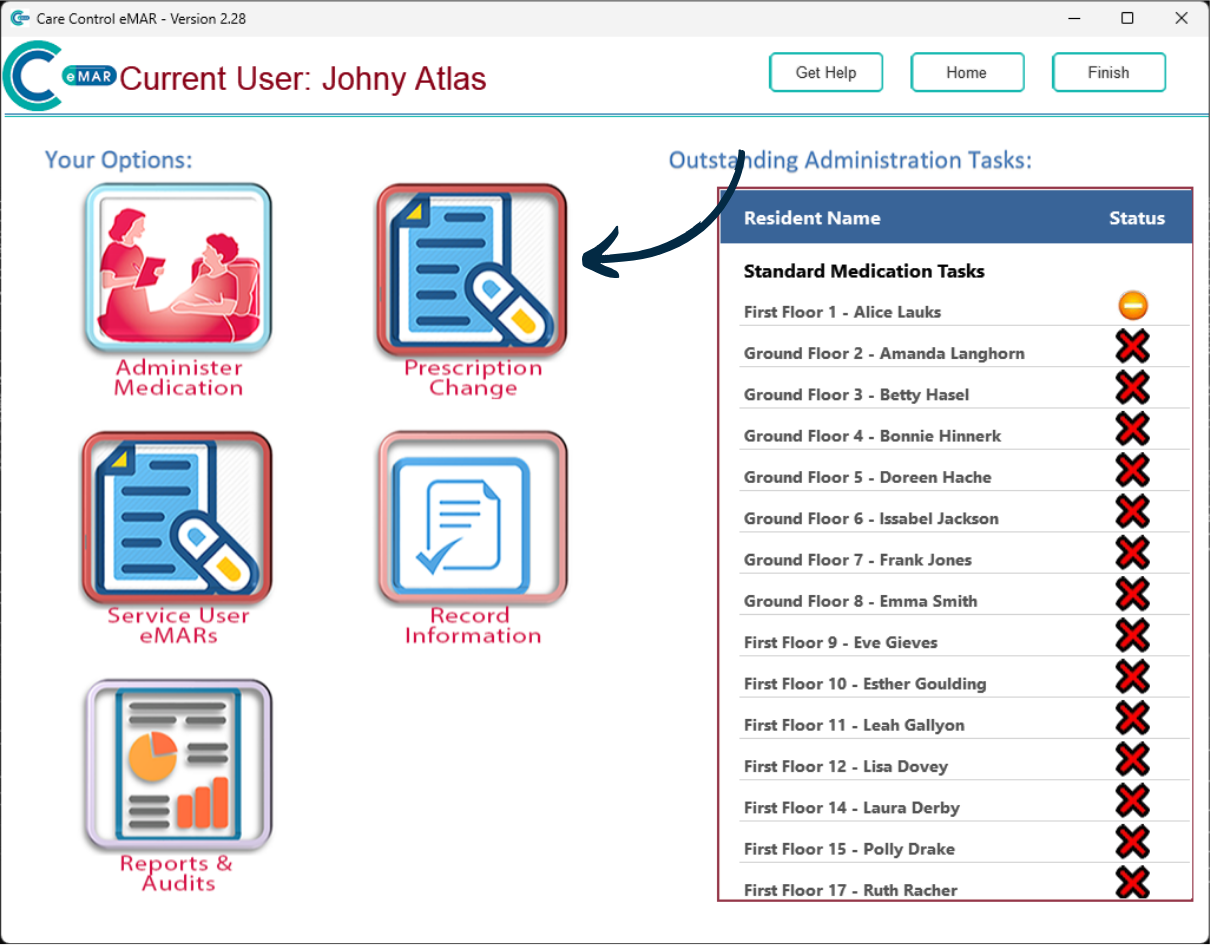
After signing into Care Control eMAR, press the ‘Prescription Change‘ button.
2
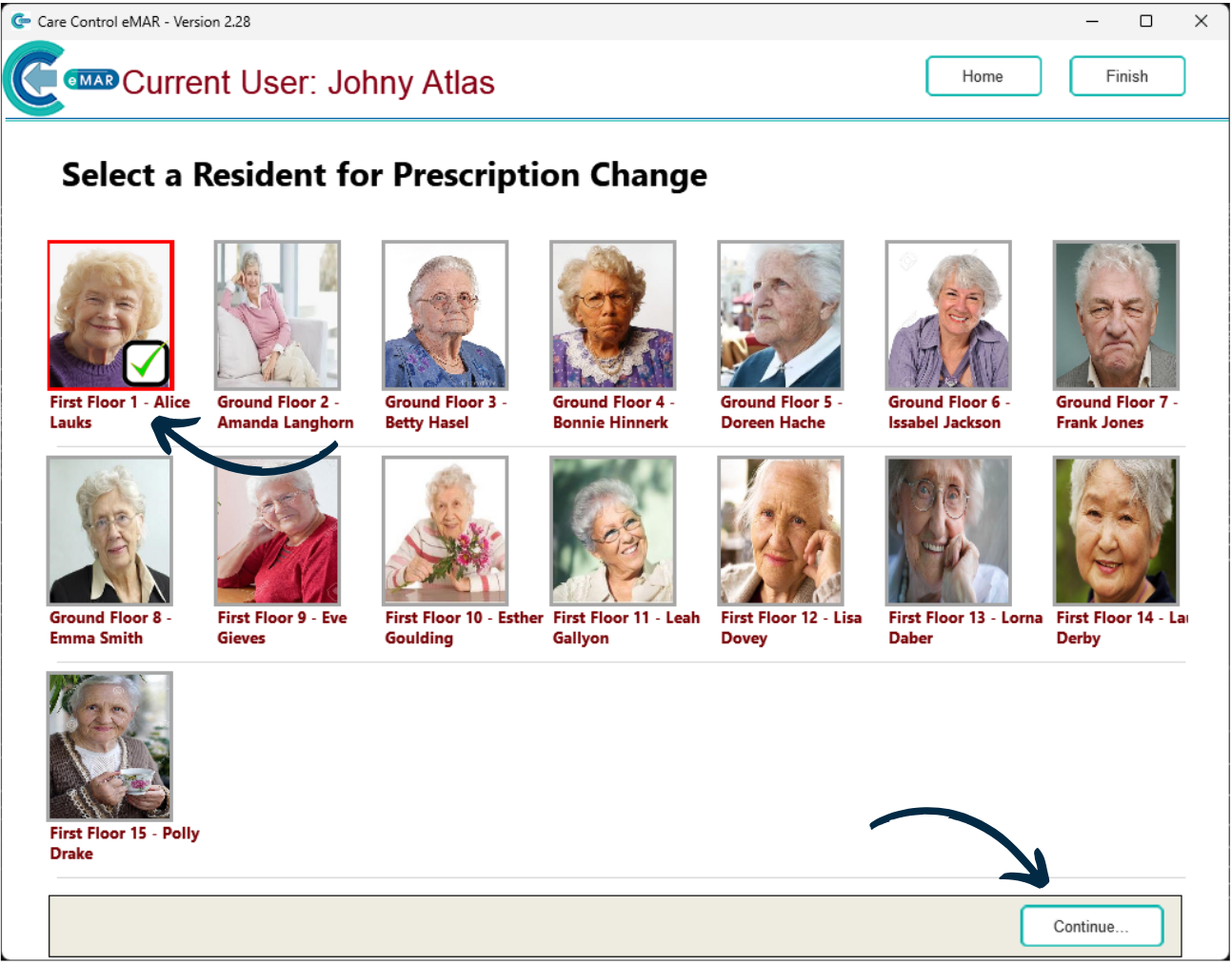
Next, select a Service User and press ‘Continue‘.
3
Here, a list of existing prescriptions for the service user will be displayed.
Press ‘Add New Prescription‘.
4
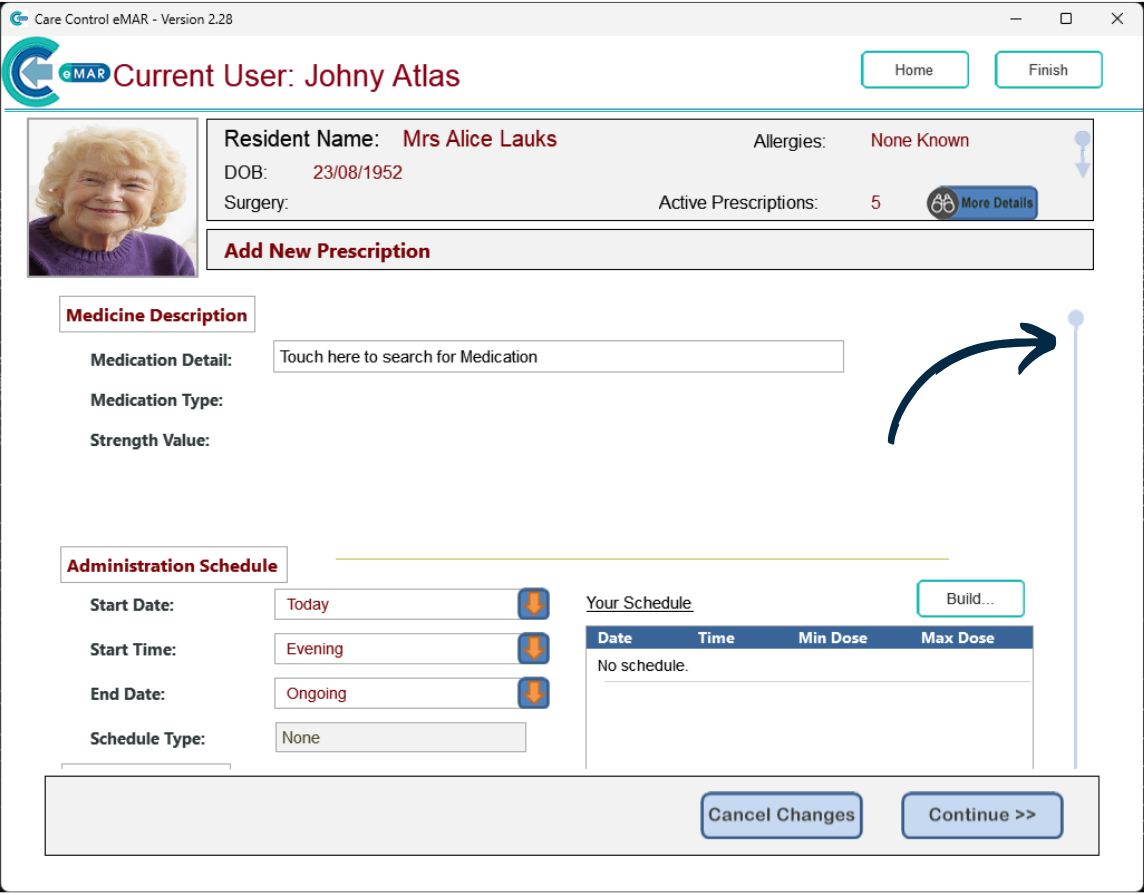
A blank prescription form will open.
You can continue to complete the details of the new prescription, but, to add a PRN Protocol, first scroll down the form.
5
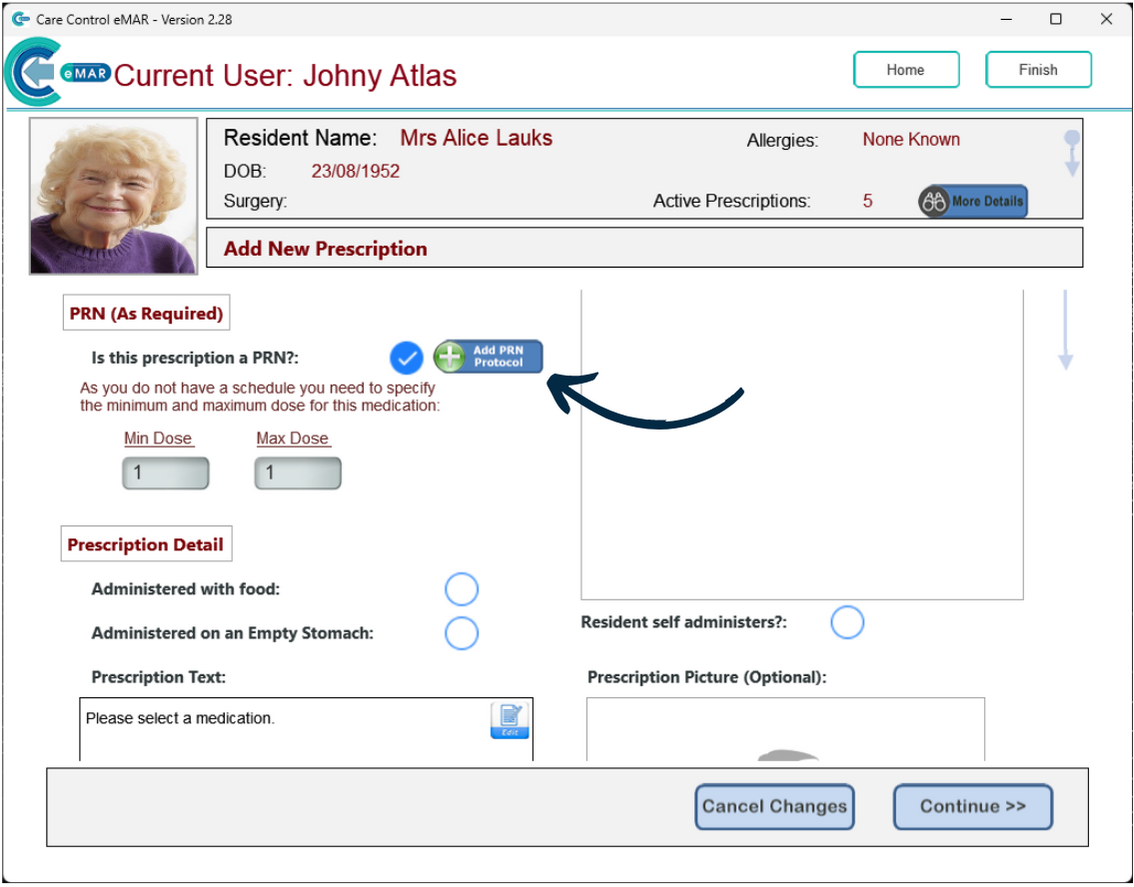
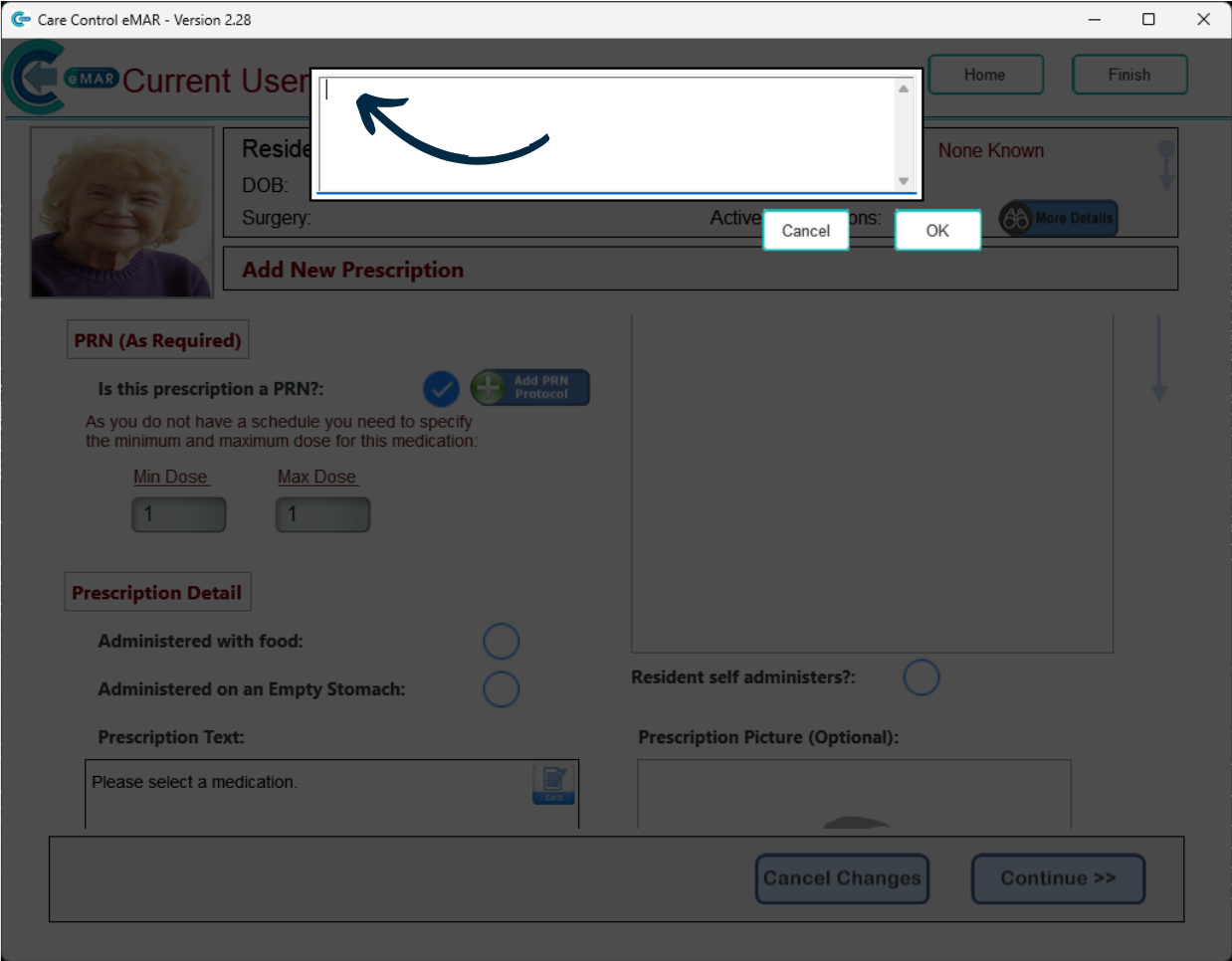
Here, press ‘Add PRN Protocol‘.
6
You can now type in the protocol for this medication prescription.
Press ‘OK‘.
7
You can no continue to complete the rest of the form.