🚀 UPCOMING WEBINAR: See Payroll in Care Control Cloud in action on Thursday 18th June and discover how to manage payroll more efficiently from one connected system. Click here to find out more!

View Categories

Modifying System Settings in Cloud

This guide will cover accessing and modifying the system settings within Care Control Cloud.

Step 1:

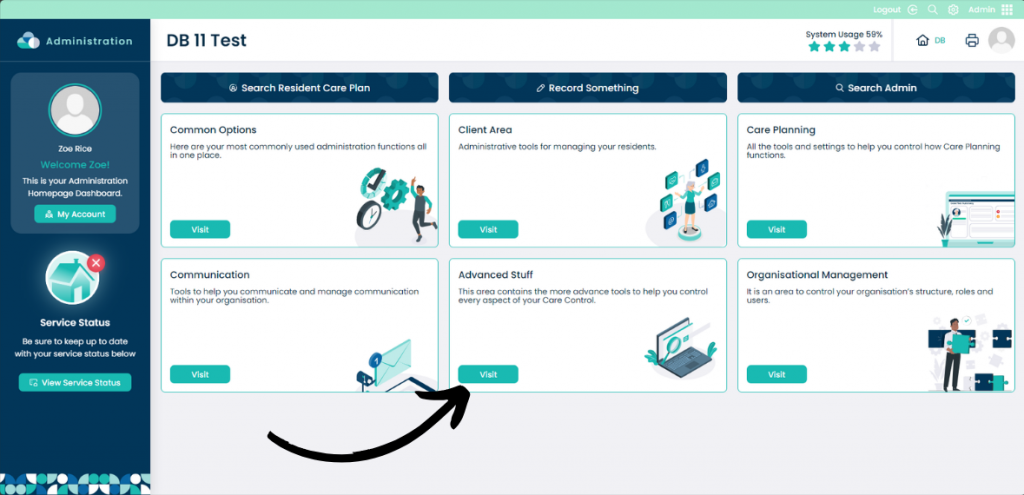
From within the Admin App select Visit on the Advanced Stuff pane.

Step 2:

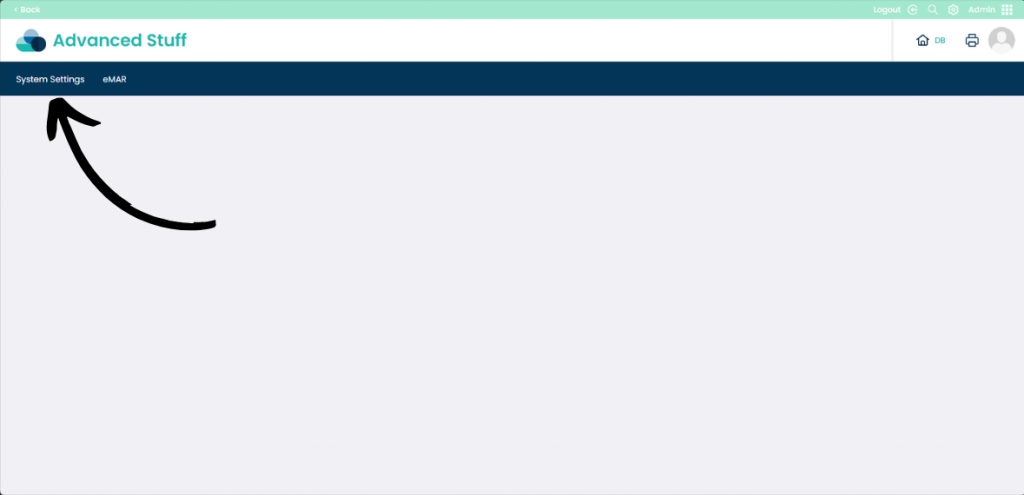
Now select System Settings

Step 3:

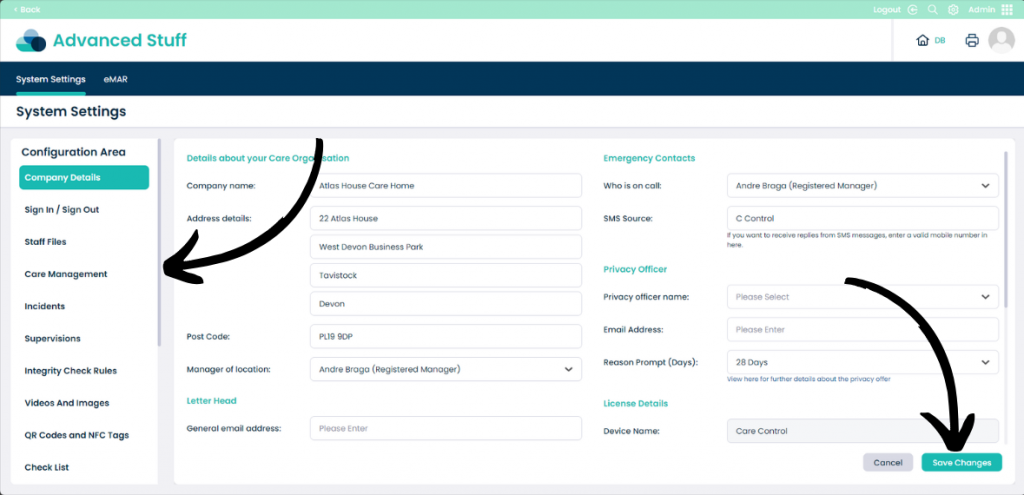
On the left hand side of the screen is the Configuration Area. This area allows you to select different areas of the system settings. Once you have selected a setting to modify, the right hand side of the screen will be populated with settings you can modify for that specific area.

When you have done modifying ensure to click Save Changes before exiting. If you are unhappy with the changes simply select Cancel and this will revert the changes.