This guide will go over the creation of new departments and how to edit existing departments.
Step 1:
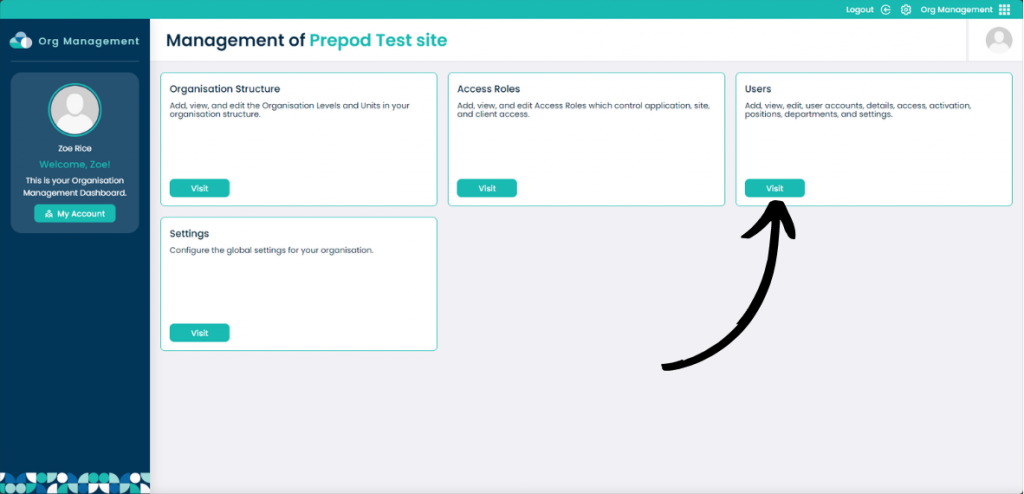
From within the Organisational Management app select Visit on the Users box.
Step 2:
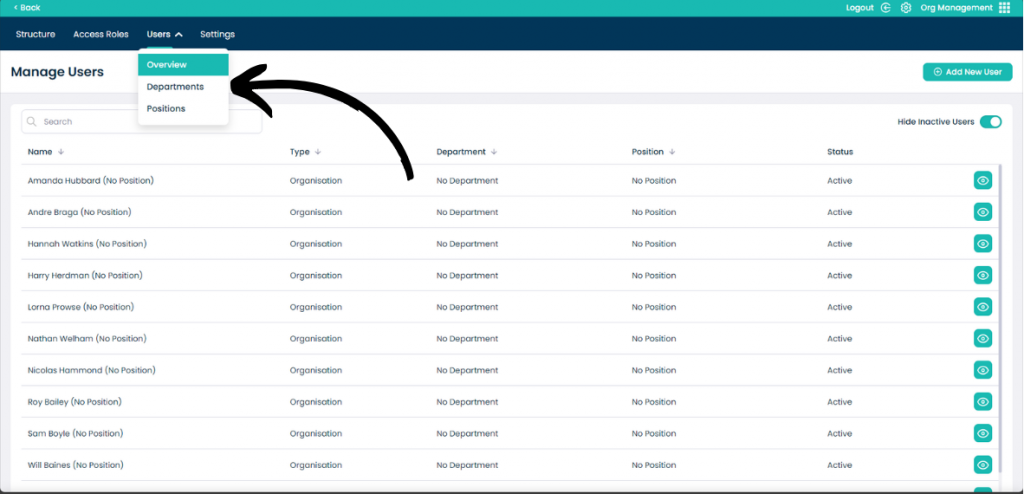
Click the Users drop down menu and then select Departments.
Step 3:
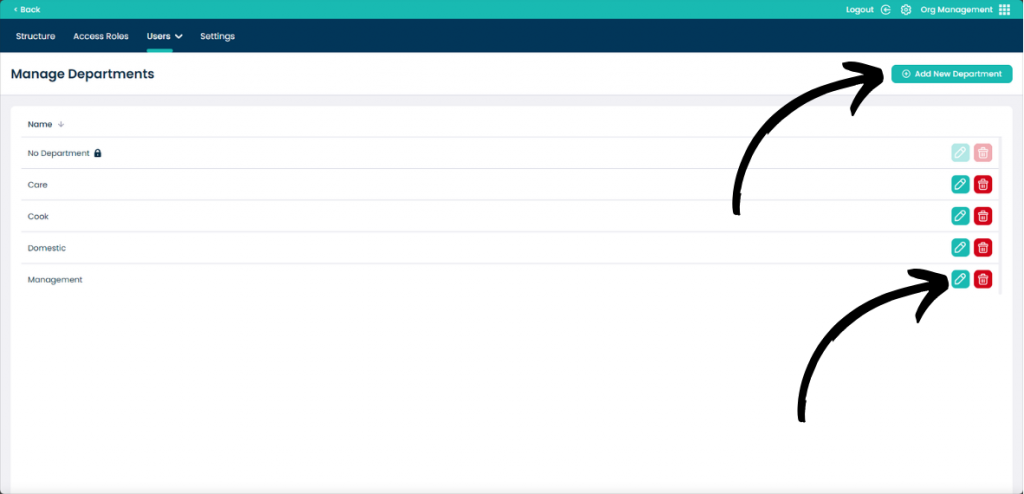
To create a new department click Add New Department.
To modify an existing department select the Pencil icon next to the name.
You can also remove the department by selecting the Bin Icon.
Step 4:
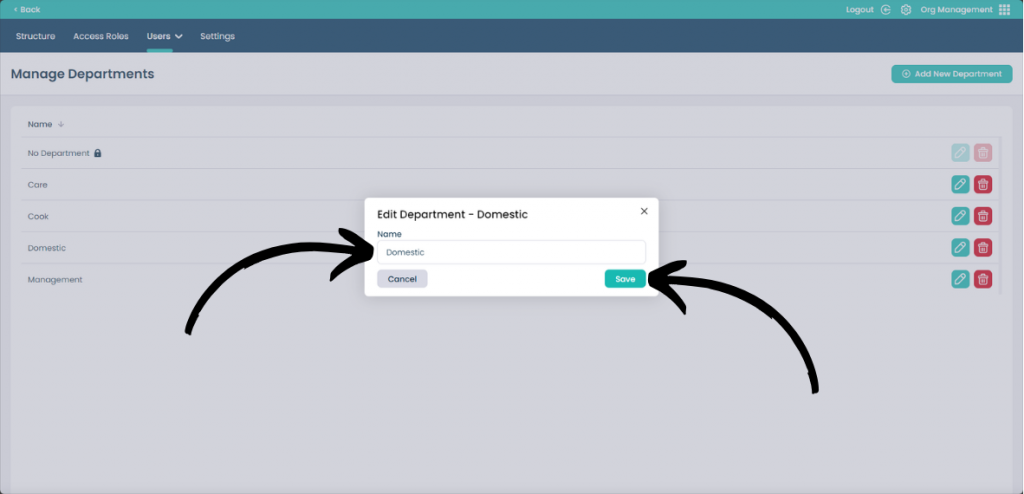
After clicking either Add New Department or Edit Department this box will appear.
You can enter or modify the Name of the department and when happy, click Save. If you don’t want to save your changes, click Cancel or the X on the box.