Bring your payroll up to date, join our Cloud Payroll webinar
This guide will cover recording with two people on Care Control Pocket
Please follow the written guide below.
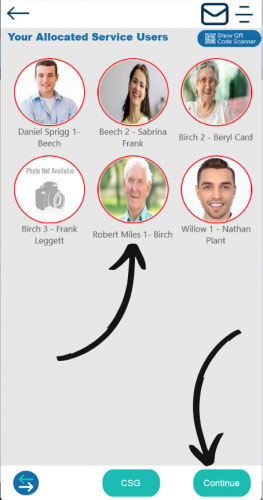
Select the service user you with to record for and then select Continue.
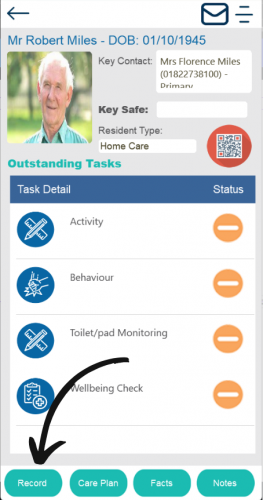
Tap the Record button.
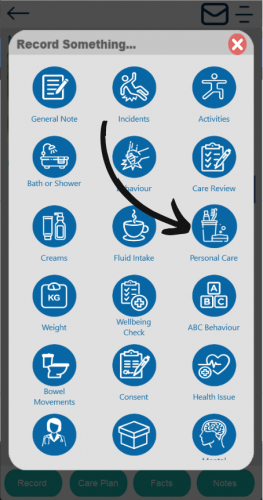
Select the area you wish to record. Only certain areas will have 2 person recording as set by the organisation.
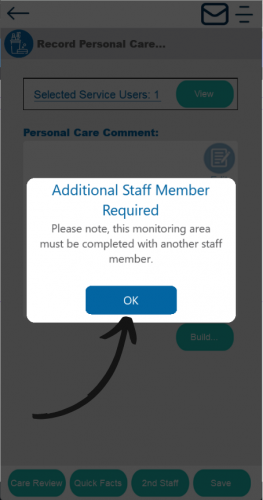
You will be prompted with the message that an additional staff member is required. Select OK.
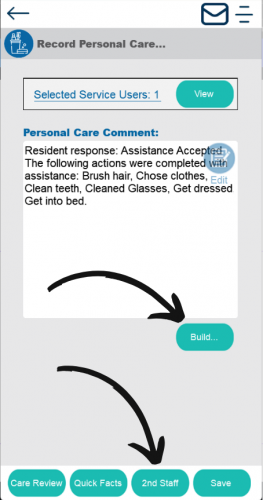
Record the care as usual, then select 2nd Staff.
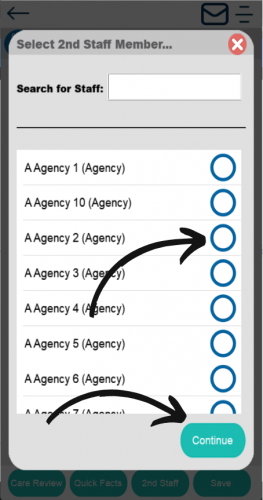
Choose the 2nd staff member that will be helping. Then tap Continue.
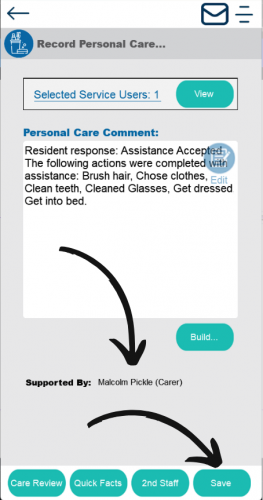
You will now see the 2nd staff member in the Supported By section. Once happy, click Save to finish.