How to Access Other Sites
This guide explains how to switch between sites within Care Control, allowing multi-site users to quickly access information for different services across Care Planning, HR, Roster, Invoicing and Payroll.
Takes 1 minute
For: Everyone
Updated: 4th June 2026
Introduction
The Site Switcher allows users with access to multiple services to move between care homes without signing out. This ensures you're always viewing and working with the correct site's records, staffing information, rosters and reporting data.
In this guide you'll learn how to:
- Switch between available sites
- Use the site selector across Care Control applications
- Confirm you're working in the correct service
- Access information for different care homes
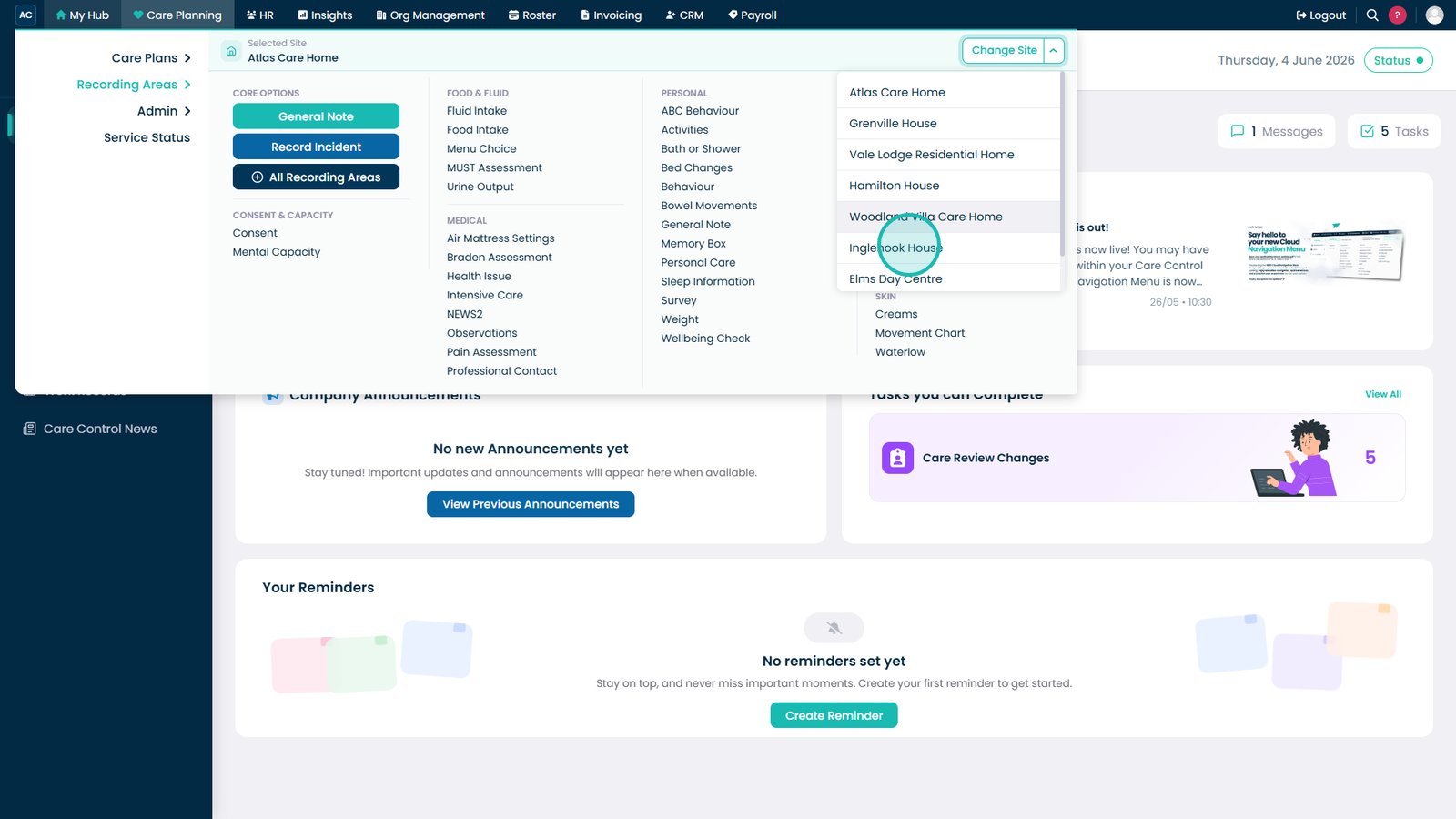
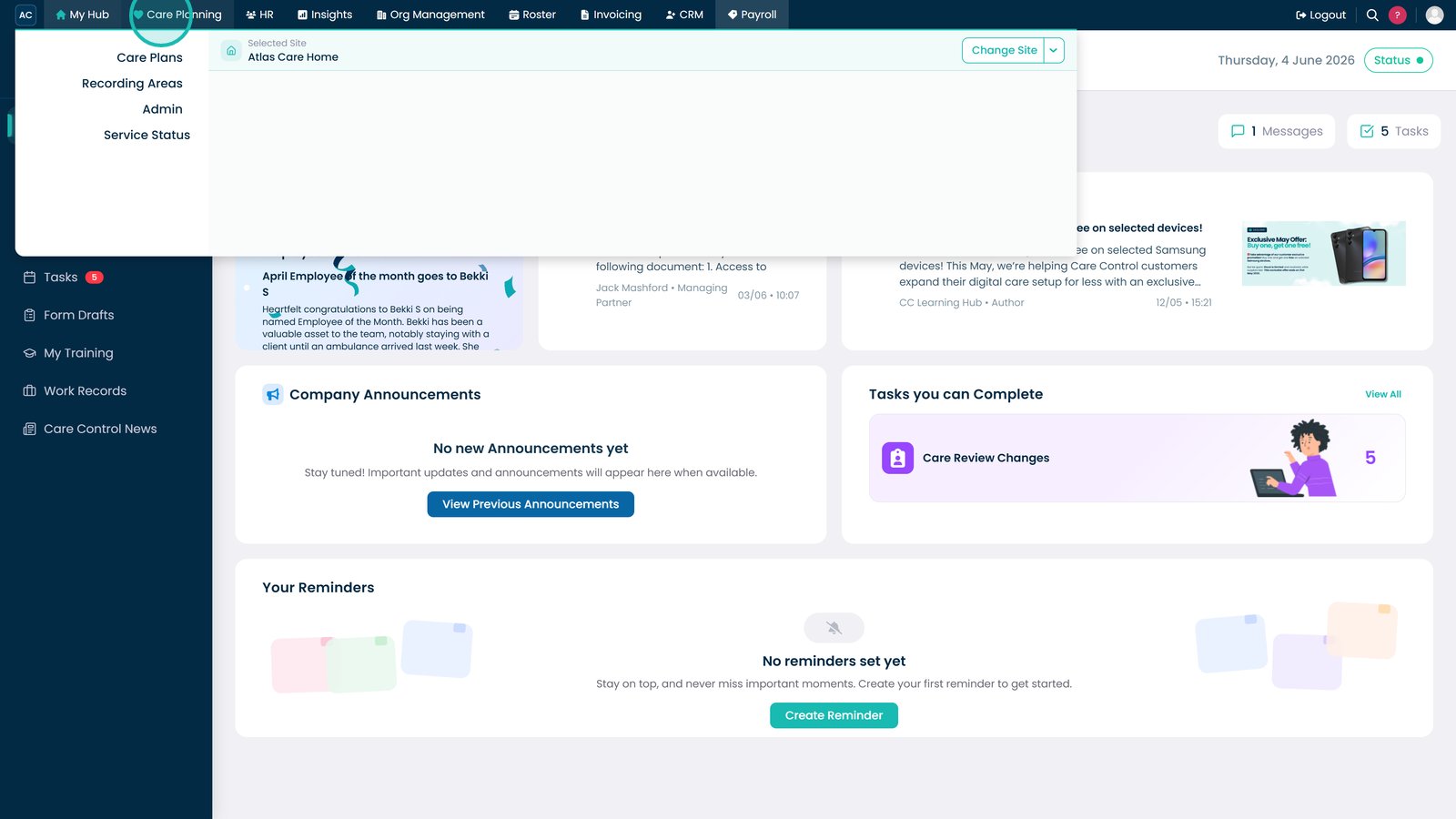
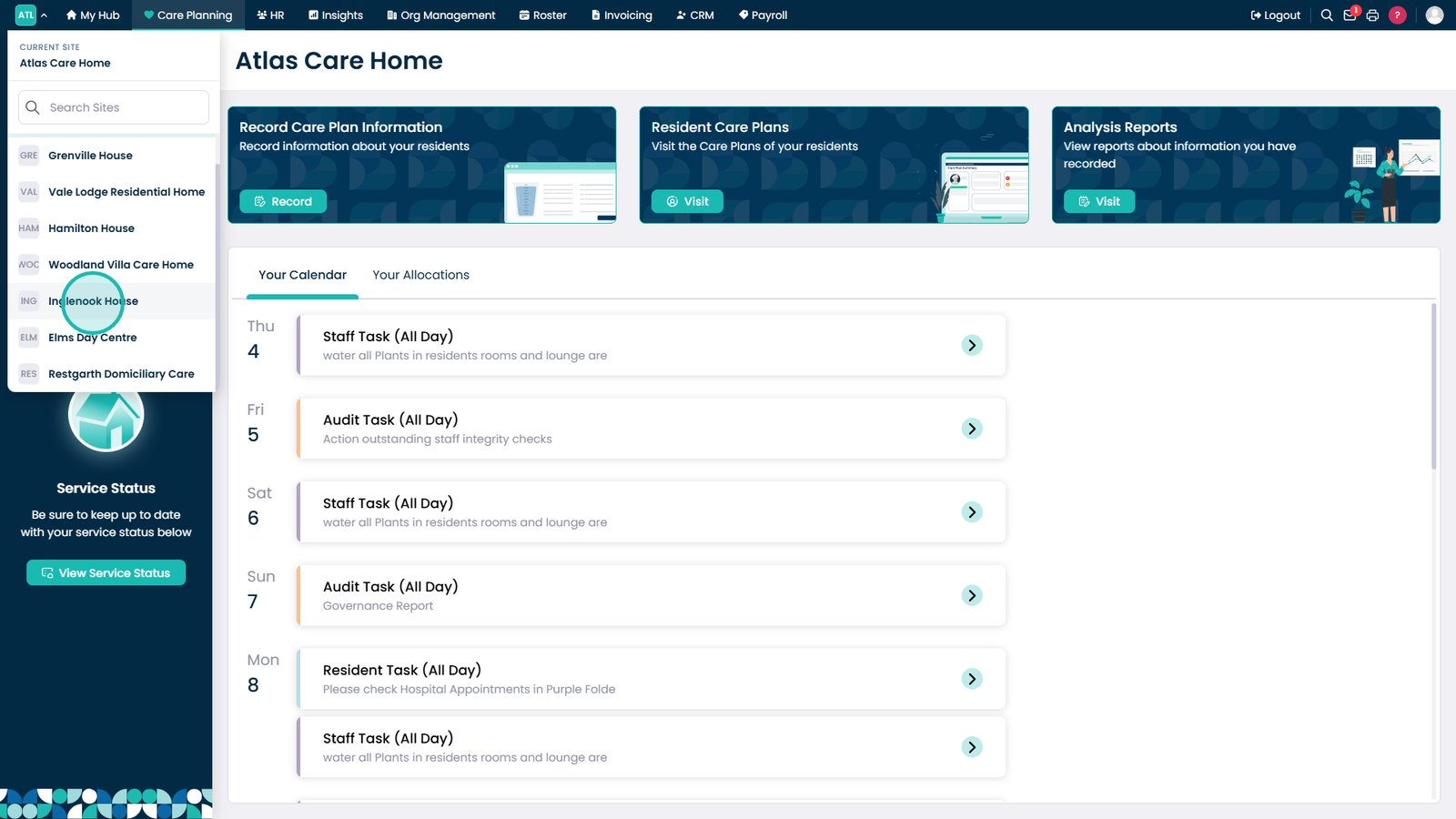
Open the Change Site dropdown available across Care Planning, HR, Roster, Invoicing and Payroll.
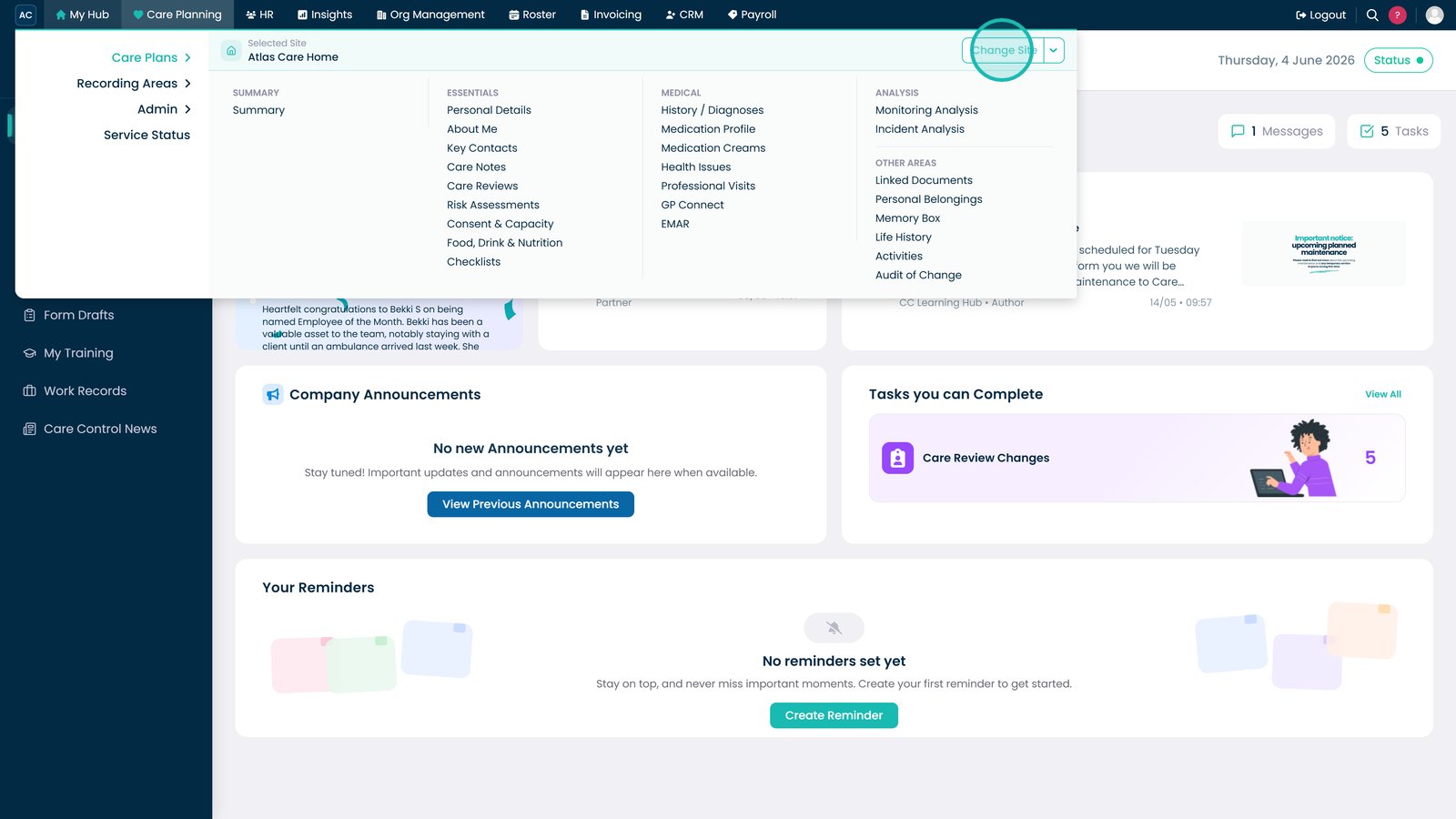
Select the site you want to switch to from the available list.

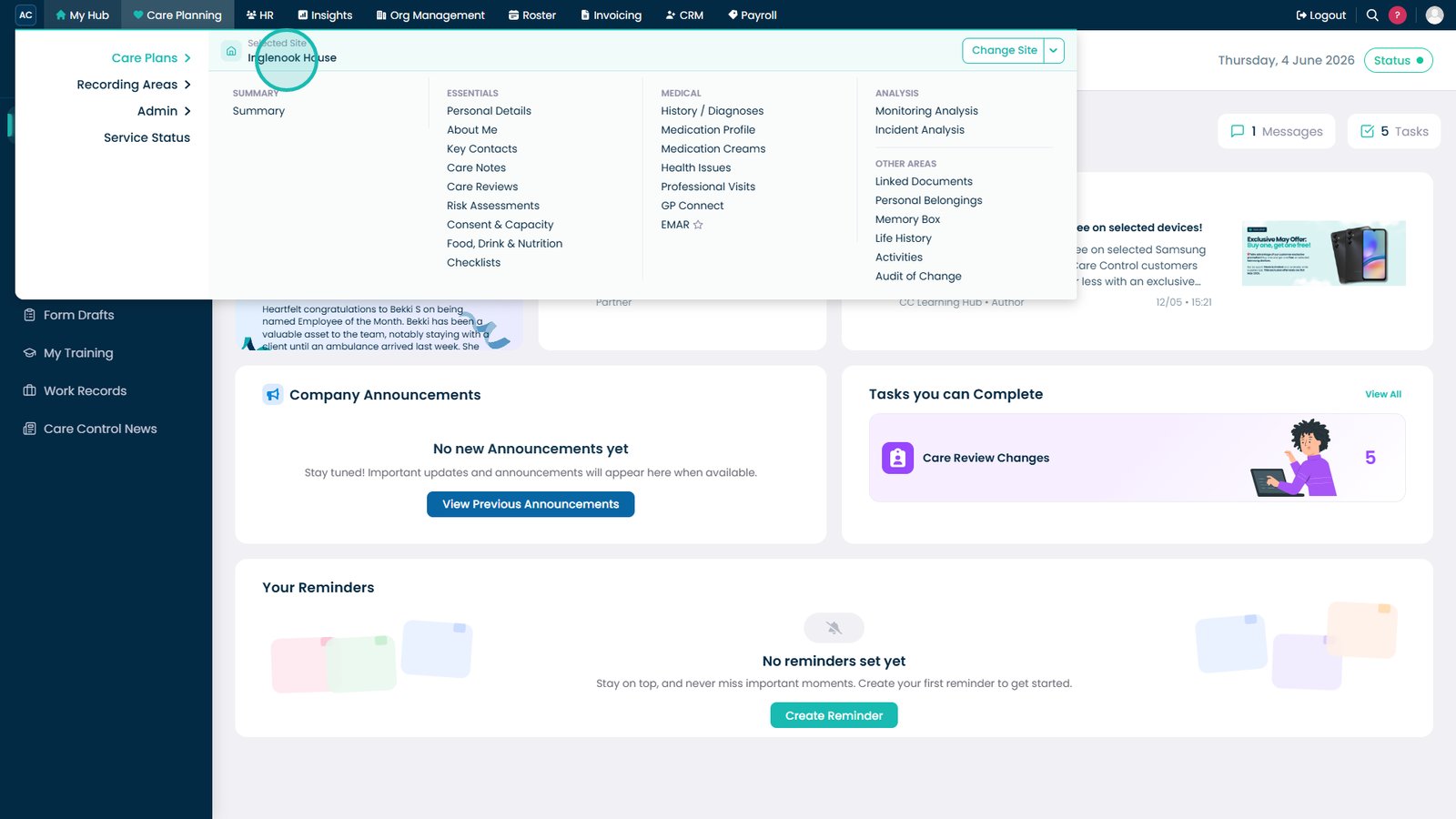
Once selected, all records and information will update to display data for that site.

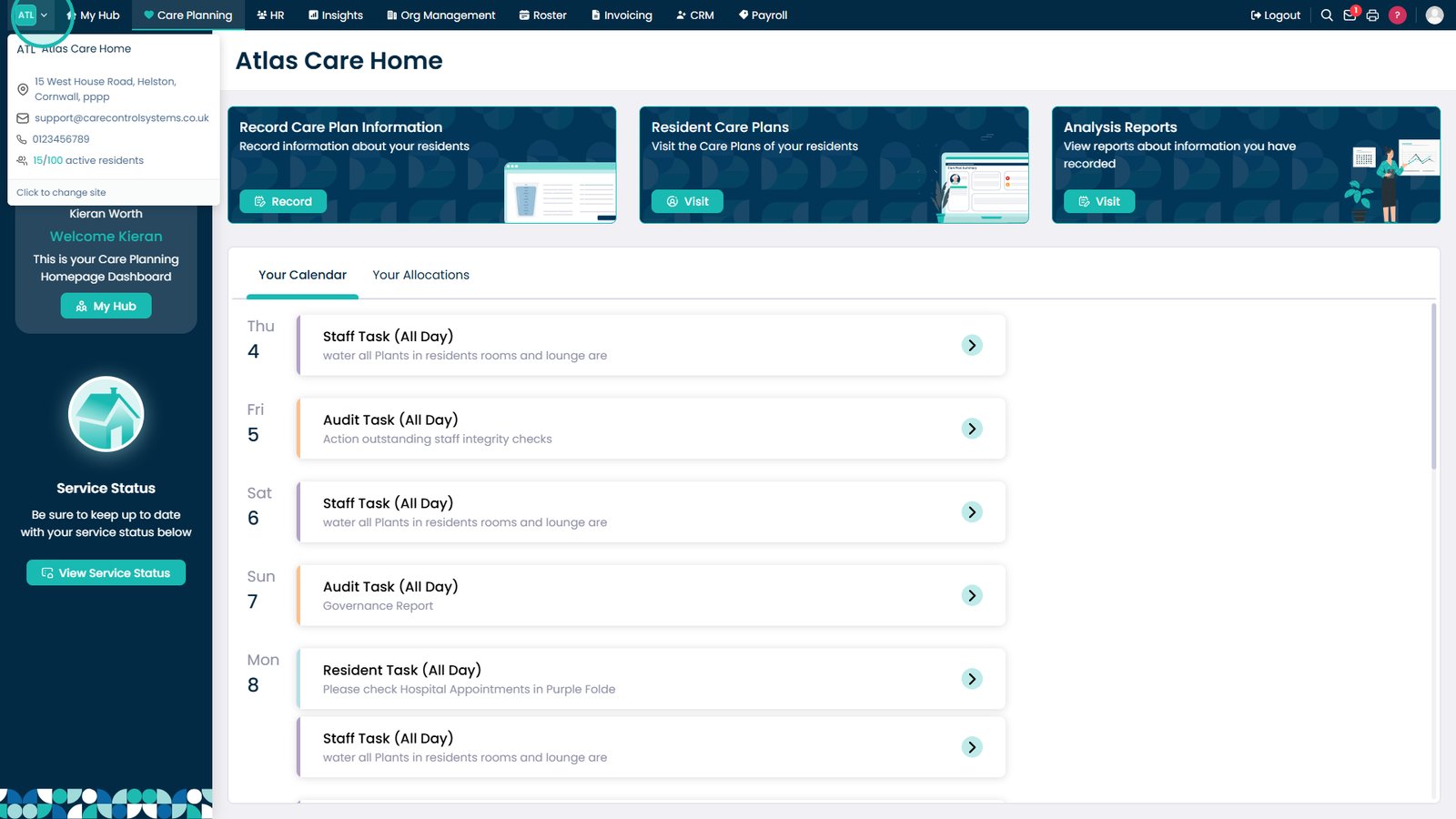
You can also switch sites whilst working within any Care Control application.

Select the logo or site name in the top-left corner to view available sites.

Choose another site to switch instantly without leaving your current area.

Top tip
Always check the selected site before entering or reviewing information to make sure you're working within the correct service.
Need more help?
Can't find what you're looking for? Our support team is here to help.
Contact SupportOr call us on