How to Enable Cloud Payroll
Learn how to enable Cloud Payroll within Care Control. This guide shows you where to find the Core Settings for Payroll and how to activate the Cloud Payroll functionality for your organisation.
Takes 2 minutes
For: Managers
Updated: 17th Aug 2026
Introduction
Once the Payroll app has been enabled for your organisation, each site can choose when they are ready to start using Cloud Payroll.
Enabling Use Cloud Payroll within a site's Core Settings will switch that individual site over to Cloud Payroll. Until this setting is enabled, the site can access and explore Cloud Payroll without affecting payroll data generated through the existing payroll system.
This allows each site within your organisation to move over to Cloud Payroll when they are ready.
In this guide, you'll learn how to:
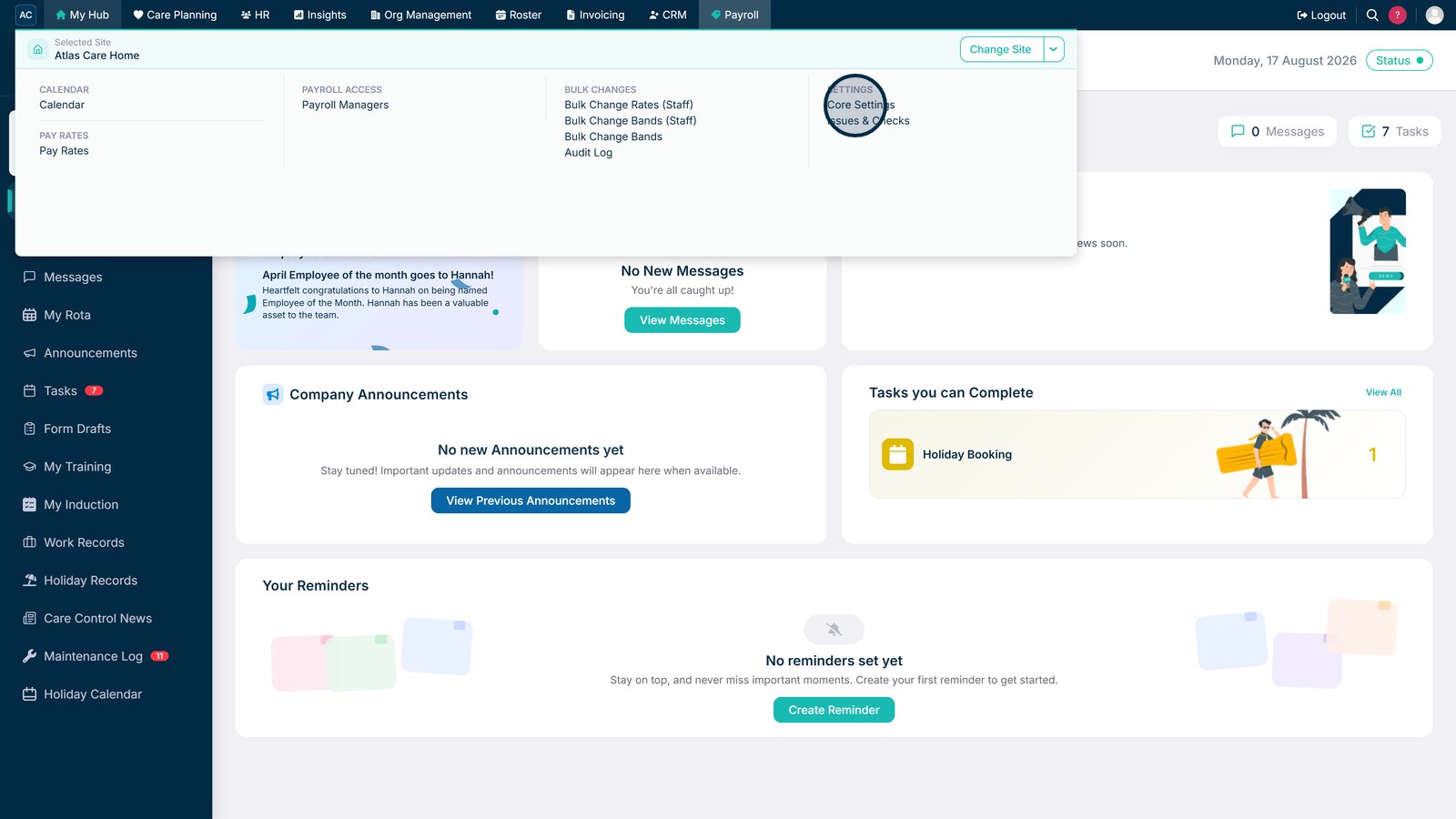
- Access the Payroll Core Settings for a site.
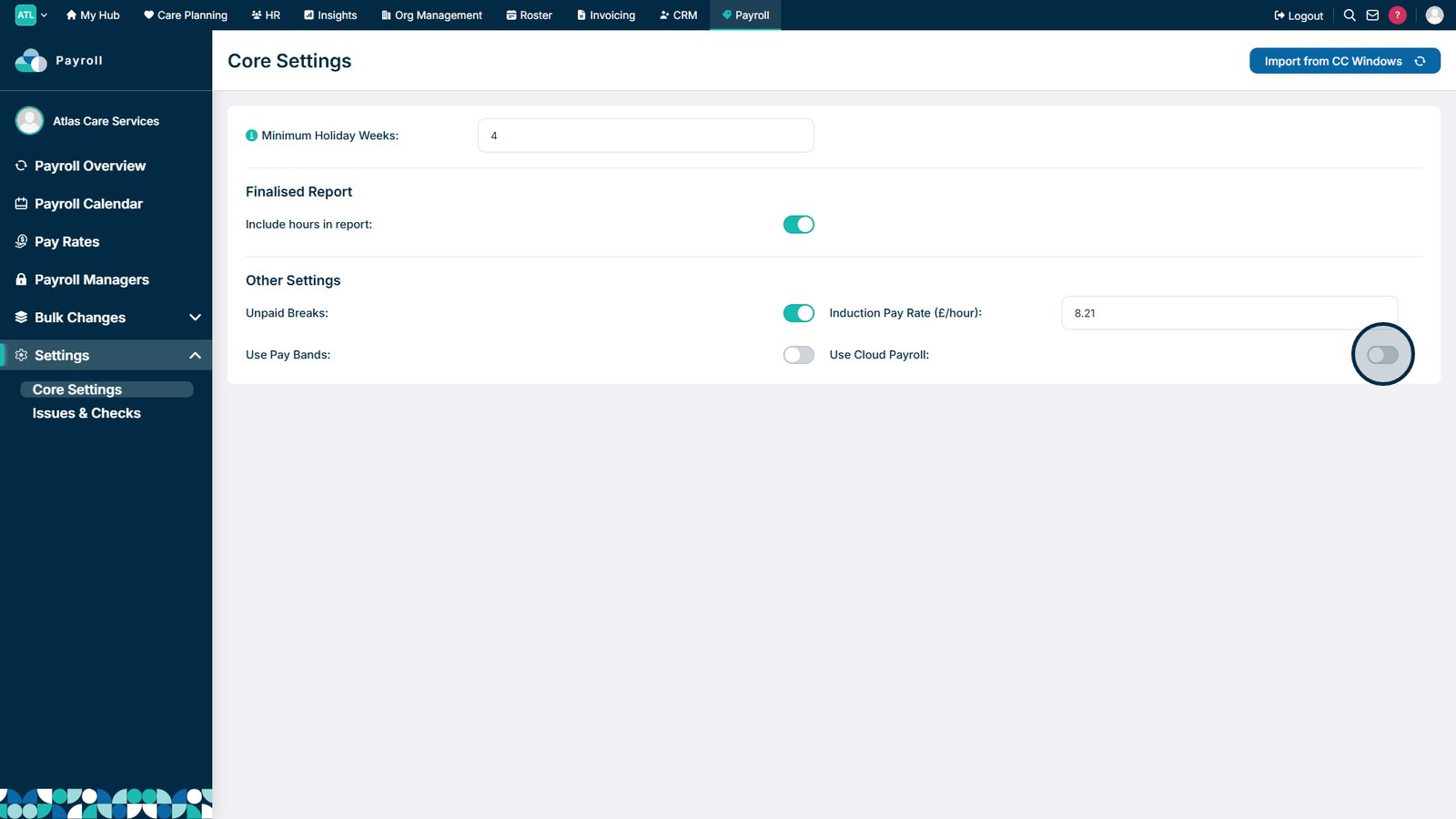
- Locate the Use Cloud Payroll setting.
- Enable Cloud Payroll for that individual site.
Open Core Settings in the Payroll section to access the essential payroll configuration options.

Enable the Use Cloud Payroll toggle to activate Cloud Payroll features for your organisation.

Top tip
Only enable Use Cloud Payroll when your organisation is ready to use the Cloud Payroll functionality.
Need more help?
Can't find what you're looking for? Our support team is here to help.
Contact SupportOr call us on