You could win a £250 Amazon gift card! All you need to do is spare us 3 minutes of your time. Click here to find out more!
This guide covers how to view the Activities which a service user has completed from their Care Plan within Care Control Cloud.
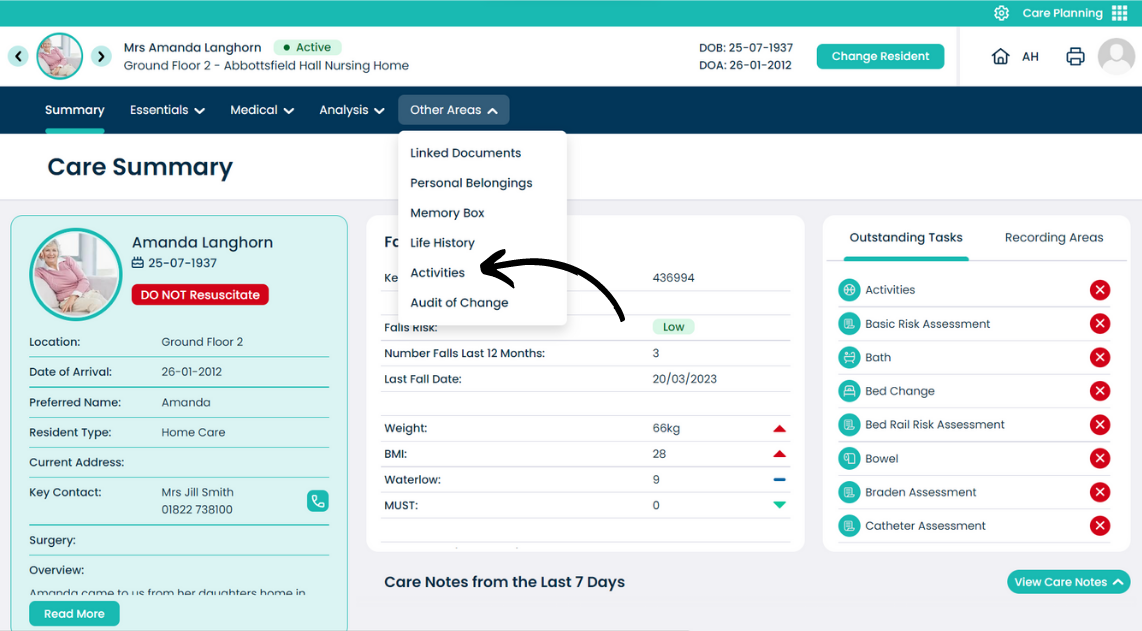
From the Care Plan Summary screen, open the Other Areas menu.
Select Activities.
Activities can be filtered by date range.
The records will show as a list displaying the date, activity name and description.