🚀 UPCOMING WEBINAR: See Payroll in Care Control Cloud in action on Thursday 18th June and discover how to manage payroll more efficiently from one connected system. Click here to find out more!

View Categories

Add bulk staff notes on Cloud

Within this guide you will find out how to add new staff notes within Cloud.

Step 1:

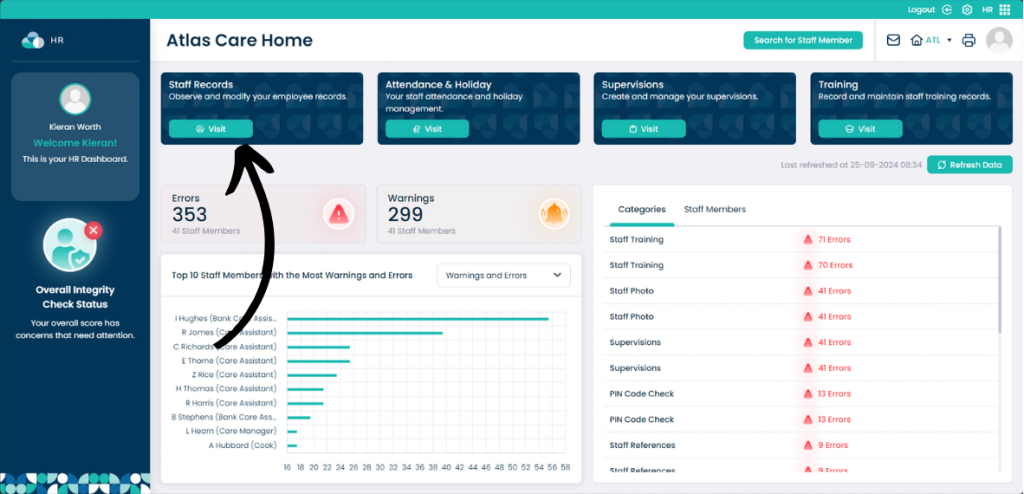
From the HR Application click Visit on Staff Records.

Step 2:

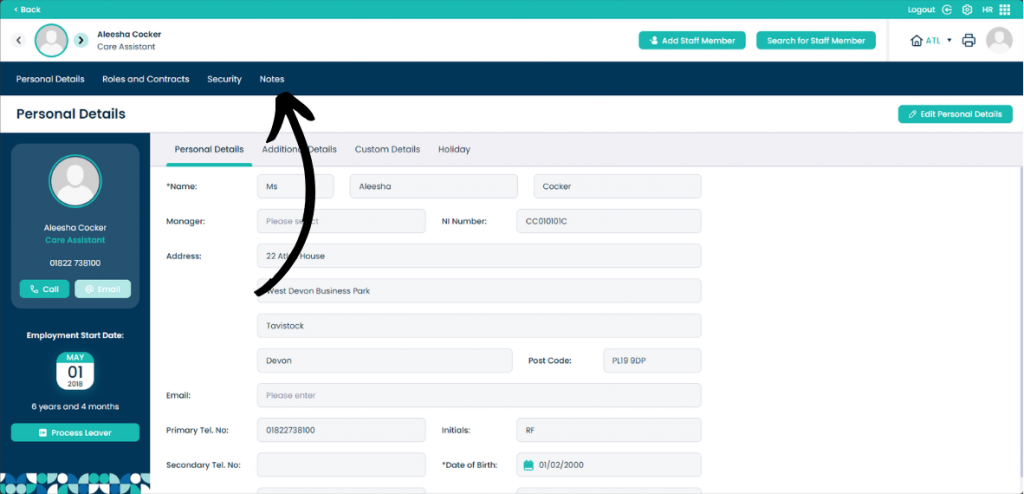
Now click Notes.

Step 3:

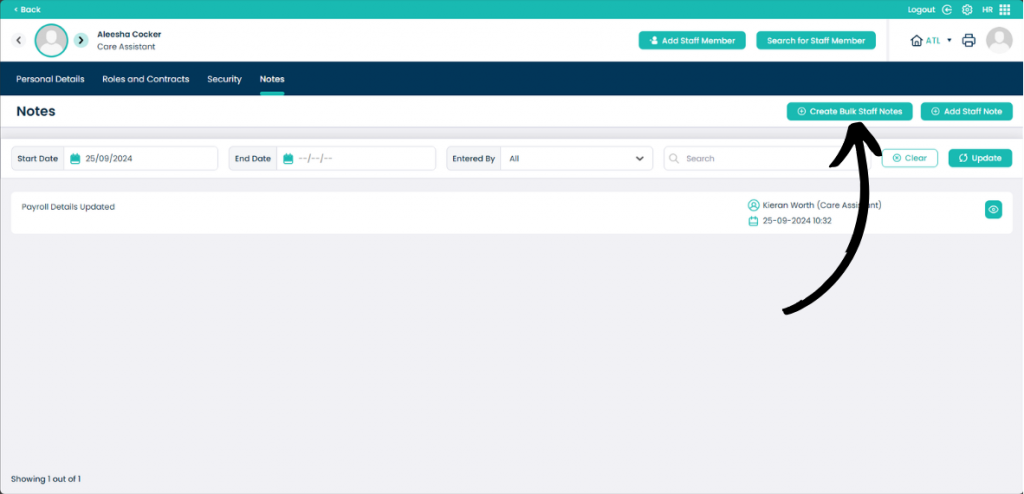
When on the Notes page, click Create Bulk Staff Notes.

Step 4:

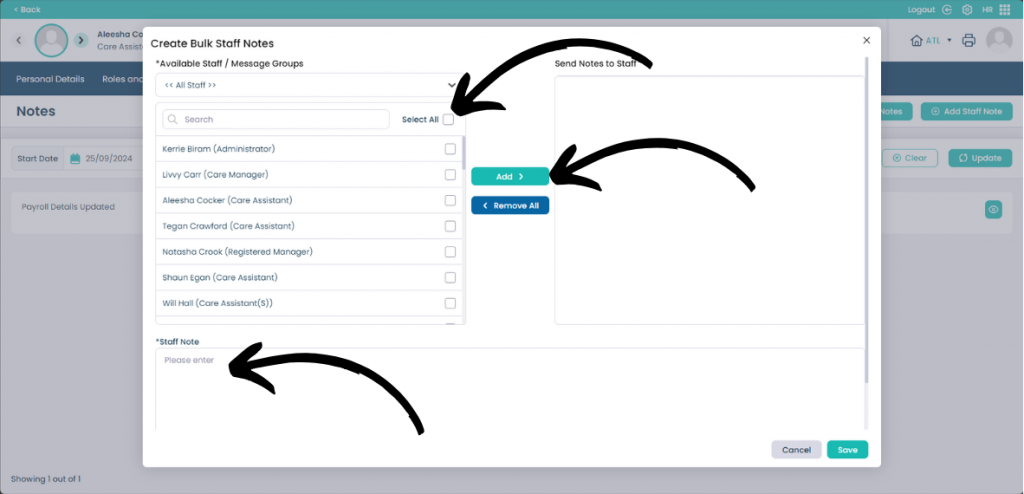
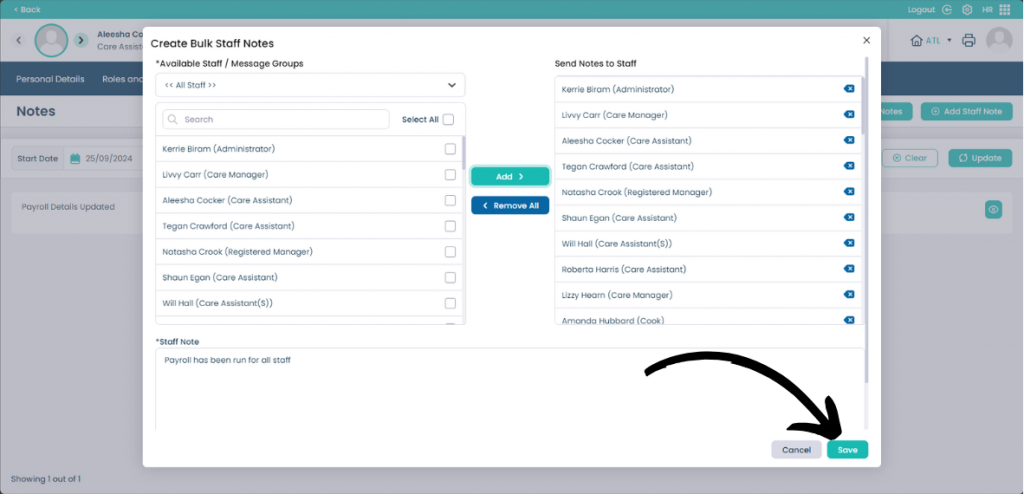
On this page you can select which staff you want to apply the staff note to. You can also Select All and Filter the staff to make it easier. Click Add when the staff have been selected to add the staff to the Send Notes to Staff list.

Enter the note within the Staff Note page.

Step 5:

When you are happy with the note and the staff you have added, click Save.