You could win a £250 Amazon gift card! All you need to do is spare us 3 minutes of your time. Click here to find out more!
Within this guide you will find out how to add new staff notes within Cloud.
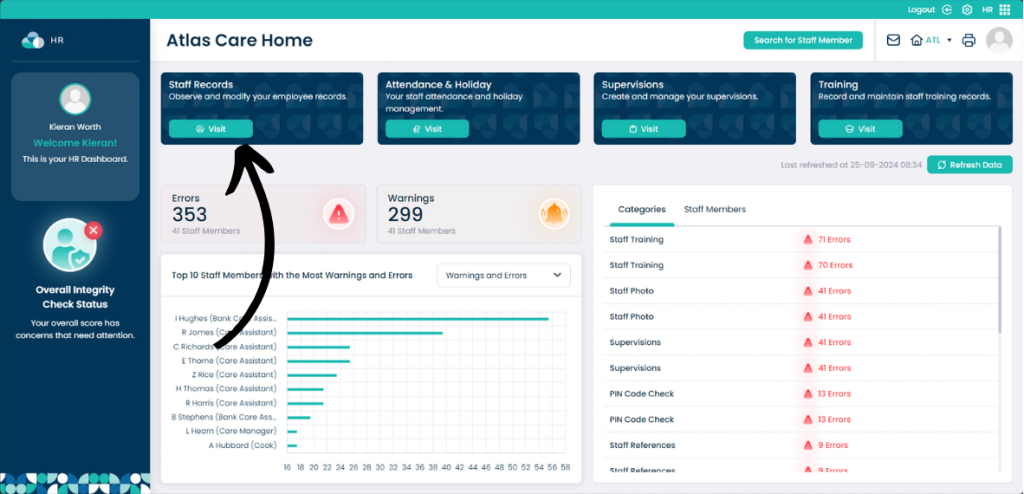
From the HR Application click Visit on Staff Records.
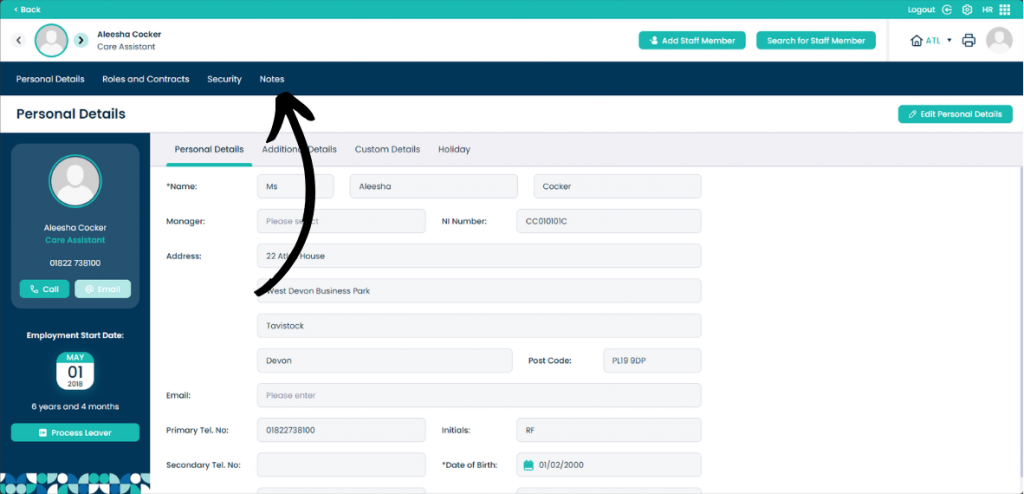
Now click Notes.
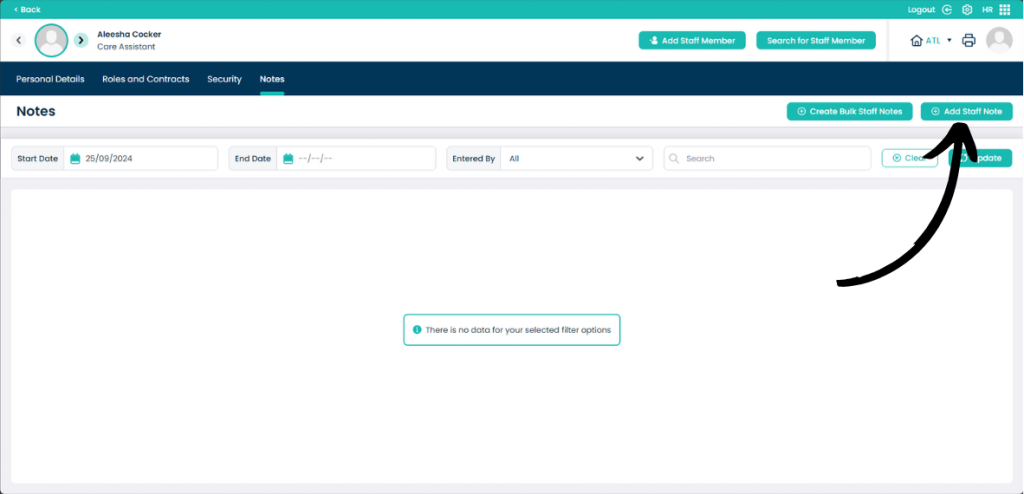
When on the Notes page, click Add Staff Note.
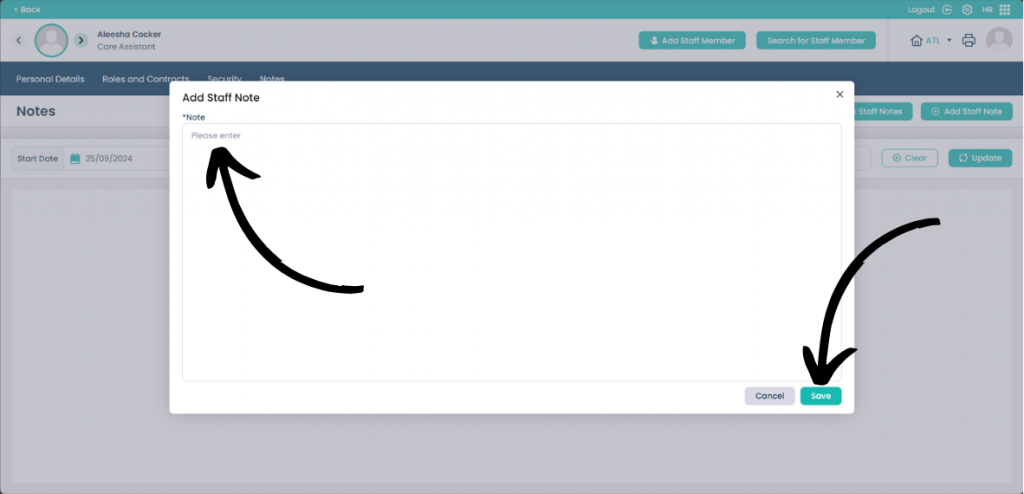
In the text box enter what the staff note is. Now click Save to process the staff note.