Bank Holiday Closure Notice: We will be closed on the 3rd April for the Easter bank holiday, so our customer service team will not be available on this day. If you need to get in touch, you can still use our customer contact form and we will get back to you as soon as possible. Even better, Margo will still be available on our phone lines to help with your queries whenever you need support. We hope you have a lovely Easter weekend 🐣
View Categories
Adding a New Role/Contract for a Staff Member
This guide will cover how to add a new role or contract for an existing staff member on Care Control Windows. Staff can have more than one active role on their staff profile and this can be useful to differentiate between the type of shift a staff member is working. For example, a care assistant staff may also do shifts as a cook.
1
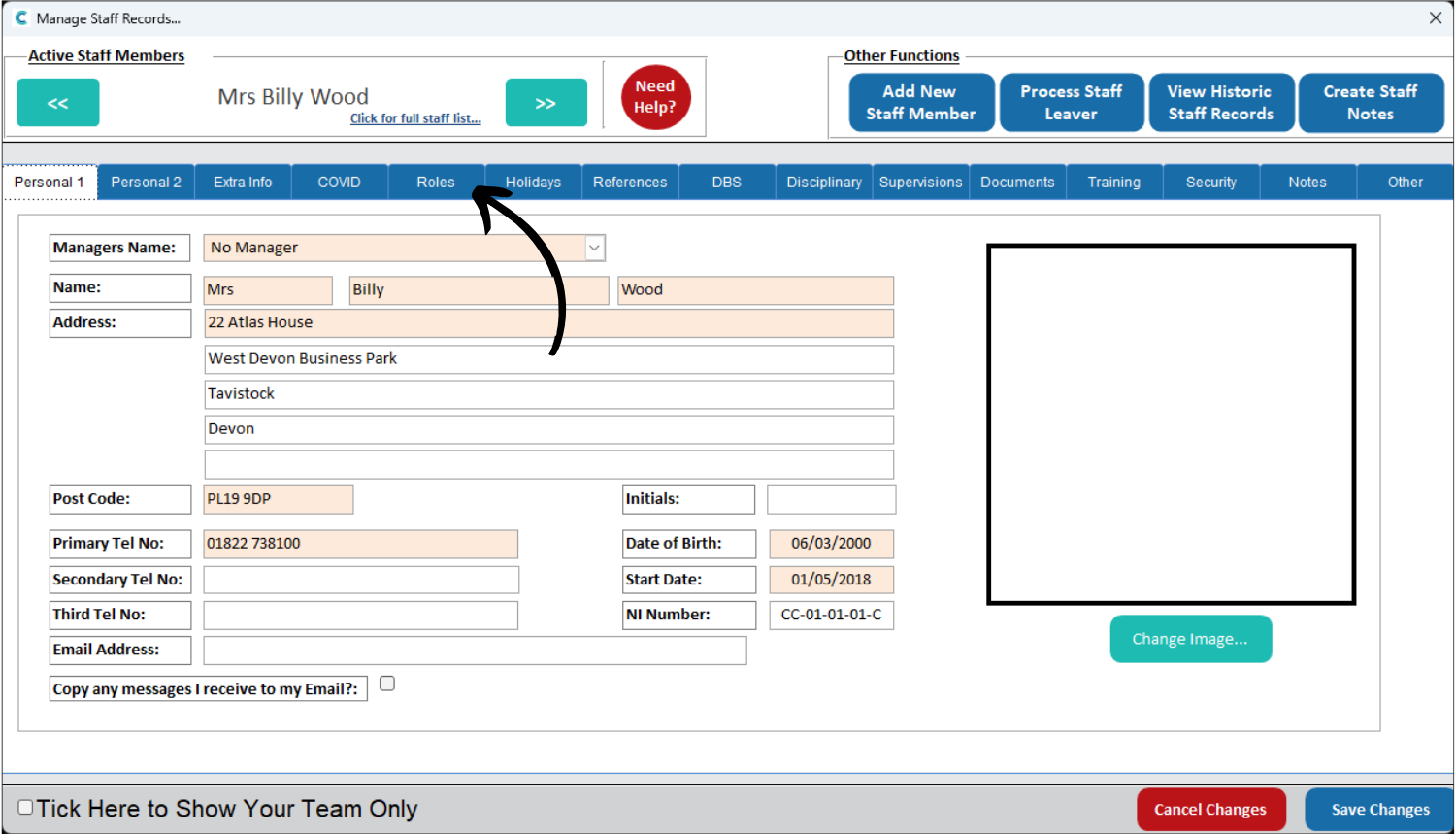
In the Administration of Care Control Windows, open the Add / Edit Staff Records tool.
2
A new window will open. First, navigate to the staff member you wish to add a new role to.
Then, select the Roles tab from the options along the top of the staff record.
3
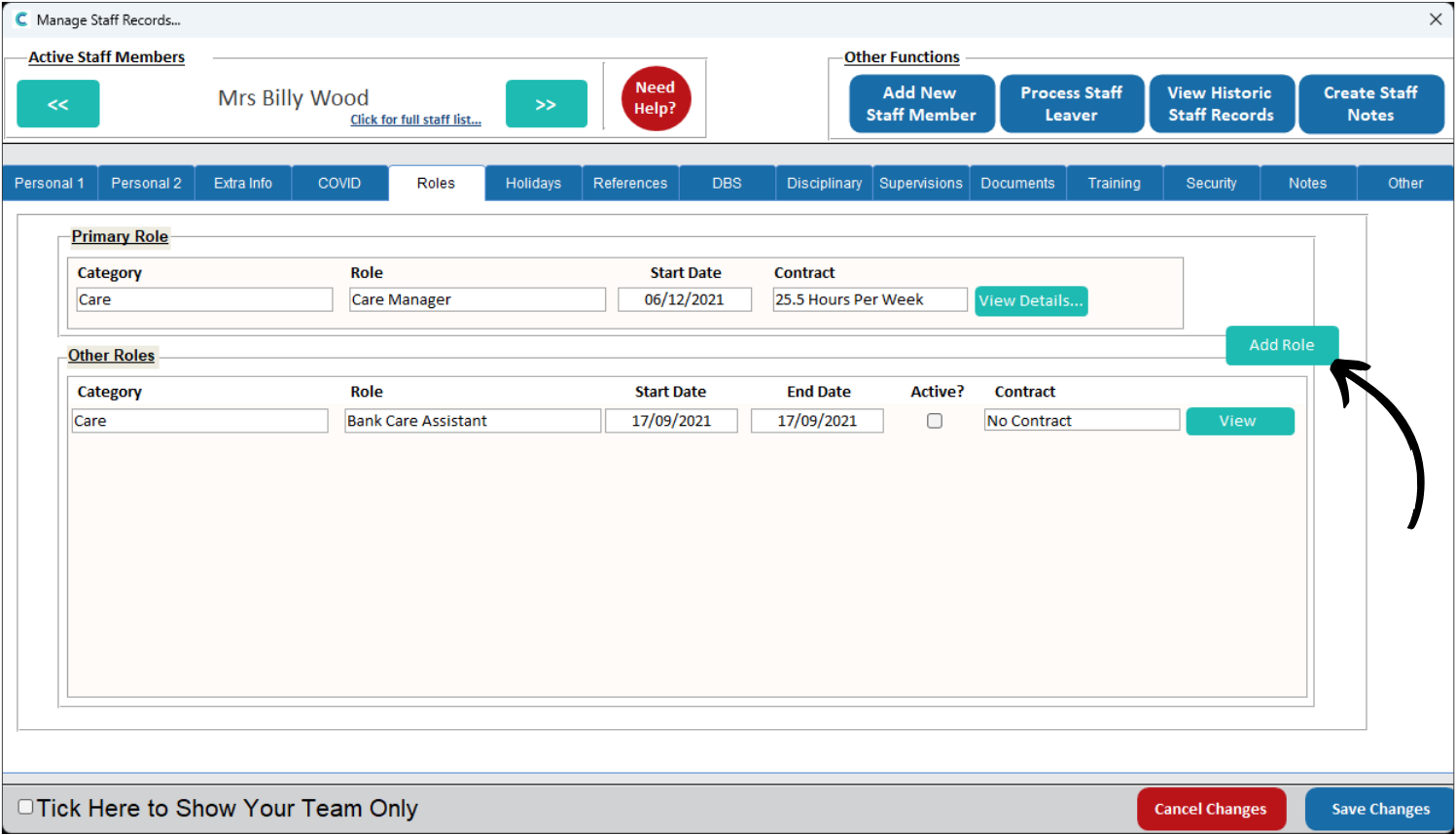
Here, a list of roles (both active and inactive) will be displayed.
Press Add Role.
4
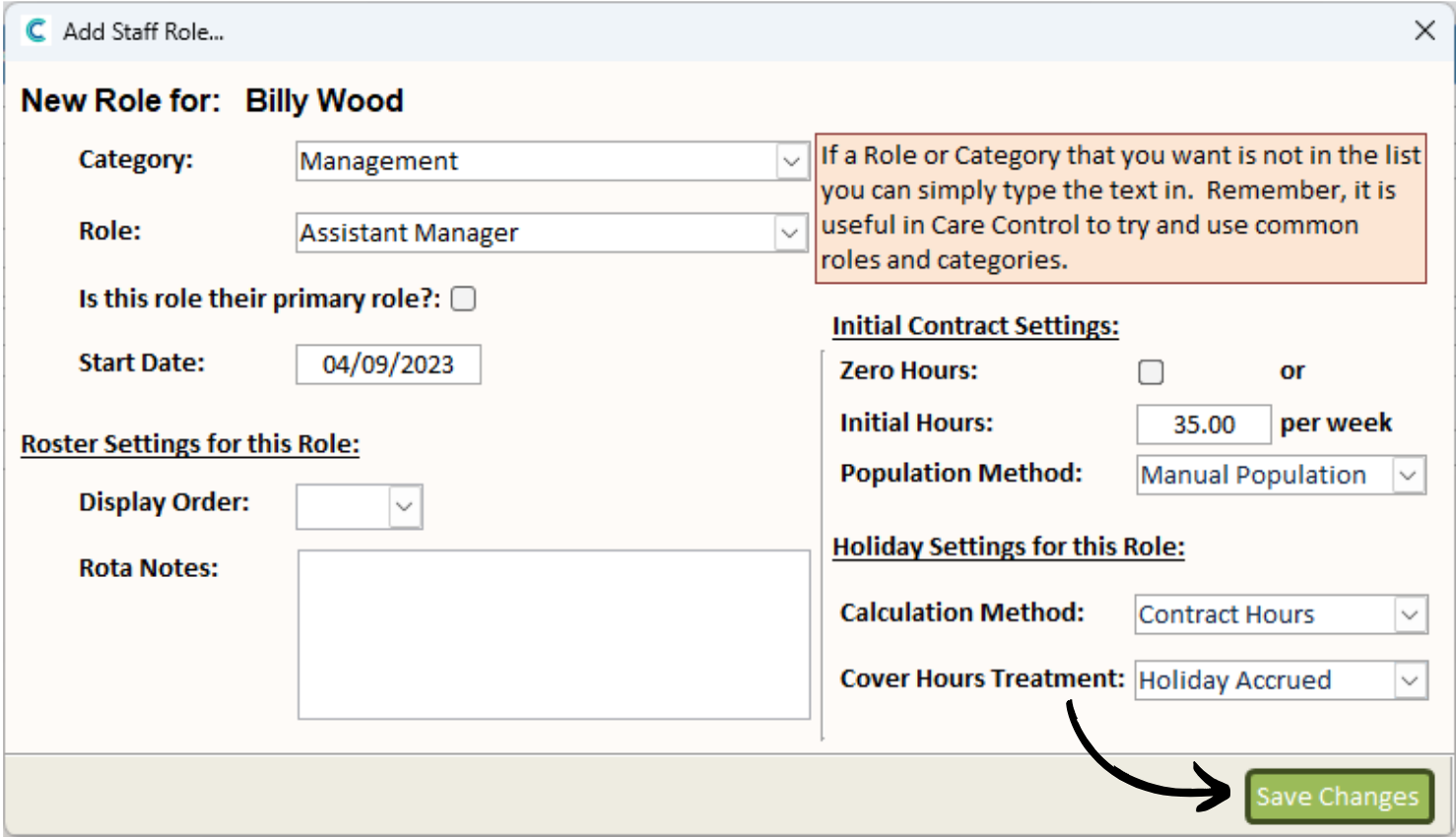
A blank form will open. Begin by selecting the Category and Role from the drop-down lists, then, enter a Start Date. If this new role is going to be their primary role, tick the relevant check-box.
You can now enter some information about the Contract. If this role is a zero hours contract, tick the check-box. If not, enter the number of hours per week.
5
Finally, decide on the rota Population Method and Holiday Settings for this role before pressing Save Changes.
6
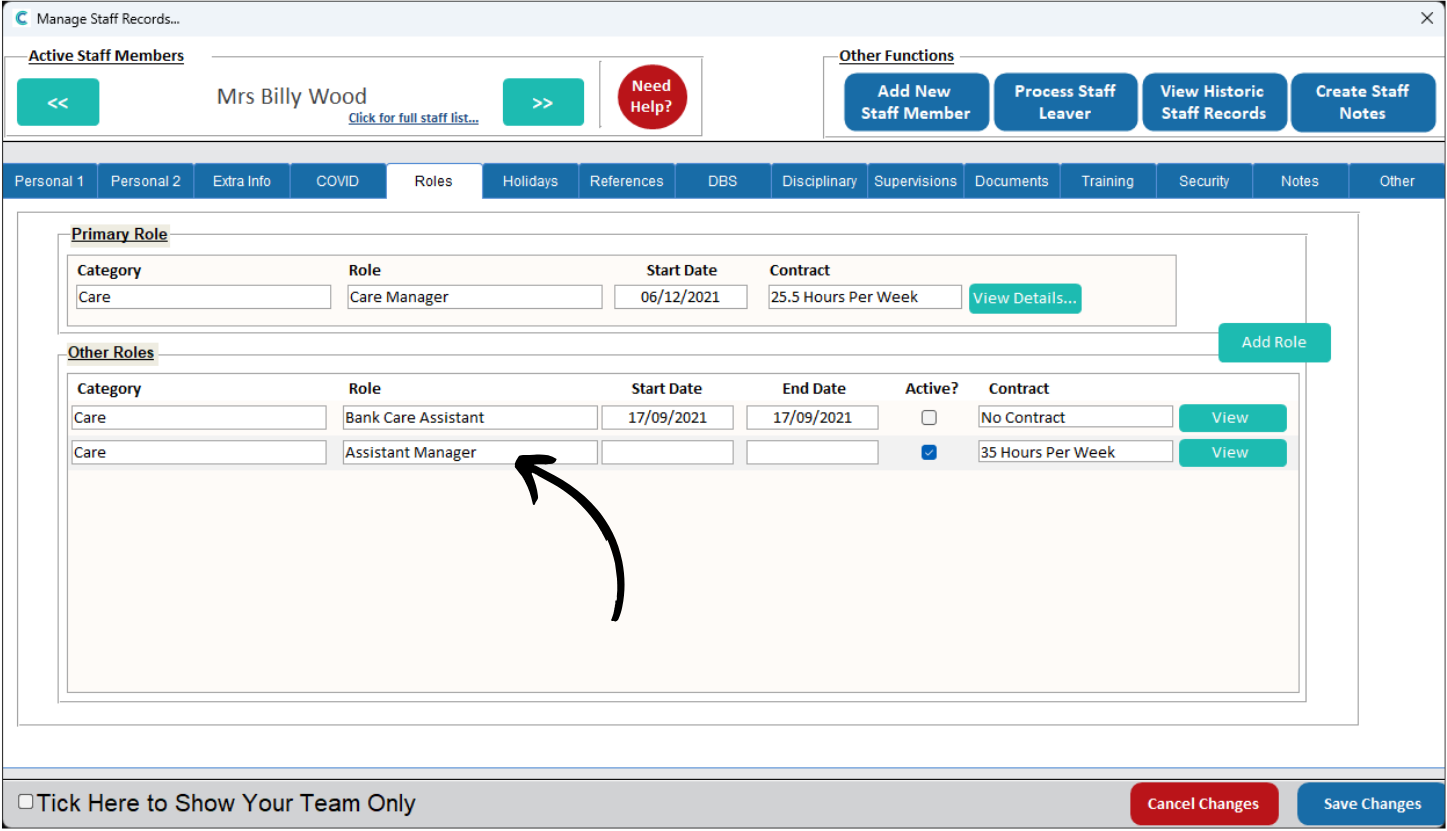
The new role will appear in the list within the Roles tab.