You could win a £250 Amazon gift card! All you need to do is spare us 3 minutes of your time. Click here to find out more!
This guide will cover how to add a PRN Protocol to a new medication prescription for a service user, via Care Control eMAR.
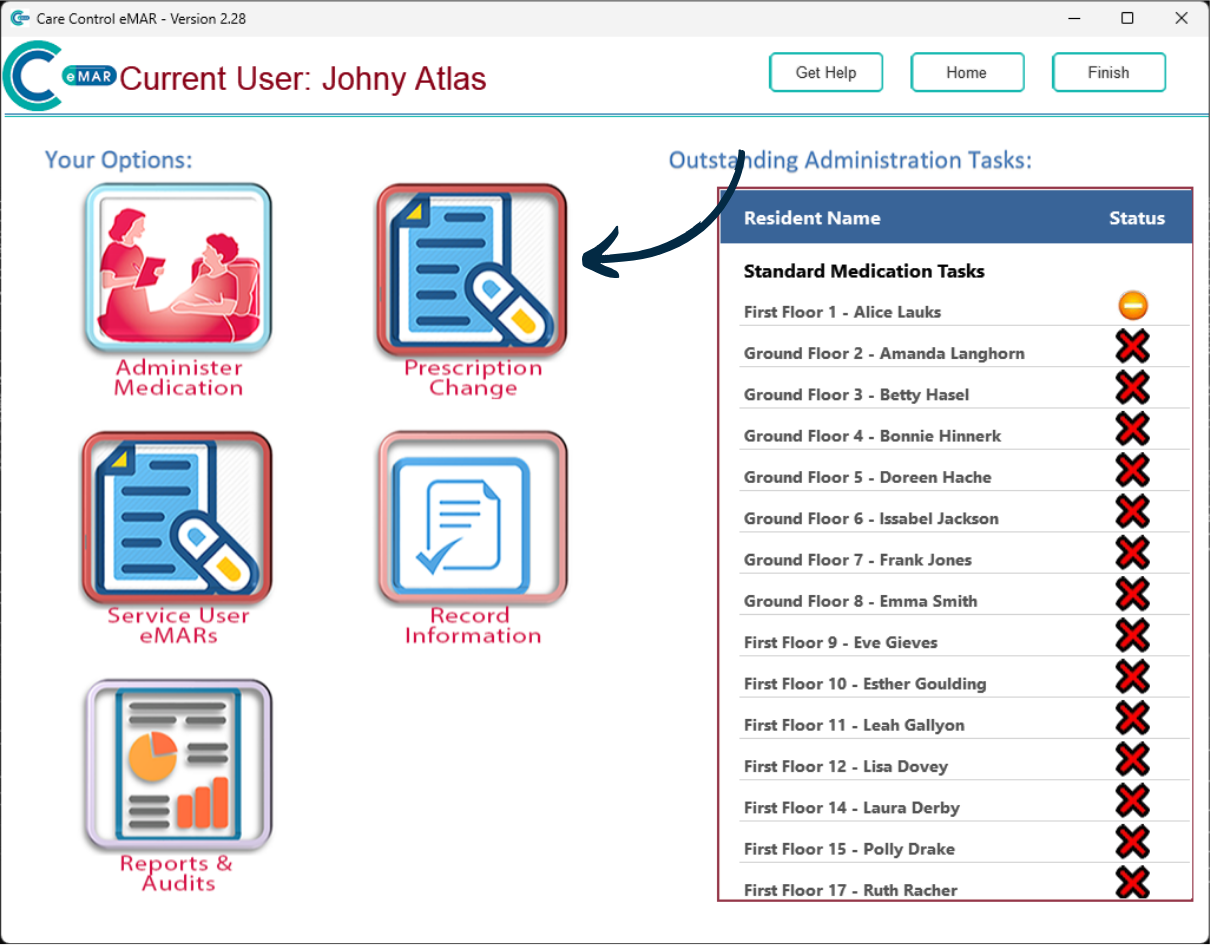
After signing into Care Control eMAR, press the ‘Prescription Change‘ button.
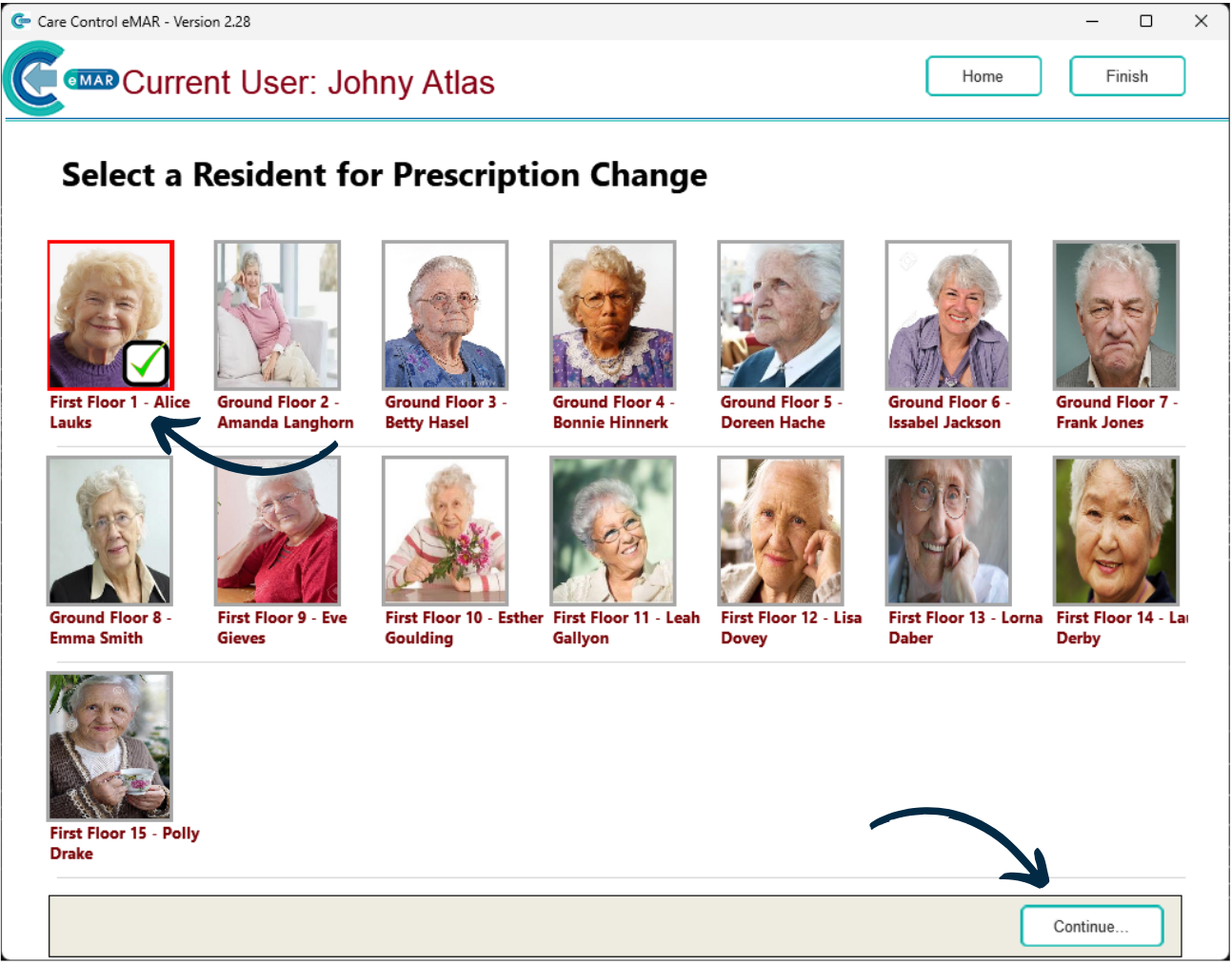
Next, select a Service User and press ‘Continue‘.
Here, a list of existing prescriptions for the service user will be displayed.
Press ‘Add New Prescription‘.
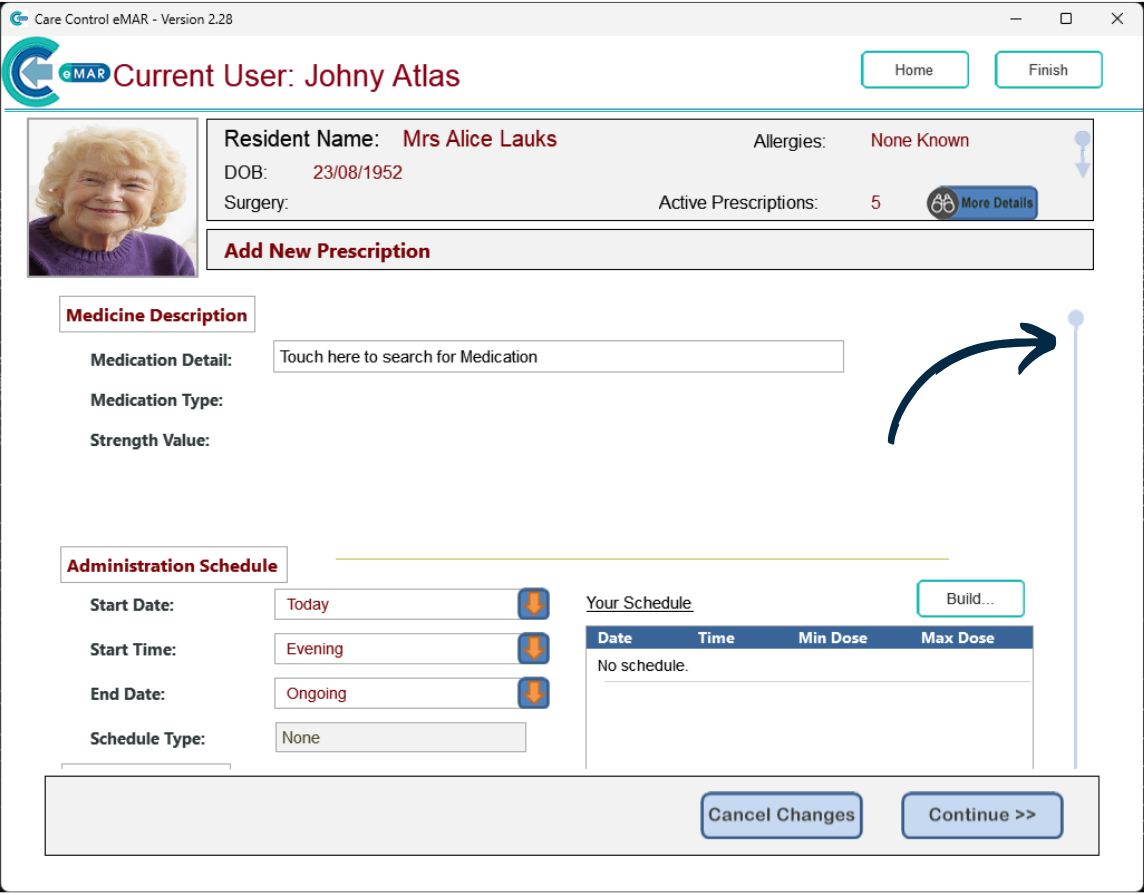
A blank prescription form will open.
You can continue to complete the details of the new prescription, but, to add a PRN Protocol, first scroll down the form.
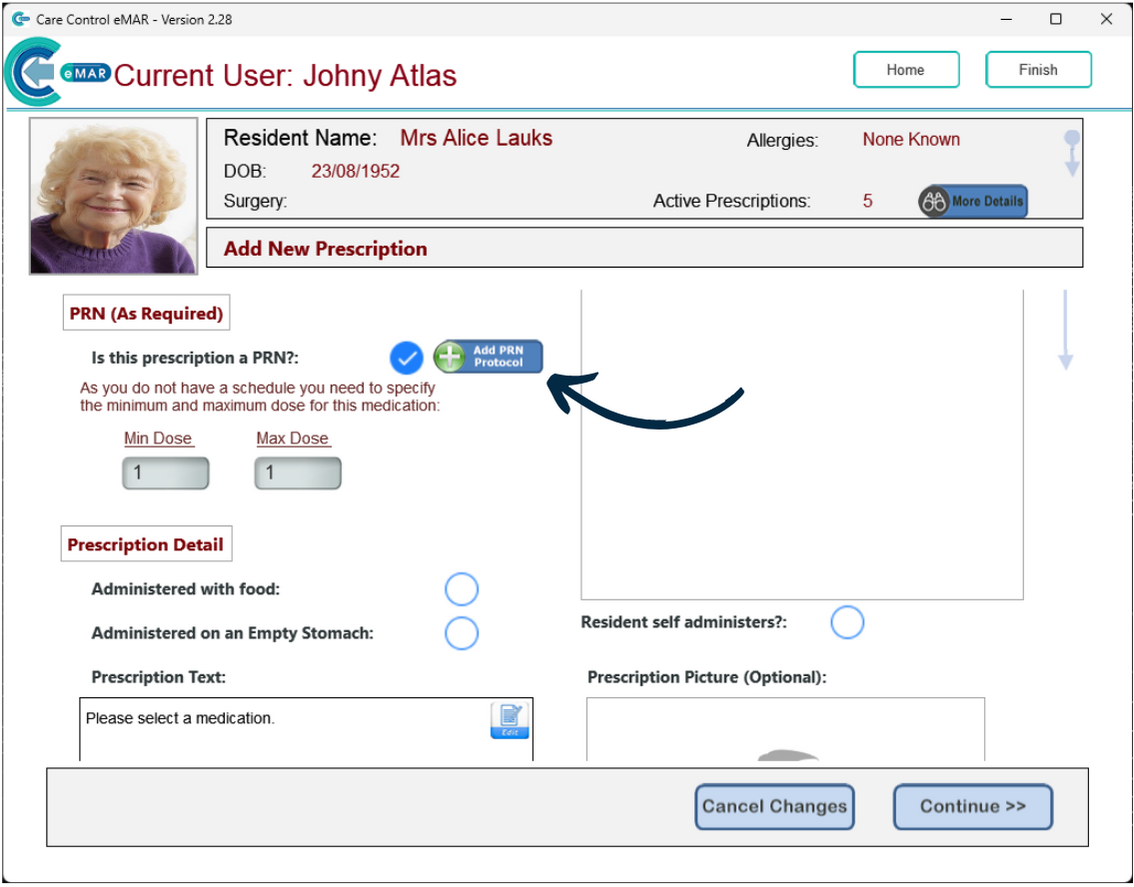
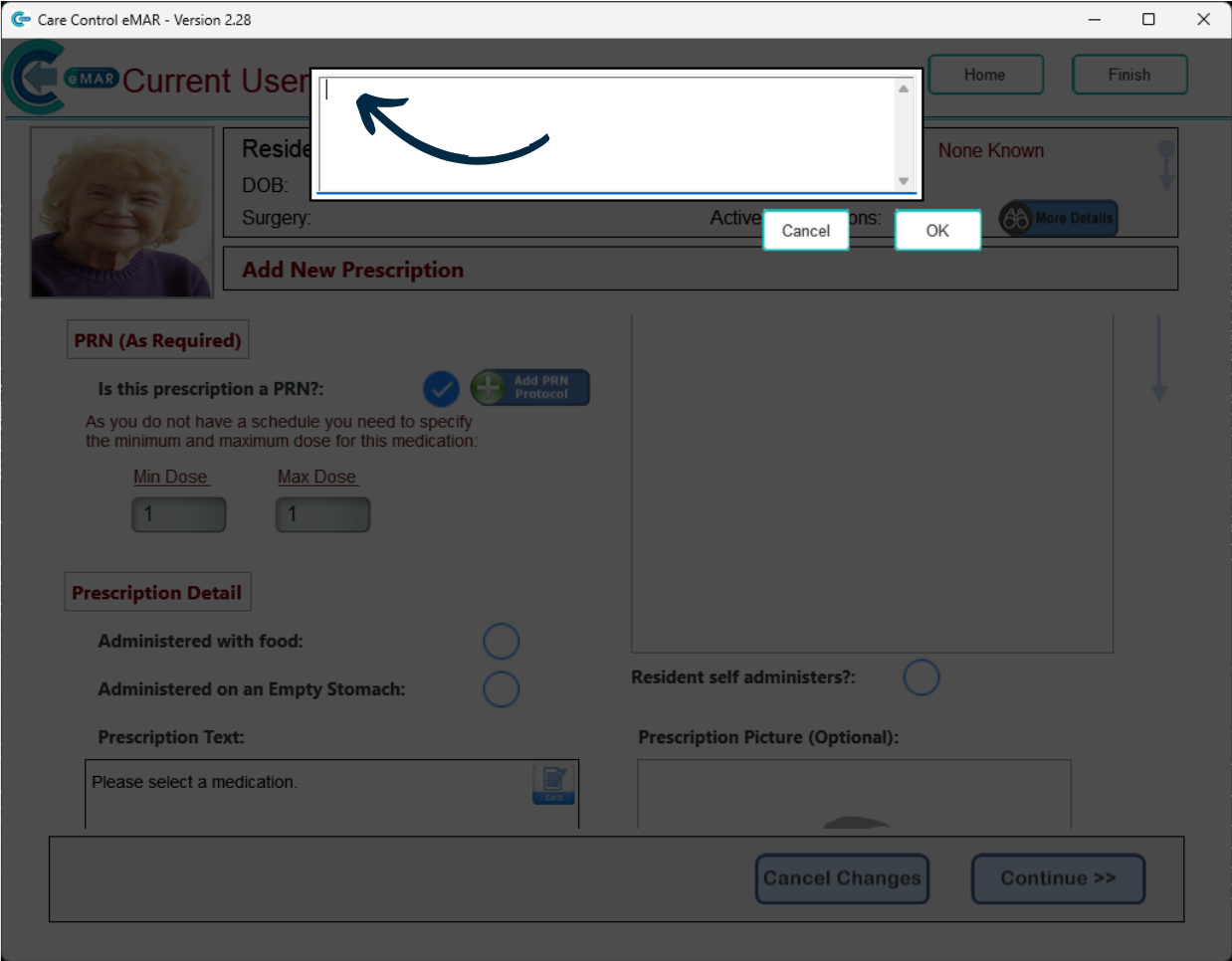
Here, press ‘Add PRN Protocol‘.
You can now type in the protocol for this medication prescription.
Press ‘OK‘.
You can no continue to complete the rest of the form.