This guide will cover how to start and stop monitoring for your service users on Care Control Windows and explains the different frequency options associated.
1
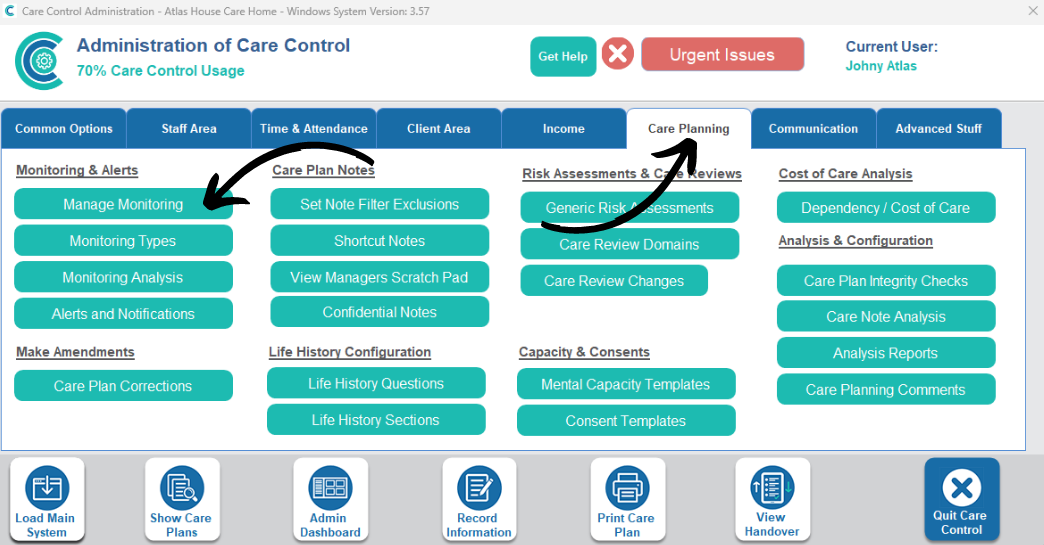
In the Administration of Care Control Windows, navigate to the Manage Monitoring tool, which can be found under the Care Planning tab.
The first half of this guide will cover how to end existing monitoring areas for a service user.
2
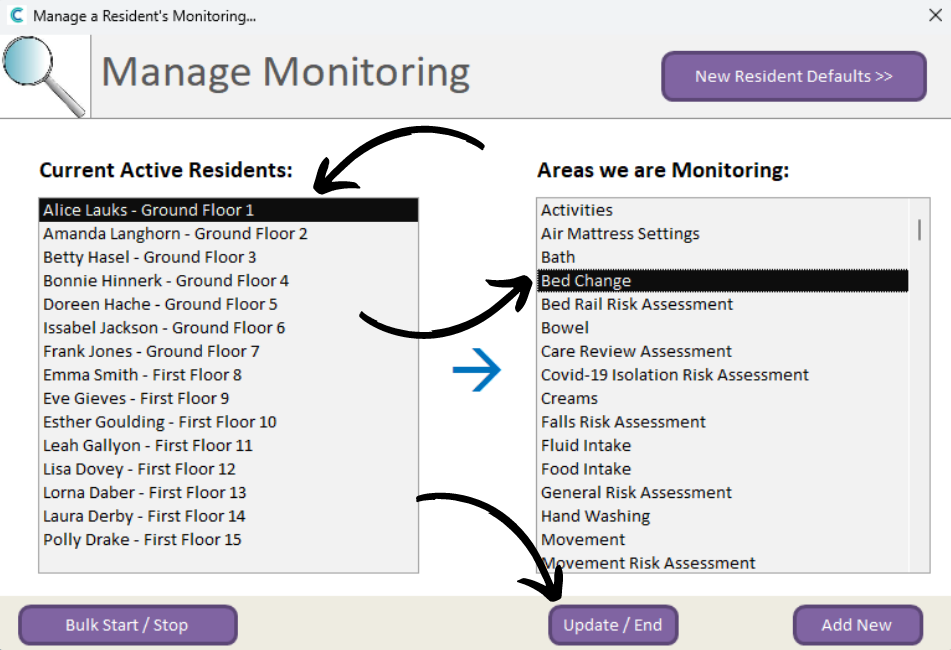
A new window will open. Here, select a service user from the left, and select a monitoring area from the right. Then, press Update / End.
3
Another new window will open. Here, select End Monitoring from the ‘duration’ tick boxes. Then, enter a reason for the monitoring being ended and finally, press Update Monitoring.
The monitoring area will be removed from the service users active list.
4
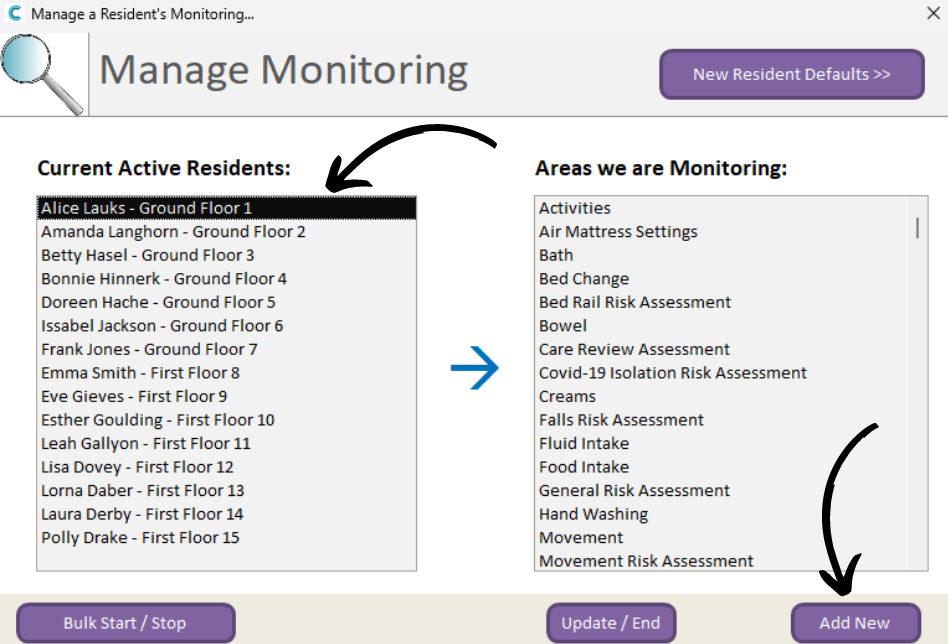
To add a new monitoring area for a service user, first navigate back to the Manage Monitoring screen, as shown at the start of this guide.
Then, select a service user and press Add New.
5
A new window will open. Here, select the monitoring area you wish to assign from the drop-down list. Then, press Continue.
6
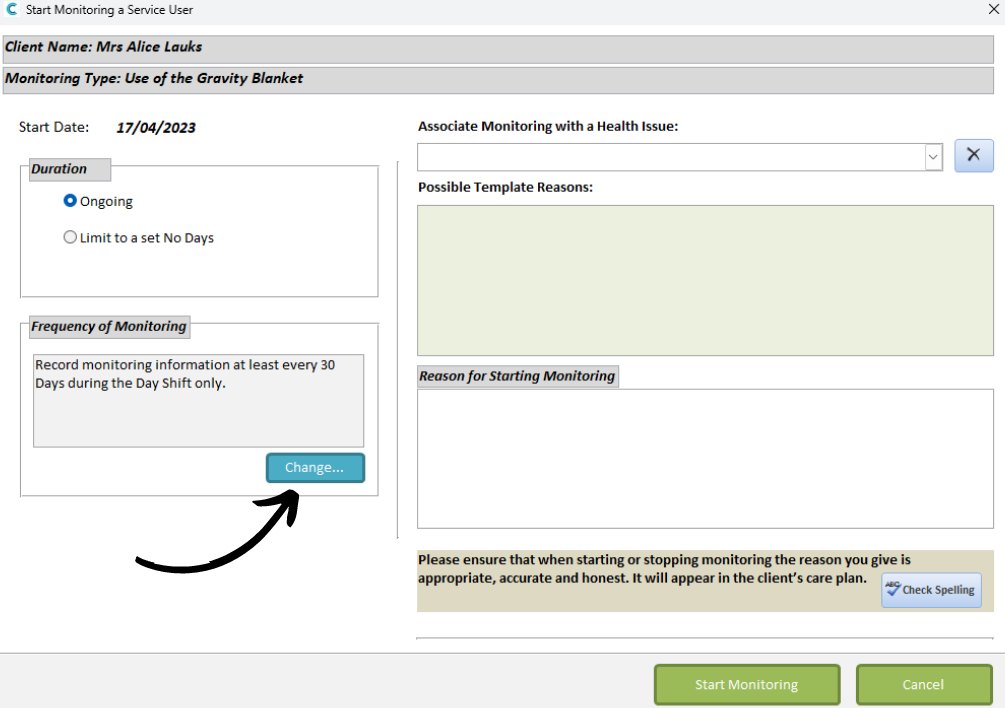
Another new window will open. Here, you can set the frequency parameters for the monitoring area:
Duration:
Ongoing – continuous monitoring
Limit to set no. of days – choose a date for the monitoring to automatically end
Select a Duration, then, press Change.
7
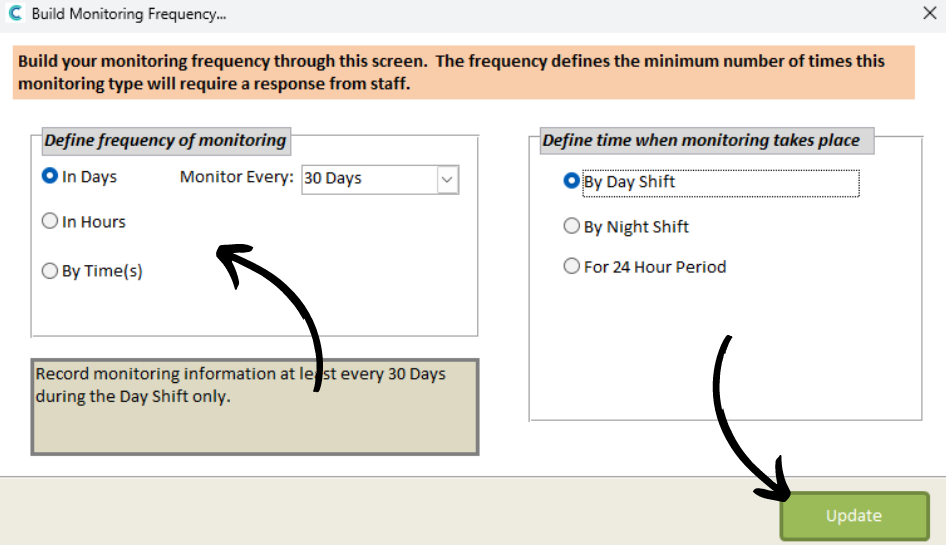
Here, select a frequency:
In Days – occurs every X days
In Hours – occurs every X hours
By Times – occurs at custom times of the day
By Day Shift – occurs within the day shift hours
By Night Shift – occurs within the night shift hours
For 24-hour period – occurs throughout the day, both day & night
Press Update after selecting your frequency parameters.
8
To complete the monitoring addition, enter a reason for starting the monitoring and finally, press Start Monitoring.