This guide will cover how to change the holiday year within CC Windows. The holiday year is the annual period for which holiday allowance hours are calculated and can be set to best suit your organisation.
1
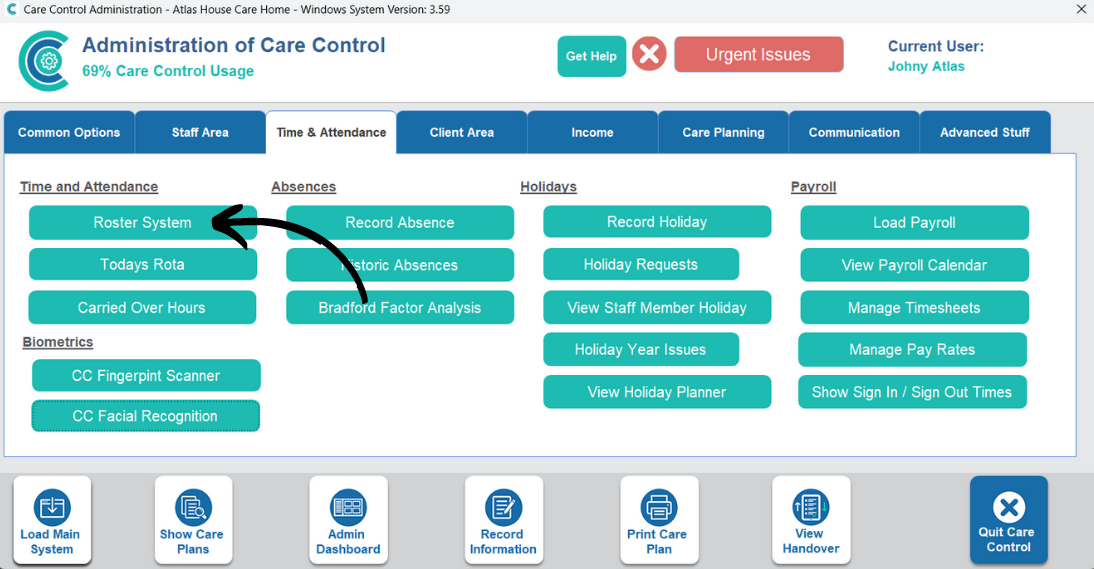
In the Administration of Care Control Windows, open the Roster System which can be found under the Time & Attendance tab.
2
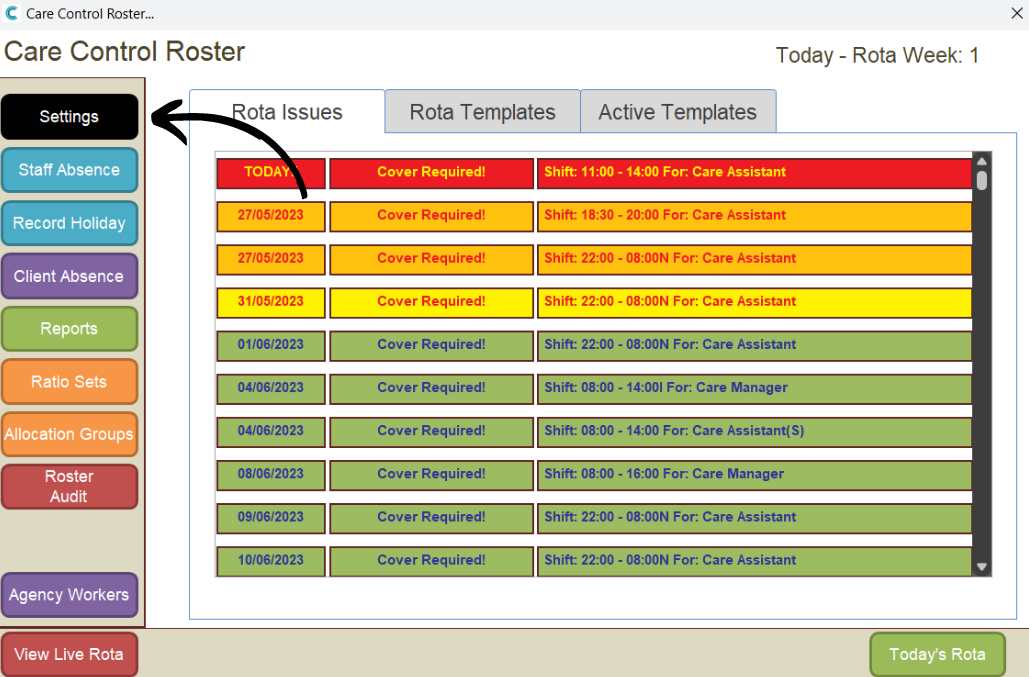
In the roster window, open Roster Settings from the options on the left-hand side.
3
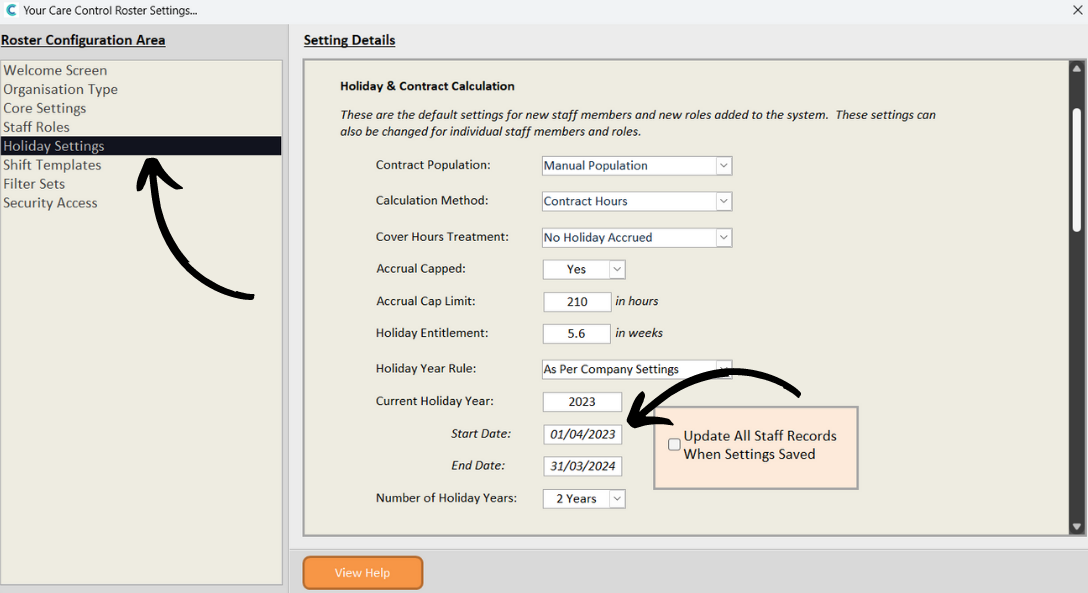
Here, select Holiday Settings from the options on the left-hand side. Then scroll down to the Holiday Year settings.
Current Holiday Year – the current, active year must match the following:
Start Date – the start date of the current holiday year period
End Date – the end date of the current holiday year period
Number of Holiday Years – number of active periods – 2 years means the next holiday year is available for bookings, calculations etc.
After making any changes, tick the Update Staff Records box, then press Save Changes.
4
You can view any changes from a staff members profile. Under the Holiday tab, the holiday year is displayed at the top.