You could win a £250 Amazon gift card! All you need to do is spare us 3 minutes of your time. Click here to find out more!
This guide will cover how to record Bath or Shower monitoring on Care Control Cloud.
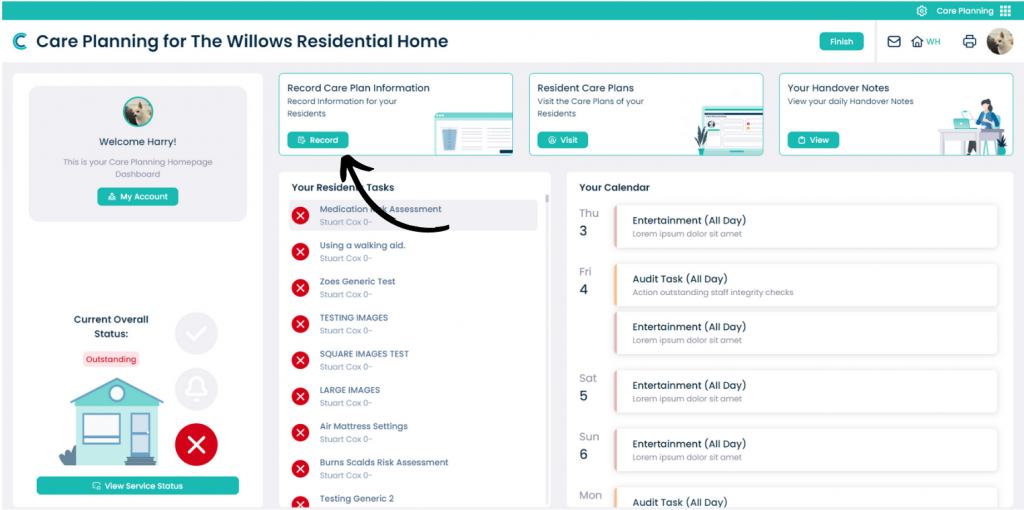
In the Care Planning application on CC Cloud, select Record Care Plan Information.
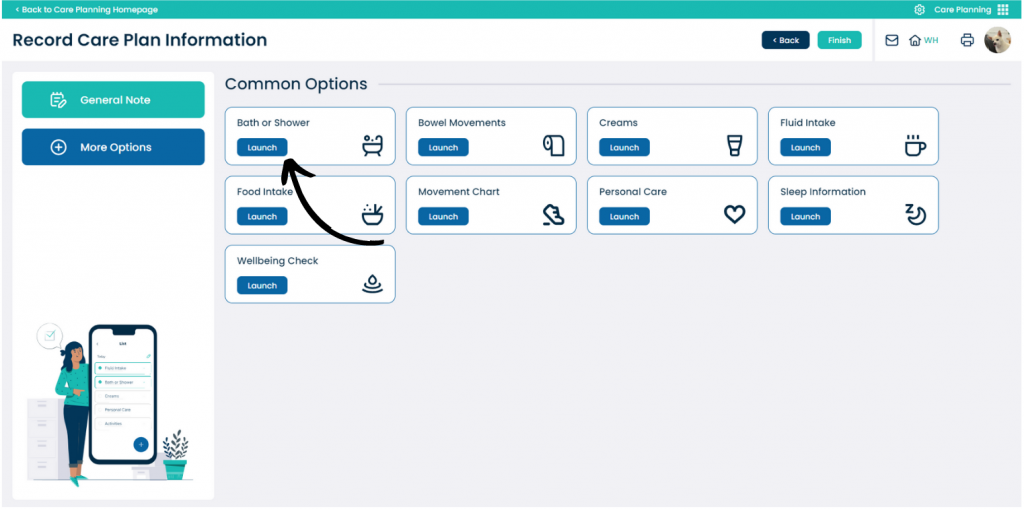
A list of common recording options will be displayed.
Here, select Bath or Shower.
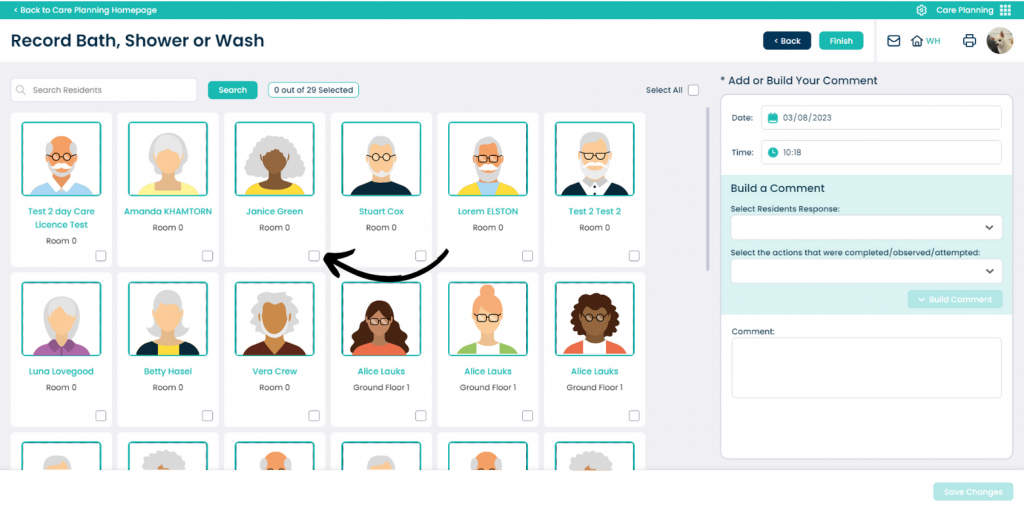
You will be presented with a blank form.
First, select the service user(s) you wish to record for via the checkbox.
Next, complete the ‘Build a Comment‘ options via the drop-down lists.
You can either press ‘Build Comment‘ to auto-generate a note based upon the selections above, or, you can type in the Comment box manually.
Finally, press Save Changes.