This guide will cover how to record Behaviour Monitoring on Care Control Cloud. This tool can be used to monitor changes in a service users general mood, energy levels, temperament as well as some other parameters.
1
In the Care Planning application on Care Control Cloud, select Record Care Plan Information.
2
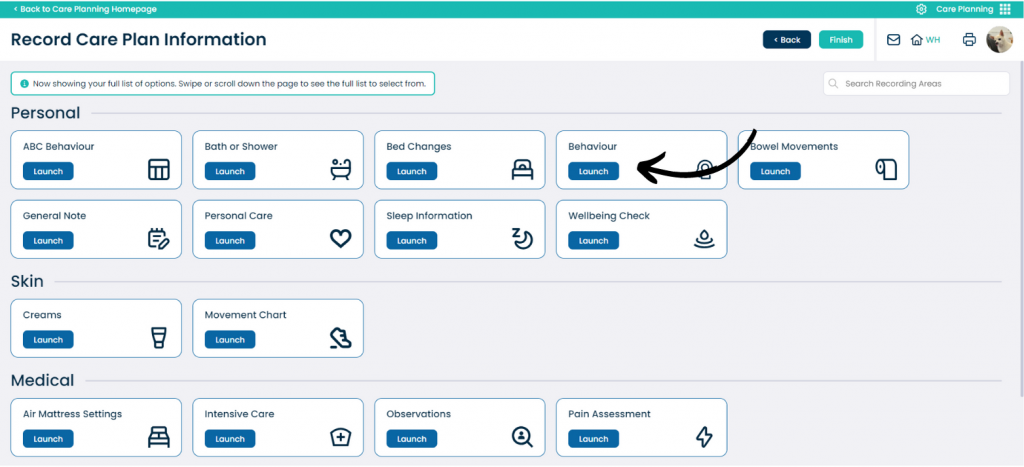
A list of common recording options will be displayed. Press More Options to view more.
3
From the extended list of recording options, find and select Behaviour.
4
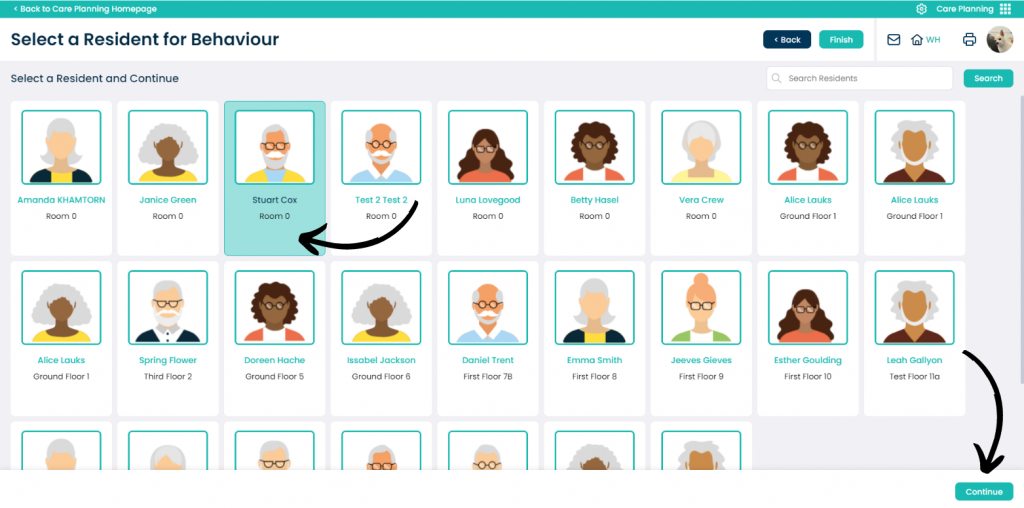
A list of service users will be displayed. Select the one you wish to record for, then press Continue.
5
Use the sliders on the left hand side of the window to score the service user on things like General Mood, Energy Levels, Temperament etc.
You can also enter a description and comment to the monitoring to reflect on the scores given. After completing the form, press Save Changes.