Bank Holiday Closure Notice: We will be closed on the 3rd April for the Easter bank holiday, so our customer service team will not be available on this day. If you need to get in touch, you can still use our customer contact form and we will get back to you as soon as possible. Even better, Margo will still be available on our phone lines to help with your queries whenever you need support. We hope you have a lovely Easter weekend 🐣
View Categories
Changing QR Code Security
This guide will cover how to change the Security Setting pre-Fix on Care Control Windows. This pre-fix is encoded into each QR Code, and when changed, prevents old codes from working. This can be useful to prevent QR Code misuse.
1
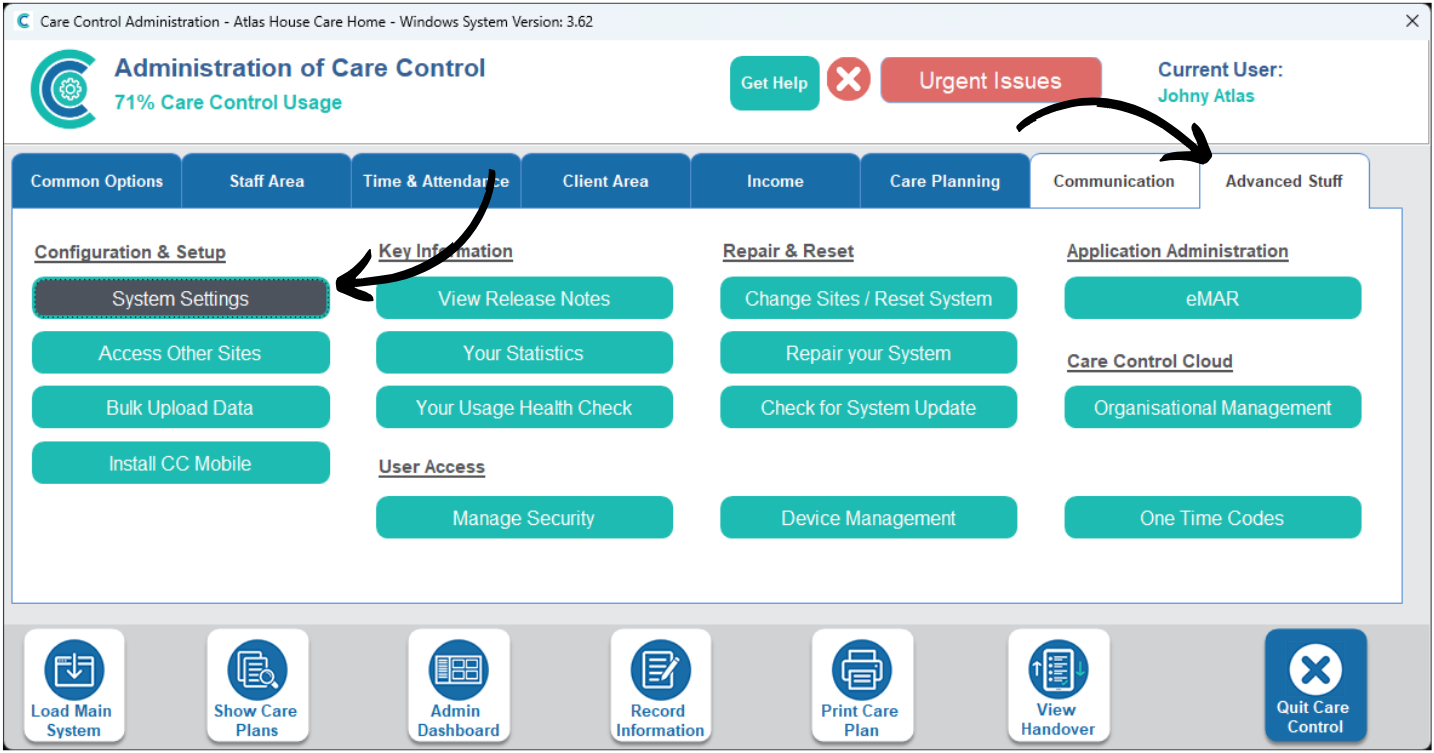
In the Administration of Care Control Windows, navigate to the System Settings, which can be found under the Advanced Stuff tab.
2
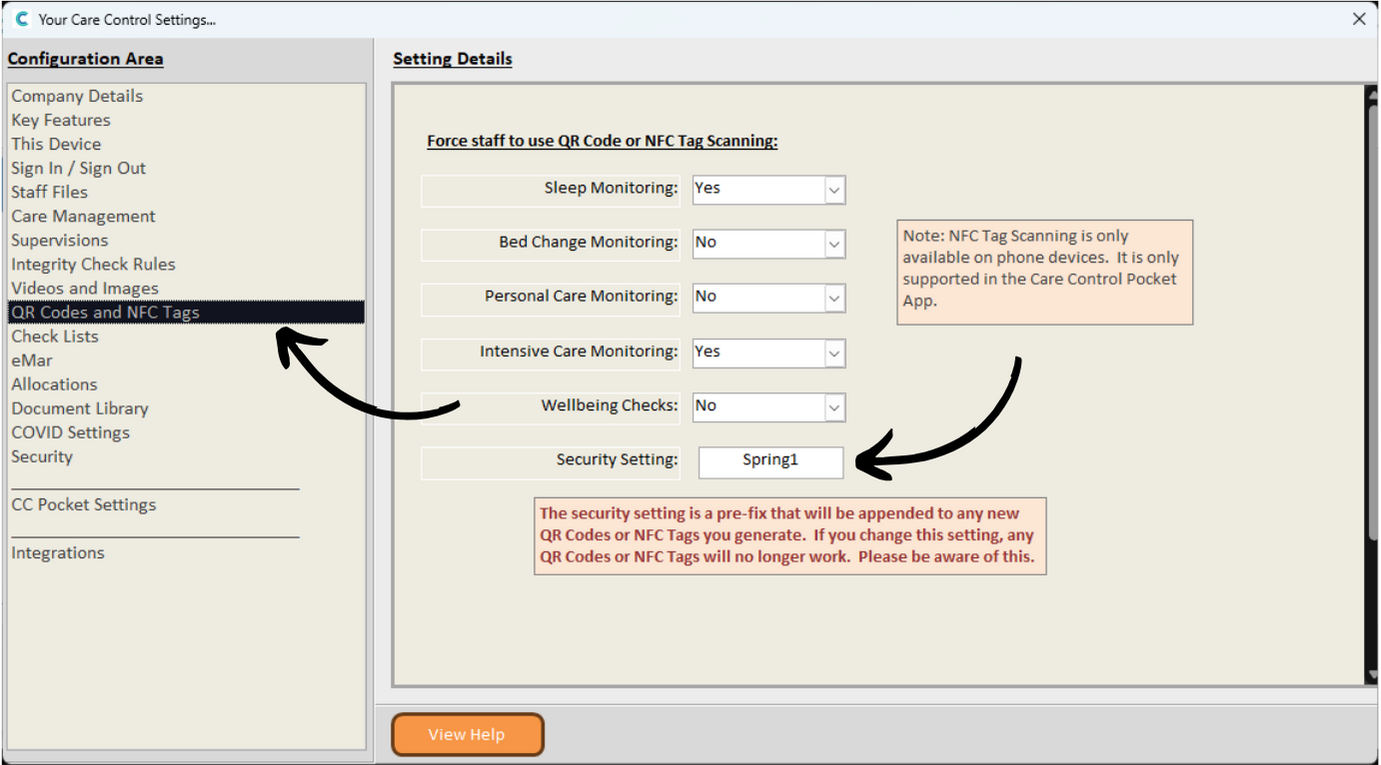
Here, select QR Codes & NFC Tags from the menu on the left hand side. This will open the related settings on the right hand side of the window.
You can change the Security Setting option here. This can be a combination of letters and numbers are you desire.
Please note: all QR Codes will require regenerating after the pre-fix is changed. Any old QR Codes will no longer work.
Make sure to Save Changes after making any amendments.