This guide will cover how to change sites on Care Control Windows. This method will reset your system so that you can re-register using a different site or business code.
1
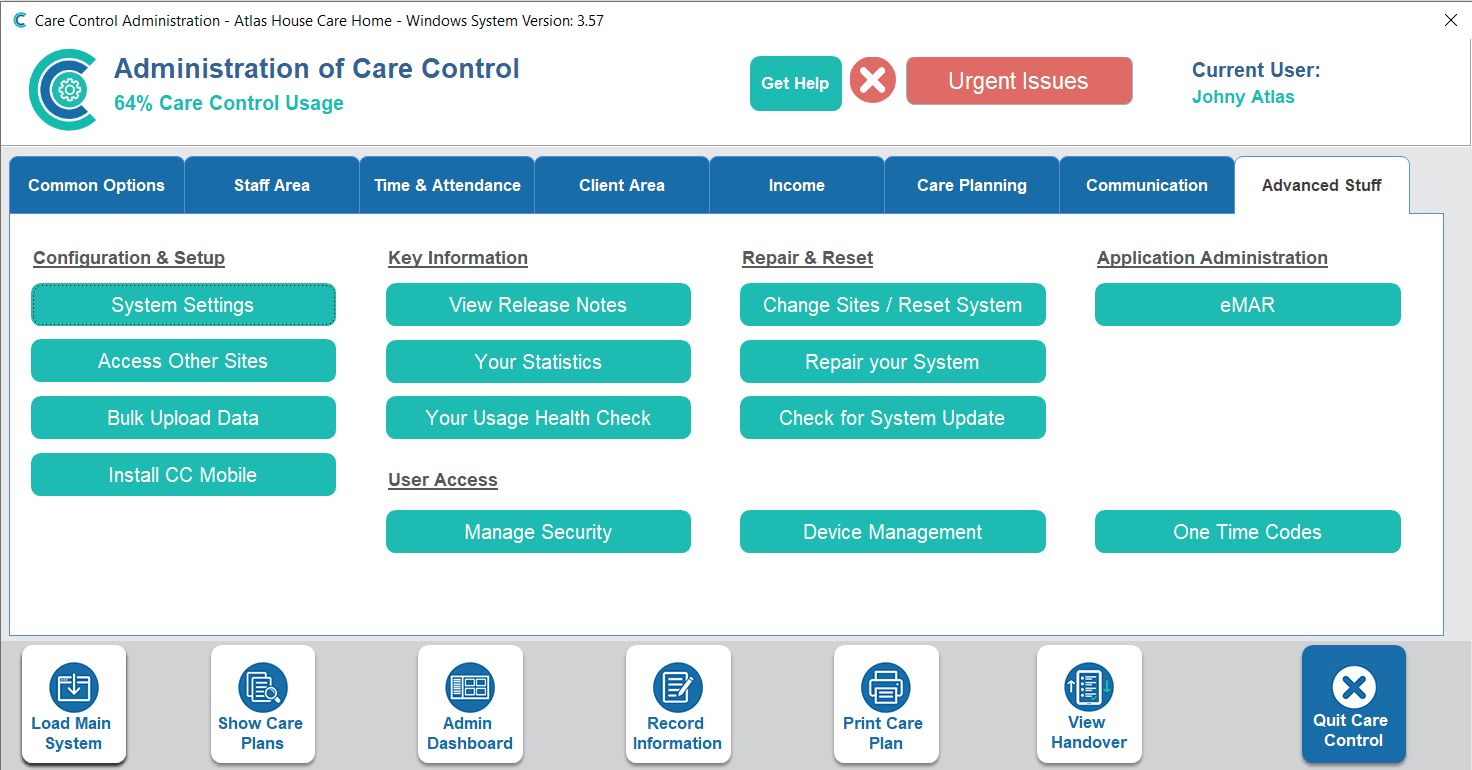
In the Administration of Care Control Windows, navigate to the Change Sites / Reset System button, which can be found under the Advanced Stuff tab.
2
You will be prompted to confirm your decision. Press Yes.
3
Your Care Control will reset. Press Start System to begin registration.
4
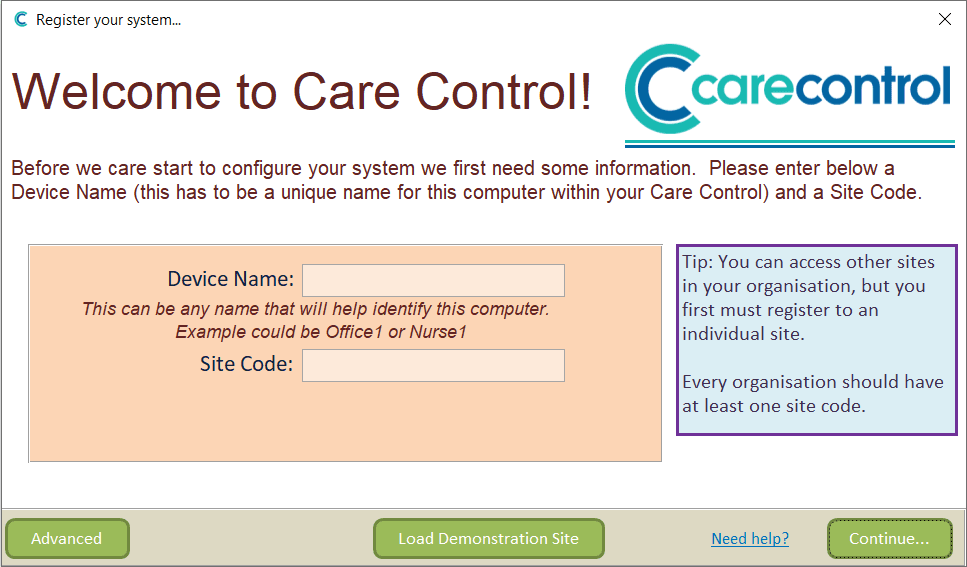
Enter a Device Name and Site Code, then, press Continue.