Bank Holiday Closure Notice: We will be closed on the 3rd April for the Easter bank holiday, so our customer service team will not be available on this day. If you need to get in touch, you can still use our customer contact form and we will get back to you as soon as possible. Even better, Margo will still be available on our phone lines to help with your queries whenever you need support. We hope you have a lovely Easter weekend 🐣
View Categories
Check In Analysis
This guide will cover how to access and export the Check In Analysis from visits made by your staff members.
1
Before running the Check In Analysis tool, it is important to make sure all your clients locations are geo-coded.
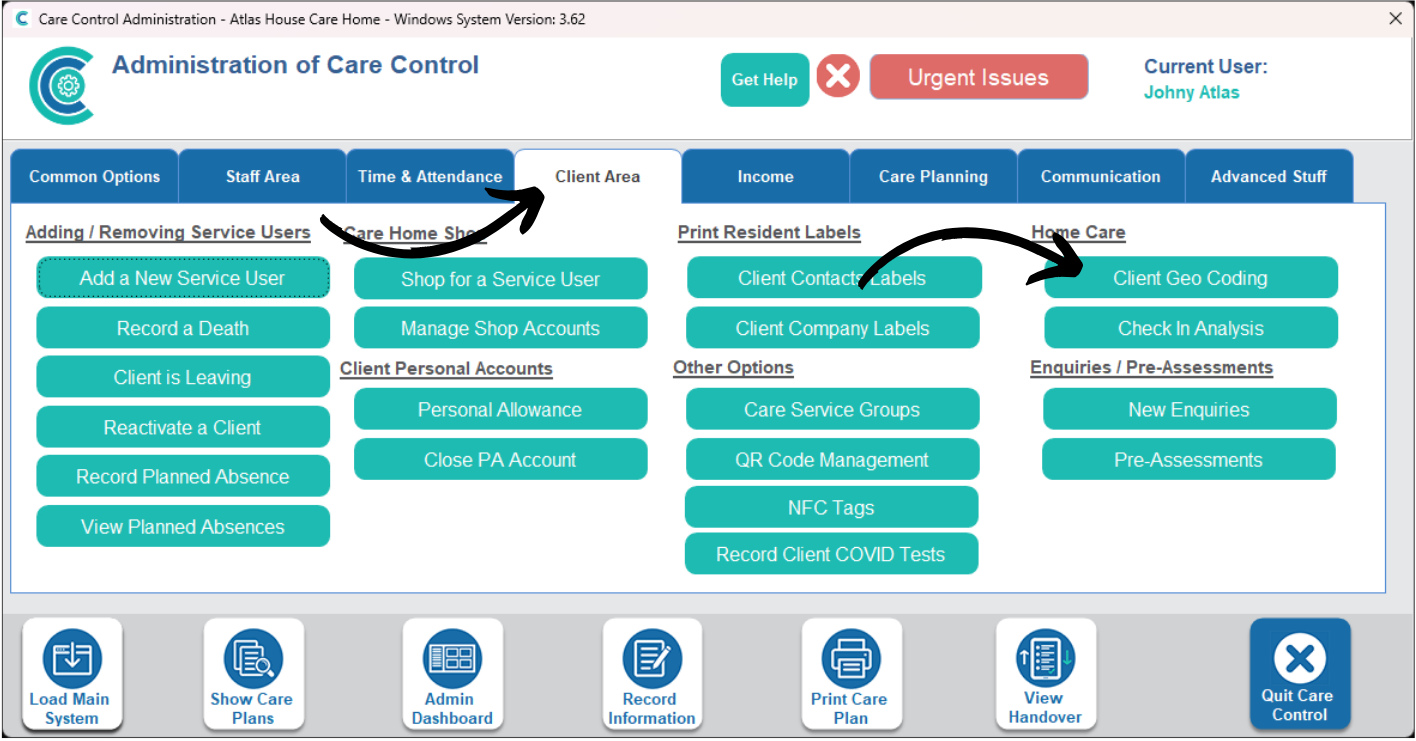
In the Administration of Care Control Systems, navigate to the Client Geo Coding tool, which can be found under the Client Area tab.
2
Press Load All Missing Locations.
3
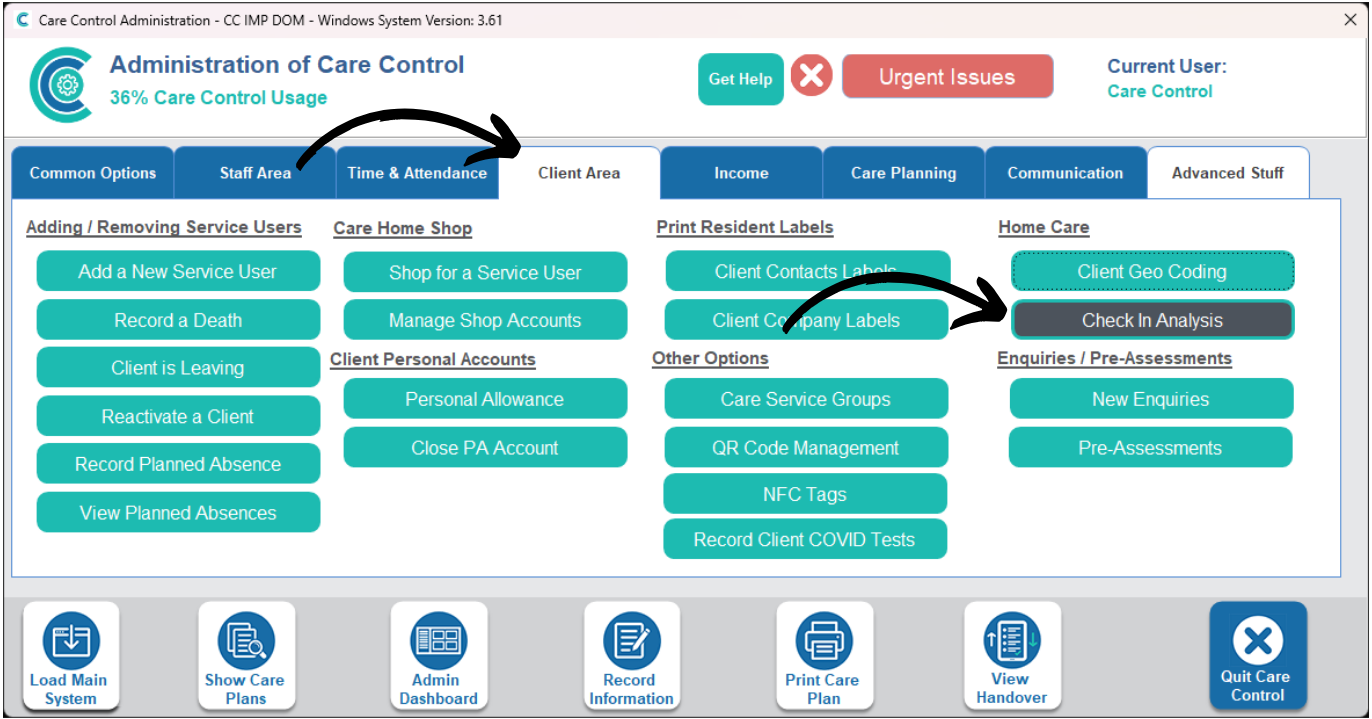
Now, in the Administration of Care Control Windows, navigate to the Check In Analysis tool, also found under the Client Area tab.
4
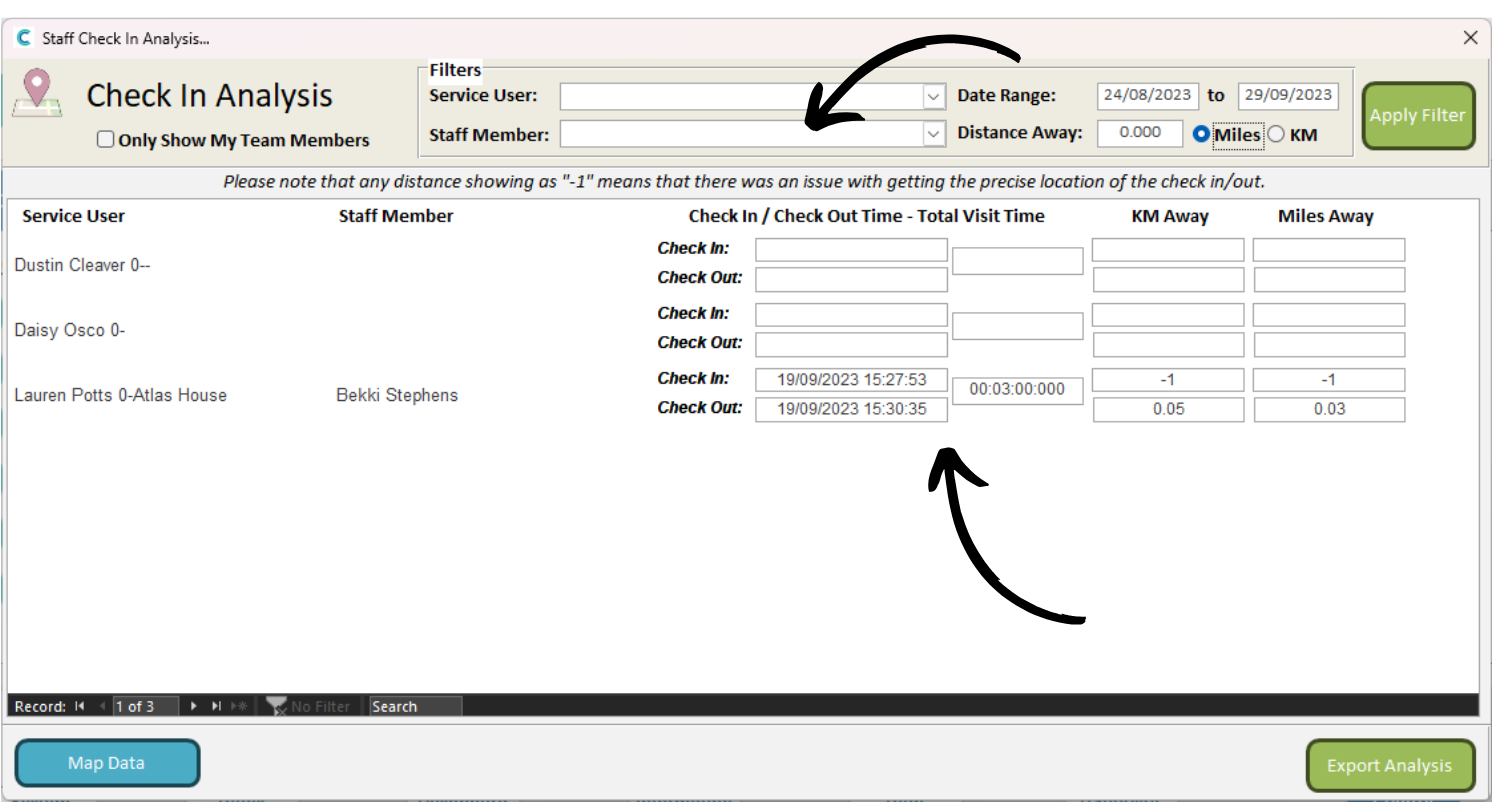
A new window will open. Here, you can filter the analysis by Service User, Staff Member, Date Range and Distance. Press Apply Filters after adding it.
The analysis gives each visit as a row, showing the check in and out time, as well as the Total Visit Time. You can also see how far away the staff member was when they checked into the visit, in both KM and Miles.
5
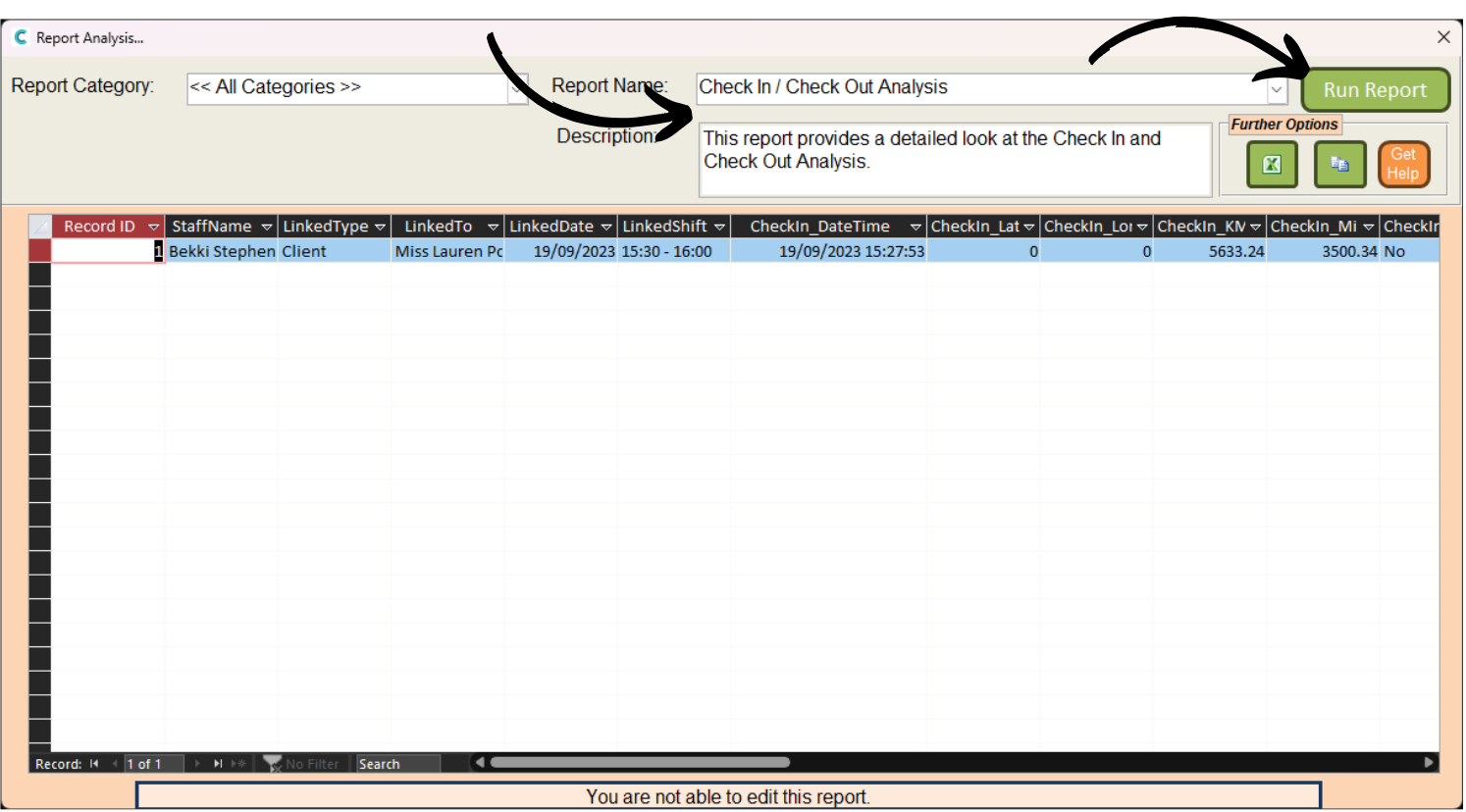
You can also view this analysis in the Analysis Reports tool.
6
Here, select the Check In / Out Analysis report from the Report Name drop-down list. Then, press Run Report.