🚀 UPCOMING WEBINAR: See Payroll in Care Control Cloud in action on Thursday 18th June and discover how to manage payroll more efficiently from one connected system. Click here to find out more!

View Categories

Create further rotas in Cloud Roster

To make further rotas in Roster Cloud you need to follow these simple steps.

Step 1:

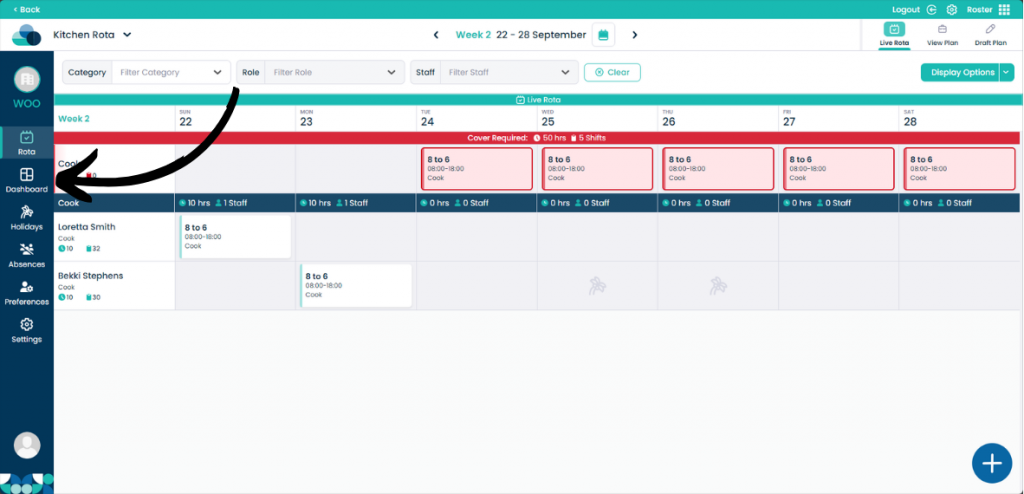
When looking at the rota screen, click the Dashboard button on the left hand pane.

Step 2:

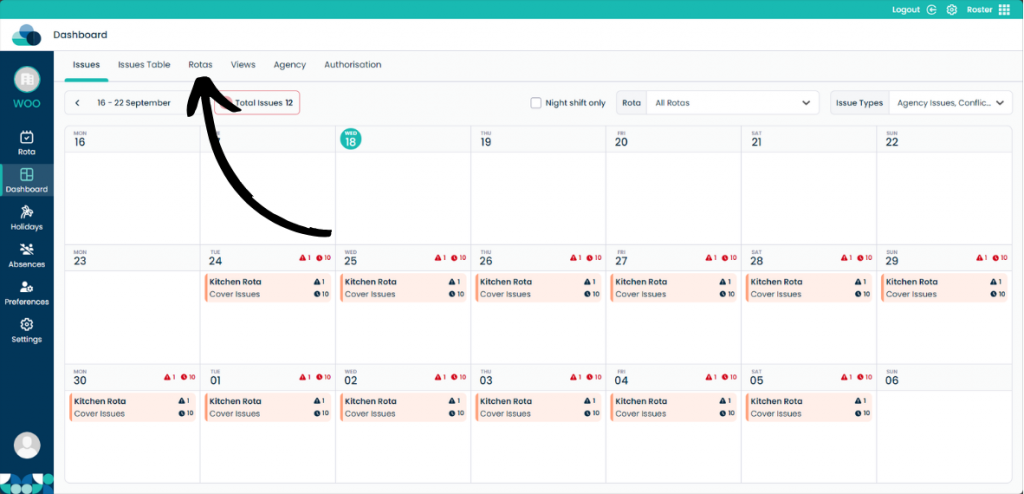
On this page, click Rotas on the menu.

Step 3:

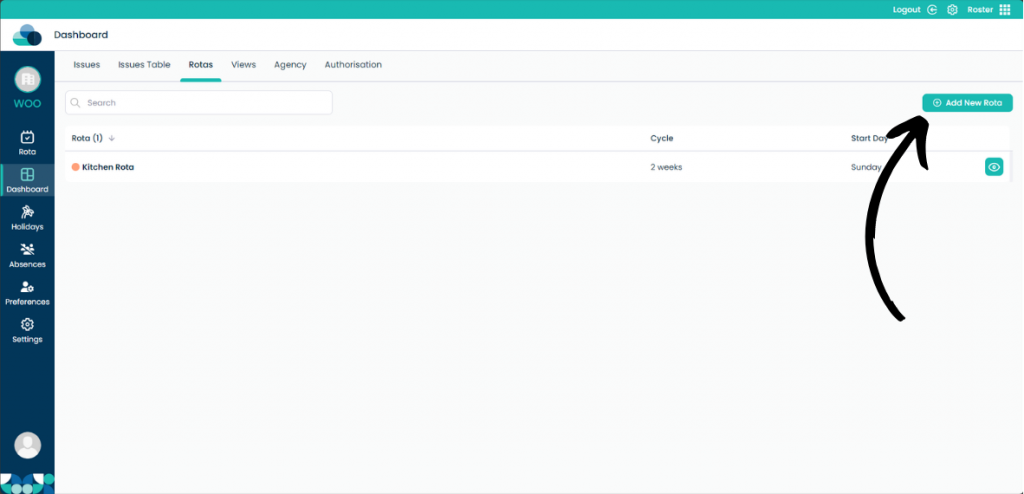
Click Add New Rota.

Step 4:

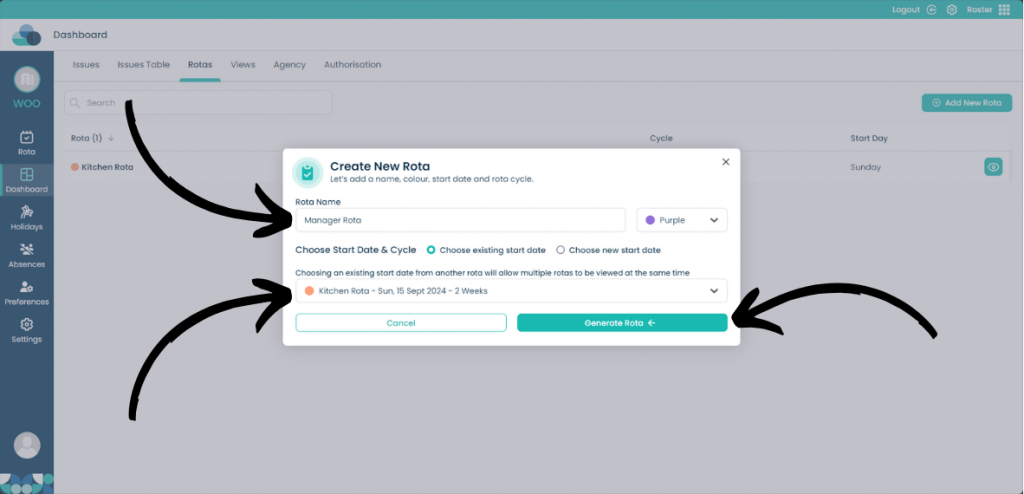
The same menu when you created your first rota will appear. Input all of the information for the new rota.

On this page you can select Choose existing start date. This will start the rota at the same time as your already made rota.

Once you are happy with the settings, click Generate rota.