Join our next webinar to learn how to use Care Planning in Cloud
This guide will cover recording staff DBS checks in Care Control Cloud
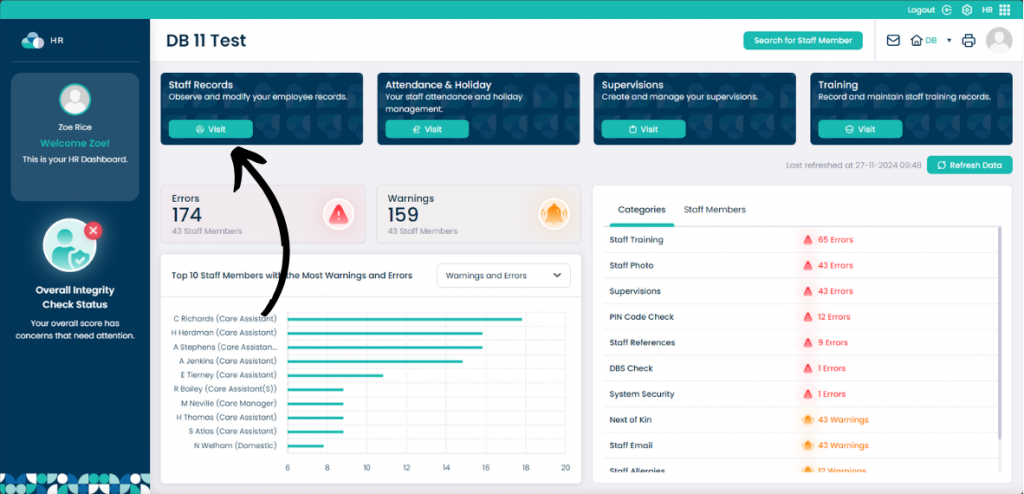
When in the HR App, select Visit under Staff Records.
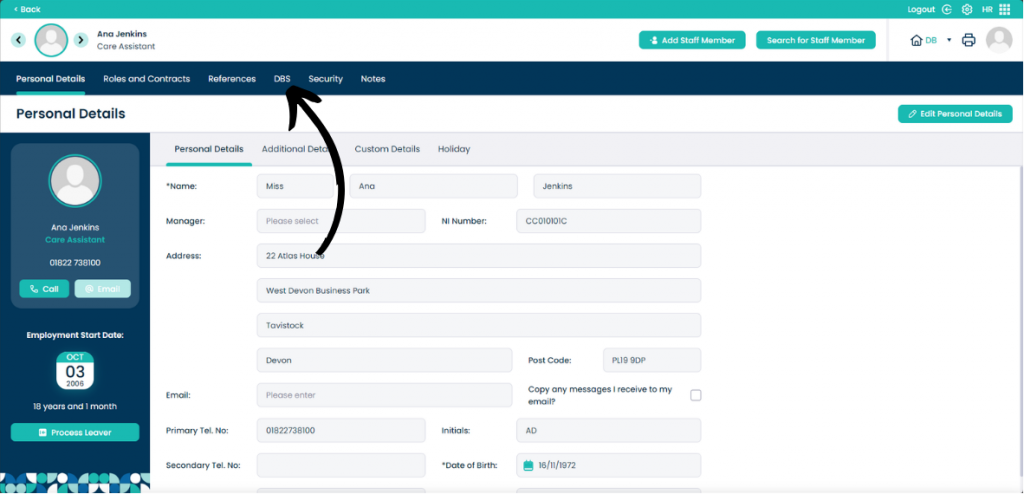
When on the staff member you want to view, click DBS.
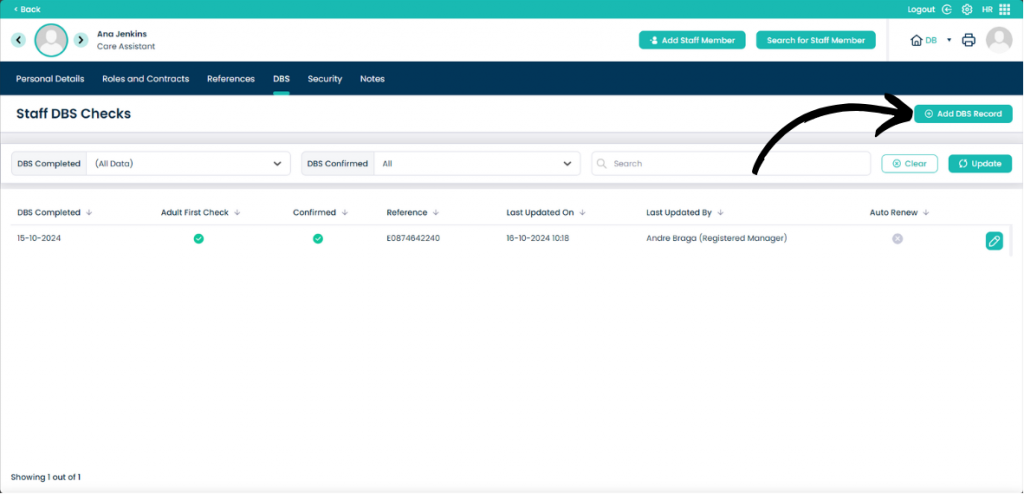
On this page you can view all of the previously completed DBS Checks as well as add new records.
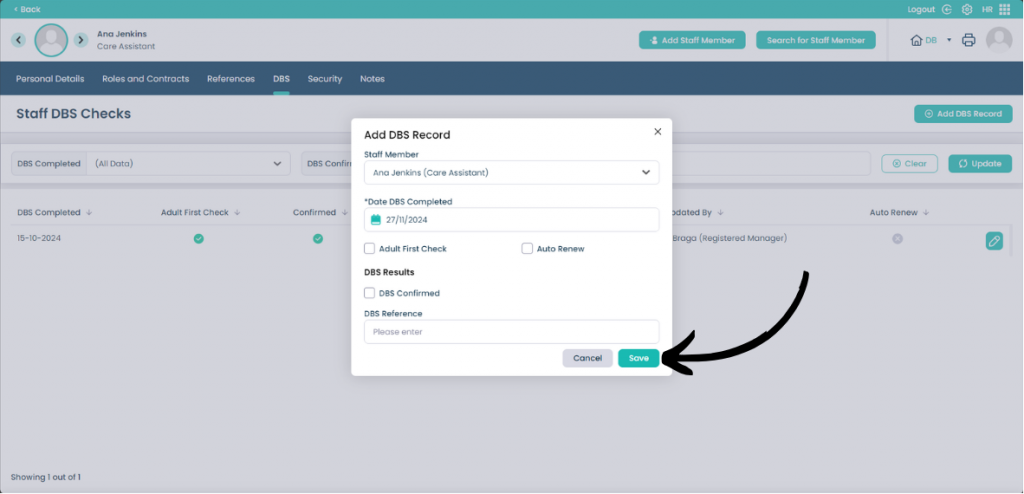
To add a new record, click Add DBS Record.
Add all of the details of the DBS check within the record box. When done, click Save.