This guide will cover how to download Care Control Screens on a laptop / computer. This will allow you to display Screens information if you don’t have a dedicated TV for the job.
1
Visit out downloads page and select Care Control Screens under the ‘For Windows Devices’.
www.carecontrolsystems.co.uk/downloads
2
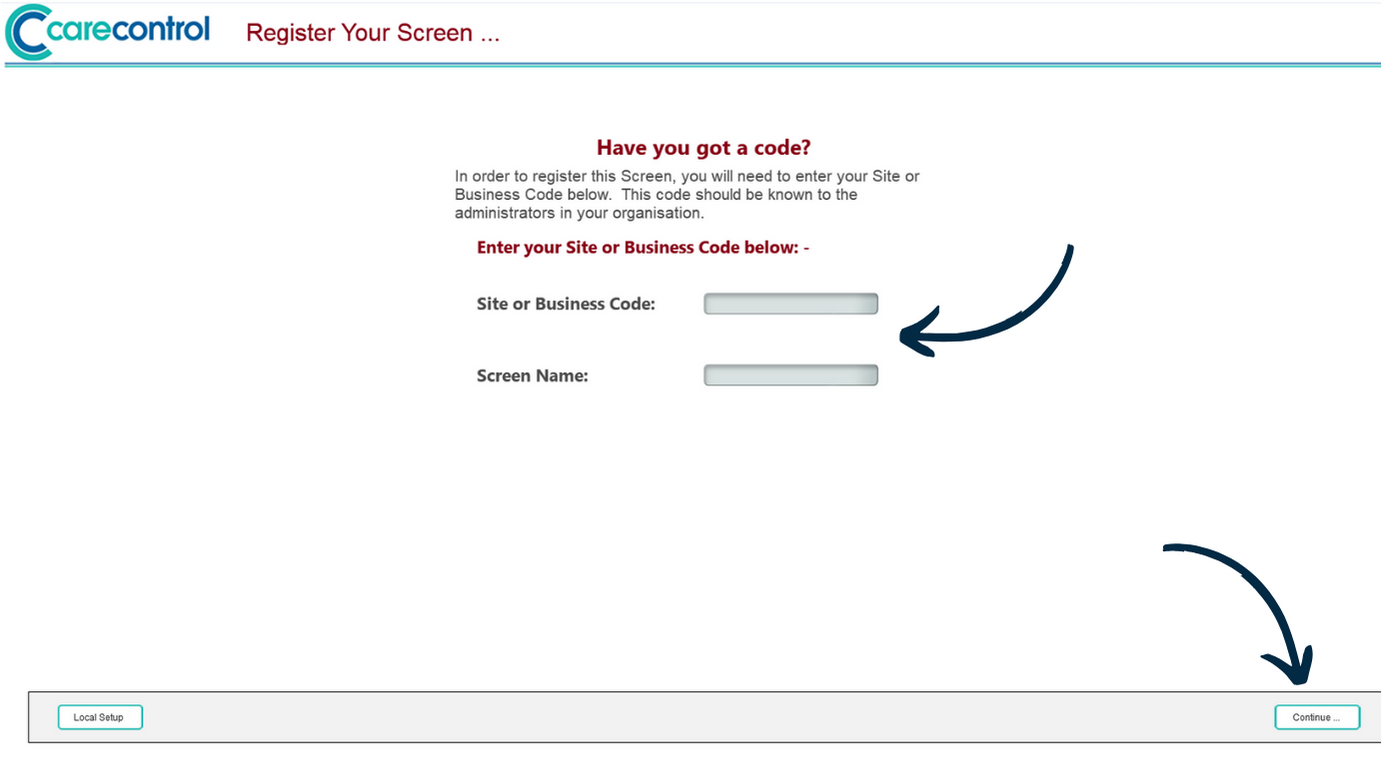
After downloading and running the installer, open Care Control Screens.
Next, enter your Site or Business Code and a Screen Name. The screen name is simply an indicator for this device – an example could be ‘laptop’ or ‘John PC’.
Then, press Continue.
3
A screen showing your company logo will be displayed. This means that the screen is ready to be configured in Care Control Screens Controller.
Please see our dedicated guide on configuring your screen: