Bank Holiday Closure Notice: We will be closed on the 3rd April for the Easter bank holiday, so our customer service team will not be available on this day. If you need to get in touch, you can still use our customer contact form and we will get back to you as soon as possible. Even better, Margo will still be available on our phone lines to help with your queries whenever you need support. We hope you have a lovely Easter weekend 🐣
View Categories
Emergency Roll Call
This guide will cover how to use the Emergency Roll Call feature on Care Control Mobile in the scenario where a list of staff members currently working is required for a register.
1
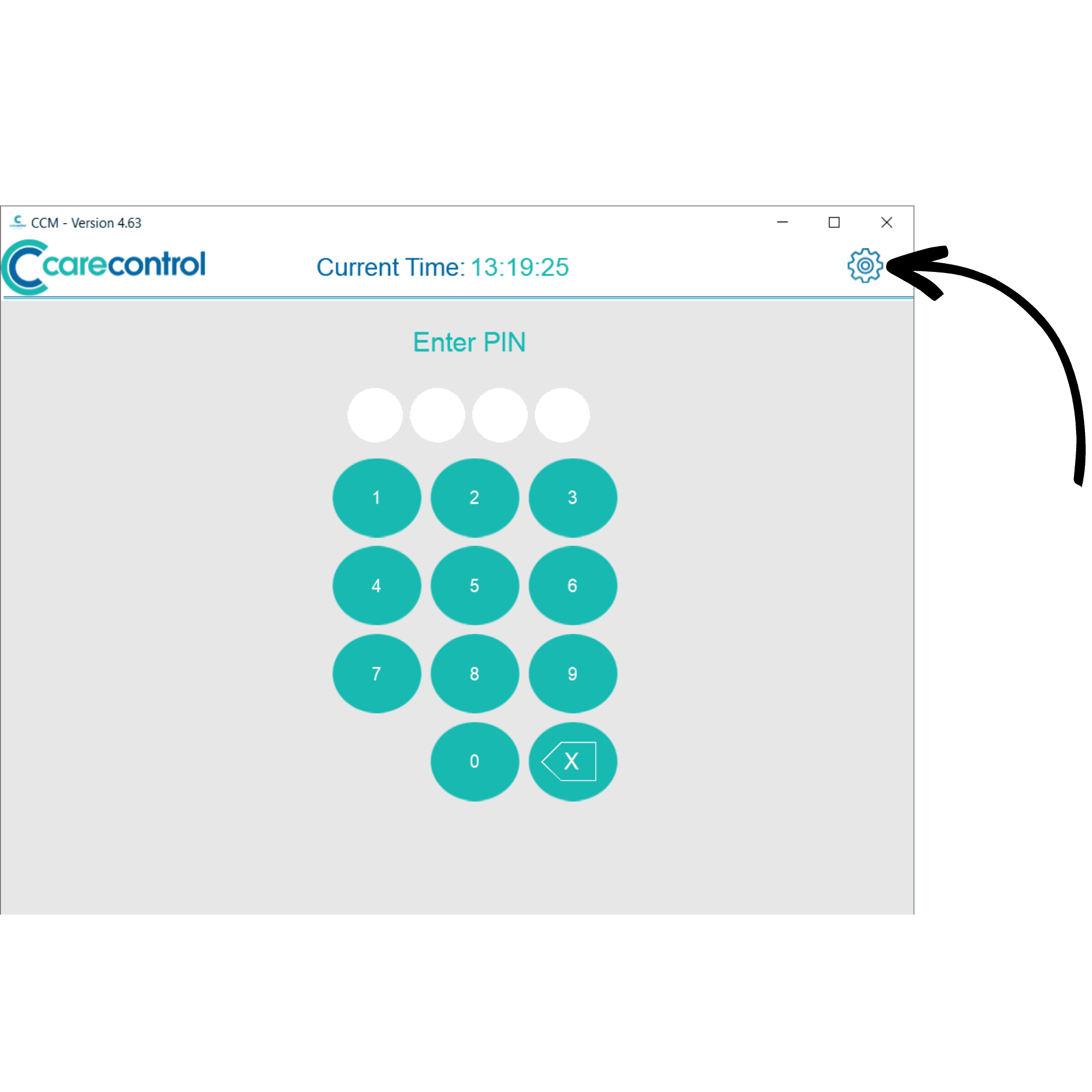
After launching Care Control Mobile, press the cog wheel on the PIN screen.
2
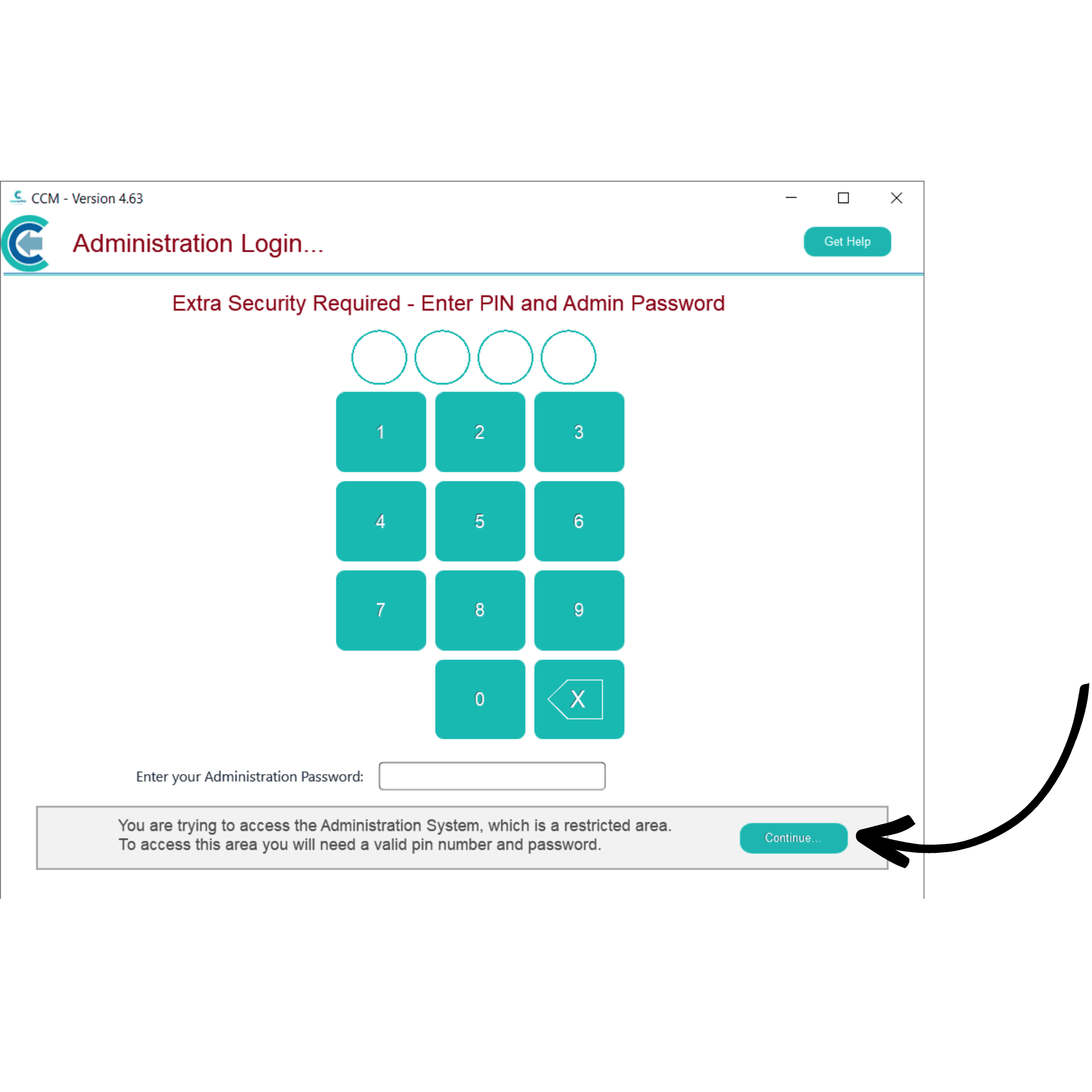
Enter your PIN and Administration Password for your organisation. Then, press Continue.
3
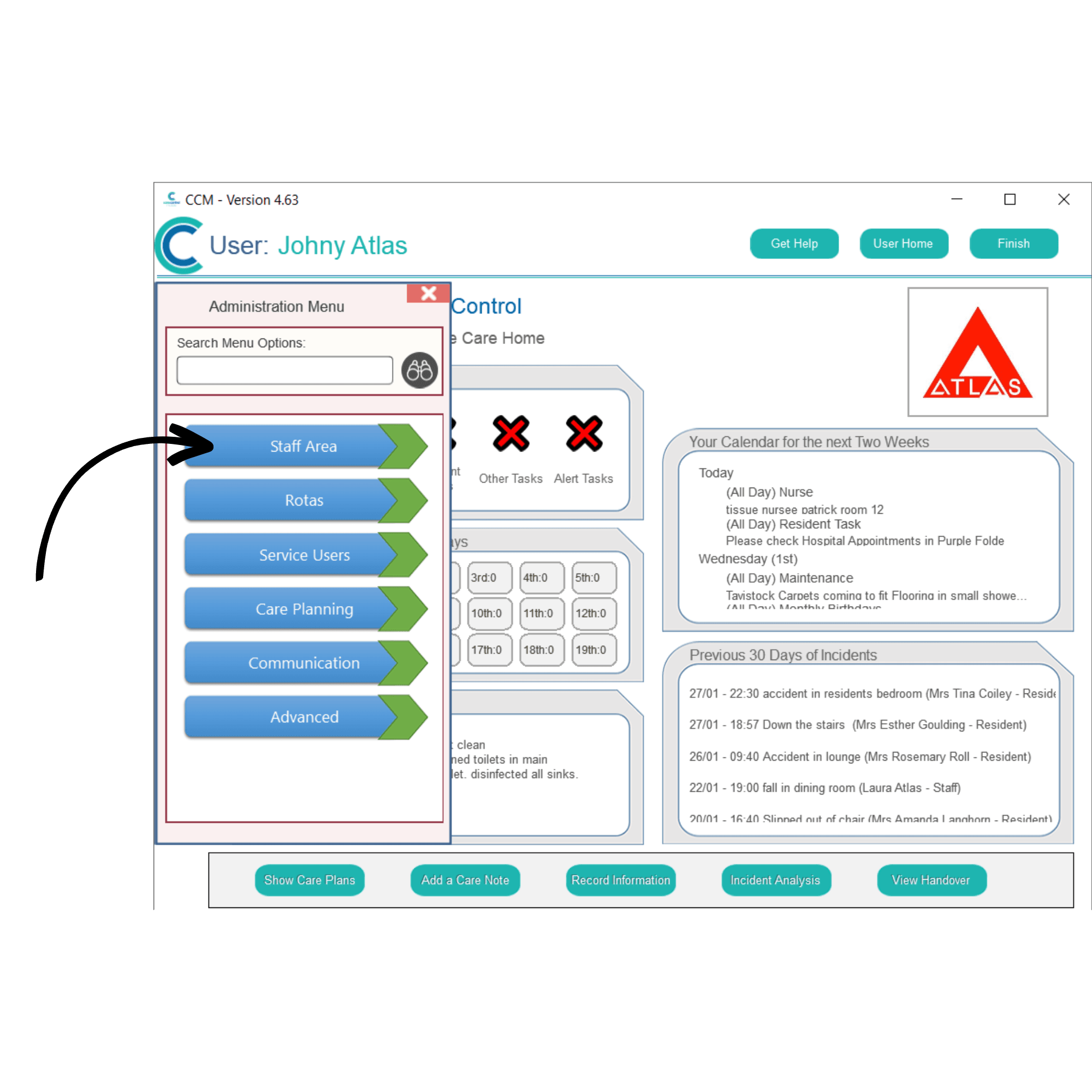
The Administration Dashboard will be displayed. Here, open the side menu by pressing Show Administration Options.
4
Select Staff Area.
5
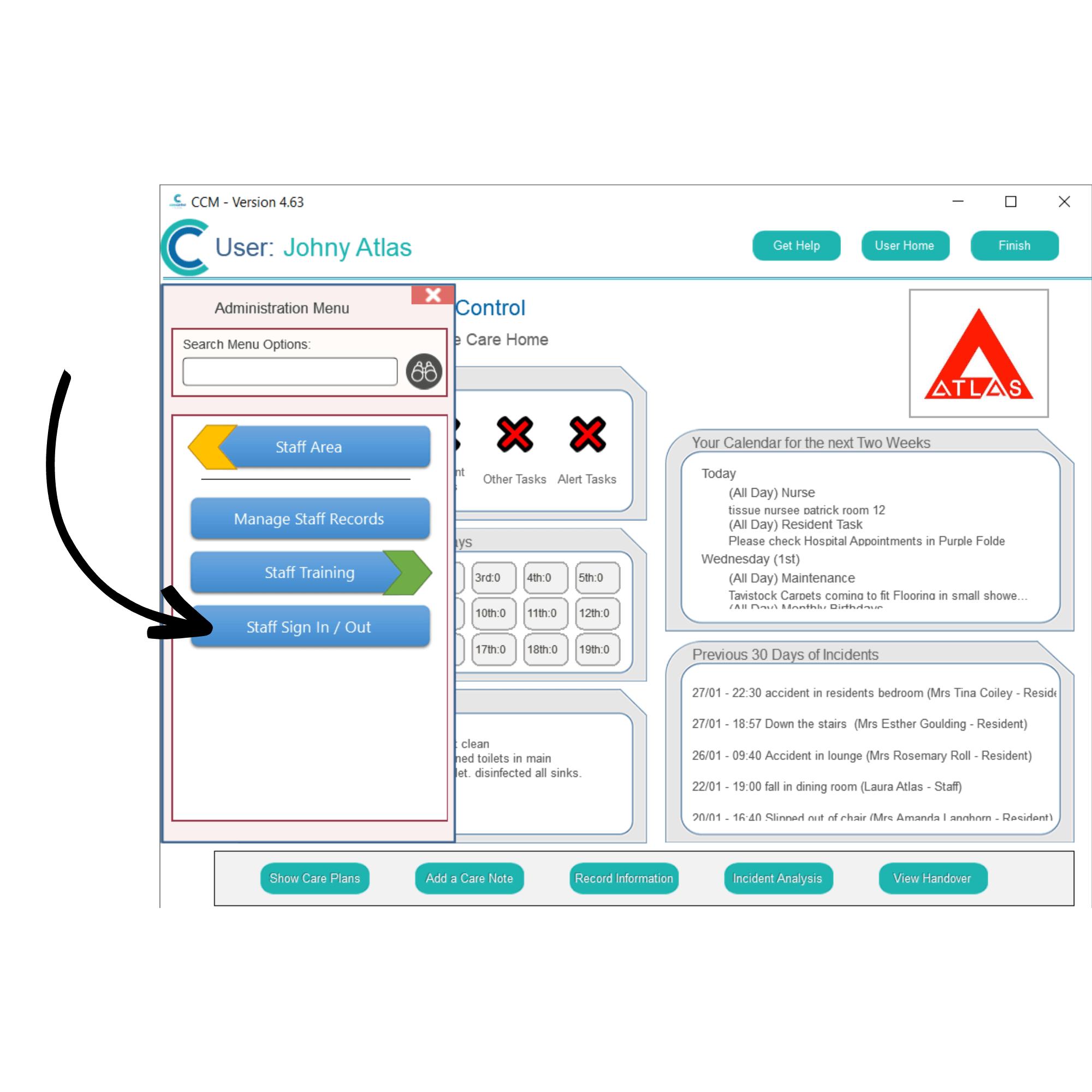
Select Staff Sign In / Out
6
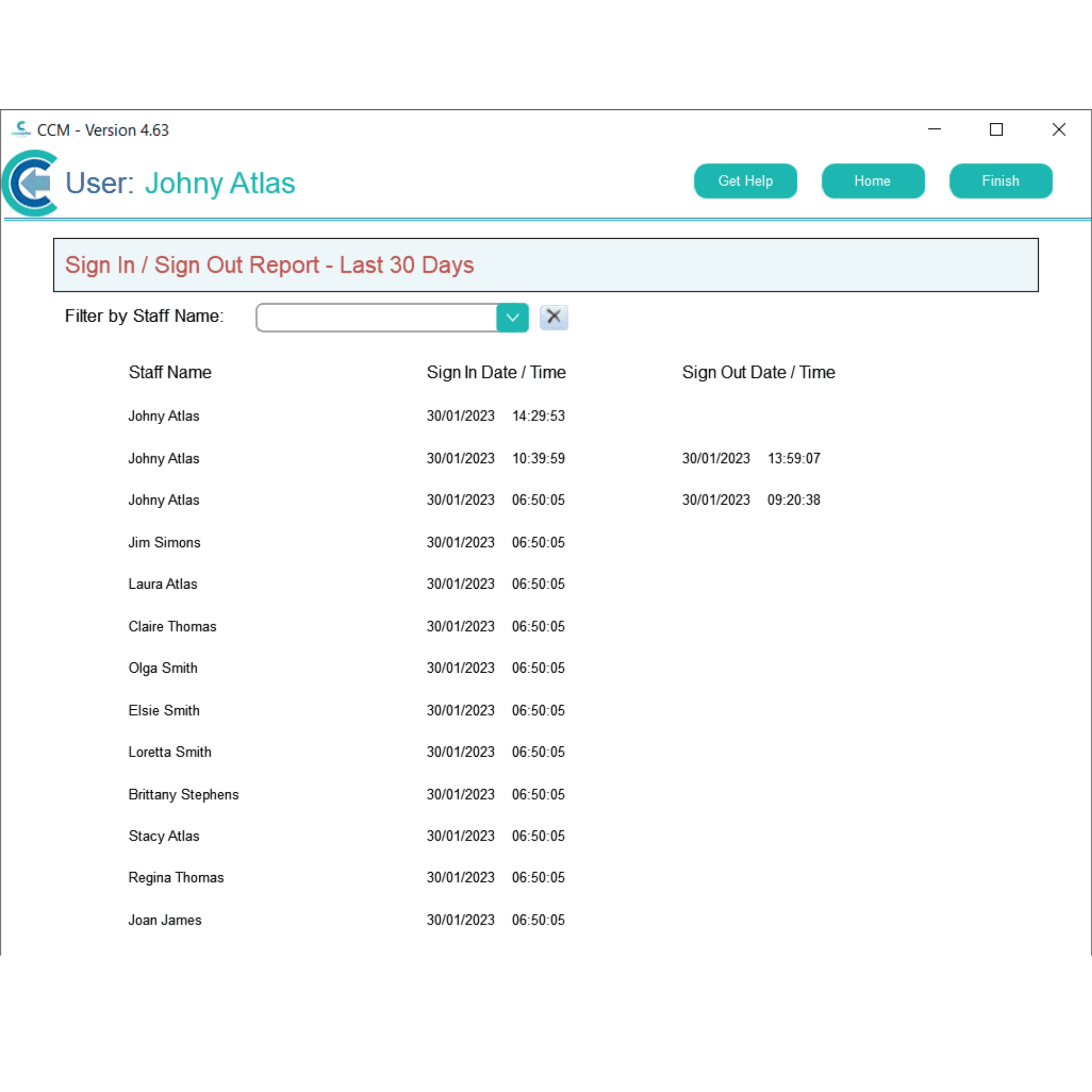
A page will open displaying a sign in/out list of your staff members. The most recent sign in’s will be shown at the top, along with the time of the sign in, and whether the staff member signed out.
This could be useful in emergencies when a list of staff members working is required.