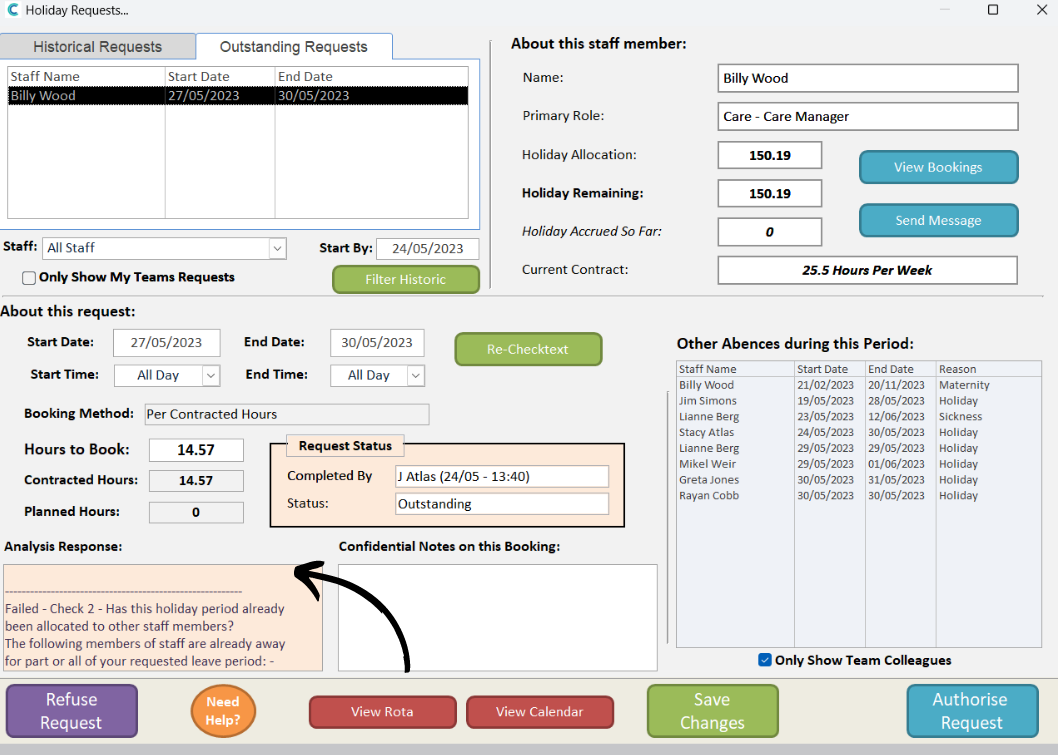
This guide will cover how to manage holiday requests made by staff members on Care Control Windows.
1
In the Administration of Care Control Windows, open the Holiday Requests tool, which can be found under the Time & Attendance tab.
2
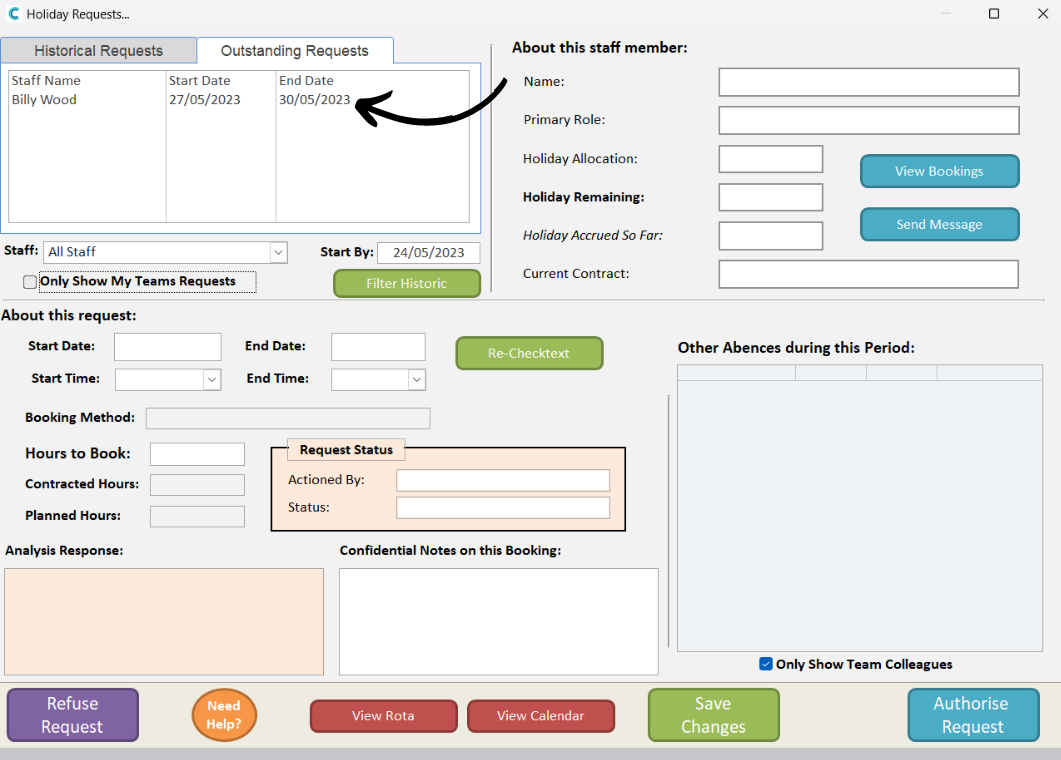
A blank holiday request detail form will open. You can view both outstanding and historical requests by selecting one from the list in the top-left corner of the window.
3
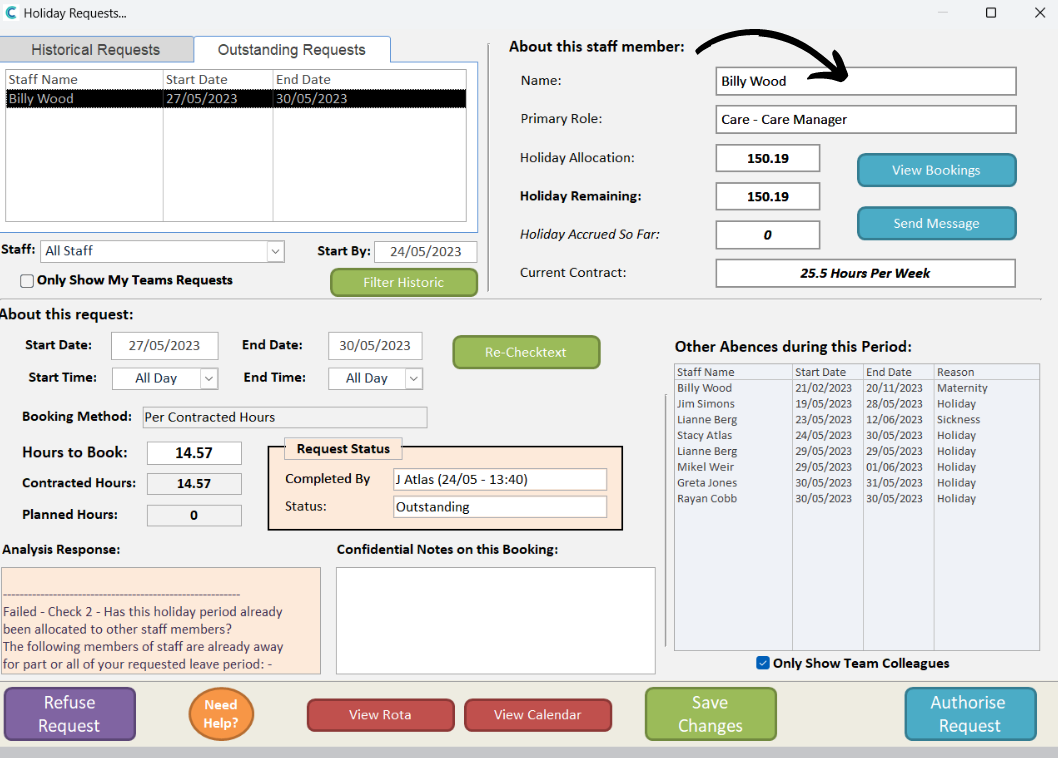
The top right area of the window displays information relating to the staff members contract and holiday allowance. You can view their previous bookings and also message them directly via the respective buttons.
4
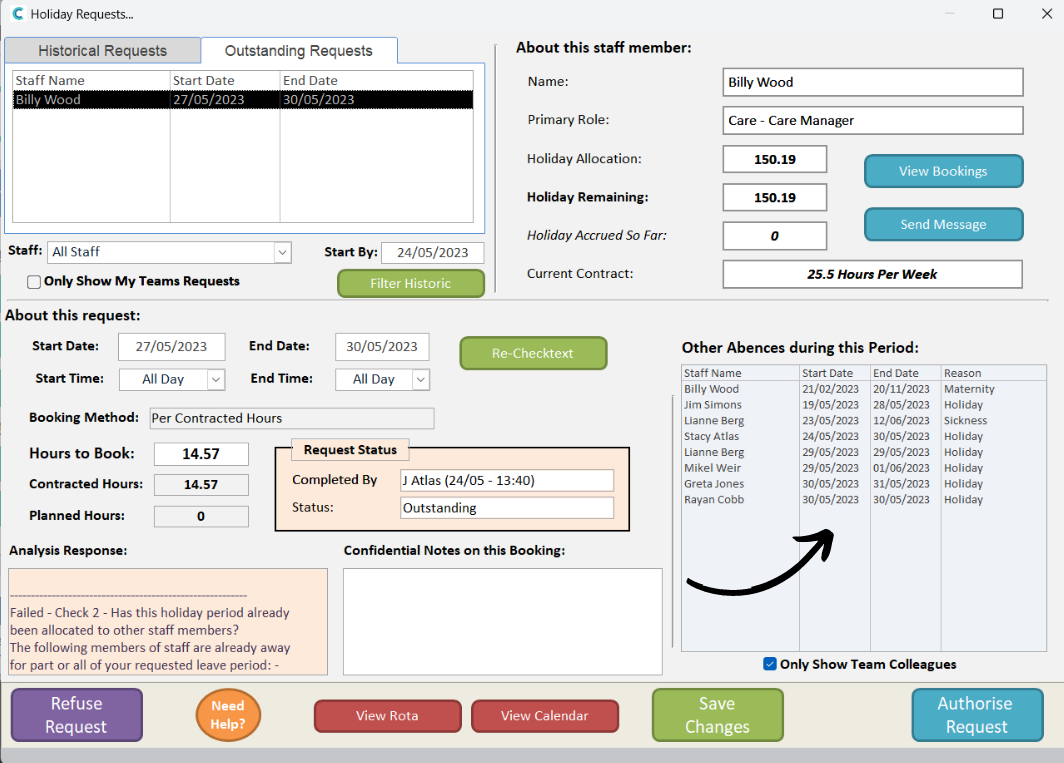
The bottom right area of the window shows other staff members who have time booked off during the requested holiday period.
5
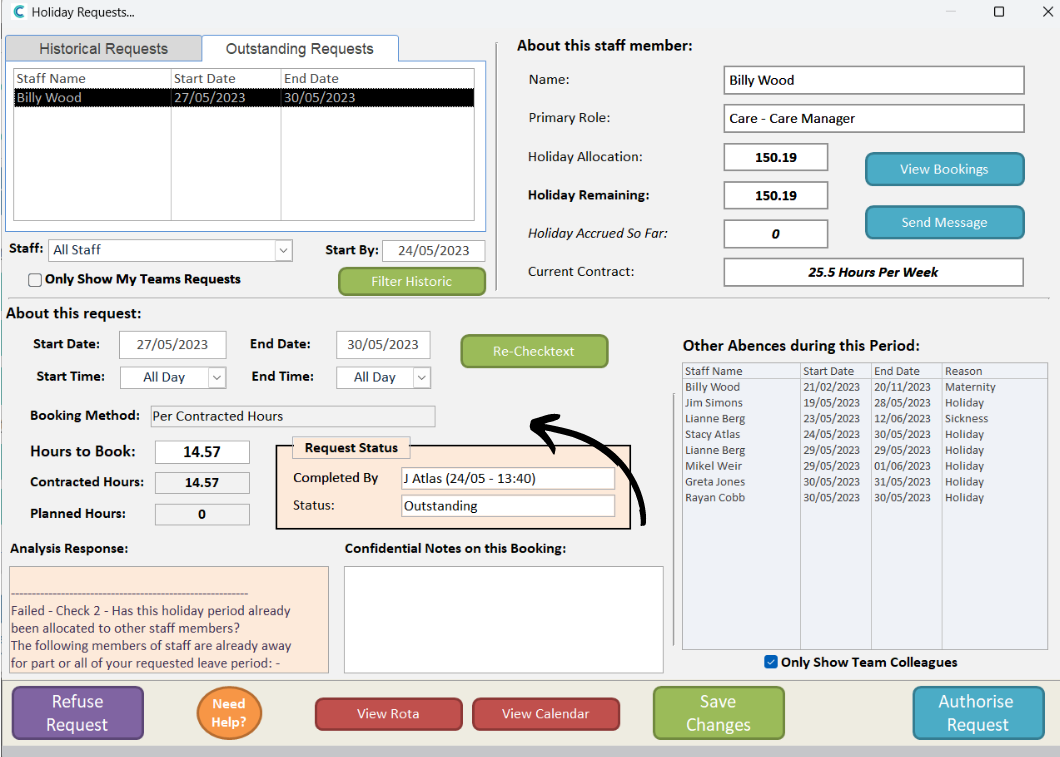
The middle area of the window contains the information about the booking – including, the dates and times, the amount of allowance used up by the booking as well as the request status.
Note – you can amend the dates and times of the booking request here – for example, the holiday request is fine, except you need the staff member to come back a day earlier.
6
The Analysis Response box in the bottom left corner of the window is the generated check text for the booking. Here, any issues will show which do not meet the pre-set limitations for holiday bookings, for example, not enough notice given.
7
Finally, the toolbar at the bottom of the window contains the following:
Refuse Request – this will deny the holiday request for the staff member
View Rota – open the current live rota
View Calendar – open the calendar
Save Changes – saves any amendments made to the request, but does not approve or refuse the request.
Authorise Request – accepts the request with the dates and times in the form.