This guide explains how to record a new personal allowance spend for a service user
Takes 5 minutes
For: Care Staff
Updated: 16th July 2026
Introduction
The Personal Allowance module allows you to record expenditure made from a service user's personal allowance. You can log the amount spent, categorise the purchase, attach proof of purchase where available, and maintain an accurate financial record.
In this guide you'll learn how to:
Open the Personal Allowance module
Select a service user
Record a new spend
Attach a receipt if available
Save the completed transaction
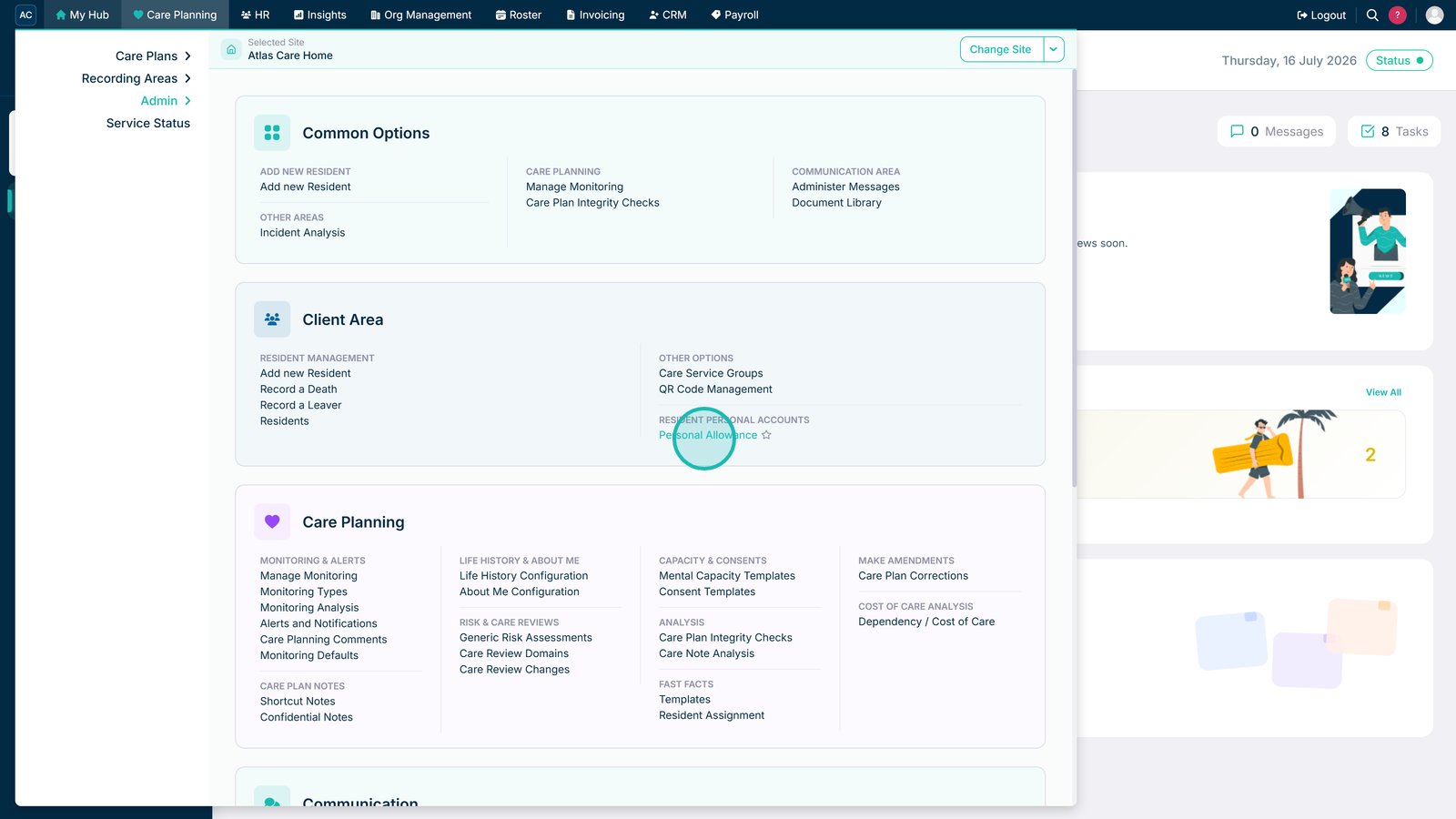
Open the Personal Allowance section.
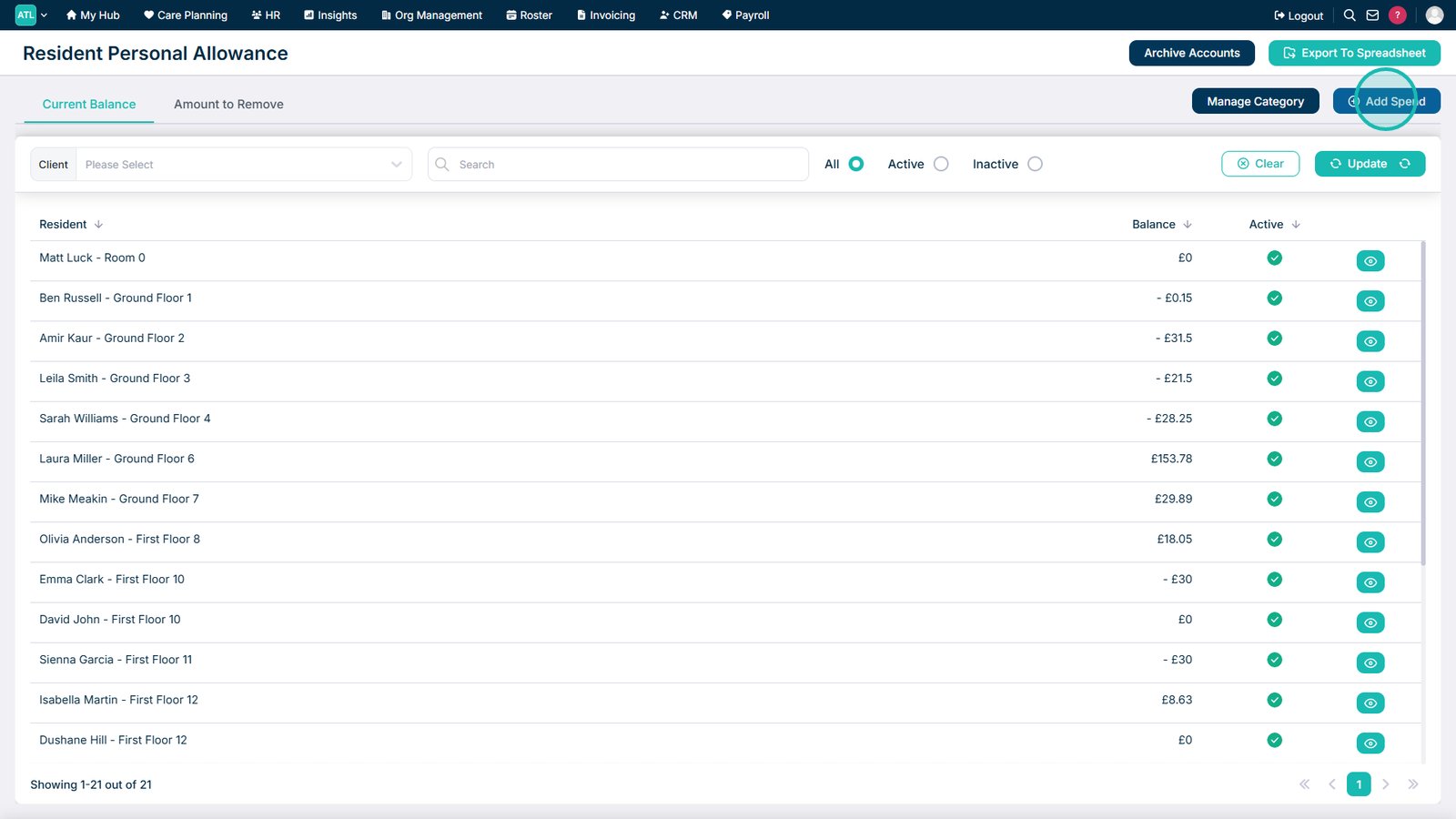
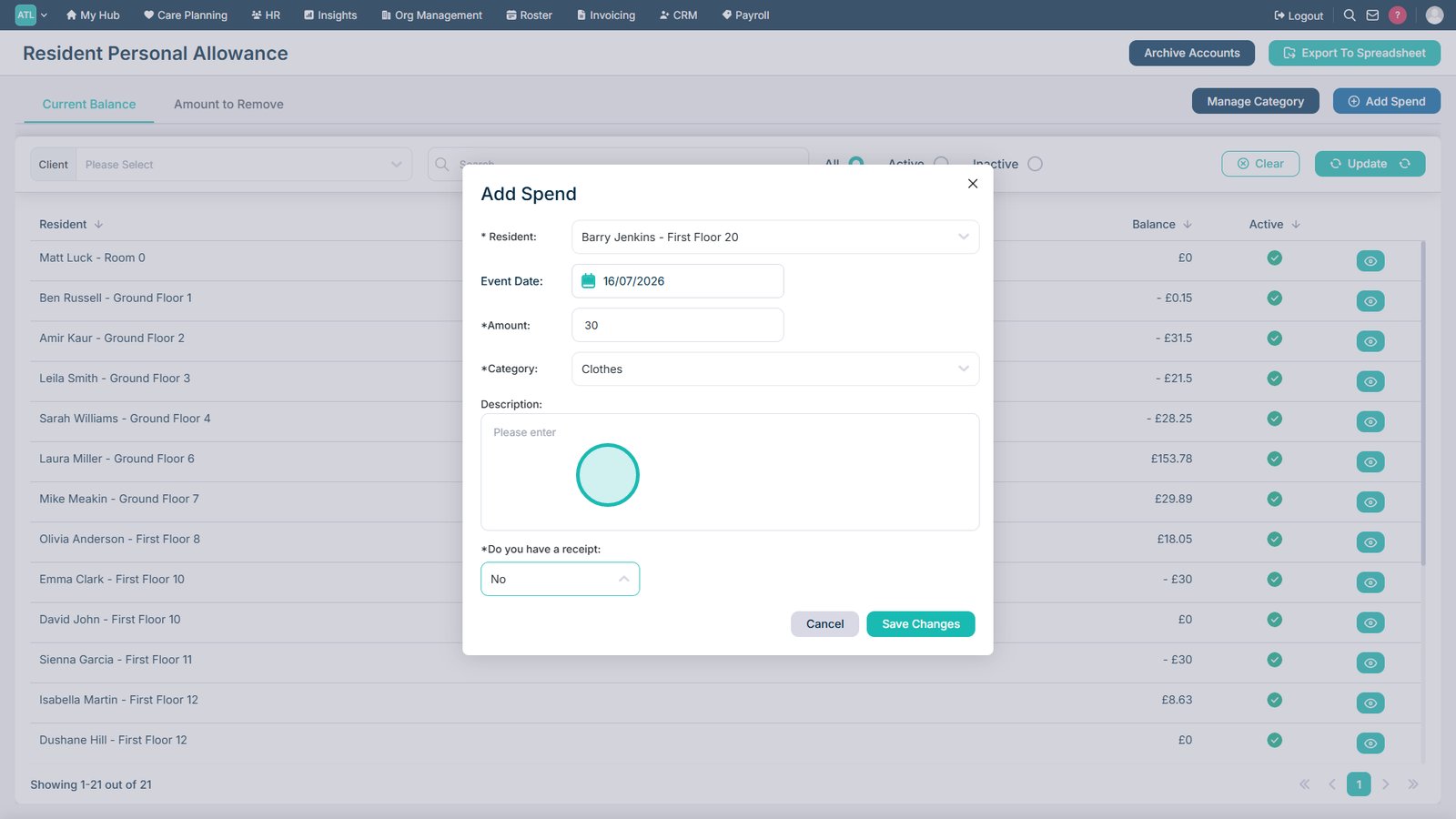
Select Add Spend to record a new expense.
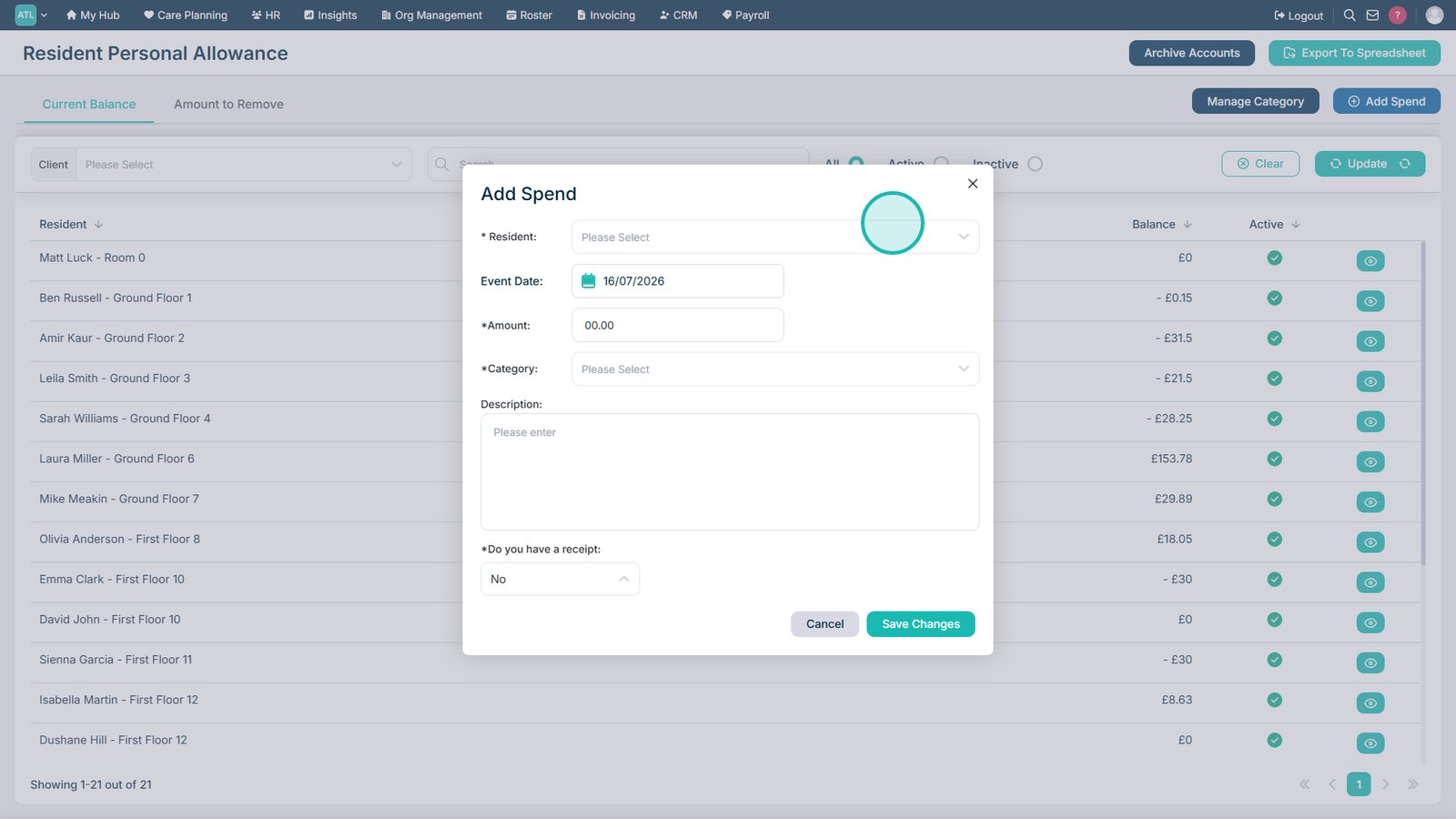
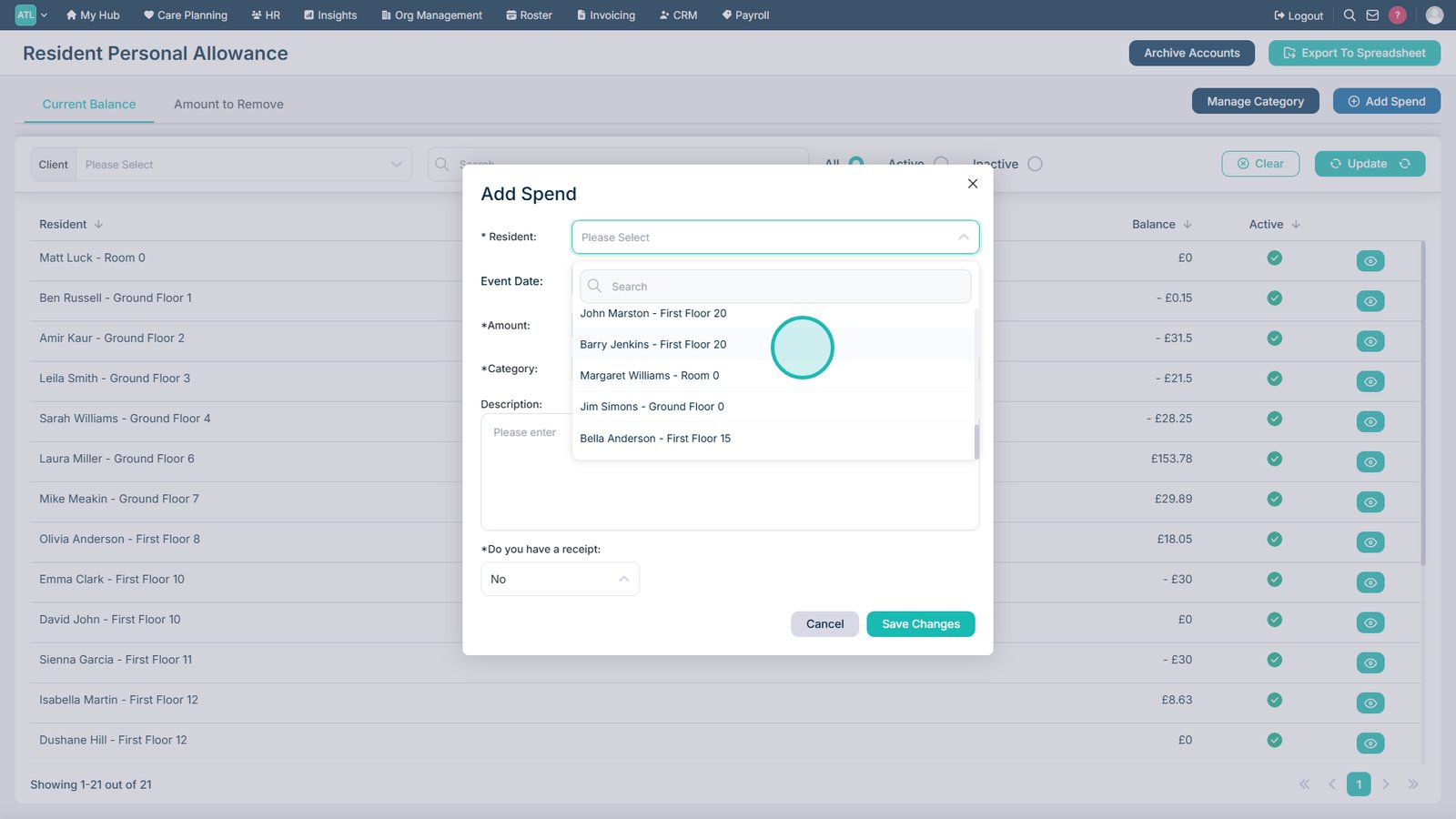
Open the Service User drop-down list.
Select the service user for whom you are recording the expense.
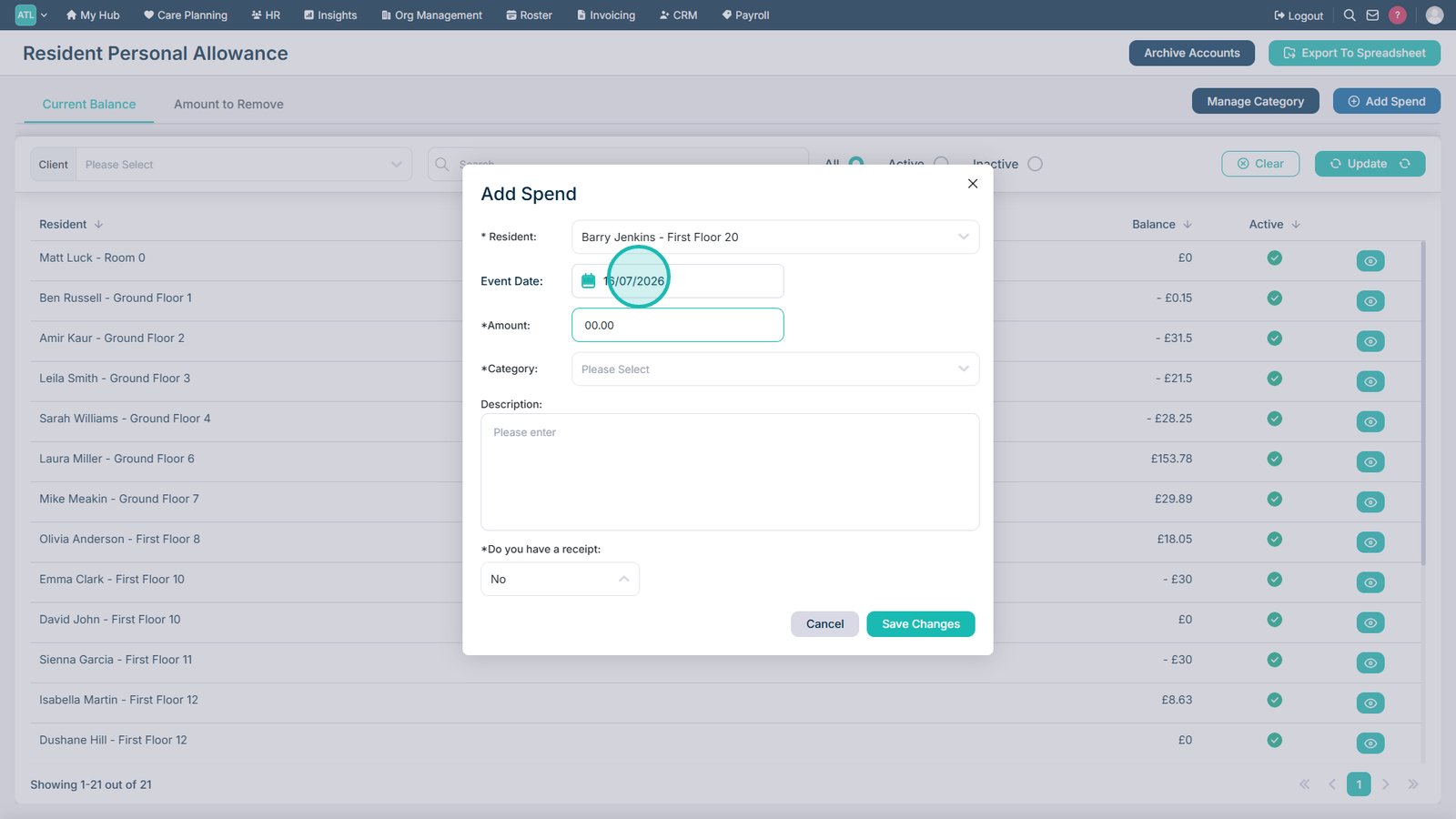
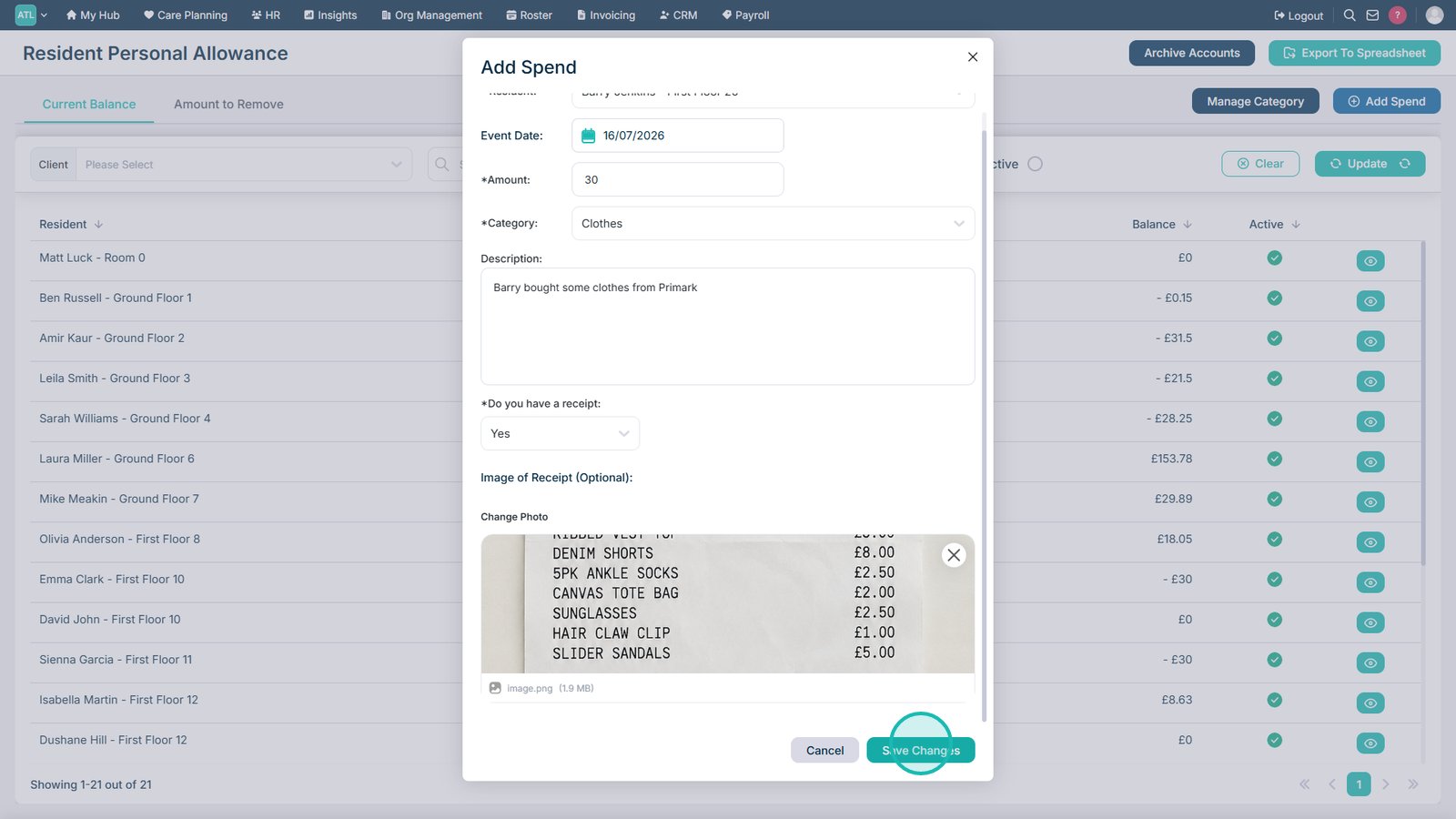
Review or amend the spend date. It defaults to today's date.
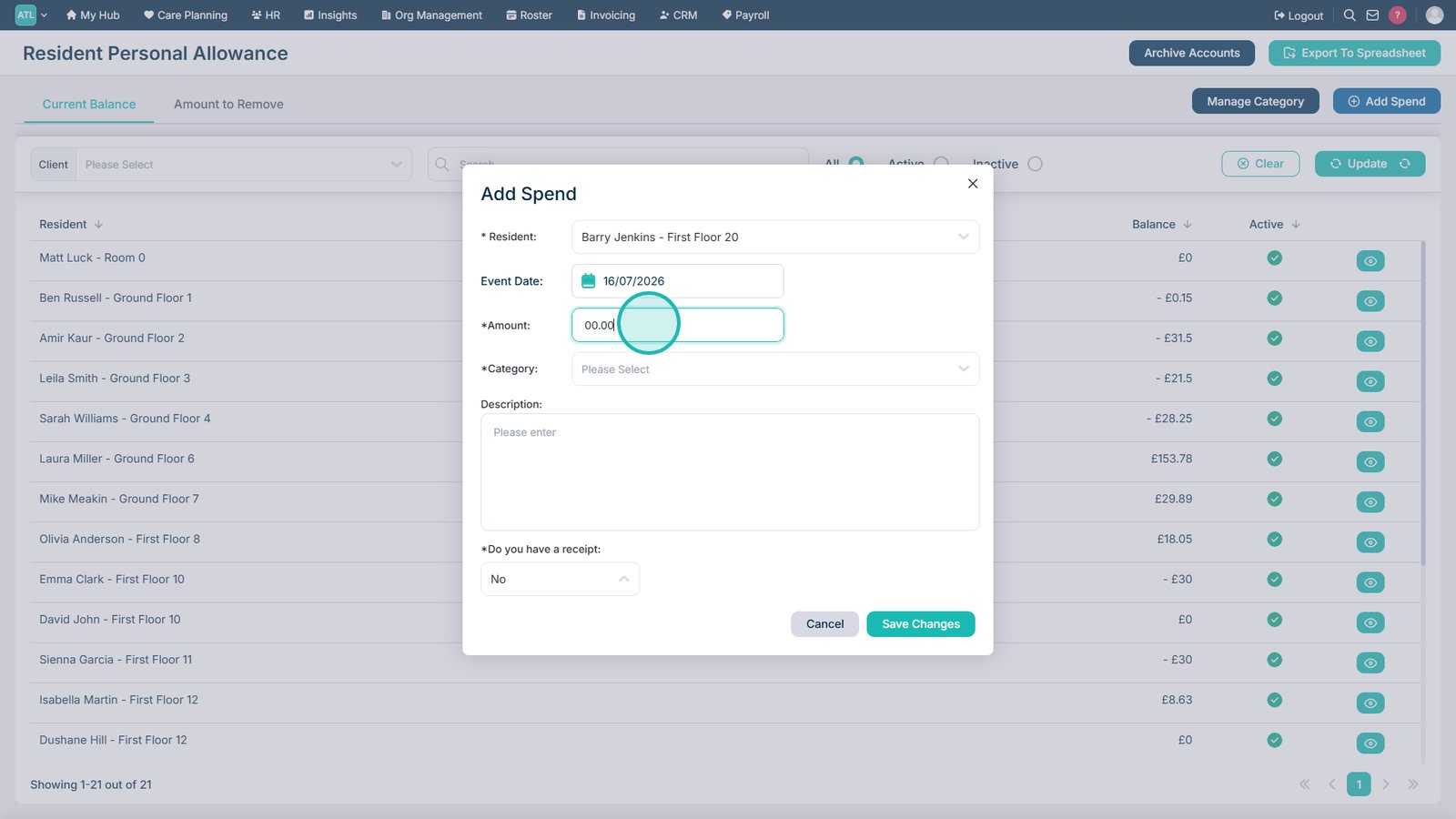
Enter the amount spent.
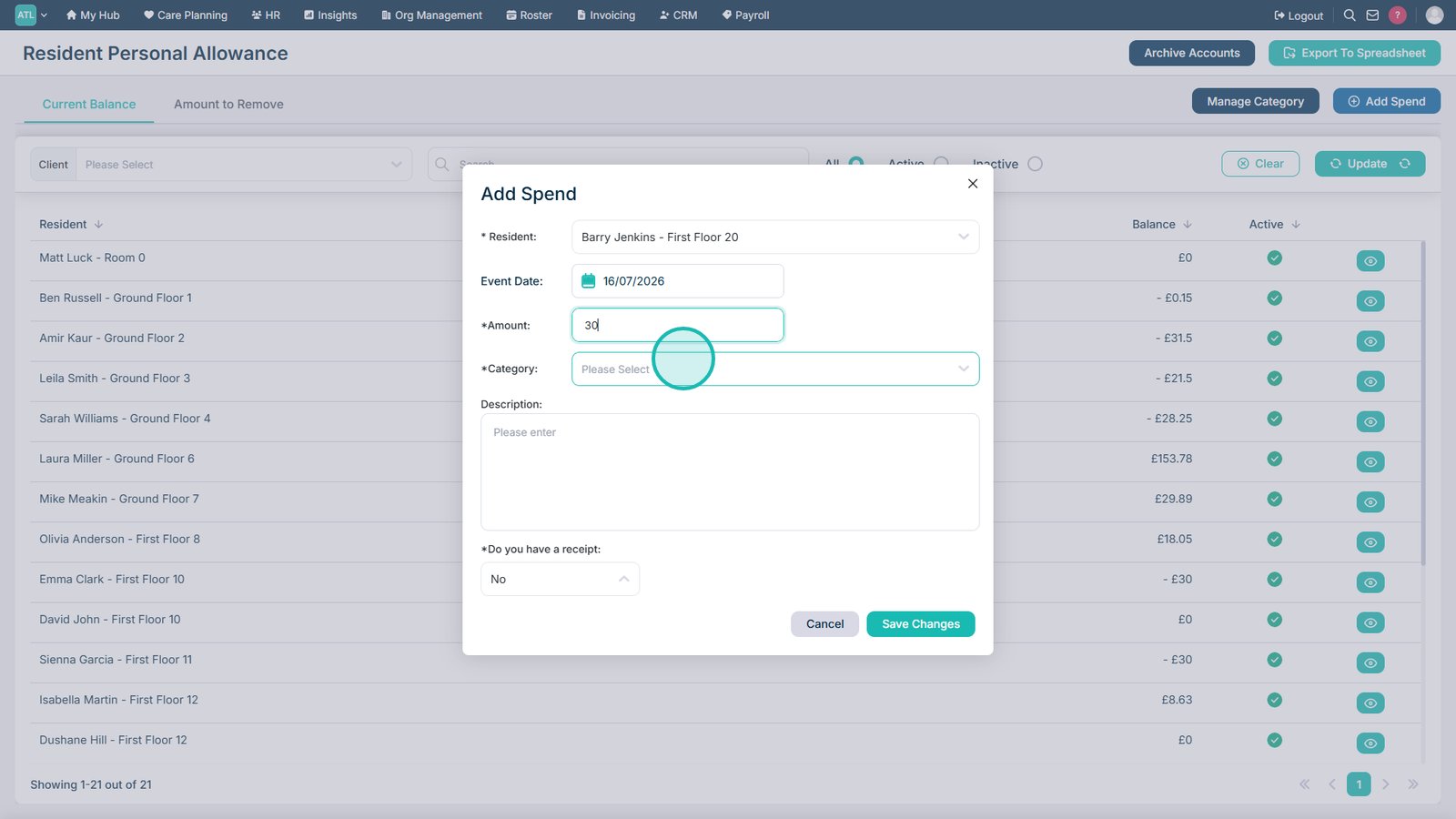
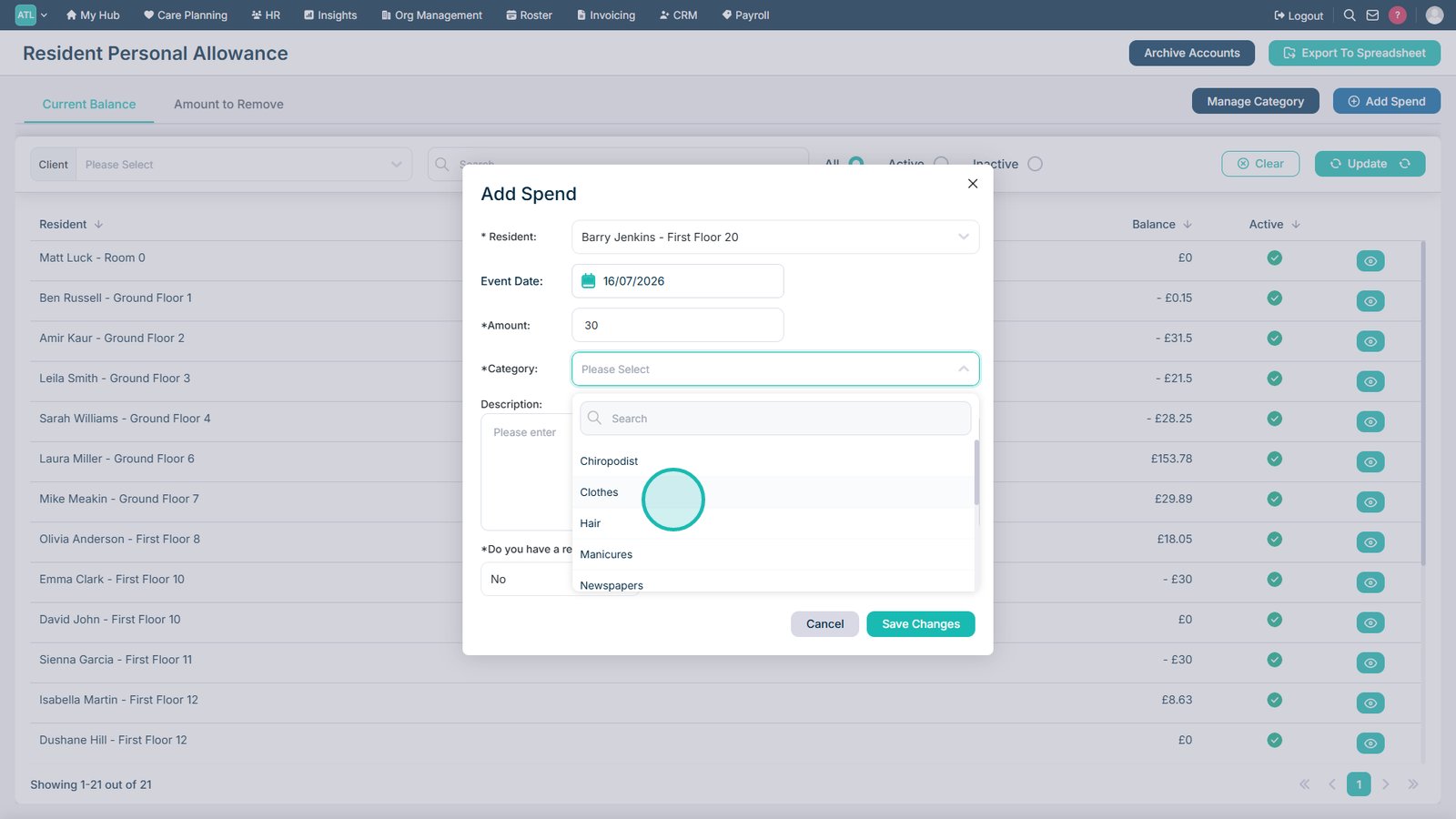
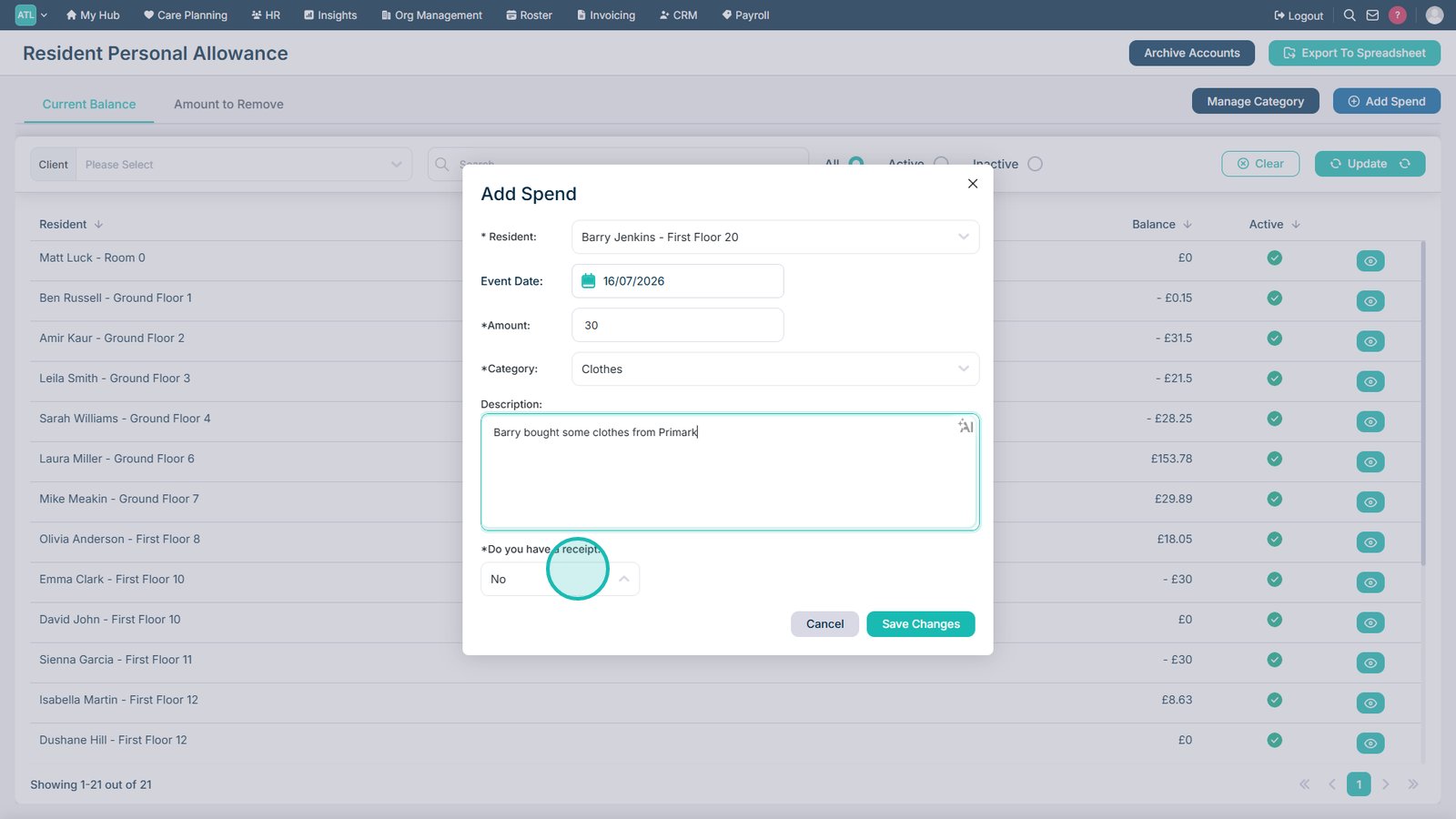
Select the appropriate spending category.
Select the category that best describes the purchase.
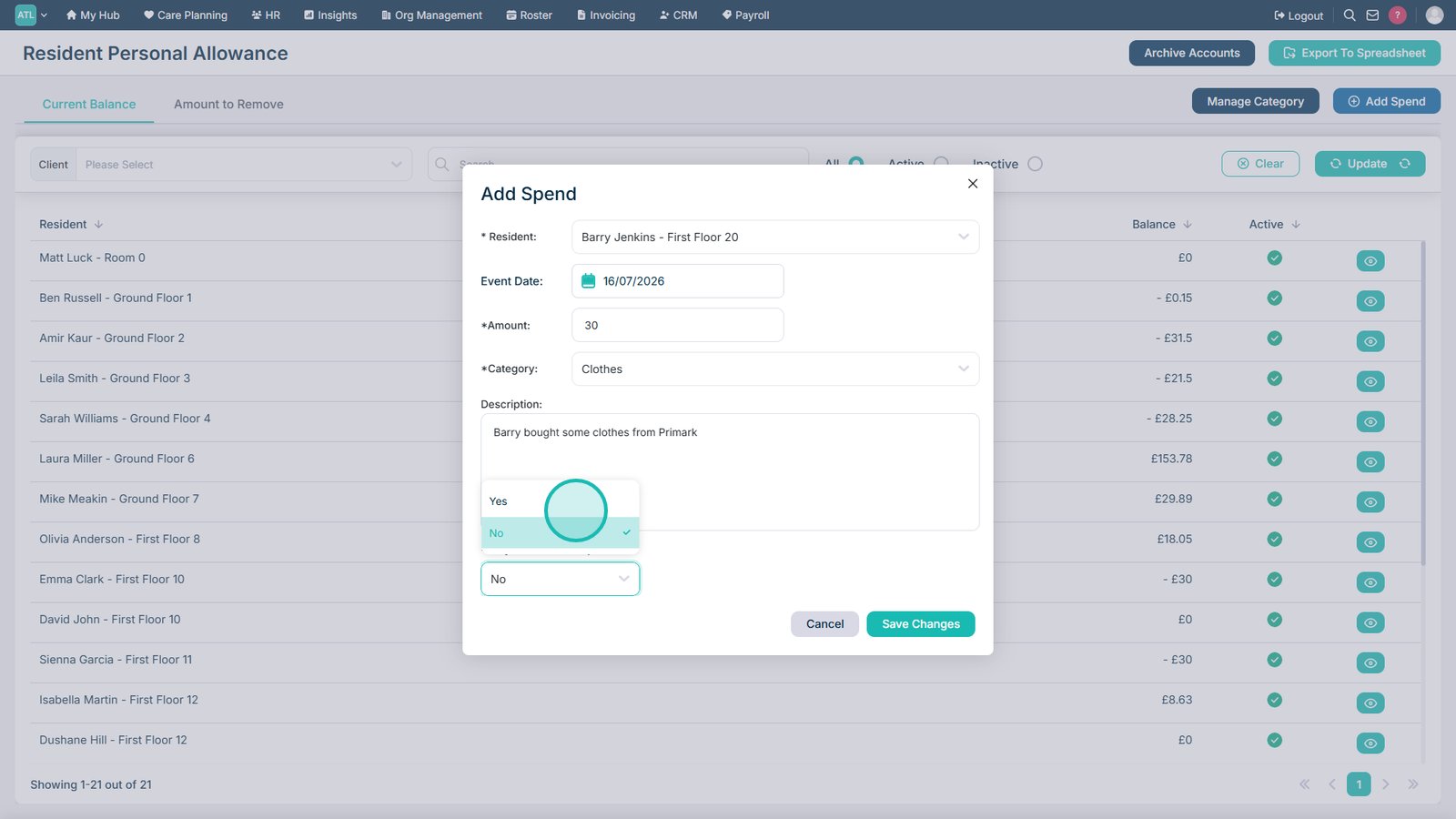
Indicate whether a receipt is available.
Select whether proof of purchase is available.
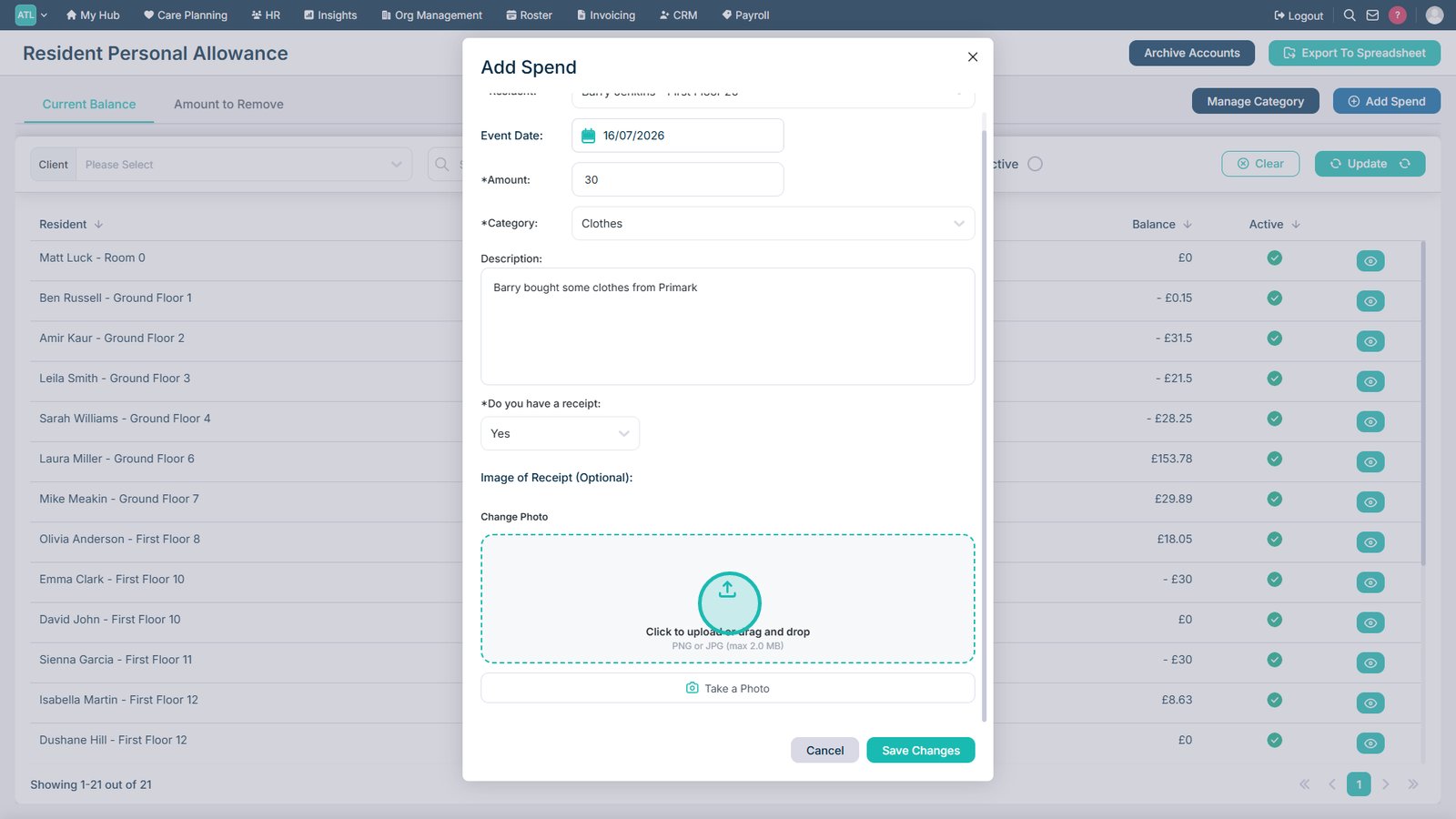
Select Yes if a receipt is available.
Upload a receipt or take a photo if required.
Select Save Changes to record the expense.
Top tip
Attach a receipt whenever one is available to provide a complete audit trail for the recorded expenditure.