How to Change the On Call Staff Member
Learn how to update the On Call staff member in System Settings. This guide shows you how to access the setting and assign the current staff member responsible for handling on-call duties.
Takes 1 minute
For: Managers
Updated: 6th Aug 2026
Introduction
The On Call setting allows you to specify which staff member is currently responsible for on-call duties. Updating this setting ensures the correct contact is displayed throughout the system whenever on-call information is needed.
In this guide, you'll learn how to:
- Open the System Settings page.
- Select the On Call staff member.
- Update the current on-call contact.
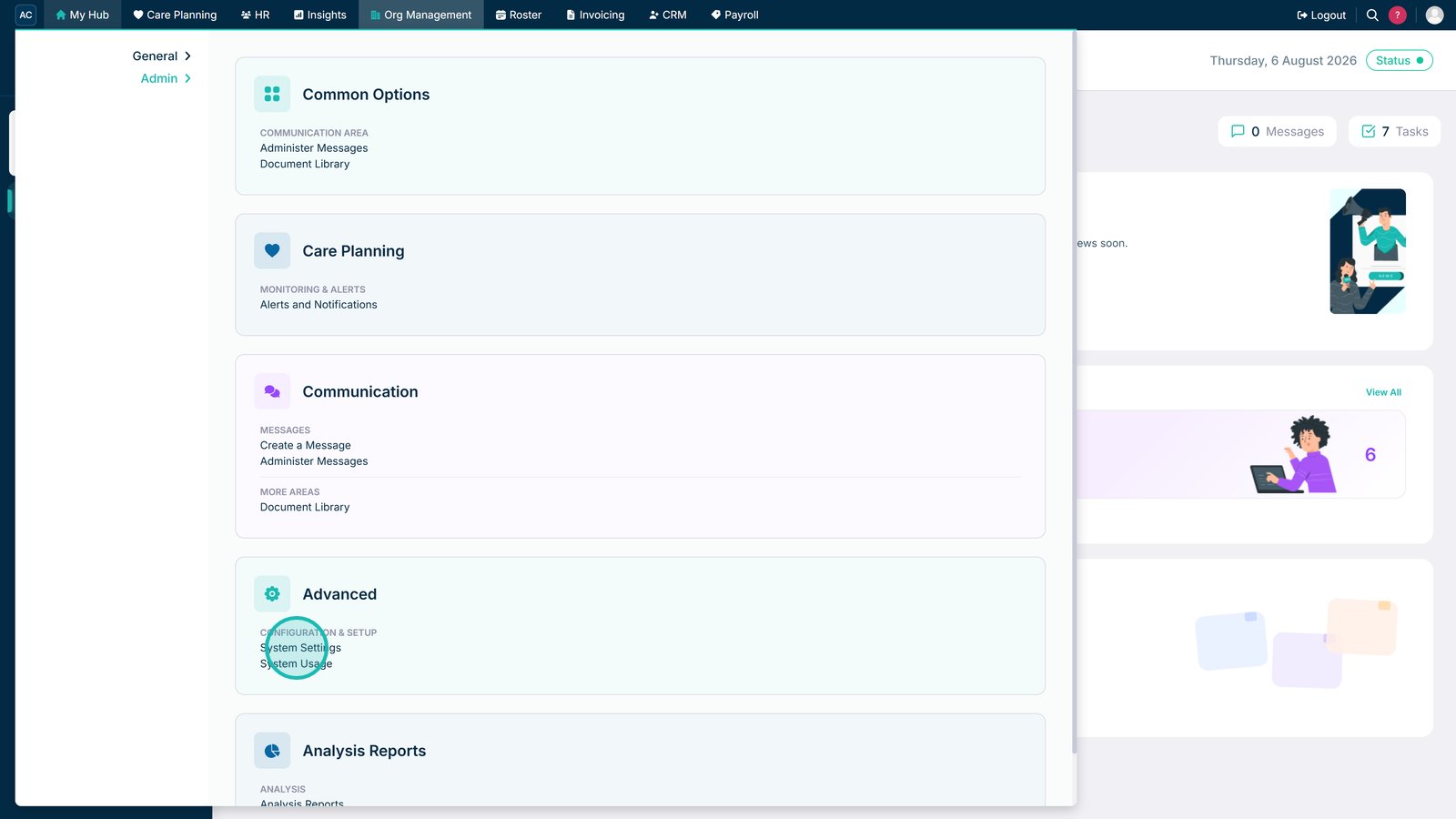
Navigate to System Settings from the Advanced section to access key configuration options.

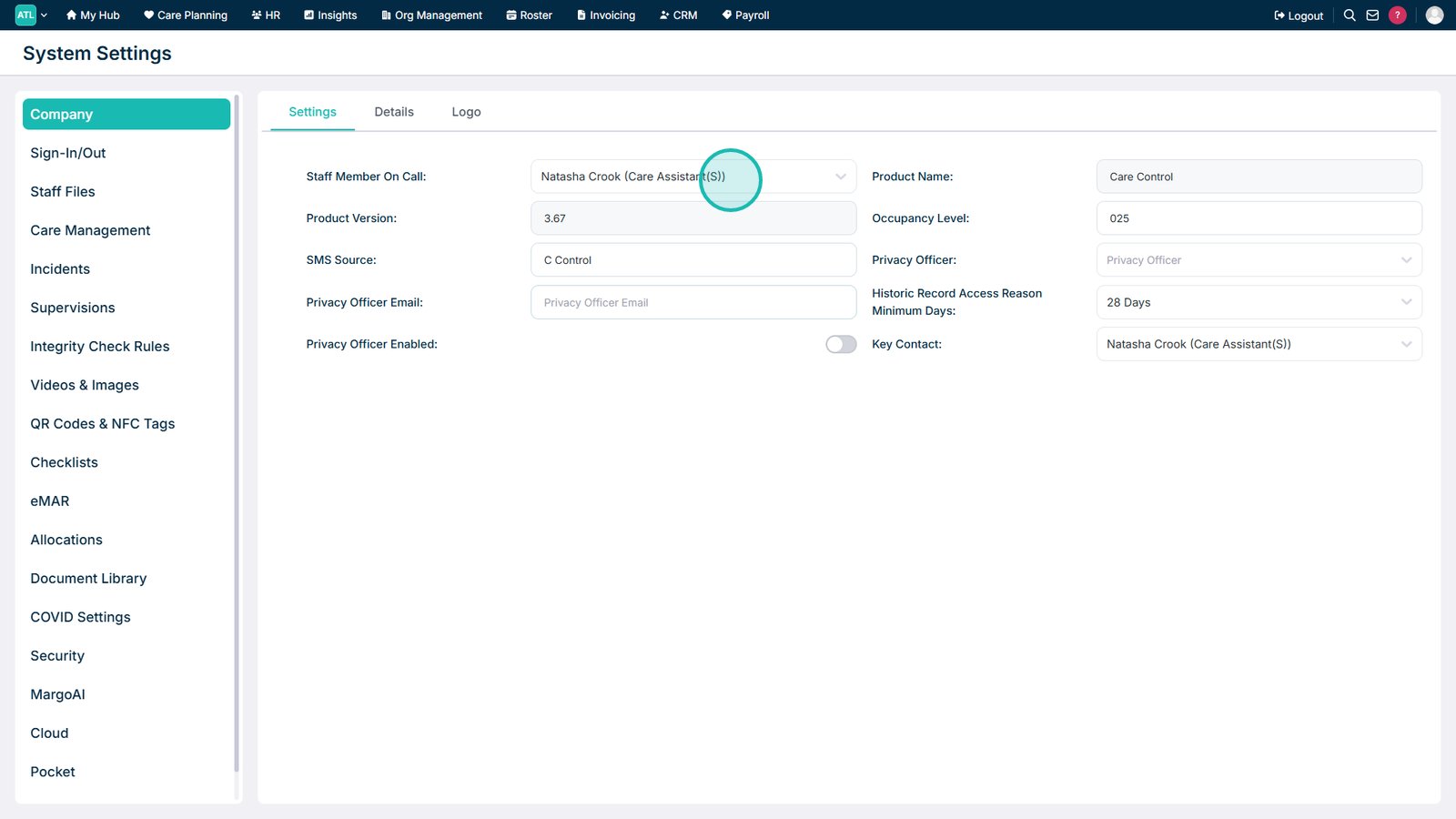
Open the Staff Member On Call drop-down to select or update who is on call.

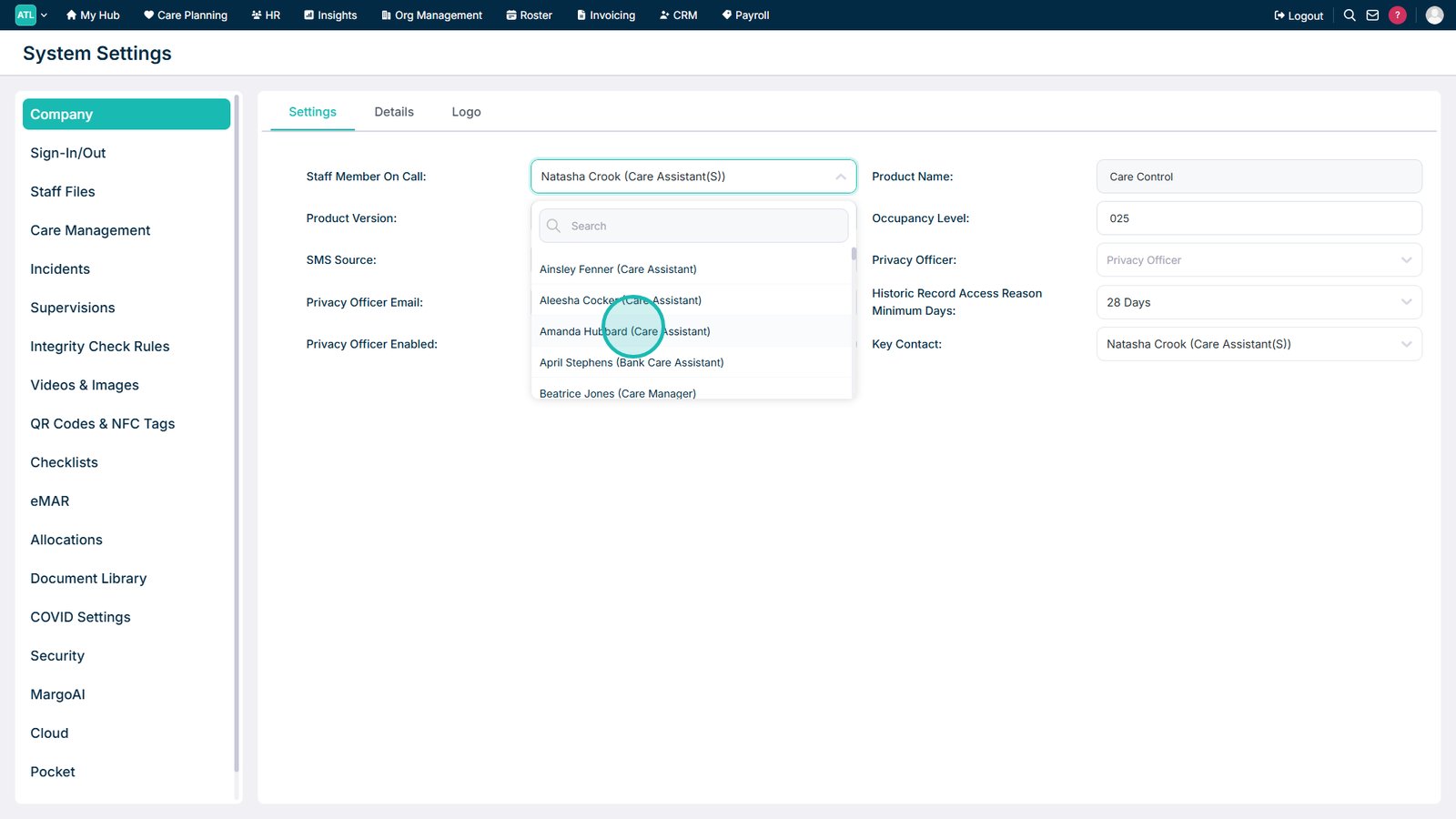
Select the required staff member to set them as the current On Call contact.

Top tip
Keep the On Call staff member up to date so colleagues can quickly identify and contact the correct person during out-of-hours or emergency situations.
Need more help?
Can't find what you're looking for? Our support team is here to help.
Contact SupportOr call us on