This guide explains how to complete a MUST Assessment for a Service User
Takes 5 minutes
For: Care Staff
Updated: 30th June 2026
Introduction
The MUST Assessment module helps you assess a service user's risk of malnutrition. The assessment uses BMI, weight loss, and acute disease information to calculate a risk score and provide appropriate guidance for ongoing nutritional care.
In this guide you'll learn how to:
Open a MUST Assessment
Select a service user
Review the calculated risk score
Complete the assessment questions
Save the completed assessment
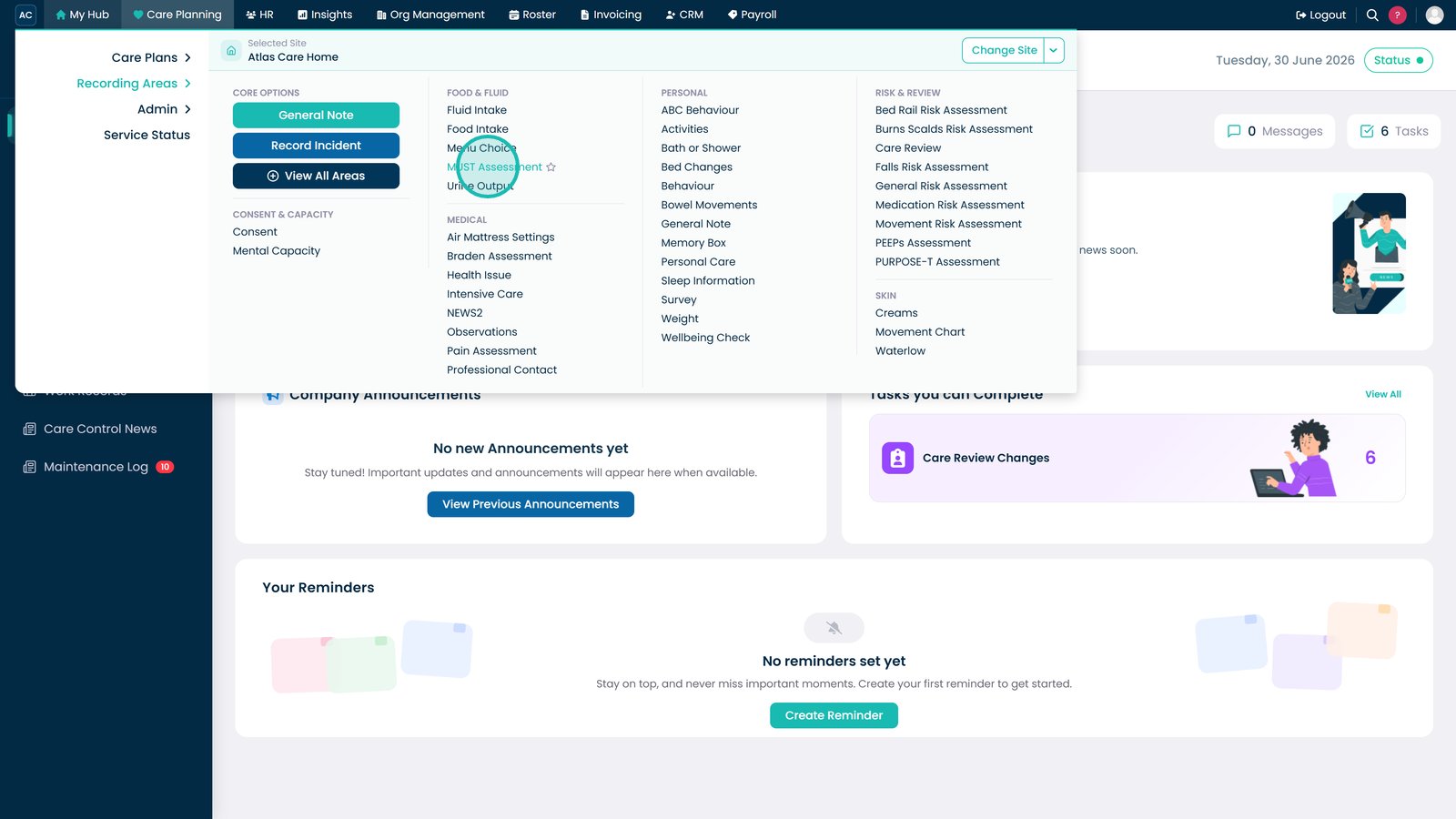
Select MUST Assessment from the Recording Areas menu.
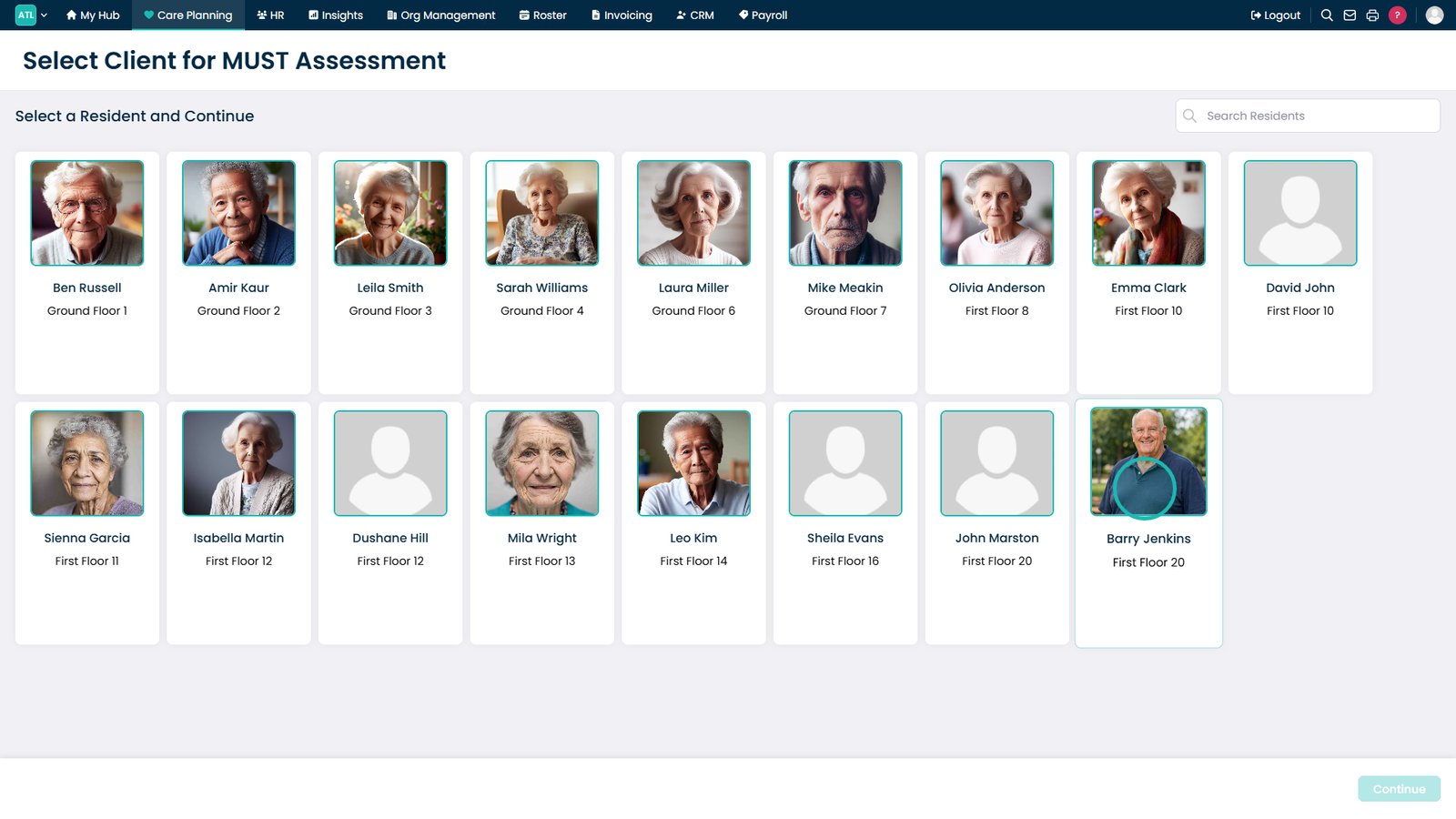
Select the service user you want to assess.
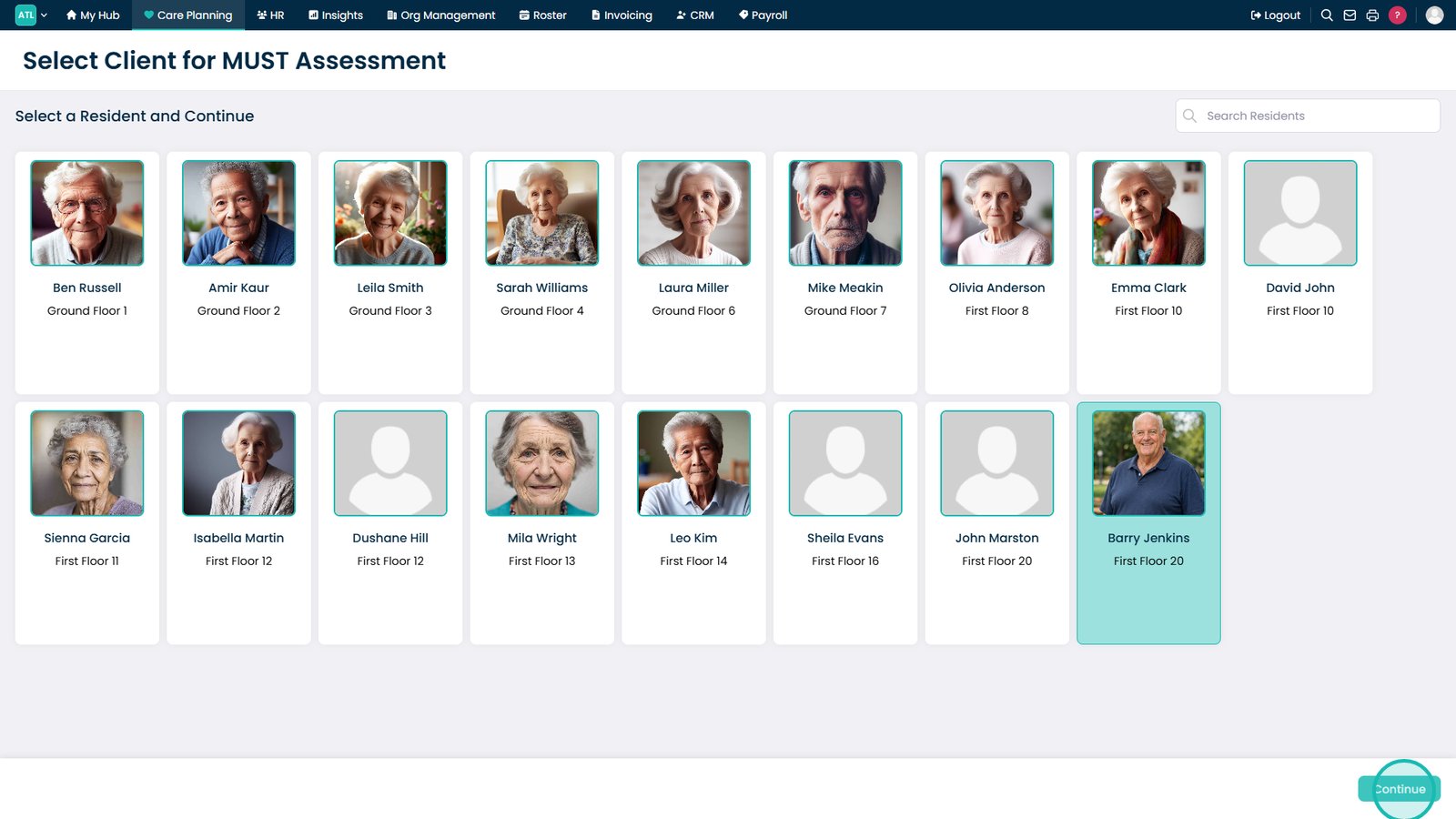
Select Continue to open the MUST Assessment.
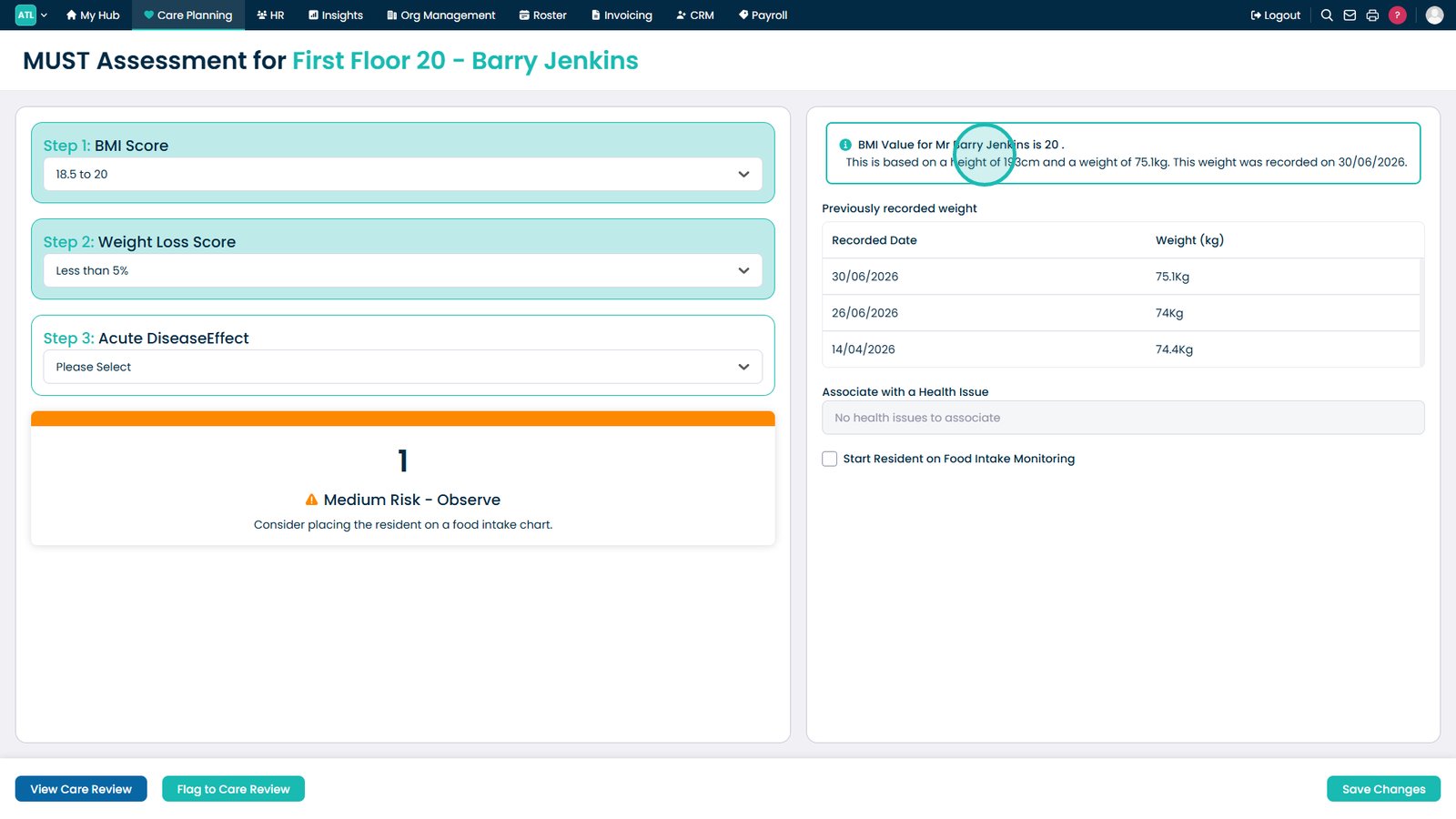
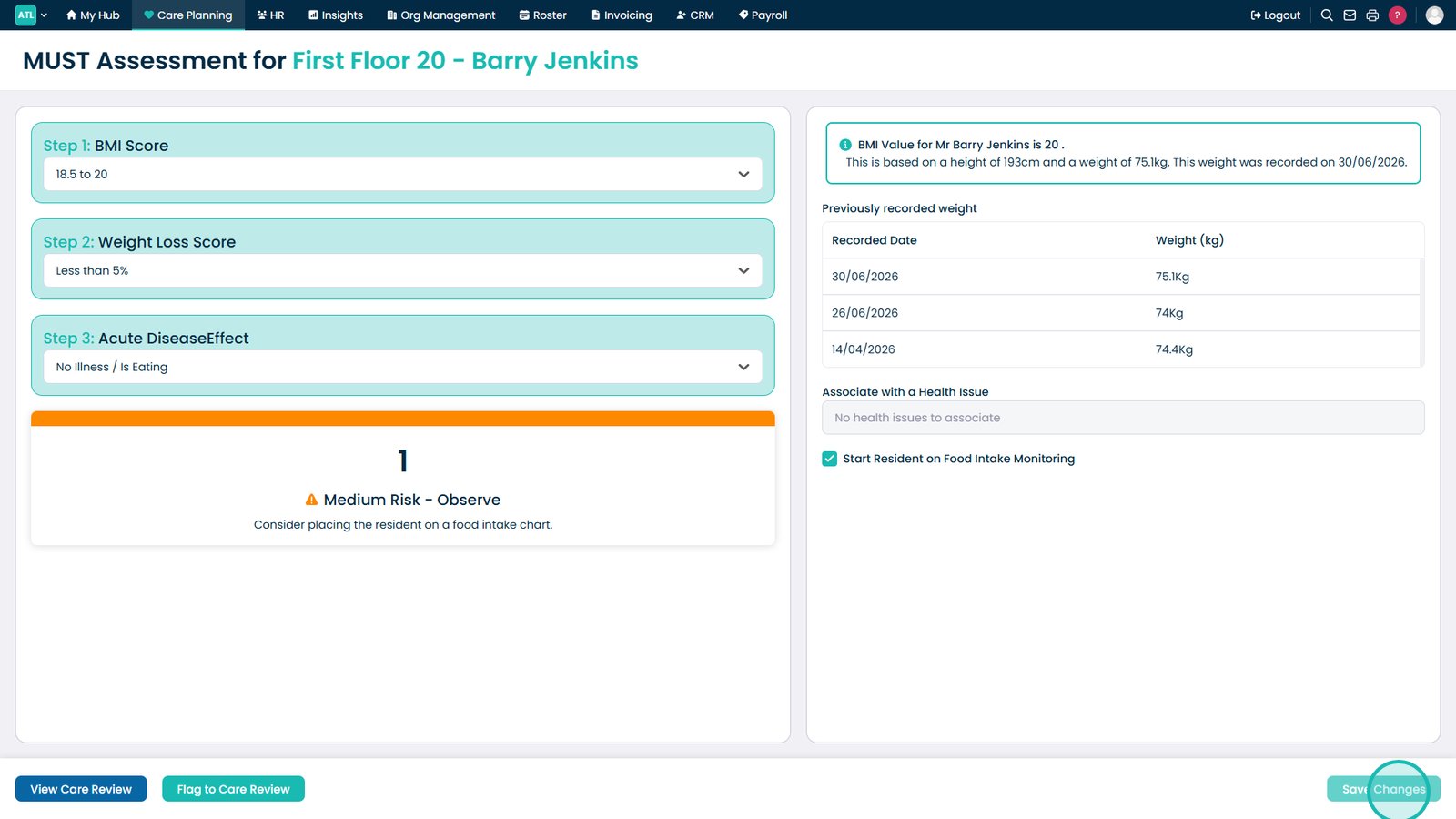
Review the automatically calculated BMI based on the service user's recorded height and weight.
Review the calculated risk score and the guidance provided based on your assessment.
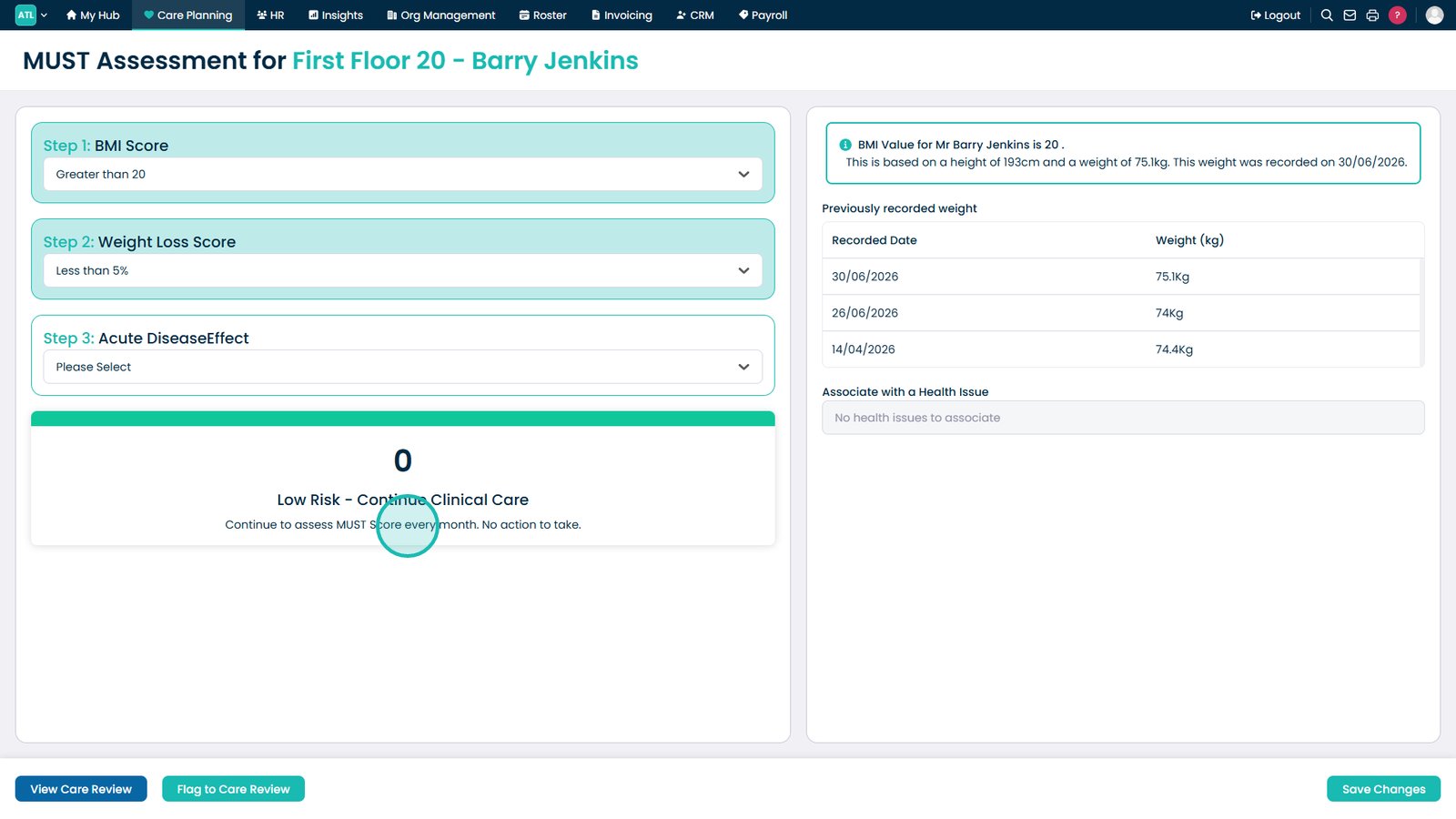
Review the guidance provided for a Low Risk score.
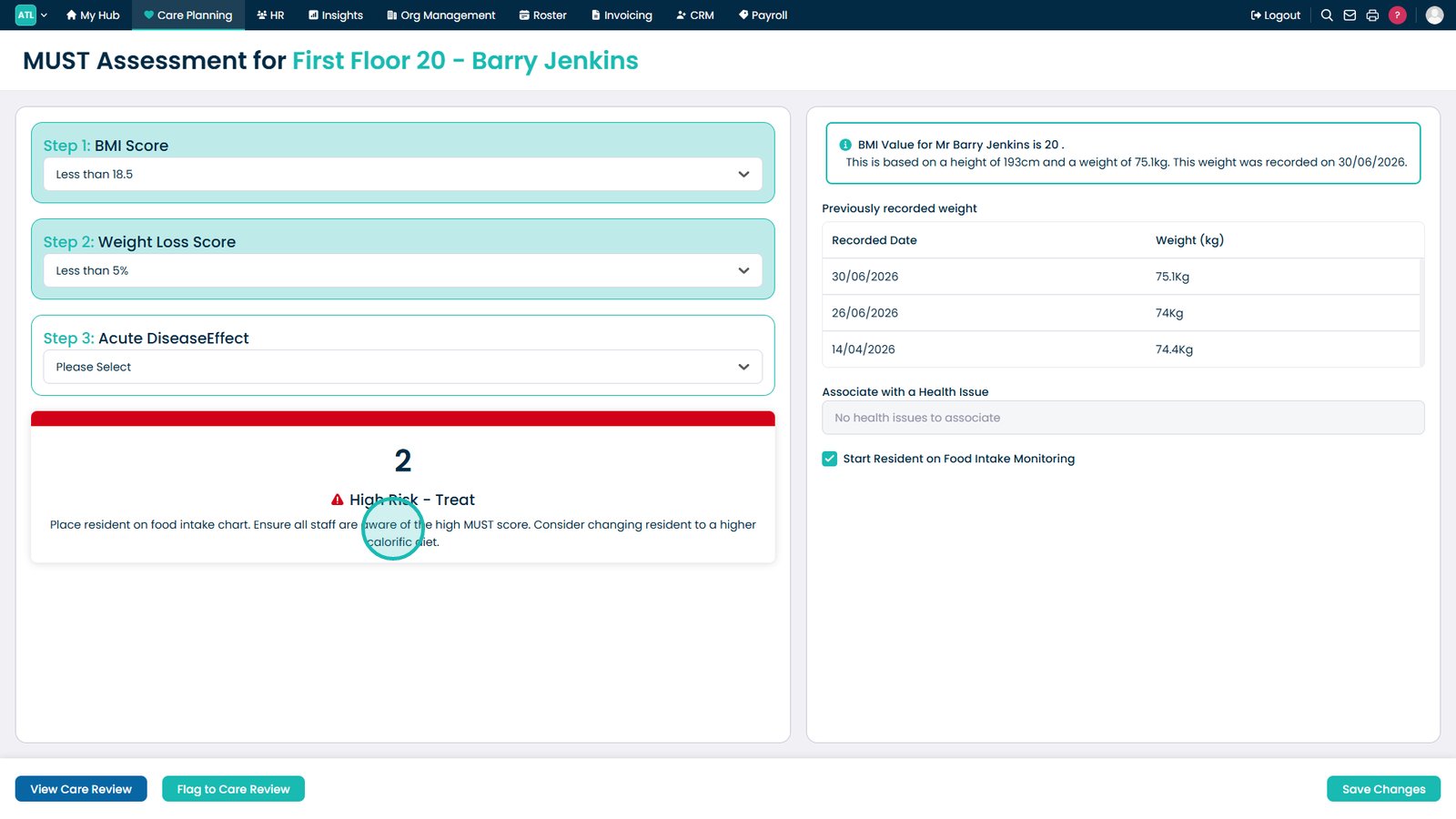
Review the guidance provided for a High Risk score.
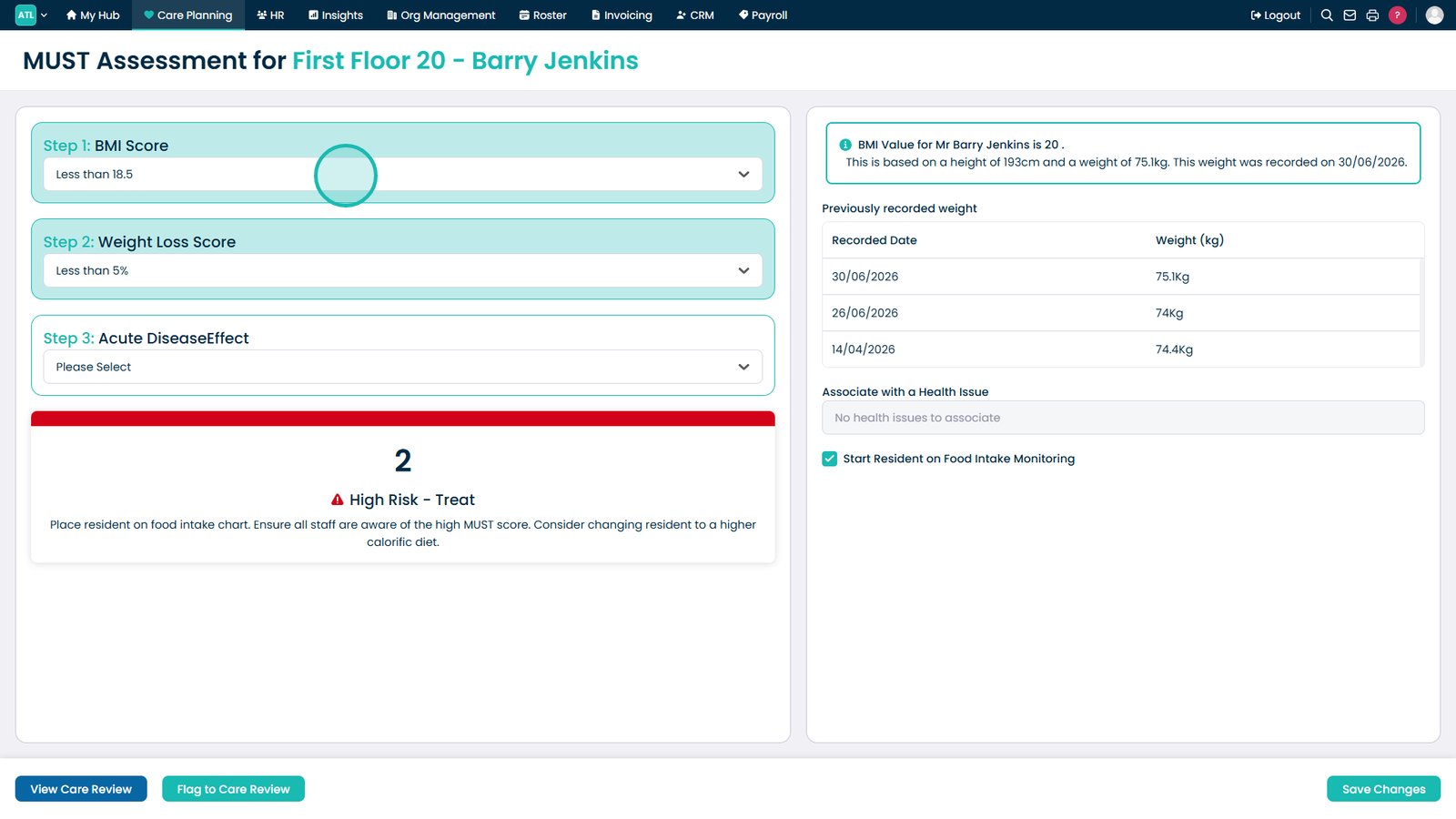
Select the BMI Score from the drop-down list.
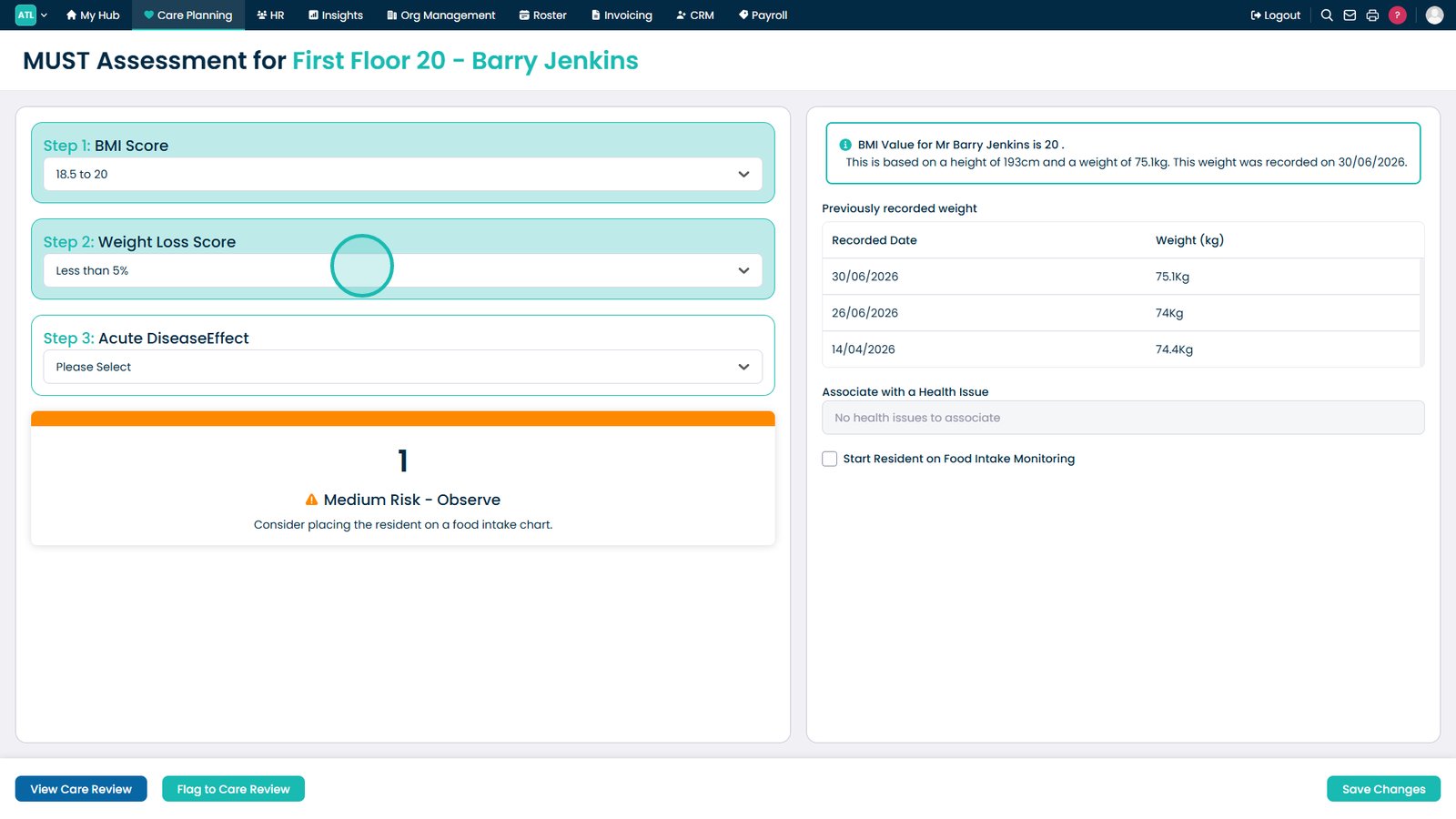
Select the Weight Loss Score from the drop-down list.
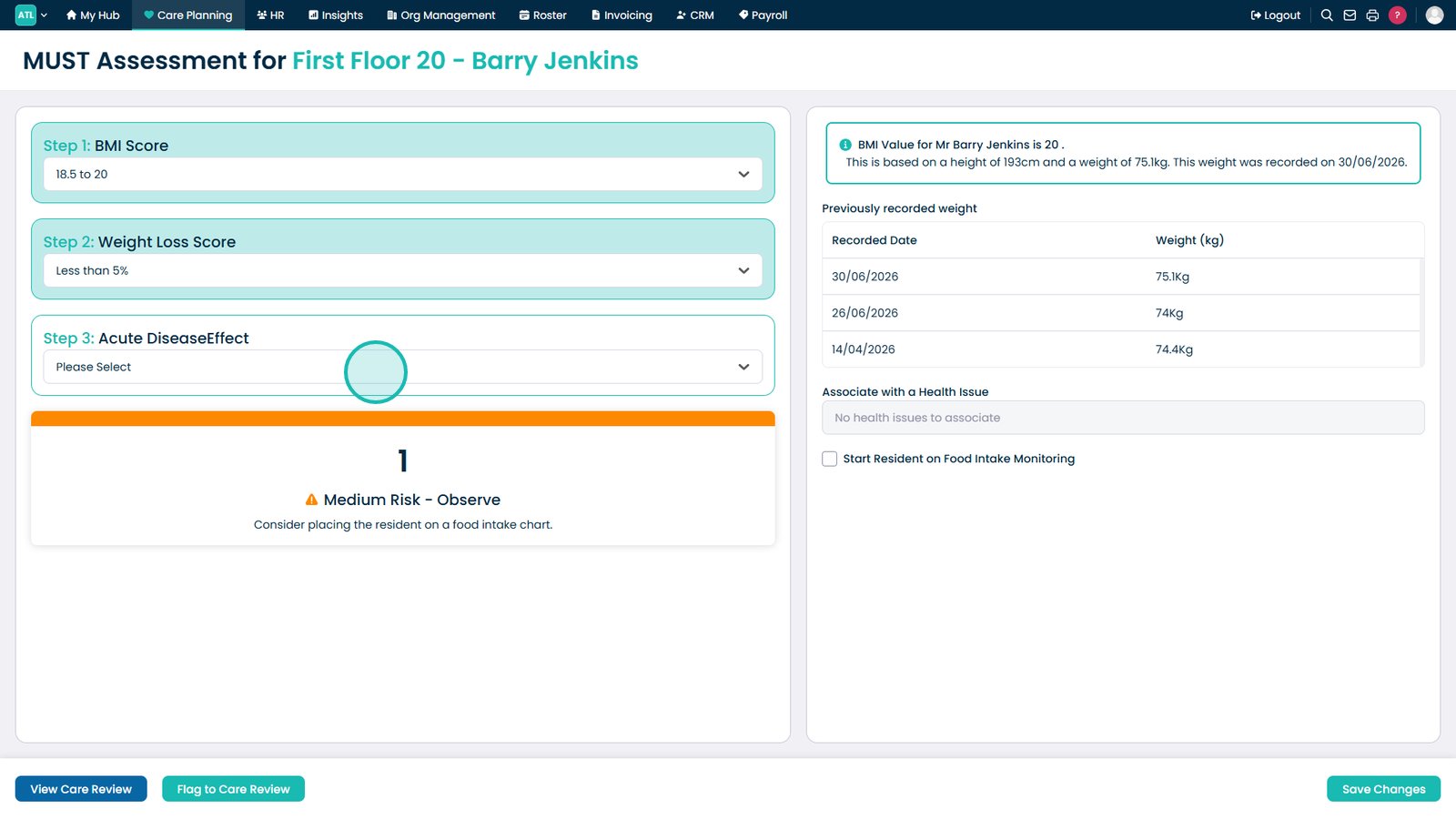
Indicate whether an acute disease is affecting the service user's food intake.
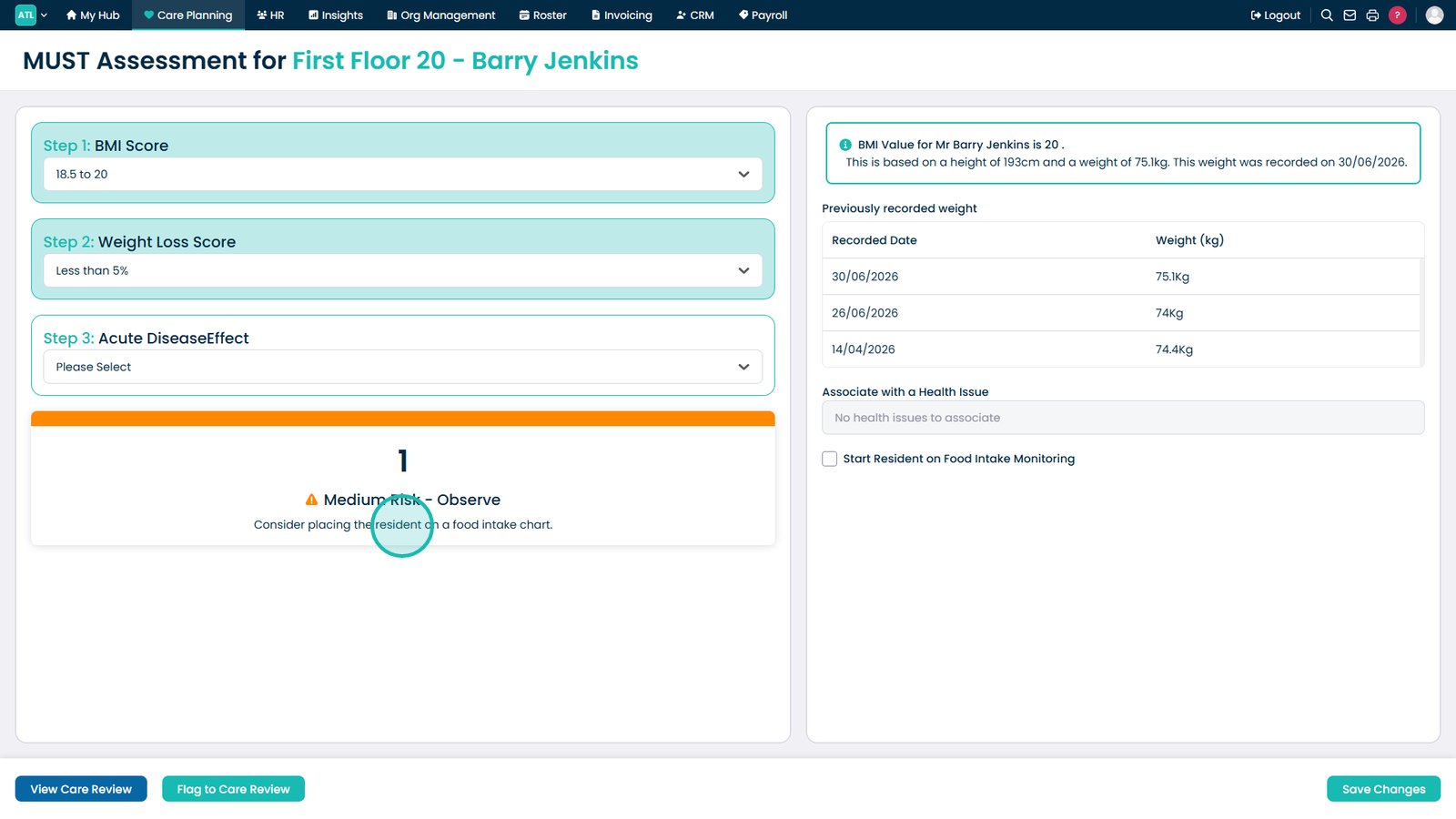
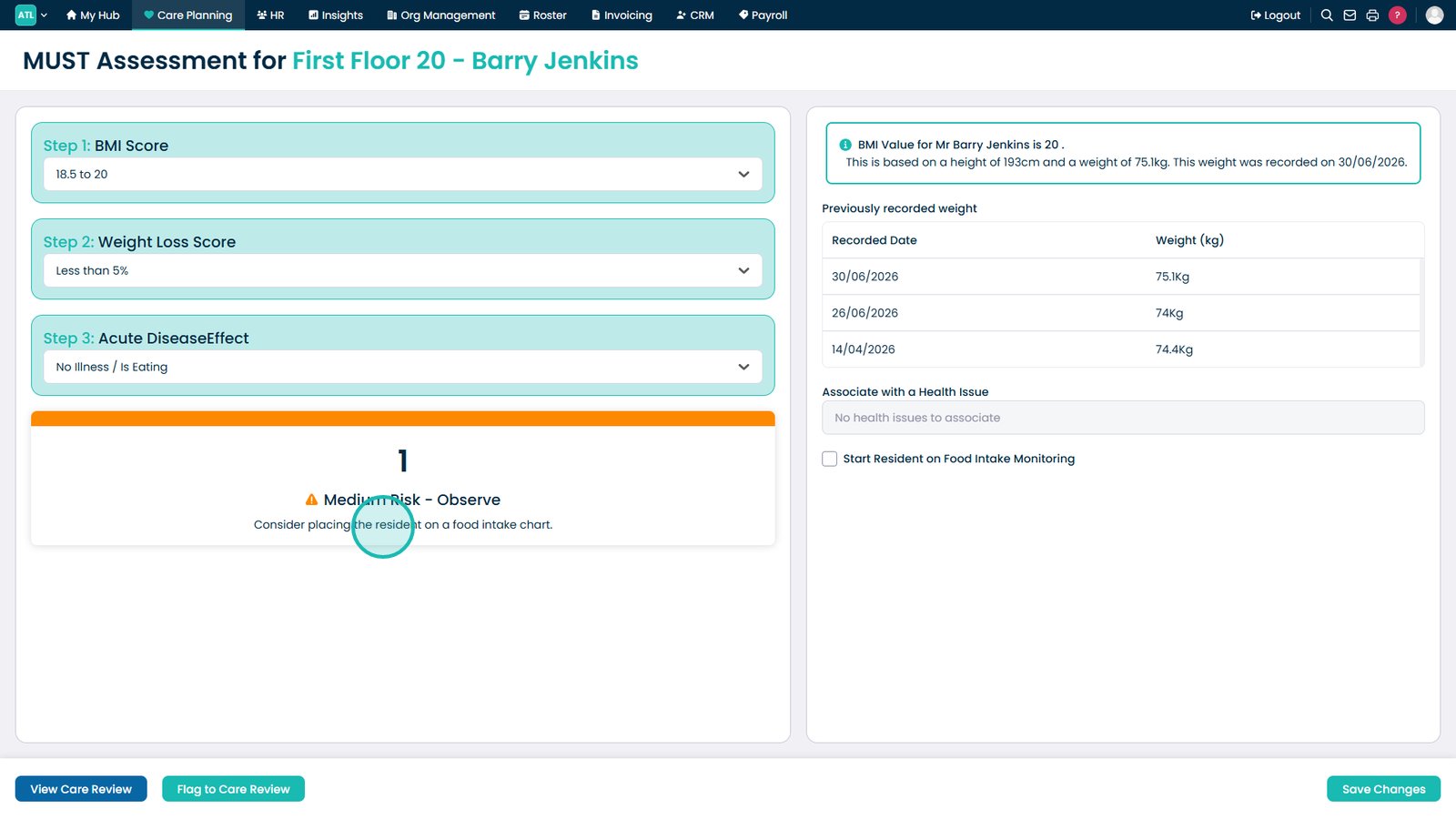
Review the calculated Medium Risk outcome and the recommended guidance.
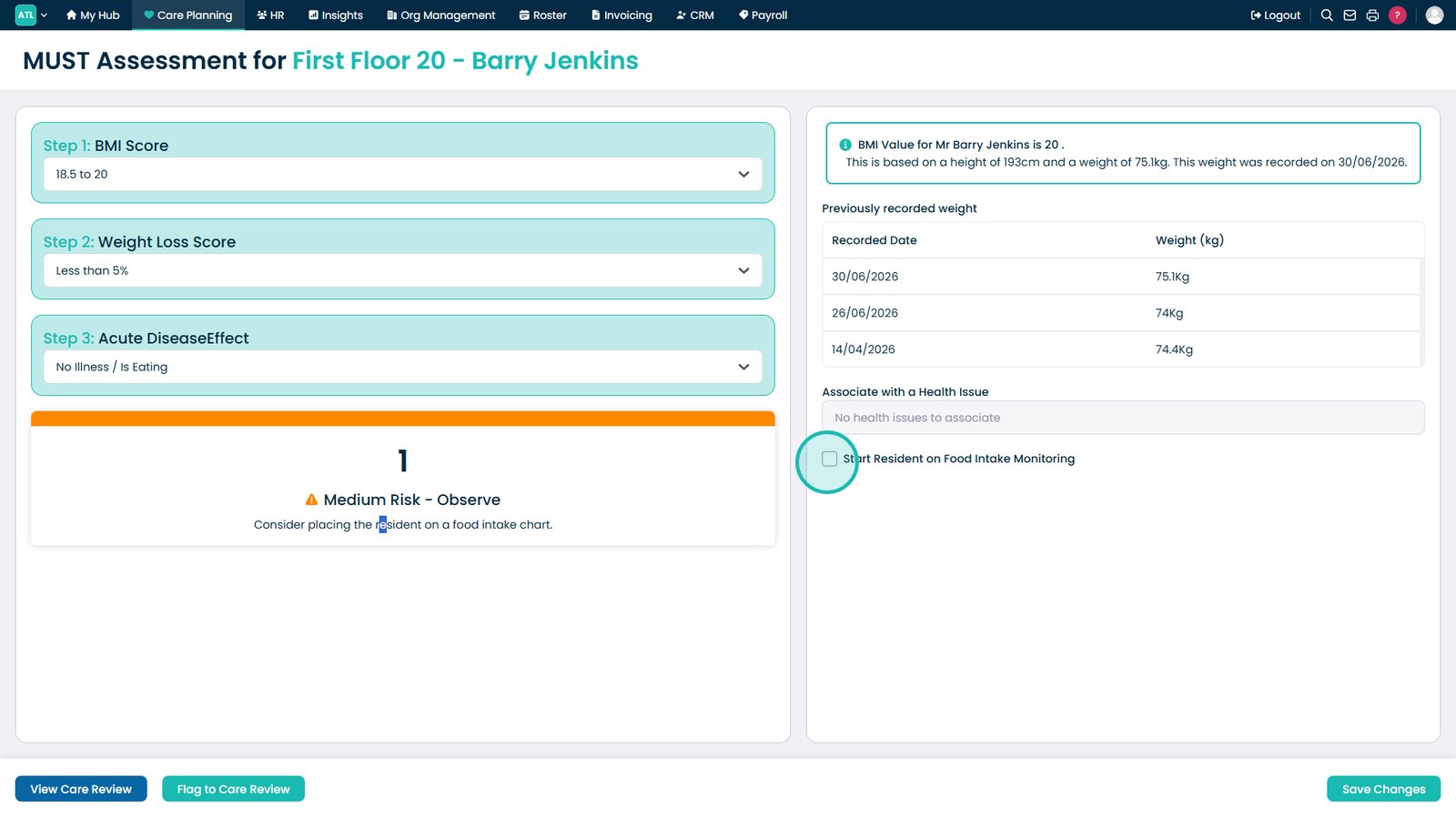
Select the checkbox to begin food intake monitoring if required.
Select Save Changes to save the completed MUST Assessment.
Top tip
Ensure the service user's height and weight records are up to date before completing the assessment, as these values are used to calculate the BMI and overall MUST risk score.