Bank Holiday Closure Notice: We will be closed on the 3rd April for the Easter bank holiday, so our customer service team will not be available on this day. If you need to get in touch, you can still use our customer contact form and we will get back to you as soon as possible. Even better, Margo will still be available on our phone lines to help with your queries whenever you need support. We hope you have a lovely Easter weekend 🐣
This guide explains how to enable Consolidated Invoicing in the Org Management App. It will show you each step in a simple and clear way.
Follow the instructions to open the app, access the settings, and turn on the feature. When Consolidated Invoicing is turned on, your organisation can separate invoices all in one place. This helps reduce errors and saves time. Use this guide if you need help completing the setup.
Interactive Guide
Text based guide
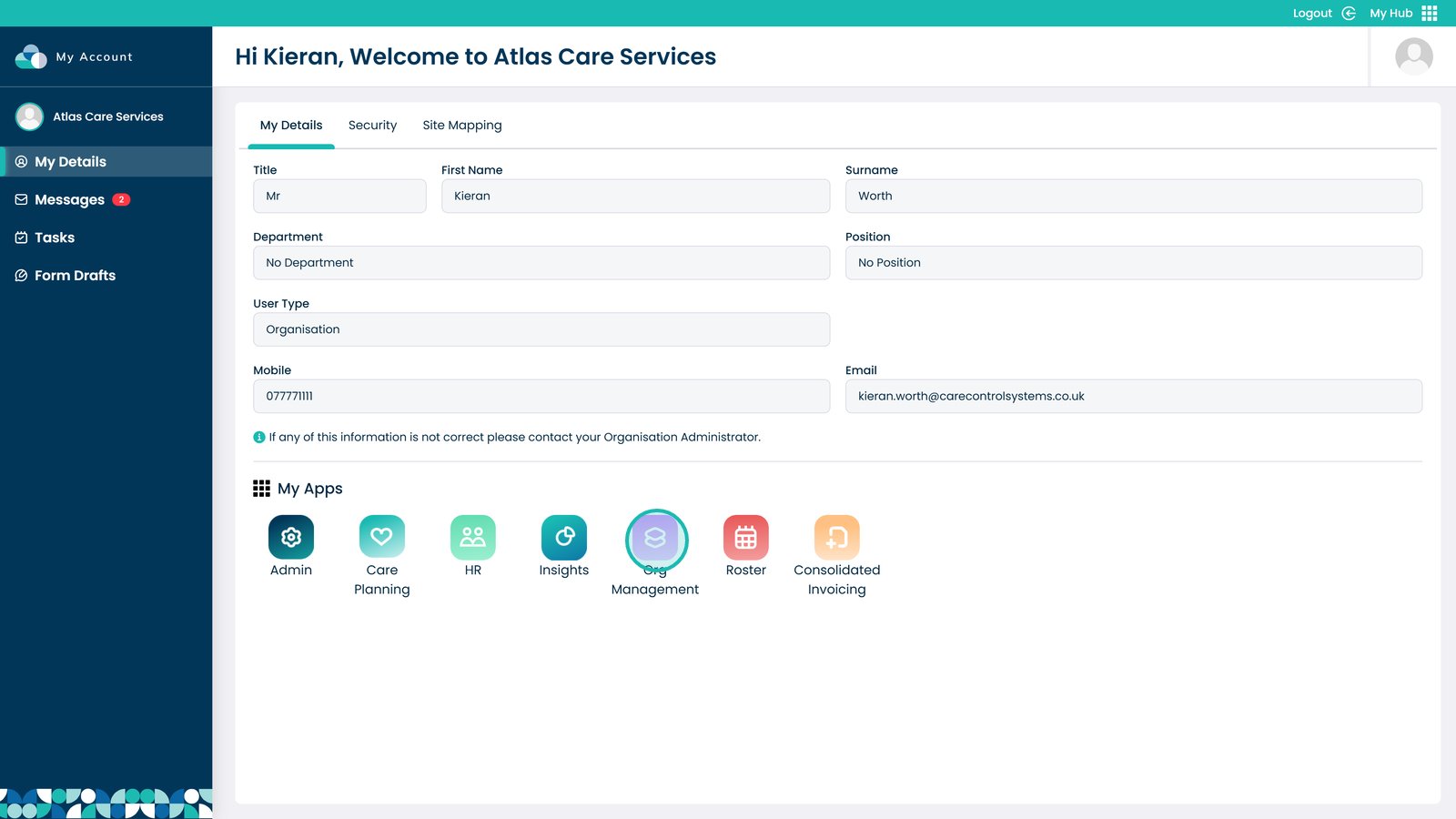
Open the Org Management App
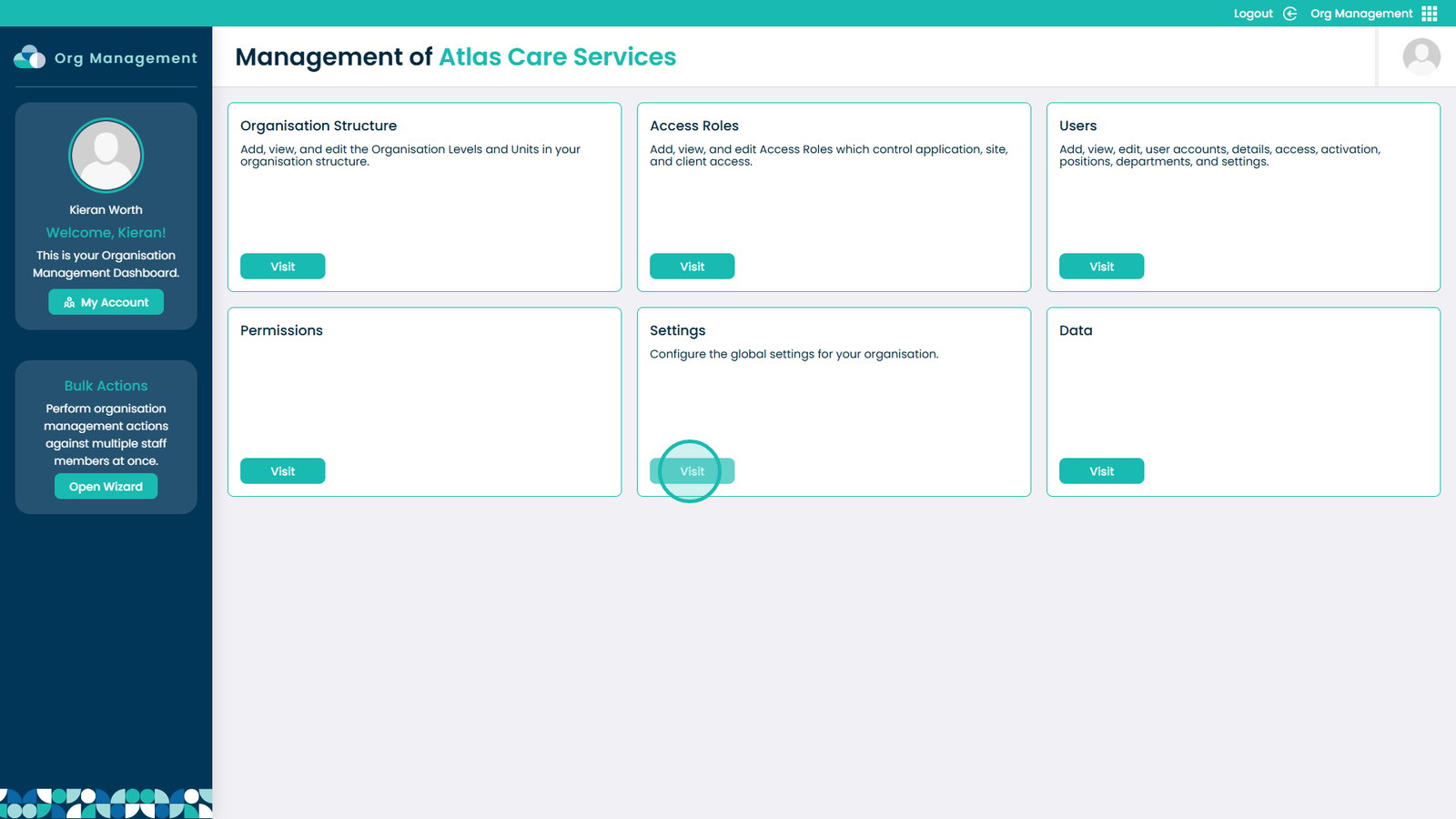
Select the “Visit” button under Settings
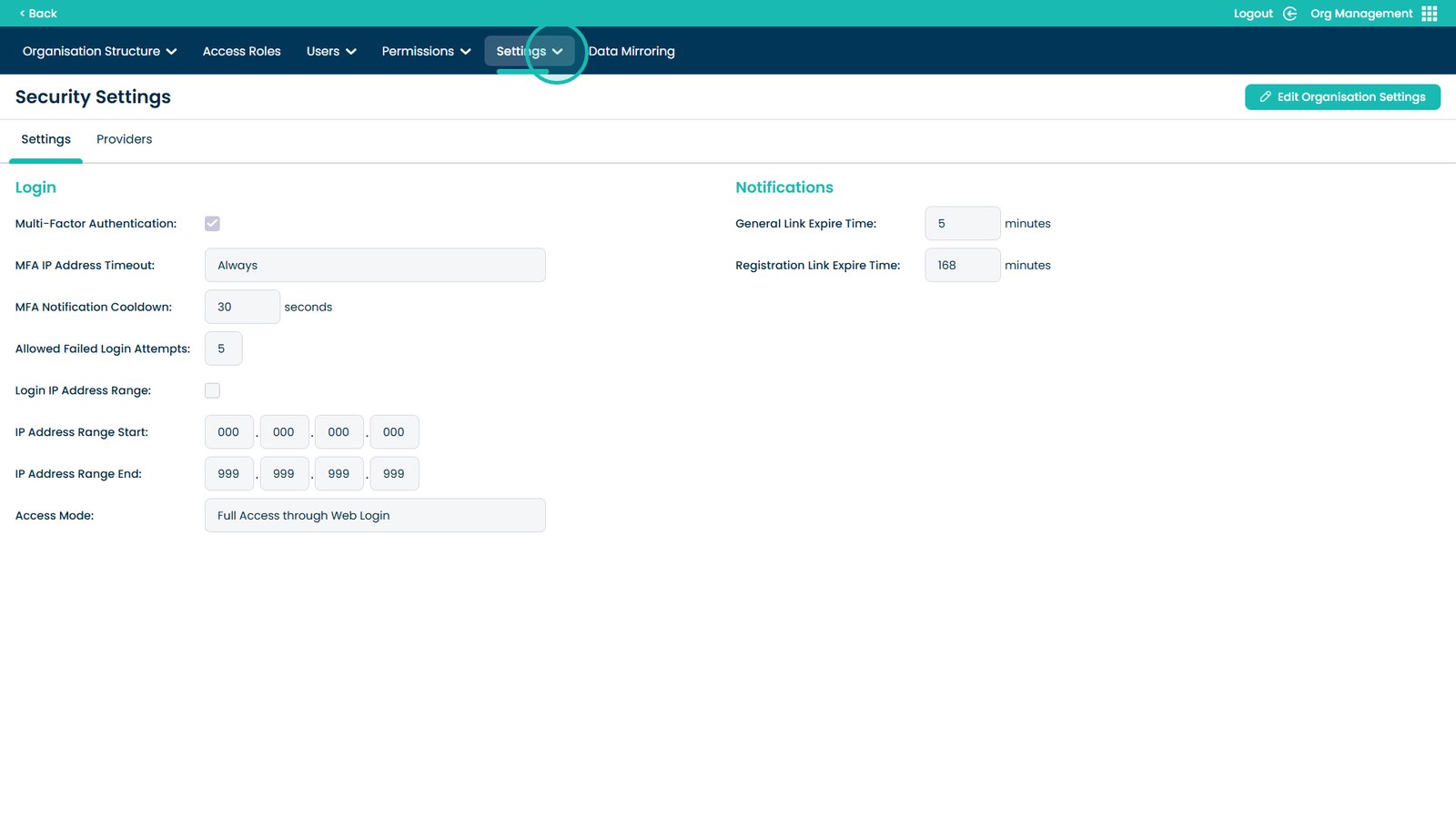
Open the Settings dropdown
Select Applications
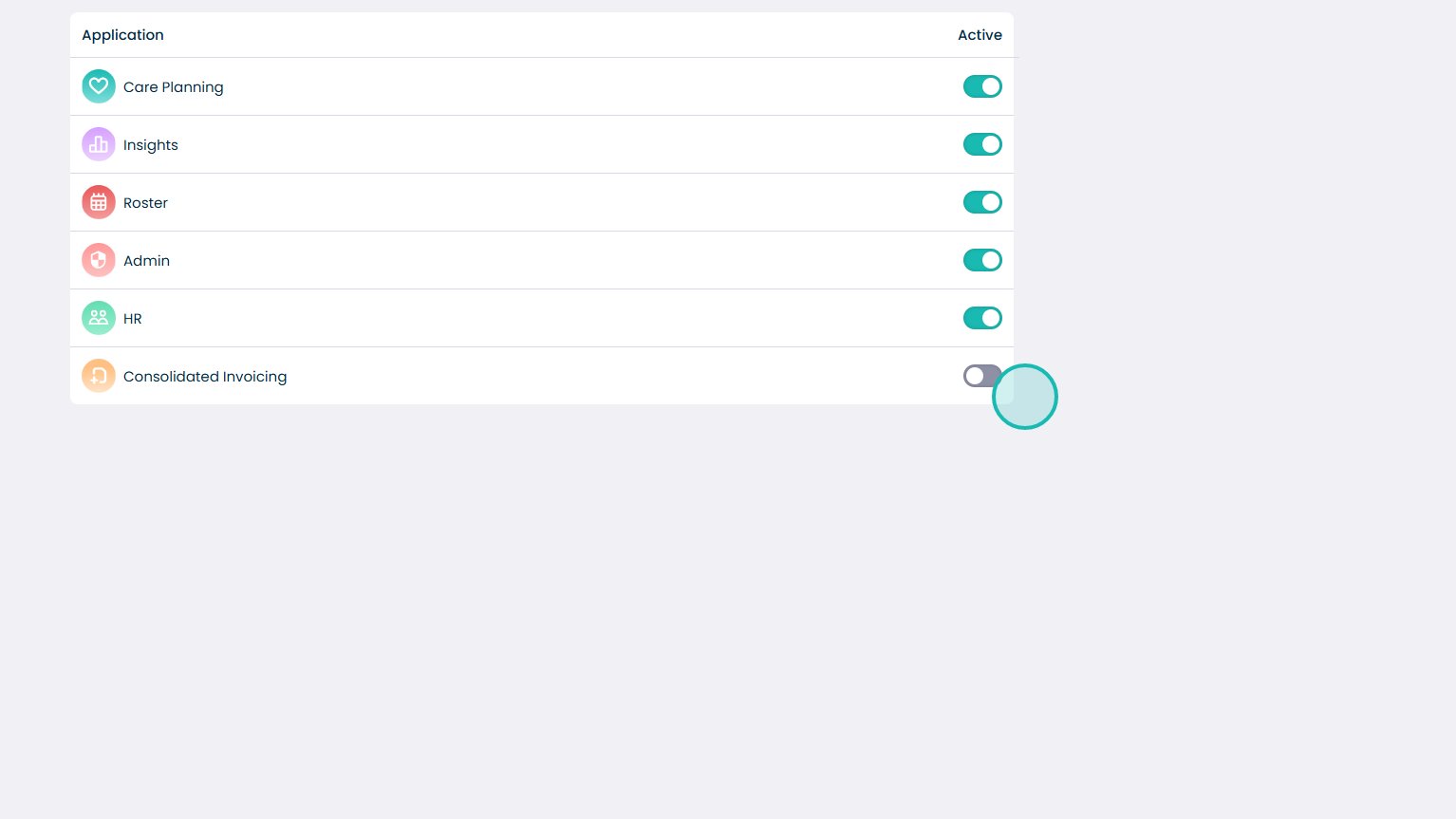
Click the toggle on Consolidated Invoicing to enable it