You could win a £250 Amazon gift card! All you need to do is spare us 3 minutes of your time. Click here to find out more!
This guide will cover exporting a rota in Care Control Cloud
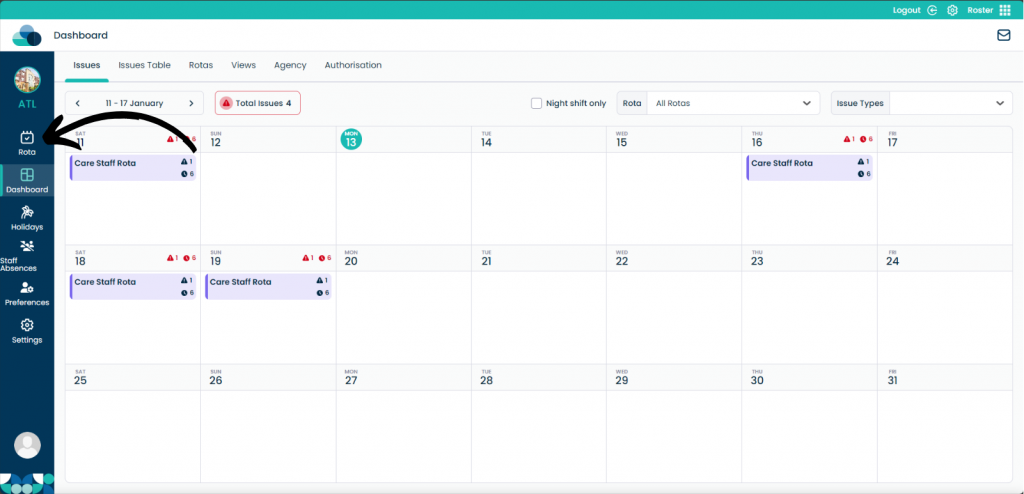
When you are in Roster, click the Rota button.
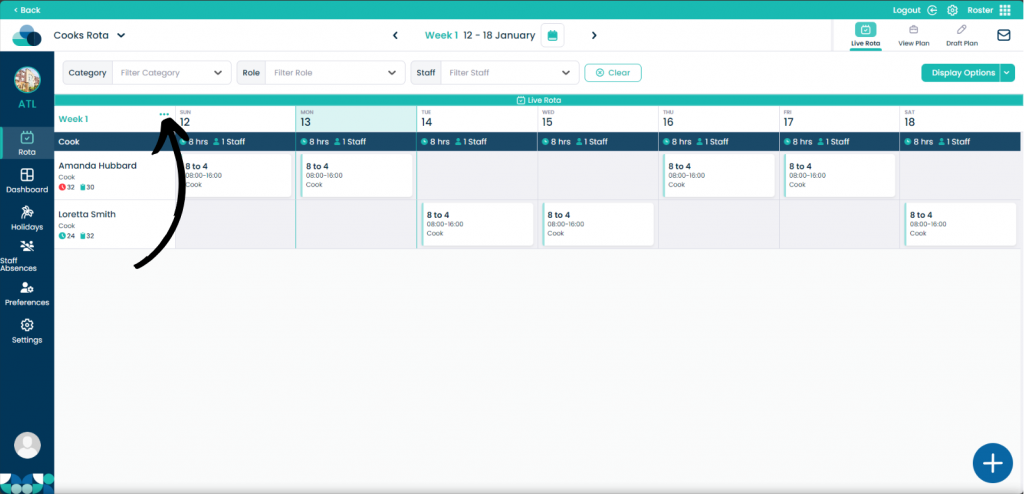
Next to Week 1 click the 3 dots.
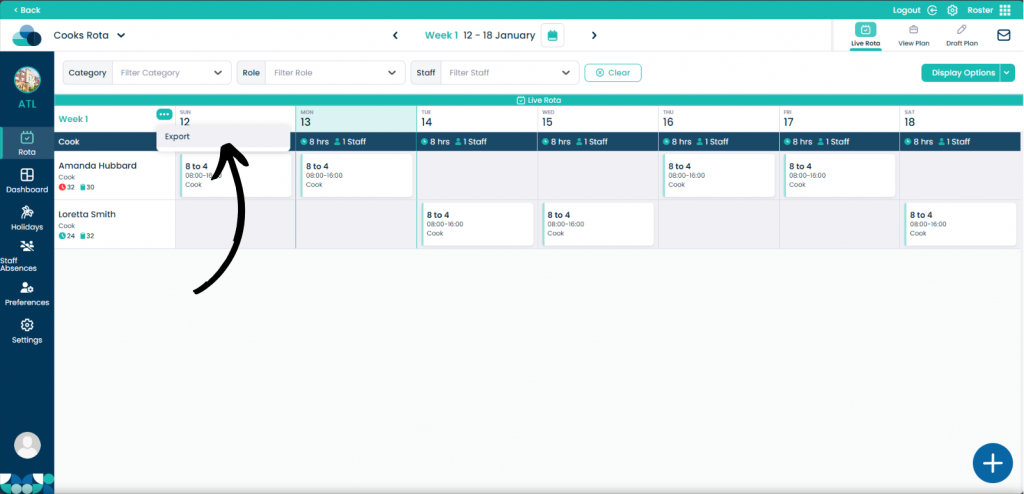
Now click Export.
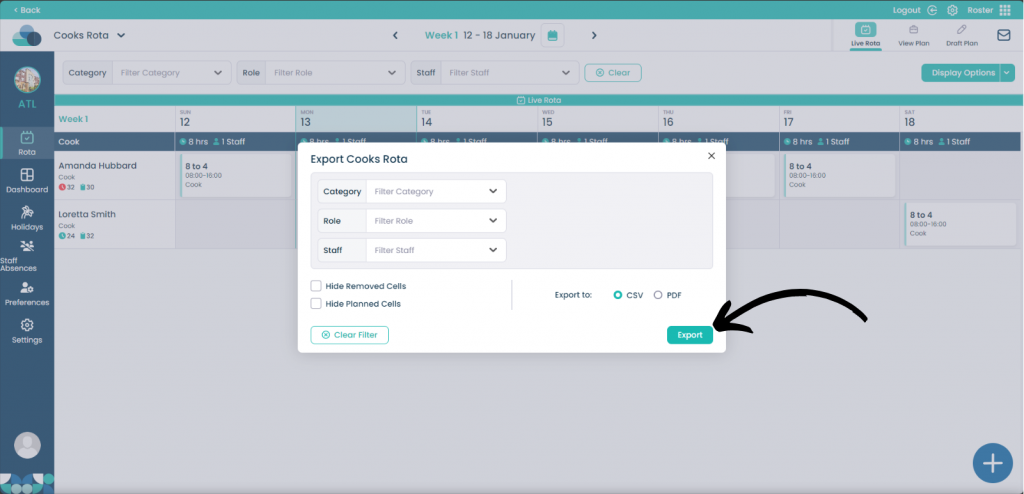
You can pick which Category, Role and Staff member you would like to export. You can also choose to Hide Removed Cells and Hide Planned Cells.
Pick between a CSV file or PDF file.
When happy, select Export.